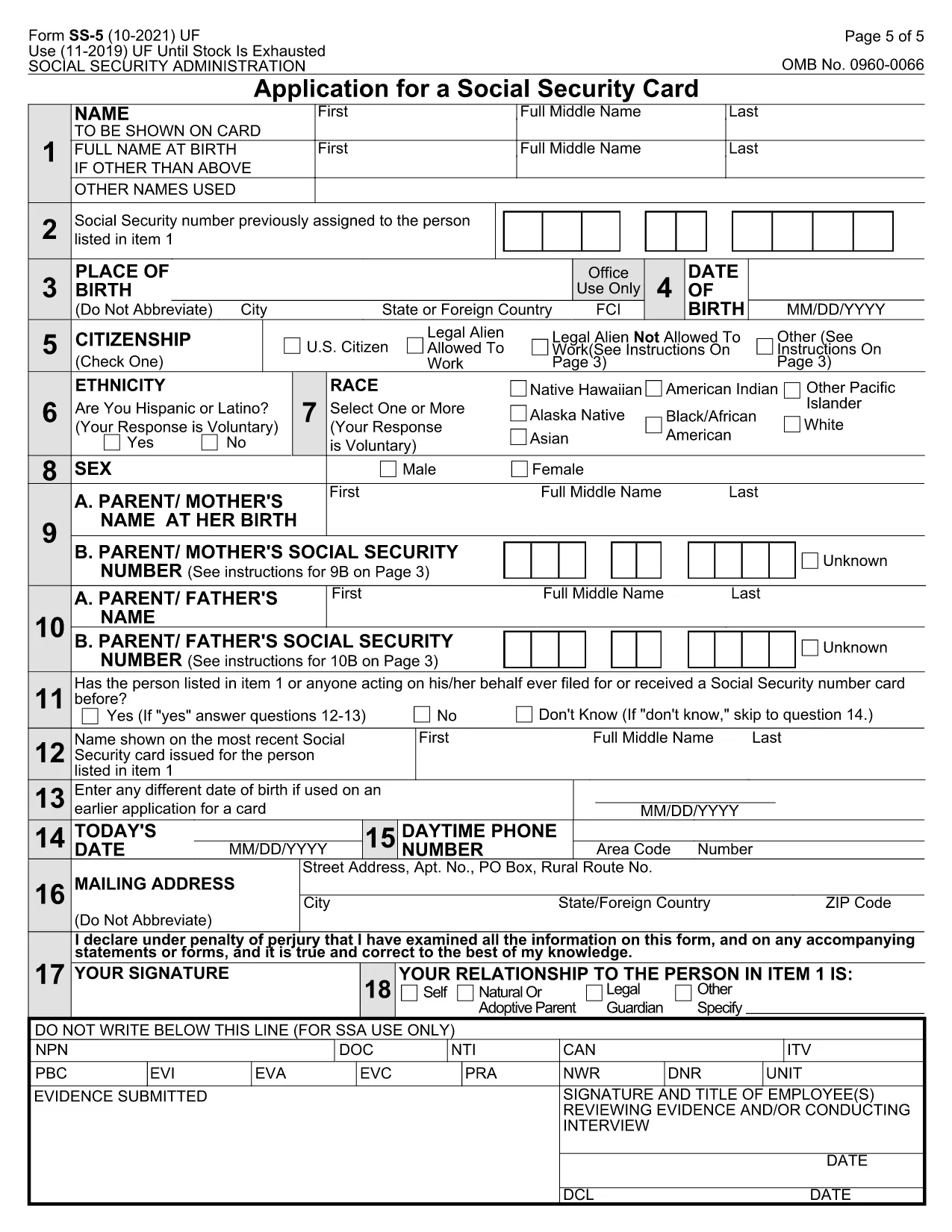
The Social Security Card application (Form SS‑5) is the official document used by the Social Security Administration (SSA) to issue a new or replacement Social Security number (SSN) card. Our fillable PDF lets you complete the form online, save time, and avoid printing errors.
Whether you are applying for your first SSN, correcting personal information, or requesting a replacement card, the SS‑5 form covers all scenarios. The PDF is fully interactive – you can type directly into the fields, add digital signatures, and submit the completed file to your local SSA office.
What Is the SS‑5 Form?
The SS‑5, also known as the "Application for a Social Security Card," collects basic identity information such as name, date of birth, citizenship status, and supporting documentation. It is required for U.S. citizens, permanent residents, and certain non‑citizens who are authorized to work in the United States.
How to Complete the Social Security Card Application
Follow these simple steps to fill out the form using the Formize PDF Filler:
- Click the "Fill out this form" button on the page.
- Wait a few seconds while the Formize PDF Filler app loads.
- Enter your information in each highlighted field. Use the dropdowns for citizenship status and gender.
- Upload scanned copies of the required documents (e.g., birth certificate, passport, or work permit).
- Review the completed form, then click Save & Download to get a PDF you can print or email to your SSA office.
Common Mistakes to Avoid
- Leaving fields blank: Every box marked with an asterisk (*) is mandatory.
- Using illegible handwriting: The fillable PDF eliminates this risk.
- Submitting the wrong type of ID: Check the SSA's accepted documents list before uploading.
- Forgetting the signature: The digital signature field must be completed; otherwise the form will be rejected.
Where to Submit Your Application
After you have saved the completed PDF, you can:
- Mail it to your local Social Security office with the original documents.
- Bring the printed form and documents in person.
- Use the SSA's online portal (if you have a mySocialSecurity account) to upload the PDF.
Download the Fillable PDF
Click the button below to open the interactive SS‑5 form in the Formize PDF Filler. No additional software is required.