Pilih Bahasa

Form I-134 Instructions – Complete the Affidavit of Support Online

  1. Negara USA
  2. Bahasa Inggeris
  3. Jabatan Perkhidmatan Kewarganegaraan dan Imigresen A.S.
Isi borang ini
Form I-134 Instructions – Complete the Affidavit of Support Online

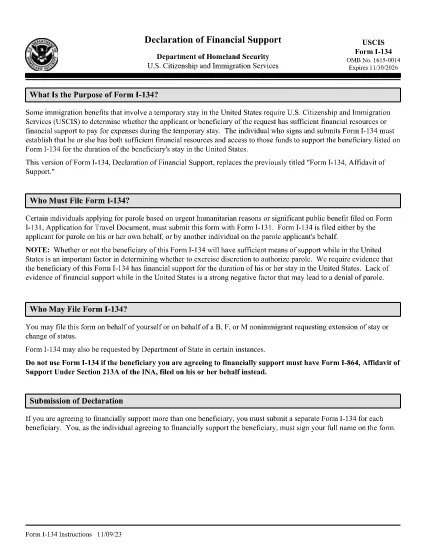
The Form I-134, Affidavit of Support is used by U.S. Citizenship and Immigration Services (USCIS) to prove that a visa applicant or beneficiary has adequate financial backing for a temporary stay in the United States. Whether you are sponsoring a visitor, a fiancé(e), or a student, the instructions must be followed precisely to avoid delays.

What Is Form I-134 and When Is It Required?

Form I-134 is an affidavit of support that demonstrates the sponsor’s ability to cover the applicant’s expenses, including housing, food, medical care, and transportation. It is typically required for:

  • B-2 tourist visas
  • K-1 fiancé(e) visas
  • F-1 student dependents
  • Other non‑immigrant classifications that need proof of financial support

How to Fill Out the I-134 Form Using Formize

Instead of downloading the PDF and editing it in a desktop program, you can complete the form directly in your browser with Formize’s Fillable PDF feature. Follow these simple steps:

  1. Click the "Fill out this form" button on the page.
  2. Wait a few seconds while the Formize PDF Filler app loads the I-134 document.
  3. Enter your information in each highlighted field. The app automatically saves your progress.
  4. Use the built‑in validation to catch formatting errors before moving on.
  5. When all sections are complete, click Download to get a fully‑filled PDF you can print or submit electronically.

Common Mistakes to Avoid When Completing I-134

  • Leaving blank fields – every required box must be filled, even if the answer is “N/A.”
  • Incorrect financial figures – use the most recent tax return and bank statements; round to the nearest dollar.
  • Missing signatures – both the sponsor and, when applicable, the beneficiary must sign.
  • Mismatched dates – ensure the dates on the form match the dates on supporting documents.

Where to Submit the Completed Affidavit of Support

After you download the completed I-134 PDF, attach it to your visa application packet or upload it through the online portal indicated on your specific visa category instructions. Always keep a copy for your records.

For the official, up‑to‑date instructions, you can view the PDF directly below or open it in the Formize filler.

SOALAN LAZIM
  • Do I need a separate PDF for each visa category?

    No. The I-134 form is the same for all non‑immigrant categories that require financial support. Only the supporting documents differ.

  • Can I edit the I-134 after I download it?

    Yes, but it’s easier to make changes before downloading by using the Formize filler, which saves every edit automatically.

  • What financial information is required?

    You must provide your most recent federal tax return, current employment income, and any additional assets such as savings or investments.

  • Is a notarized signature required?

    USCIS does not require notarization for the I-134, but the signature must be legible and match the name on your supporting documents.

  • How long is the I-134 valid?

    The affidavit is generally valid for the duration of the beneficiary’s stay, up to one year, unless the sponsor’s financial situation changes.

  • Can I submit the form electronically?

    Yes. Most visa categories accept a scanned PDF of the completed I-134 uploaded through the online application portal.

  • What should I do if I make a mistake after downloading?

    Print a new version using the Formize filler, correct the error, and submit the updated PDF. Keep the old version for reference.

BAGAIMANA UNTUK

Cara mengisi I-134 instructions secara percuma, dalam talian dalam 4 langkah mudah:

  1. 1
    Click the Fill‑out Button
    Press the "Fill out this form" button on the page to launch the Formize PDF Filler.
  2. 2
    Wait for the Filler to Load
    A few seconds later the fillable I-134 document appears in your browser.
  3. 3
    Enter Your Information
    Complete each highlighted field, following the on‑screen prompts and validation checks.
  4. 4
    Review and Download
    After reviewing for accuracy, click the Download button to save the filled PDF for submission.
Bentuk apl Pengisi PDF
TENTANG

templat I-134 instructions.

Dengan set ciri tradisional untuk melihat dan mengisi dokumen PDF, digabungkan dengan faedah aplikasi web dan reka letak responsif, anda boleh melengkapkan I-134 instructions dalam beberapa minit.

CIRI-CIRI

Pengisi PDF

Cara paling mudah untuk mengisi I-134 instructions dalam talian

  • Cepat isi I-134 instructions
    Mencari cara untuk mengisi I-134 instructions dengan cepat dalam talian? Dengan pengisi borang PDF percuma dalam talian kami, anda akan tahu cara mengedit dan mengisi dokumen pdf ini dalam masa kurang daripada satu minit.
  • Mudah untuk menggunakan editor PDF dalam talian
    Bosan dengan mencetak fail PDF supaya anda boleh mengeditnya, sebelum mengimbas semula dan menghantarnya semula? Edit dokumen PDF secara percuma dalam talian. Gunakan editor pdf dalam talian kami untuk menjimatkan masa dan kertas.
  • Alat yang hebat, semua platform
    Tertanya-tanya cara mengisi I-134 instructions pada Mac, atau mungkin cara menggunakan pengisi PDF secara percuma? Alat PDF dalam talian kami berfungsi pada semua platform.
  • Simpanan fail selamat
    Fail "I-134 instructions" yang lengkap disimpan dalam pangkalan data selamat yang diuruskan oleh pengehosan Amazon Cloud. Anda boleh memadamkan fail anda daripada sistem kami pada bila-bila masa. Walau apa pun, fail ini dipadamkan secara automatik selepas 24 jam.
  • Sembang dengan I-134 instructions
    Sembang dengan "I-134 instructions" di Chatize yang merupakan pembantu pembaca PDF percuma. Tanya soalan dan dapatkan jawapan daripada "I-134 instructions". Cuma klik pada butang Sembang Dengan Dokumen di atas.

Padamkan sesi pengisian

Padamkan sesi pengisian yang dipilih? Dalam kes ini, kemajuan anda dalam melengkapkan borang akan hilang.

Padamkan sesi penyuntingan

Padamkan sesi penyuntingan yang dipilih? Dalam kes ini, kemajuan anda dalam membuat dan mengedit borang akan hilang.