
Pilih Bahasa

BLC-54 Blue Light Permit Application – Fillable PDF

  1. Bahasa Inggeris
  2. Negara USA
  3. Aktiviti Pendaftaran Kenderaan
  4. negeri Jersi baru
Isi borang ini
BLC-54 Blue Light Permit Application – Fillable PDF

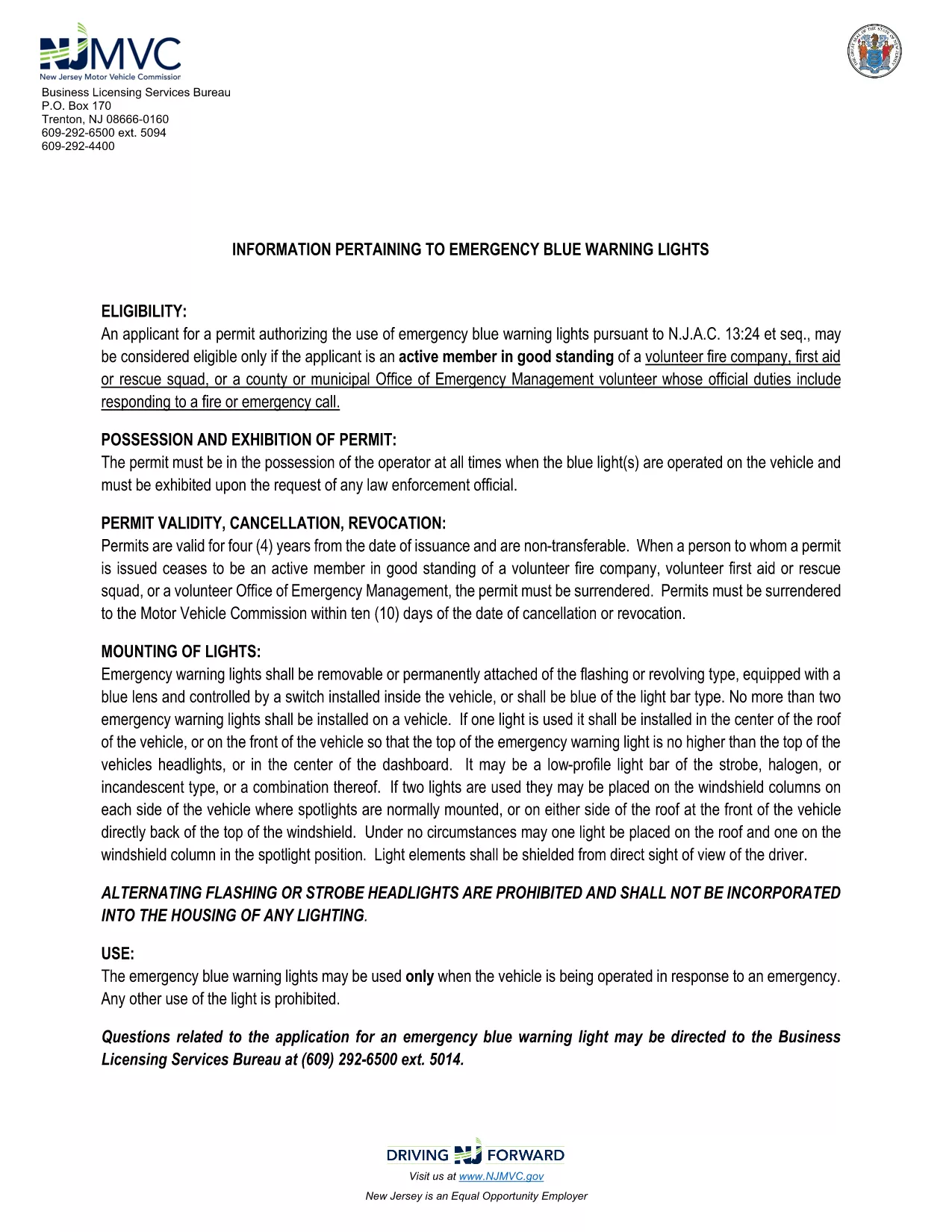
The BLC-54 is the official New Jersey Motor Vehicle Commission (MVC) application for a blue light permit. This permit allows volunteer fire companies, first‑aid squads, rescue units, and municipal emergency management officials to use emergency blue warning lights on their response vehicles.

What Is the BLC-54 Form?

The BLC-54 is a fillable PDF that captures essential information about the applicant, the volunteer organization, and the vehicle that will display the blue lights. It includes sections for:

  • Applicant’s name, title, and contact details
  • Volunteer fire or rescue organization details
  • Vehicle description, VIN, and registration information
  • Signature of the mayor, chief executive officer, or authorized municipal official

Who Can Apply for a Blue Light Permit?

Eligibility is limited to active members in good standing of:

  • Volunteer fire companies
  • First‑aid or rescue squads
  • County or municipal Office of Emergency Management volunteers whose duties include fire response

The application must be signed by the municipality’s mayor or chief executive officer.

How to Complete the BLC-54 Online

Instead of downloading the PDF and editing it in a separate program, simply click the “Fill out this form” button on this page. The Formize PDF Filler app will load automatically, letting you complete every field directly in your browser.

Common Mistakes to Avoid

  • Leaving required fields blank – the form will not submit until all mandatory sections are filled.
  • Incorrect vehicle VIN – double‑check the VIN on the vehicle registration.
  • Missing signatures – the mayor or authorized official must sign; an unsigned form is rejected.

Submit Your Application

After completing the form, review all entries for accuracy, then click the “Submit” button. You can either download the completed PDF for mailing or submit it electronically if your municipality accepts digital submissions.

Need help? Review the FAQs below or contact your local municipal office for further assistance.

SOALAN LAZIM
  • What does BLC-54 stand for?

    BLC-54 is the New Jersey MVC’s Blue Light Permit application used by volunteer fire, rescue, and emergency management organizations.

  • Can I submit the form electronically?

    Many municipalities accept electronic submissions. Check with your local office; the Formize filler lets you download a completed PDF for mailing if needed.

  • Who must sign the BLC-54 form?

    The form must be signed by the mayor, chief executive officer, or another authorized municipal official responsible for the volunteer fire department.

  • Is the PDF truly fillable online?

    Yes. By clicking the “Fill out this form” button, Formize loads a secure, browser‑based PDF filler that lets you type, select, and sign without extra software.

  • What happens after I submit the form?

    Your municipal office will review the application. If approved, they will issue a blue light permit and provide instructions for attaching the lights to your vehicle.

  • Can I edit the form after I’ve submitted it?

    Once submitted, you’ll need to request a new application from your municipality for any changes.

BAGAIMANA UNTUK

Cara mengisi BLC-54 secara percuma, dalam talian dalam 5 langkah mudah:

  1. 1
    Click the Fill Out Button
    On this page, click the “Fill out this form” button. The Formize PDF Filler will open instantly in your browser.
  2. 2
    Wait for the Filler to Load
    The app loads the fillable BLC-54 PDF. This usually takes a few seconds depending on your connection.
  3. 3
    Enter Your Information
    Complete each section: applicant details, organization info, vehicle data, and required signatures.
  4. 4
    Review and Sign
    Double‑check all entries for accuracy, then use the digital signature field for the mayor or authorized official.
  5. 5
    Submit or Download
    Click “Submit” to send the form to your municipal office, or download the completed PDF for mailing.
Bentuk apl Pengisi PDF
TENTANG

Borang Pendaftaran Kenderaan

Jika anda memiliki atau memajak kenderaan bermotor, treler atau bot, anda mesti memenuhi kewajipan tertentu untuk memastikan kenderaan anda didaftarkan secara sah dan selamat.

BLC-54 ialah salah satu borang pendaftaran Kenderaan yang merupakan dokumen yang digunakan untuk mendaftarkan kenderaan bermotor dengan pihak berkuasa negeri atau wilayah yang berkaitan. Borang ini biasanya diperlukan apabila seseorang membeli kenderaan baharu atau terpakai atau apabila mereka berpindah ke negeri atau wilayah baharu dengan kenderaan.

Keperluan dan borang tepat yang diperlukan untuk pendaftaran kenderaan boleh berbeza mengikut lokasi, tetapi secara amnya, proses itu melibatkan penyediaan maklumat tentang kenderaan, pemilik dan sebarang lien pada kenderaan.

Setelah borang pendaftaran dan bayaran diserahkan, pihak berkuasa negeri atau wilayah akan mengeluarkan sijil pendaftaran atau plat lesen kepada pemilik kenderaan. Pendaftaran ini membolehkan kenderaan itu dikendalikan secara sah di jalan raya dan lebuh raya awam.

CIRI-CIRI

Pengisi PDF

Cara paling mudah untuk mengisi BLC-54 dalam talian

  • Cepat isi BLC-54
    Mencari cara untuk mengisi BLC-54 dengan cepat dalam talian? Dengan pengisi borang PDF percuma dalam talian kami, anda akan tahu cara mengedit dan mengisi dokumen pdf ini dalam masa kurang daripada satu minit.
  • Mudah untuk menggunakan editor PDF dalam talian
    Bosan dengan mencetak fail PDF supaya anda boleh mengeditnya, sebelum mengimbas semula dan menghantarnya semula? Edit dokumen PDF secara percuma dalam talian. Gunakan editor pdf dalam talian kami untuk menjimatkan masa dan kertas.
  • Alat yang hebat, semua platform
    Tertanya-tanya cara mengisi BLC-54 pada Mac, atau mungkin cara menggunakan pengisi PDF secara percuma? Alat PDF dalam talian kami berfungsi pada semua platform.
  • Simpanan fail selamat
    Fail "BLC-54" yang lengkap disimpan dalam pangkalan data selamat yang diuruskan oleh pengehosan Amazon Cloud. Anda boleh memadamkan fail anda daripada sistem kami pada bila-bila masa. Walau apa pun, fail ini dipadamkan secara automatik selepas 24 jam.
  • Sembang dengan BLC-54
    Sembang dengan "BLC-54" di Chatize yang merupakan pembantu pembaca PDF percuma. Tanya soalan dan dapatkan jawapan daripada "BLC-54". Cuma klik pada butang Sembang Dengan Dokumen di atas.

Padamkan sesi pengisian

Padamkan sesi pengisian yang dipilih? Dalam kes ini, kemajuan anda dalam melengkapkan borang akan hilang.

Padamkan sesi penyuntingan

Padamkan sesi penyuntingan yang dipilih? Dalam kes ini, kemajuan anda dalam membuat dan mengedit borang akan hilang.