
Pilih Bahasa

GU-41A Road Crossing Permit – Fillable PDF Download

  1. Bahasa Inggeris
  2. Negara USA
  3. Aktiviti Pendaftaran Kenderaan
  4. negeri Jersi baru
Isi borang ini
GU-41A Road Crossing Permit – Fillable PDF Download

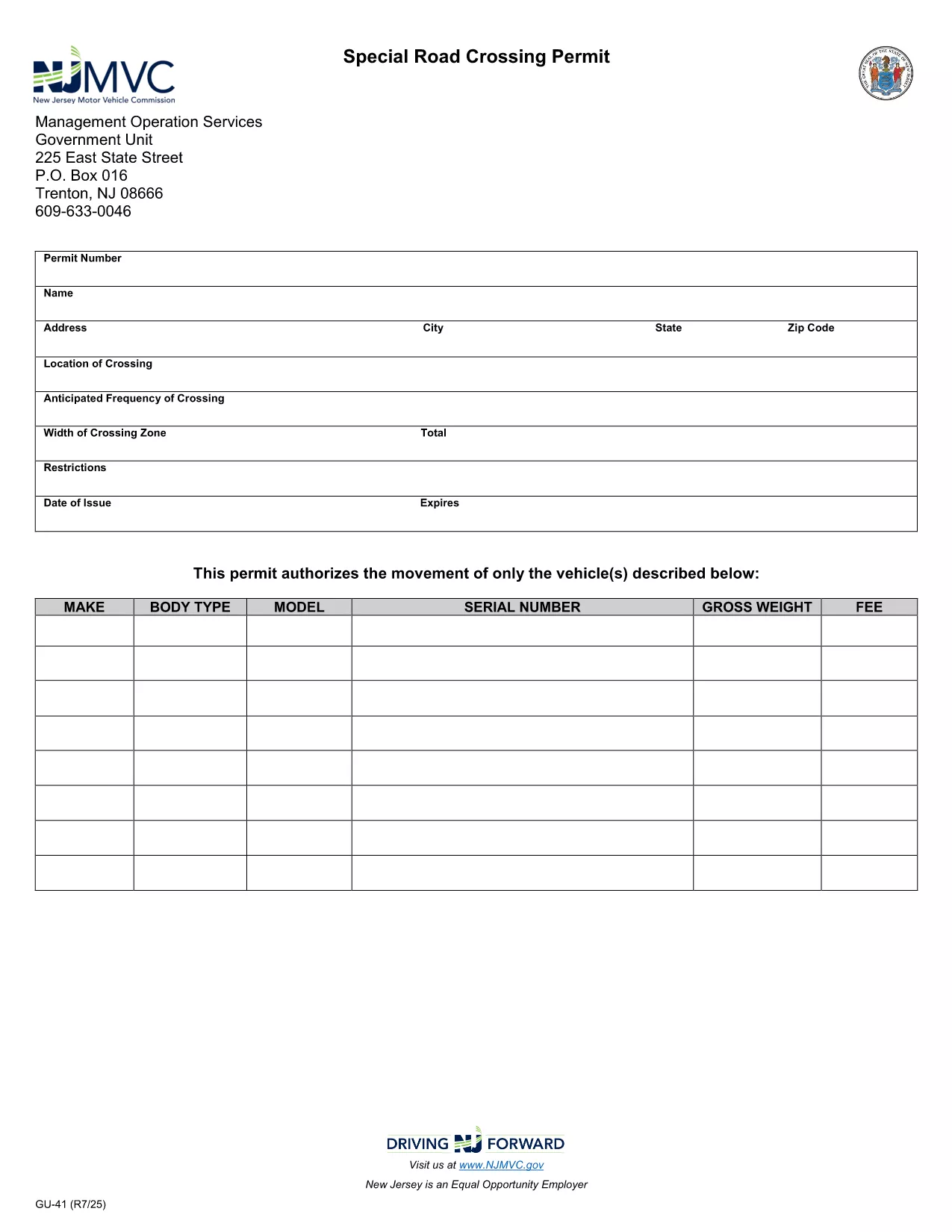
The GU-41A is New Jersey’s official Road Crossing Permit used for temporary vehicle crossings on state highways. Whether you’re transporting oversized equipment, conducting road work, or need a special crossing for a public event, this form authorizes daylight‑only crossings (or night crossings with proper lighting).

What Is the GU-41A Form?

The GU-41A application collects details about the vehicle(s), driver, crossing location, date, and required safety measures. It is issued by the New Jersey Motor Vehicle Commission (NJ MVC) and must be displayed on the vehicle during the crossing.

How to Complete the GU-41A Online

With Formize’s fillable PDF technology you don’t need any extra software. Follow these simple steps:

  1. Click the "Fill out this form" button on this page.
  2. Wait for the Formize PDF Filler app to load in your browser.
  3. Enter all required information – vehicle details, driver license, crossing dates, and lighting requirements.
  4. Review the data for accuracy and click Submit to generate a completed PDF.
  5. Print the form, sign it where indicated, and attach it to your vehicle as instructed.

Common Mistakes to Avoid

  • Leaving the "Vehicle Height" or "Weight" fields blank.
  • Forgetting to specify if the crossing will occur after dark; night crossings require additional lighting.
  • Submitting the form without a valid driver’s license number.
  • Not printing the signed copy – an electronic version alone is not accepted by NJ MVC.

Where to Submit the Completed Form

After printing and signing, deliver the GU-41A to the nearest NJ MVC office or mail it to:

Motor Vehicle Commission
124 Halsey Street, Trenton, NJ 08625
Phone: (609) 292‑6500

Processing typically takes 3‑5 business days. Keep a copy for your records.

Download the Fillable PDF Now

Ready to start? Click the button below to open the fillable GU-41A PDF directly in your browser via Formize.

SOALAN LAZIM
  • What is the purpose of the GU-41A form?

    The GU-41A authorizes temporary vehicle crossings on New Jersey state highways, ensuring safety and compliance with lighting requirements.

  • Who needs to fill out a GU-41A?

    Any individual or company transporting oversized or special‑purpose vehicles that require a temporary crossing on a state road must complete the GU-41A.

  • Can I submit the GU-41A electronically?

    No. The NJ MVC requires a printed, signed copy of the completed form to be submitted in person or by mail.

  • Is there a fee for the GU-41A permit?

    Yes, a processing fee is assessed by the MVC. The exact amount varies; check the latest fee schedule on the NJ MVC website.

  • How long is the permit valid?

    The permit is valid for the specific dates and times listed on the application, typically up to 30 days for a single crossing.

  • What lighting is required for night crossings?

    Vehicles must have at least two white front lights capable of illuminating objects at 500 feet and two Class‑A amber reflectors on each side.

  • Can I use the same GU-41A for multiple crossings?

    Each crossing requires its own GU-41A application with the specific dates, locations, and vehicle details for that event.

  • How long does it take to process the GU-41A?

    Processing usually takes 3‑5 business days after the signed form is received by the MVC.

  • What should I do if I make a mistake on the form?

    Correct any errors before signing. If you discover a mistake after signing, contact the MVC to obtain a new form.

  • Where can I find the fillable GU-41A PDF?

    Click the "Download the Fillable PDF Now" button on this page to open the official GU-41A PDF hosted by the NJ MVC.

BAGAIMANA UNTUK

Cara mengisi GU-41A secara percuma, dalam talian dalam 5 langkah mudah:

  1. 1
    Open the Fillable Form
    Click the "Fill out this form" button on the page. The Formize PDF Filler will open directly in your browser.
  2. 2
    Enter Required Information
    Complete all fields such as vehicle details, driver license, crossing dates, and lighting requirements.
  3. 3
    Review and Submit
    Double‑check the entered data, then click Submit to generate a completed PDF.
  4. 4
    Print, Sign, and Attach
    Print the filled‑out form, sign where indicated, and attach it to the vehicle as required by NJ MVC.
  5. 5
    Submit to NJ MVC
    Deliver the signed form to your local MVC office or mail it to the address provided on the form.
Bentuk apl Pengisi PDF
TENTANG

Borang Pendaftaran Kenderaan

Jika anda memiliki atau memajak kenderaan bermotor, treler atau bot, anda mesti memenuhi kewajipan tertentu untuk memastikan kenderaan anda didaftarkan secara sah dan selamat.

GU-41A ialah salah satu borang pendaftaran Kenderaan yang merupakan dokumen yang digunakan untuk mendaftarkan kenderaan bermotor dengan pihak berkuasa negeri atau wilayah yang berkaitan. Borang ini biasanya diperlukan apabila seseorang membeli kenderaan baharu atau terpakai atau apabila mereka berpindah ke negeri atau wilayah baharu dengan kenderaan.

Keperluan dan borang tepat yang diperlukan untuk pendaftaran kenderaan boleh berbeza mengikut lokasi, tetapi secara amnya, proses itu melibatkan penyediaan maklumat tentang kenderaan, pemilik dan sebarang lien pada kenderaan.

Setelah borang pendaftaran dan bayaran diserahkan, pihak berkuasa negeri atau wilayah akan mengeluarkan sijil pendaftaran atau plat lesen kepada pemilik kenderaan. Pendaftaran ini membolehkan kenderaan itu dikendalikan secara sah di jalan raya dan lebuh raya awam.

CIRI-CIRI

Pengisi PDF

Cara paling mudah untuk mengisi GU-41A dalam talian

  • Cepat isi GU-41A
    Mencari cara untuk mengisi GU-41A dengan cepat dalam talian? Dengan pengisi borang PDF percuma dalam talian kami, anda akan tahu cara mengedit dan mengisi dokumen pdf ini dalam masa kurang daripada satu minit.
  • Mudah untuk menggunakan editor PDF dalam talian
    Bosan dengan mencetak fail PDF supaya anda boleh mengeditnya, sebelum mengimbas semula dan menghantarnya semula? Edit dokumen PDF secara percuma dalam talian. Gunakan editor pdf dalam talian kami untuk menjimatkan masa dan kertas.
  • Alat yang hebat, semua platform
    Tertanya-tanya cara mengisi GU-41A pada Mac, atau mungkin cara menggunakan pengisi PDF secara percuma? Alat PDF dalam talian kami berfungsi pada semua platform.
  • Simpanan fail selamat
    Fail "GU-41A" yang lengkap disimpan dalam pangkalan data selamat yang diuruskan oleh pengehosan Amazon Cloud. Anda boleh memadamkan fail anda daripada sistem kami pada bila-bila masa. Walau apa pun, fail ini dipadamkan secara automatik selepas 24 jam.
  • Sembang dengan GU-41A
    Sembang dengan "GU-41A" di Chatize yang merupakan pembantu pembaca PDF percuma. Tanya soalan dan dapatkan jawapan daripada "GU-41A". Cuma klik pada butang Sembang Dengan Dokumen di atas.

Padamkan sesi pengisian

Padamkan sesi pengisian yang dipilih? Dalam kes ini, kemajuan anda dalam melengkapkan borang akan hilang.

Padamkan sesi penyuntingan

Padamkan sesi penyuntingan yang dipilih? Dalam kes ini, kemajuan anda dalam membuat dan mengedit borang akan hilang.