
Selecteer taal

Application to Resume Australian Citizenship (Form 132) – Fill Online

  1. Taal Engels
  2. Land Australië
  3. Activiteit Burgerschap
  4. Afdeling Home Affairs
Application to Resume Australian Citizenship (Form 132) – Fill Online

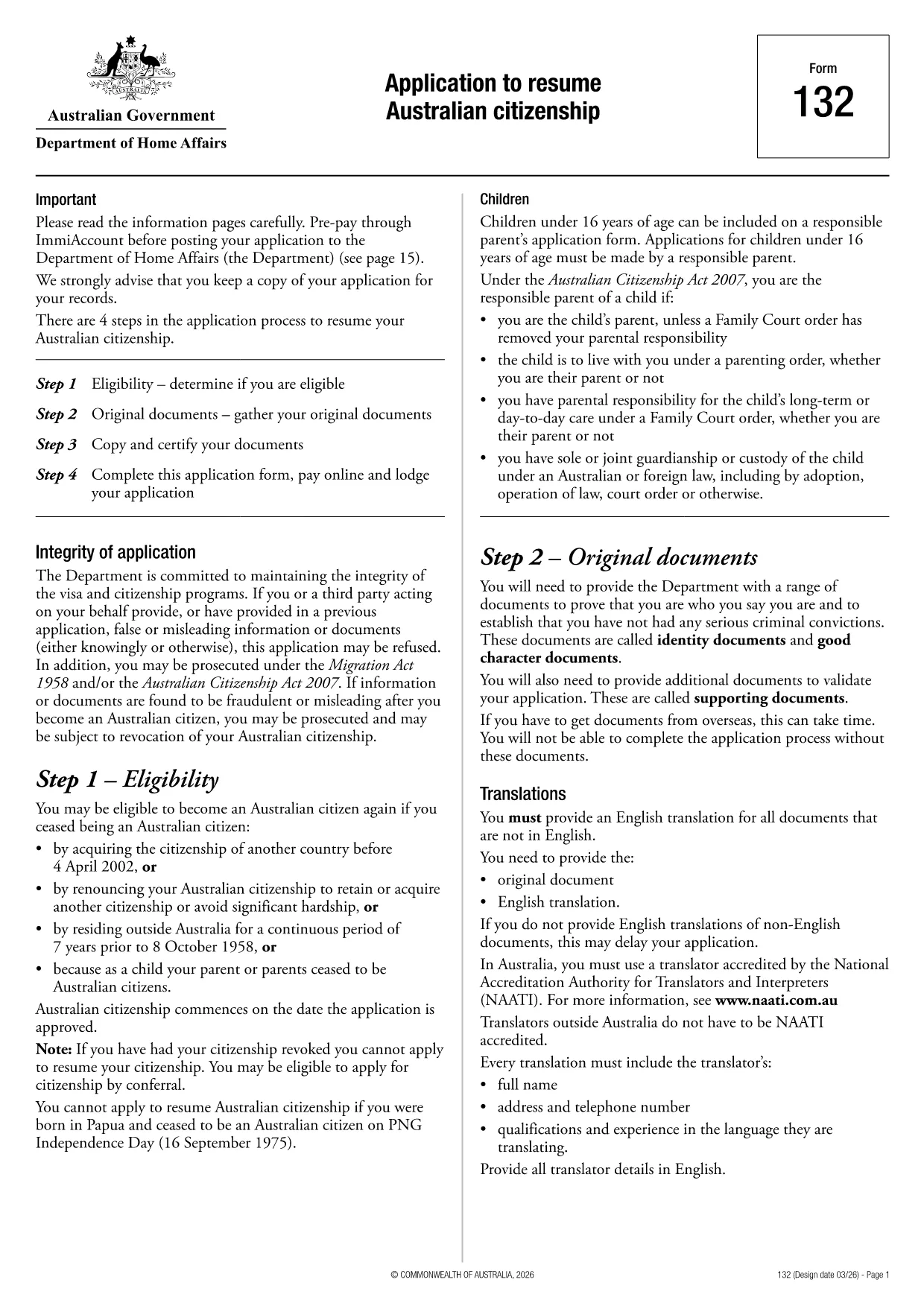
If you need to resume your Australian citizenship, you’ll use Form 132 – Application to Resume Australian Citizenship. This official PDF can now be completed entirely online with the Formize PDF Filler, so you never have to print, scan, or manually edit the document.

Why Use the Online Formize PDF Filler?

The Formize filler loads the exact PDF you need, preserving the government‑approved layout while letting you type directly into each field. Benefits include:

  • Instant validation of required fields
  • Automatic saving – you can pause and return later
  • Secure, browser‑based processing – no software install
  • One‑click download of the completed PDF for submission

Step‑by‑Step Guide to Completing Form 132

Follow these simple steps to fill out the application correctly:

  1. Click the “Fill out this form” button below.
  2. Wait for the Formize PDF Filler app to load the PDF.
  3. Enter your personal details, citizenship history, and reasons for resumption.
  4. Attach any required supporting documents (e.g., passport copy, proof of residence).
  5. Review the completed form for accuracy.
  6. Download the finished PDF and submit it to the Department of Home Affairs.

Common Mistakes to Avoid

Even with an easy online tool, mistakes happen. Avoid these pitfalls:

  • Leaving mandatory fields blank – the filler will highlight them.
  • Uploading files in the wrong format (use PDF, JPG, or PNG only).
  • Using an outdated version of the form – the link below always points to the latest Form 132.

Eligibility & Supporting Documents

Before you start, make sure you meet the eligibility criteria:

  • You previously held Australian citizenship.
  • You have been outside Australia for a period that requires resumption.
  • You can provide proof of identity and residency.

Typical supporting documents include a current passport, a statutory declaration, and any relevant court orders.

Where to Submit Your Application

After downloading the completed PDF, submit it through the Department of Home Affairs portal or mail it to the address listed on the form. Keep a copy for your records.

Ready to get started? Click the button below and let Formize handle the rest.

FAQ
  • Do I need to download any software to fill Form 132?

    No. Formize’s PDF filler works entirely in your web browser, so there’s nothing to install.

  • Can I save my progress and return later?

    Yes. The filler automatically saves your entries locally, allowing you to close the browser and continue later.

  • What file formats are accepted for supporting documents?

    PDF, JPG, and PNG are accepted. Make sure each file is under 5 MB for smooth uploading.

  • Is the online filler secure?

    All data is processed locally in your browser and never stored on our servers. Your information remains private.

  • Can I print the completed form directly from the filler?

    After you finish, click the “Download” button to save the completed PDF, then print it using any PDF viewer.

  • What if I make a mistake after downloading?

    You can reopen the downloaded PDF in Formize’s filler, correct the error, and download a new version.

  • Where do I send the finished Form 132?

    Submit the PDF through the Department of Home Affairs online portal or mail it to the address listed on the form.

HOE

Zo vult u Australian citizenship resume form gratis online in in 4 eenvoudige stappen:

  1. 1
    Open the Form
    Click the “Fill out this form” button on this page. The Formize PDF Filler will launch in your browser.
  2. 2
    Enter Your Details
    Type directly into each highlighted field – the filler automatically saves your progress.
  3. 3
    Upload Supporting Documents
    Use the “Attach File” option to add passport scans, statutory declarations, or other required PDFs.
  4. 4
    Review and Submit
    Check every section for completeness, then download the finished PDF and send it to the Department of Home Affairs.
Formize PDF Filler-app
WAT BETREFT

Inburgeringsformulieren

Australian citizenship resume form is een van de burgerschapsformulieren die documenten zijn die worden gebruikt om het staatsburgerschap in een land aan te vragen. De exacte vormen en vereisten voor staatsburgerschap verschillen per land, maar over het algemeen omvat het proces het verstrekken van persoonlijke informatie en bewijs van geschiktheid voor staatsburgerschap.

In de Verenigde Staten is de meest voorkomende vorm van staatsburgerschap de N-400 Application for Naturalization. Dit formulier wordt gebruikt door legale permanente inwoners (houders van een groene kaart) om het Amerikaanse staatsburgerschap aan te vragen. Het formulier vraagt ​​om persoonlijke informatie zoals naam, geboortedatum en contactgegevens, evenals informatie over de immigratiestatus van de aanvrager, criminele geschiedenis en andere geschiktheidsvereisten.

Andere landen hebben misschien andere vormen en vereisten voor staatsburgerschap, maar het basisproces omvat doorgaans het verstrekken van informatie over de achtergrond van de aanvrager en het voldoen aan bepaalde toelatingscriteria. Dit kan het slagen voor een burgerschapstest, het aantonen van kennis van de geschiedenis en de regering van het land en het aantonen van vaardigheid in de taal van het land zijn.

Het is belangrijk op te merken dat het proces om het staatsburgerschap te verkrijgen complex en tijdrovend kan zijn. Het wordt aanbevolen dat personen die staatsburgerschap zoeken, een immigratieadvocaat of een andere gekwalificeerde professional raadplegen om te helpen bij het navigeren door het proces en ervoor te zorgen dat aan alle noodzakelijke formulieren en vereisten wordt voldaan.

FUNCTIES

PDF-vuller

De eenvoudigste manier om online PDF-formulieren in te vullen

  • Vul snel Australian citizenship resume form in
    Op zoek naar een manier om Australian citizenship resume form snel online in te vullen? Met onze online gratis PDF-formulierinvuller weet u hoe u dit pdf-document in minder dan een minuut kunt bewerken en invullen.
  • Gebruiksvriendelijke online PDF-editor
    Ben je het beu om PDF-bestanden uit te printen zodat je ze kunt bewerken, voordat je ze opnieuw scant en terugstuurt? Bewerk PDF-documenten gratis online. Gebruik onze online pdf-editor om tijd en papier te besparen.
  • Geweldige tools, alle platforms
    Vraagt ​​u zich af hoe u Australian citizenship resume form op een Mac moet invullen, of misschien hoe u gratis een PDF-filler kunt gebruiken? Onze online pdf-tools werken op alle platformen.
  • Veilige bestandsopslag
    Voltooide "Australian citizenship resume form"-bestanden worden opgeslagen in een beveiligde database die wordt beheerd door Amazon Cloud hosting. U kunt uw bestanden op elk moment uit ons systeem verwijderen. Deze bestanden worden in ieder geval na 24 uur automatisch verwijderd.
  • Chat met {trefwoord}
    Chat met "Australian citizenship resume form" op Chatize, een gratis PDF-lezerassistent. Stel vragen en krijg antwoorden van "Australian citizenship resume form". Klik gewoon op de knop Chatten met document hierboven.

De vulsessie verwijderen

De geselecteerde vulsessie verwijderen? In dat geval gaat uw voortgang bij het invullen van het formulier verloren.

Bewerkingssessie verwijderen

De geselecteerde bewerkingssessie verwijderen? In dit geval gaat uw voortgang bij het maken en bewerken van het formulier verloren.