

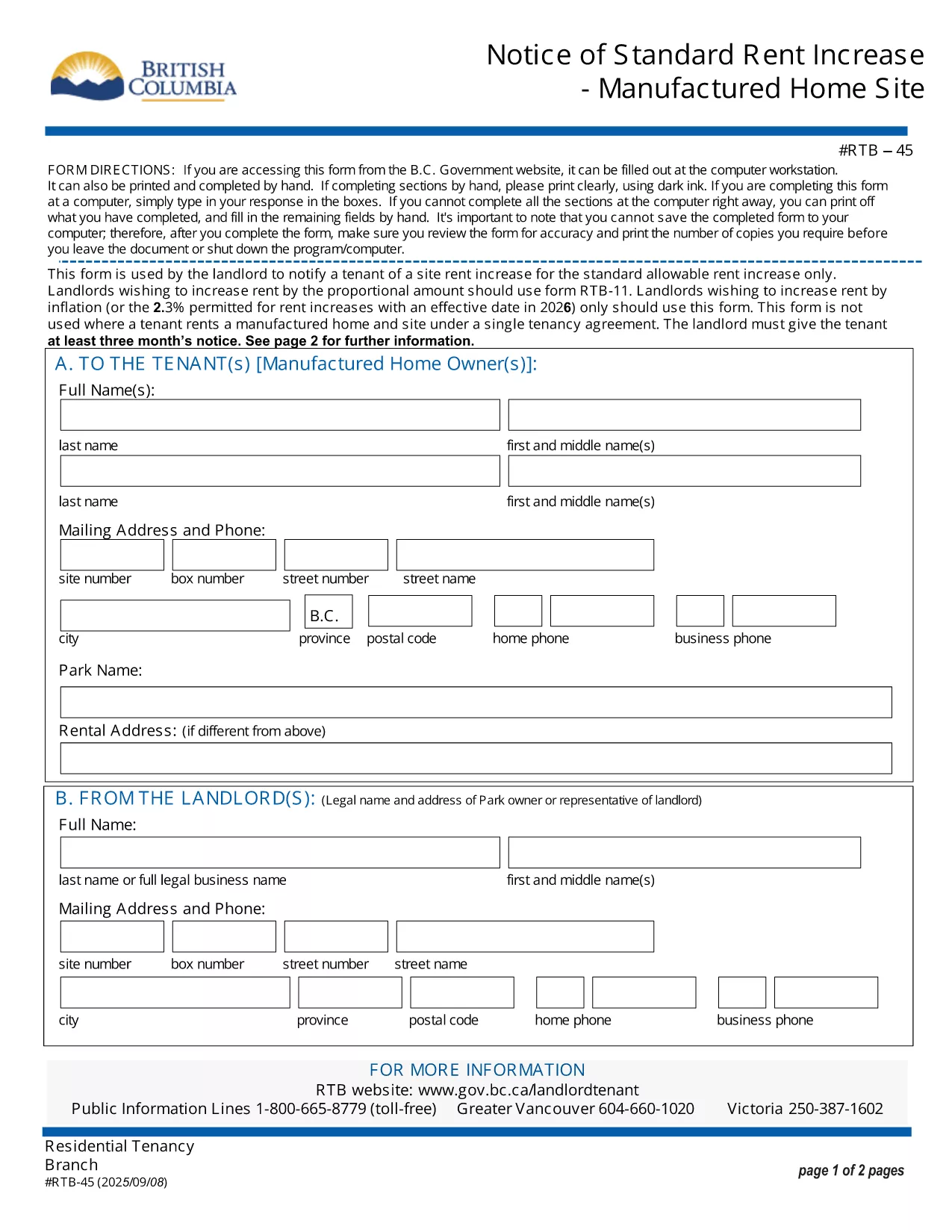

Formulieren voor verhuurders en/of huurders om actie voor te stellen met betrekking tot huurovereenkomsten.
RTB-45 is een van de huurformulieren die verwijzen naar de documenten die worden gebruikt bij het opstellen en beheren van een huurovereenkomst. Deze formulieren worden doorgaans gebruikt door verhuurders, vastgoedbeheerders of huurders om de voorwaarden van de huurovereenkomst uiteen te zetten. Hier zijn enkele veel voorkomende huurvormen:
Huurovereenkomst: De huurovereenkomst, ook wel huurovereenkomst of huurovereenkomst genoemd, is een juridisch bindend contract tussen verhuurder en huurder. Het beschrijft de rechten en verantwoordelijkheden van beide partijen, inclusief de duur van de huur, het huurbedrag, de betalingsvoorwaarden, de borg, de onderhoudsverantwoordelijkheden en alle andere voorwaarden die specifiek zijn voor de huur.
Huuraanvraag: potentiële huurders vullen doorgaans een huuraanvraagformulier in wanneer ze een huurwoning aanvragen. Dit formulier verzamelt persoonlijke informatie over de sollicitant, zoals hun naam, contactgegevens, arbeidsverleden, huurgeschiedenis en referenties. De huurapplicatie helpt verhuurders de geschiktheid van huurders te beoordelen en weloverwogen beslissingen te nemen.
Opzegging tot ontruiming: Dit formulier wordt door de verhuurder of de huurder gebruikt om kennis te geven van het voornemen om de huur te beëindigen. De vereiste opzegtermijn kan variëren, afhankelijk van de lokale wetgeving en de voorwaarden van de huurovereenkomst.
Kennisgeving huurverhoging: als de verhuurder van plan is de huur tijdens de huurperiode te verhogen, verstrekt hij doorgaans een kennisgeving van huurverhoging aan de huurder. Deze mededeling informeert de huurder over de aanstaande huuraanpassing en voldoet aan de wettelijke eisen omtrent huurverhogingen.
Onderhouds- en reparatieaanvraagformulieren: met deze formulieren kunnen huurders onderhouds- of reparatieproblemen melden aan de verhuurder of vastgoedbeheerder. Op het formulier worden de details van het probleem, de gevraagde reparaties en eventuele andere relevante informatie beschreven.
Toestemming voor antecedentenonderzoek of kredietcontrole: Verhuurders kunnen van huurders eisen dat ze een toestemmingsformulier invullen waarin toestemming wordt gegeven voor een antecedentenonderzoek of kredietcontrole. Met dit formulier kan de verhuurder de achtergrond, kredietwaardigheid en huurgeschiedenis van de huurder verifiëren.
Inventaris- en staatsrapport: dit formulier wordt gebruikt om de staat van het huurobject aan het begin en einde van de huurperiode te documenteren. Het beschrijft de staat van elke kamer en eventuele bestaande schade, zodat beide partijen een overzicht hebben van de staat van de accommodatie om geschillen over borgsommen of schadeclaims op te lossen.
Dit zijn enkele voorbeelden van huurvormen die veel gebruikt worden in het verhuurproces. De specifieke vormen en vereisten kunnen variëren afhankelijk van de lokale wetgeving en de specifieke omstandigheden van de huurovereenkomst. Het is belangrijk om de lokale regelgeving te raadplegen en professioneel advies in te winnen om ervoor te zorgen dat deze wordt nageleefd. Gebruik ook de juiste formulieren voor uw specifieke huurovereenkomst.