
Selecteer taal

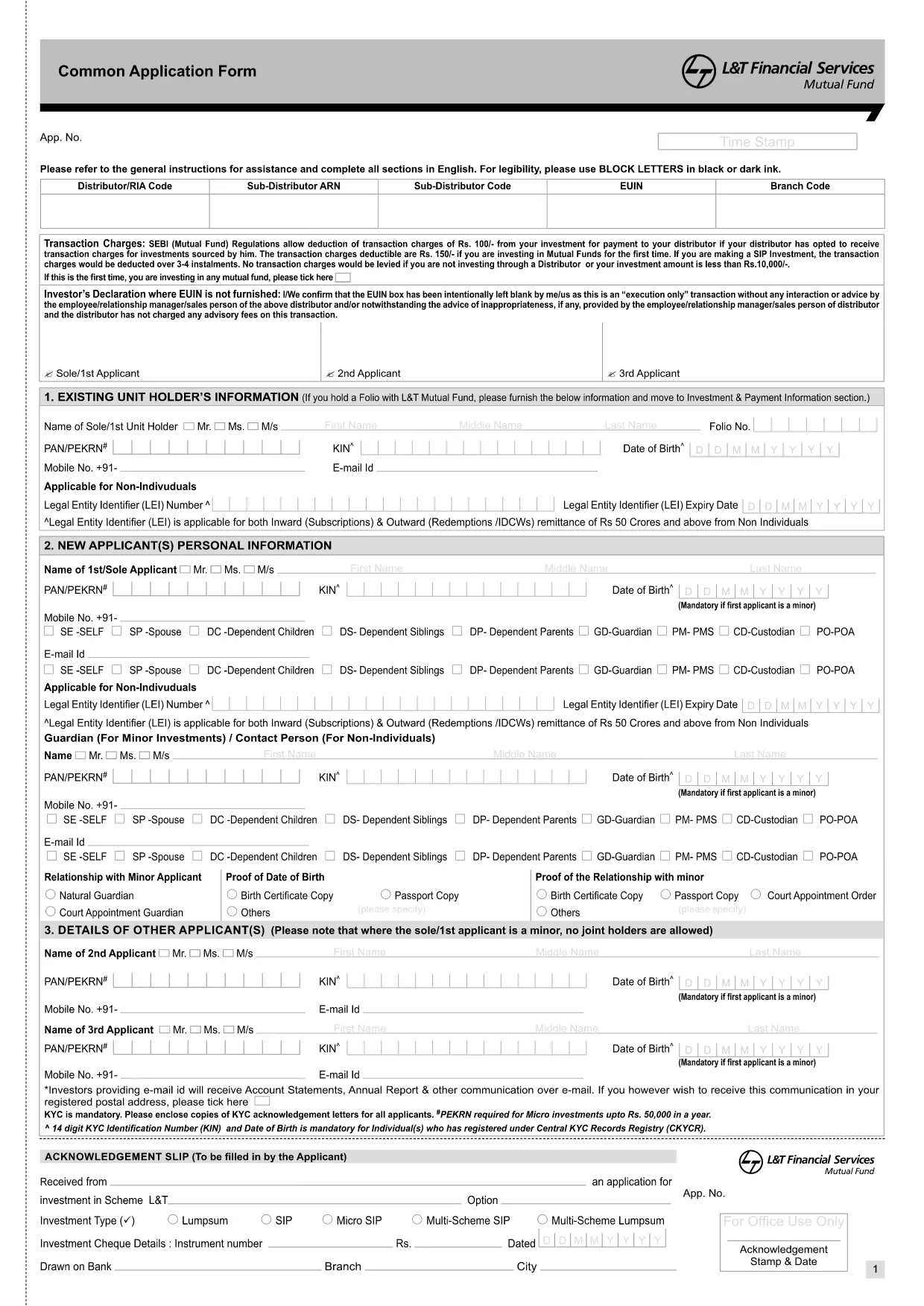
Common Application Form XI – Fillable PDF

  1. Taal Engels
  2. Land Indië
  3. Afdeling Banking
  4. Activiteit Financial Services
Common Application Form XI – Fillable PDF

The Common Application Form XI is a standard document used by HSBC for a variety of banking and investment requests. Whether you are opening a new account, updating personal details, or authorising transactions, this form captures all essential information in one place.

What Is the Common Application Form XI?

This form serves as an acknowledgment of receipt and a formal request for HSBC services. It includes sections for personal identification, contact details, financial information, and the specific service you are applying for.

How to Fill the Form Online

With Formize, you can complete the form directly in your browser—no PDF editor required. Simply click the "Fill out this form" button below, wait for the Formize PDF Filler to load, and start entering your data.

Key Sections & Required Information

  • Personal Details: Full name, date of birth, and national ID.
  • Contact Information: Address, phone number, and email.
  • Financial Data: Account numbers, investment amounts, and source of funds.
  • Service Selection: Choose the specific HSBC service you need.
  • Declaration: Sign and date the form to certify accuracy.

Common Mistakes to Avoid

  • Leaving mandatory fields blank.
  • Using outdated identification numbers.
  • Incorrectly formatting dates (use DD/MM/YYYY).
  • Forgetting to sign the declaration section.

Download the PDF Directly

If you prefer to work offline, you can download the original PDF from HSBC and upload it to Formize later. The link below provides the official document.

Download Common Application Form XI (PDF)

FAQ
  • Do I need a PDF editor to use this form?

    No. Formize provides a built‑in fillable PDF editor that works directly in your browser.

  • Is the information I enter secure?

    Yes. All data is encrypted during transmission and never stored on our servers after you download the completed form.

  • Can I save my progress and finish later?

    You can download a partially completed PDF at any time and re‑upload it to Formize to continue filling it out.

  • What if I make a mistake?

    Simply use the backspace or delete key to correct any field before saving the final version.

  • Do I need to print and sign the form?

    A digital signature is accepted in most cases. If HSBC requires a wet signature, download the PDF and print it.

  • Is there a fee to use Formize?

    No. Filling out the Common Application Form XI with Formize is completely free.

HOE

Zo vult u Common Application Form XI gratis online in in 3 eenvoudige stappen:

  1. 1
    Click the Fill Button
    Press the "Fill out this form" button on the page to launch the Formize PDF Filler.
  2. 2
    Wait for the Filler to Load
    The fillable PDF will appear in your browser within a few seconds. No download or installation is required.
  3. 3
    Complete, Save, and Submit
    Enter all required information, click Save, and then download the completed PDF or submit it directly to HSBC.
Formize PDF Filler-app
WAT BETREFT

Common Application Form XI-sjabloon

Met de traditionele set functies voor het bekijken en invullen van een PDF-document, gecombineerd met de voordelen van een webapplicatie en responsieve lay-out, kunt u Common Application Form XI binnen enkele minuten voltooien.

FUNCTIES

PDF-vuller

De eenvoudigste manier om online PDF-formulieren in te vullen

  • Vul snel Common Application Form XI in
    Op zoek naar een manier om Common Application Form XI snel online in te vullen? Met onze online gratis PDF-formulierinvuller weet u hoe u dit pdf-document in minder dan een minuut kunt bewerken en invullen.
  • Gebruiksvriendelijke online PDF-editor
    Ben je het beu om PDF-bestanden uit te printen zodat je ze kunt bewerken, voordat je ze opnieuw scant en terugstuurt? Bewerk PDF-documenten gratis online. Gebruik onze online pdf-editor om tijd en papier te besparen.
  • Geweldige tools, alle platforms
    Vraagt ​​u zich af hoe u Common Application Form XI op een Mac moet invullen, of misschien hoe u gratis een PDF-filler kunt gebruiken? Onze online pdf-tools werken op alle platformen.
  • Veilige bestandsopslag
    Voltooide "Common Application Form XI"-bestanden worden opgeslagen in een beveiligde database die wordt beheerd door Amazon Cloud hosting. U kunt uw bestanden op elk moment uit ons systeem verwijderen. Deze bestanden worden in ieder geval na 24 uur automatisch verwijderd.
  • Chat met {trefwoord}
    Chat met "Common Application Form XI" op Chatize, een gratis PDF-lezerassistent. Stel vragen en krijg antwoorden van "Common Application Form XI". Klik gewoon op de knop Chatten met document hierboven.

De vulsessie verwijderen

De geselecteerde vulsessie verwijderen? In dat geval gaat uw voortgang bij het invullen van het formulier verloren.

Bewerkingssessie verwijderen

De geselecteerde bewerkingssessie verwijderen? In dit geval gaat uw voortgang bij het maken en bewerken van het formulier verloren.