
Selecteer taal

Punjab Renewal of Arms License Form for Individuals (Fillable PDF)

  1. Taal Engels Hindi
  2. Land Indië
  3. Staat Punjab
  4. Afdeling Ministerie van Binnenlandse Zaken en Justitie
Punjab Renewal of Arms License Form for Individuals (Fillable PDF)

Renewing your personal arms license in Punjab has never been easier. Our dedicated page provides the official Punjab renewal of arms license form for individuals as a fully fillable PDF that you can complete directly in your browser.

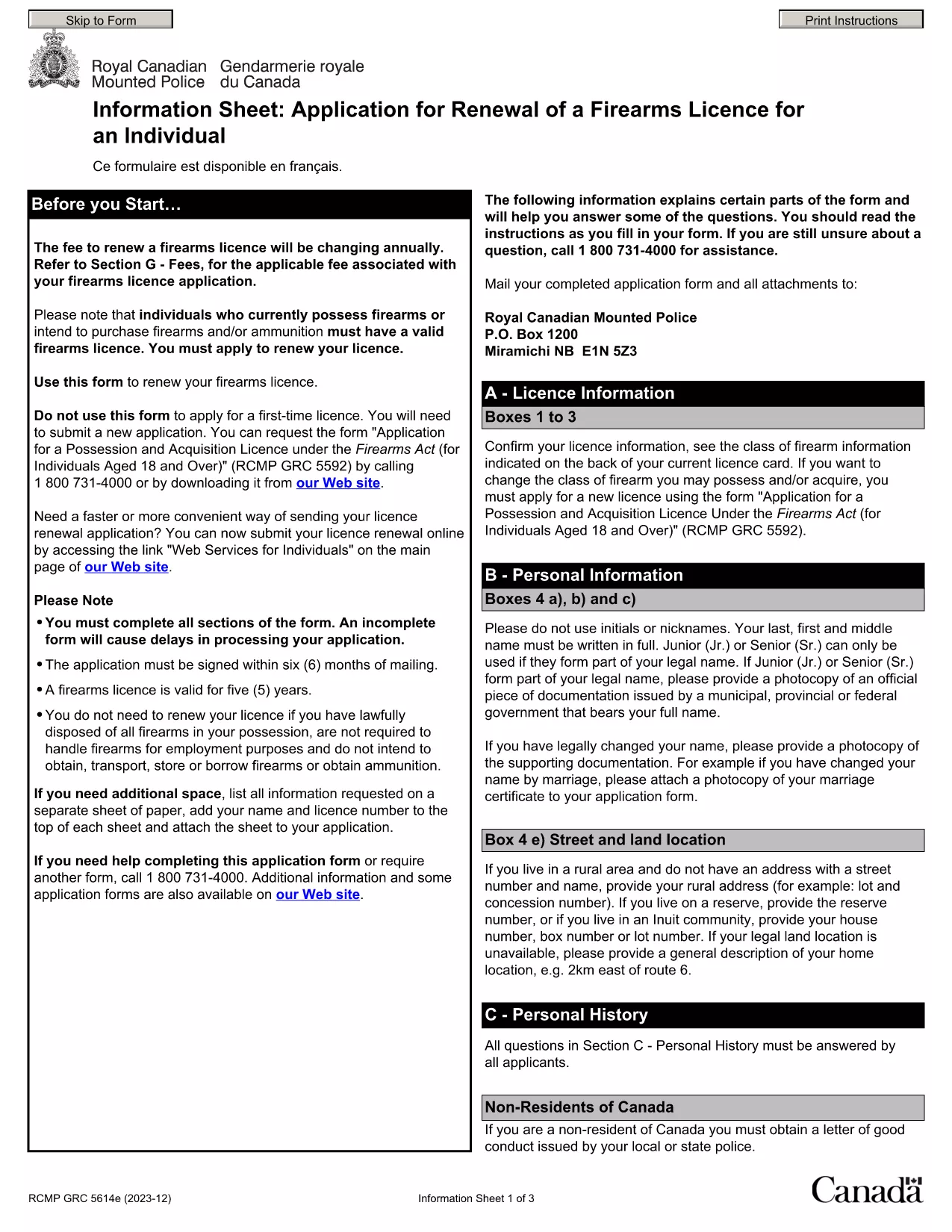
By using Formize’s PDF Filler, you avoid printing, scanning, and the risk of missing handwritten information. The form is powered by the same structure as the RCMP PAL Renewal Form, which meets international standards for firearm licensing documentation.

Why Use a Fillable PDF for Your Punjab Arms License Renewal

A fillable PDF ensures:

  • Accuracy – fields are validated in real time.
  • Speed – submit within minutes, not days.
  • Security – your data stays encrypted while you work.

Step‑by‑Step Guide to Completing the Form Online

Follow the simple steps below to finish your renewal without leaving the page.

Common Mistakes to Avoid When Renewing Your Arms License

Skipping a required field or uploading an unsupported file format can delay processing. Our guide highlights the most frequent errors and how to prevent them.

Where to Submit Your Completed Form

After you finish, download the completed PDF and submit it to the Punjab Police Arms Licensing Office either in person or via their official online portal.

Ready to start? Click the button below, let Formize load the PDF filler, and complete the form in a few easy steps.

FAQ
  • Is the Punjab arms license renewal form available for free?

    Yes. The fillable PDF is provided at no cost. You only need an internet connection to complete it online.

  • Can I edit the form after I download it?

    Once you download the completed PDF, you can open it in any standard PDF viewer, but the official submission should be the version you saved from Formize.

  • What documents do I need to attach with the renewal?

    Typically you must attach a recent passport‑size photograph, a copy of your current license, and any supporting certificates. Check the form’s attachment section for exact requirements.

  • How long does the renewal process take after submission?

    Processing times vary by district, but most renewals are completed within 7‑10 business days once the correct form and documents are received.

  • What if I make a mistake while filling the form?

    The fillable PDF highlights incomplete or incorrectly formatted fields. Correct the information before saving, or you can start over by clicking the reset button.

  • Do I need to print the form to submit it?

    No. The Punjab Police accepts a digitally signed PDF via their online portal or by email. Printing is optional.

  • Is my personal data safe while using Formize?

    Formize uses SSL encryption, and the PDF is processed locally in your browser, ensuring your data never leaves your computer unless you choose to upload it.

  • Can I use this form on a mobile device?

    Yes. The fillable PDF works on most modern smartphones and tablets with a compatible browser.

HOE

Zo vult u Punjab arms license renewal gratis online in in 5 eenvoudige stappen:

  1. 1
    Click the Fill Out This Form button
    Press the highlighted button on the page to open the Formize PDF Filler app.
  2. 2
    Wait for the filler to load
    The fillable PDF loads automatically; this usually takes a few seconds.
  3. 3
    Enter your information
    Complete each field – the form validates entries in real time to prevent errors.
  4. 4
    Review and sign
    Double‑check all details, add your digital signature if required, and save the document.
  5. 5
    Download or submit
    Download the finished PDF for your records and submit it to the Punjab Police Arms Licensing Office.
Formize PDF Filler-app
WAT BETREFT

Aanvraagformulieren van het Ministerie van Buitenlandse Zaken

Punjab arms license renewal is een van de aanvraagformulieren van het Ministerie van Buitenlandse Zaken. Het Indiase ministerie van Buitenlandse Zaken biedt verschillende aanvraagformulieren aan voor verschillende diensten die verband houden met externe zaken en internationale betrekkingen. Enkele veel voorkomende aanvraagformulieren zijn:

Paspoortaanvraag: dit formulier wordt gebruikt voor het aanvragen van een Indiaas paspoort. Het verzamelt persoonlijke gegevens zoals naam, adres, geboortedatum en nationaliteit.

Aanvraag Overseas Citizenship of India (OCI): Dit formulier wordt gebruikt om de OCI-status aan te vragen, waarmee personen van Indiase afkomst voor onbepaalde tijd in India kunnen wonen en werken. Het verzamelt persoonlijke gegevens, waaronder bewijzen van Indiase afkomst.

Visumaanvraag: dit formulier wordt gebruikt om een ​​visum aan te vragen om naar het buitenland te reizen. Het verzamelt persoonlijke gegevens, reisinformatie en het doel van de reis.

Aanvraag emigratievergunning: dit formulier wordt gebruikt door personen die een emigratievergunning aanvragen voor werk in bepaalde landen. Het verzamelt persoonlijke informatie en arbeidsgegevens.

Attestaanvraag: dit formulier wordt gebruikt om de attestering van verschillende documenten aan te vragen, zoals onderwijscertificaten, huwelijksakten en commerciële documenten. Het verzamelt details over het te attesteren document en het doel van attestering.

Aanvraag consulaire diensten: dit formulier wordt gebruikt voor verschillende consulaire diensten, waaronder de afgifte van noodcertificaten, hulp aan Indiase staatsburgers in het buitenland en de registratie van Indiase staatsburgers. Welke specifieke gegevens nodig zijn, hangt af van de aard van de gevraagde dienst.

FUNCTIES

PDF-vuller

De eenvoudigste manier om online PDF-formulieren in te vullen

  • Vul snel Punjab arms license renewal in
    Op zoek naar een manier om Punjab arms license renewal snel online in te vullen? Met onze online gratis PDF-formulierinvuller weet u hoe u dit pdf-document in minder dan een minuut kunt bewerken en invullen.
  • Gebruiksvriendelijke online PDF-editor
    Ben je het beu om PDF-bestanden uit te printen zodat je ze kunt bewerken, voordat je ze opnieuw scant en terugstuurt? Bewerk PDF-documenten gratis online. Gebruik onze online pdf-editor om tijd en papier te besparen.
  • Geweldige tools, alle platforms
    Vraagt ​​u zich af hoe u Punjab arms license renewal op een Mac moet invullen, of misschien hoe u gratis een PDF-filler kunt gebruiken? Onze online pdf-tools werken op alle platformen.
  • Veilige bestandsopslag
    Voltooide "Punjab arms license renewal"-bestanden worden opgeslagen in een beveiligde database die wordt beheerd door Amazon Cloud hosting. U kunt uw bestanden op elk moment uit ons systeem verwijderen. Deze bestanden worden in ieder geval na 24 uur automatisch verwijderd.
  • Chat met {trefwoord}
    Chat met "Punjab arms license renewal" op Chatize, een gratis PDF-lezerassistent. Stel vragen en krijg antwoorden van "Punjab arms license renewal". Klik gewoon op de knop Chatten met document hierboven.

De vulsessie verwijderen

De geselecteerde vulsessie verwijderen? In dat geval gaat uw voortgang bij het invullen van het formulier verloren.

Bewerkingssessie verwijderen

De geselecteerde bewerkingssessie verwijderen? In dit geval gaat uw voortgang bij het maken en bewerken van het formulier verloren.