Select language

Owner‑Builder Permit Application Form – Fillable PDF

  1. Country Australia
  2. Language English
  3. Department Building Commission
  4. Activity Construction Permits
Fill out this form
Owner‑Builder Permit Application Form – Fillable PDF

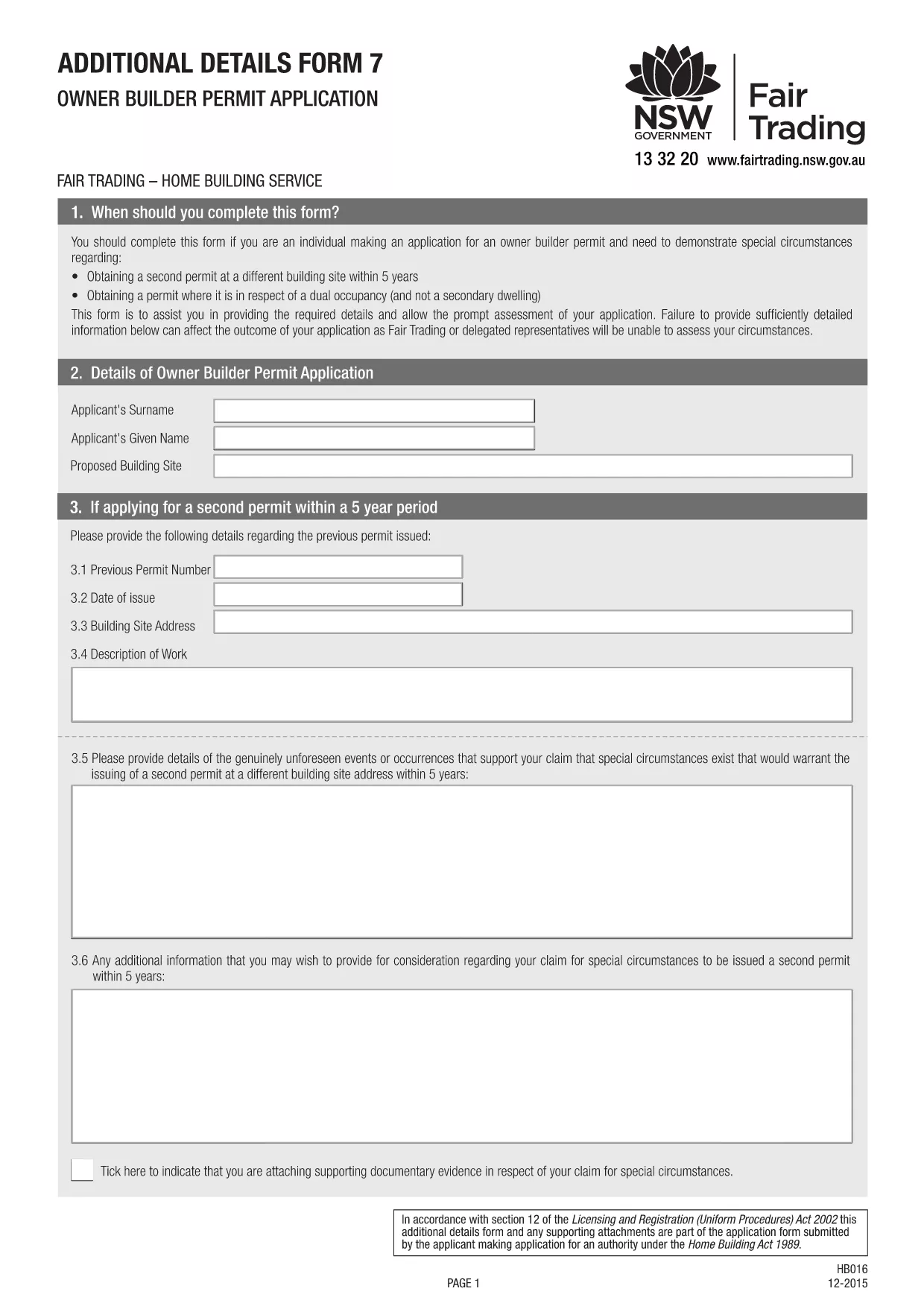
Planning to supervise or carry out building work worth more than $10,000 on your own property? In Australia, an owner‑builder permit is required before you can start construction on a residential dwelling, dual‑occupancy, or secondary dwelling. Our fillable PDF makes the process simple, error‑free, and fully compliant with the Building Commission NSW requirements.

What Is an Owner‑Builder Permit?

An owner‑builder permit authorises you, the property owner, to act as the builder for a specific project. It ensures you meet eligibility criteria, have the necessary qualifications (such as a White Card), and have all required documentation ready.

Download & Fill the Owner‑Builder Application Form

Click the "Fill out this form" button below. The Formize PDF Filler will load the official Owner‑Builder Permit Application PDF directly in your browser, allowing you to:

  • Enter text in each field
  • Upload supporting documents
  • Save a draft and return later
  • Submit the completed form electronically or print it for in‑person submission

Step‑by‑Step Guide to Completing the Form

Follow these concise steps to finish your application without delays:

  1. Verify your eligibility – you must be 18+, hold a current White Card, and own or lease the land for at least 3 years.
  2. Gather all required documents: proof of identity, proof of ownership, development approval or CDC, and evidence of completed owner‑builder education.
  3. Click the "Fill out this form" button and wait for the Formize PDF Filler to load.
  4. Complete each section, ensuring every owner, leaseholder, or shareholder signs where required.
  5. Attach scanned copies of supporting documents directly in the PDF.
  6. Save the final PDF and either upload it through the online portal or print and deliver it to your local service centre.

Common Mistakes to Avoid

  • Missing signatures: All owners, leaseholders, and shareholders must sign the form.
  • Incorrect address details: The address on the rates notice must match the title details.
  • Out‑of‑date documents: Use current White Card and up‑to‑date proof of identity.
  • Skipping the eligibility checker: The online portal will reject incomplete applications.

How to Submit Your Application

After saving the completed PDF, log in to your MyServiceNSW account (or the equivalent portal in your state) and upload the file. Pay the required fee, and you’ll receive a confirmation email. If you prefer a face‑to‑face submission, print the form and bring it to your nearest Service NSW centre.

Need more help? Review the official NSW guidelines or contact your local Building Commission.

FAQ
  • Do I need a White Card to apply for an owner‑builder permit?

    Yes. A current general construction induction (White Card) is a mandatory requirement for all owner‑builder applications in NSW.

  • Can I submit the form online?

    Absolutely. After filling the PDF with Formize, you can upload the file through your MyServiceNSW account for fast processing.

  • What if my property is a leasehold?

    You must have a minimum three‑year lease registered with NSW Land Registry Services and provide the lease agreement with your application.

  • How long does the assessment take?

    Typical processing time is 10‑15 business days, but it can be longer if the Building Commission requests additional information.

  • Is the form the same for companies and individuals?

    The core form is the same, but company owners must also attach a copy of the company’s registration and evidence of shareholder consent.

  • What should I do if I make a mistake after submitting?

    Contact the Building Commission immediately. You may be asked to provide a corrected form or additional documentation.

HOW TO

How to fill out owner builder permit for free, online in 3 easy steps:

  1. 1
    Open the Fillable Form
    Click the "Fill out this form" button on the page. The Formize PDF Filler will load the Owner‑Builder Permit PDF directly in your browser.
  2. 2
    Enter Your Information
    Type into each field, upload supporting documents, and ensure every required signature is added.
  3. 3
    Save and Submit
    When you finish, save the completed PDF. Upload it to the online portal or print it for in‑person submission at your local service centre.
Formize PDF Filler app
ABOUT

owner builder permit template

With the traditional set of features for viewing and filling out a PDF document, combined with the benefits of a web application and responsive layout, you can complete owner builder permit in minutes.

FEATURES

PDF Filler

The easiest way to fill owner builder permit online

  • Quickly fill out owner builder permit
    Looking for a way to quickly fill owner builder permit online? With our online free PDF form filler, you’ll know how to how to edit and fill this pdf document in less than a minute.
  • Easy to use online PDF editor
    Fed up with printing out PDF files so you can edit them, before rescanning and sending them back? Edit PDF documents for free online. Use our online pdf editor to save time and paper.
  • Great tools, all platforms
    Wondering how to fill in owner builder permit on a Mac, or maybe how to use a PDF filler free? Our online PDF tools work on all platforms.
  • Secure file storage
    Completed "owner builder permit" files are stored in a secured database managed by Amazon Cloud hosting. You can delete your files from our system anytime. In any case, these files are automatically deleted after 24 hours.
  • Chat with owner builder permit
    Chat with "owner builder permit" on Chatize that is a free PDF reader assistant. Ask questions and get answers from "owner builder permit". Just click on Chat With Document button above.

Delete filling session

Delete the selected filling session? In this case, your progress in completing the form will be lost.

Delete editing session

Delete the selected editing session? In this case, your progress in creating and editing the form will be lost.