
Select language

Form 47BU – Application for a Business Skills (Permanent) Visa

  1. Language English
  2. Country Australia
  3. Activity Business and investment
Fill out this form
Form 47BU – Application for a Business Skills (Permanent) Visa

Form 47BU – Application for a Business Skills (Permanent) Visa

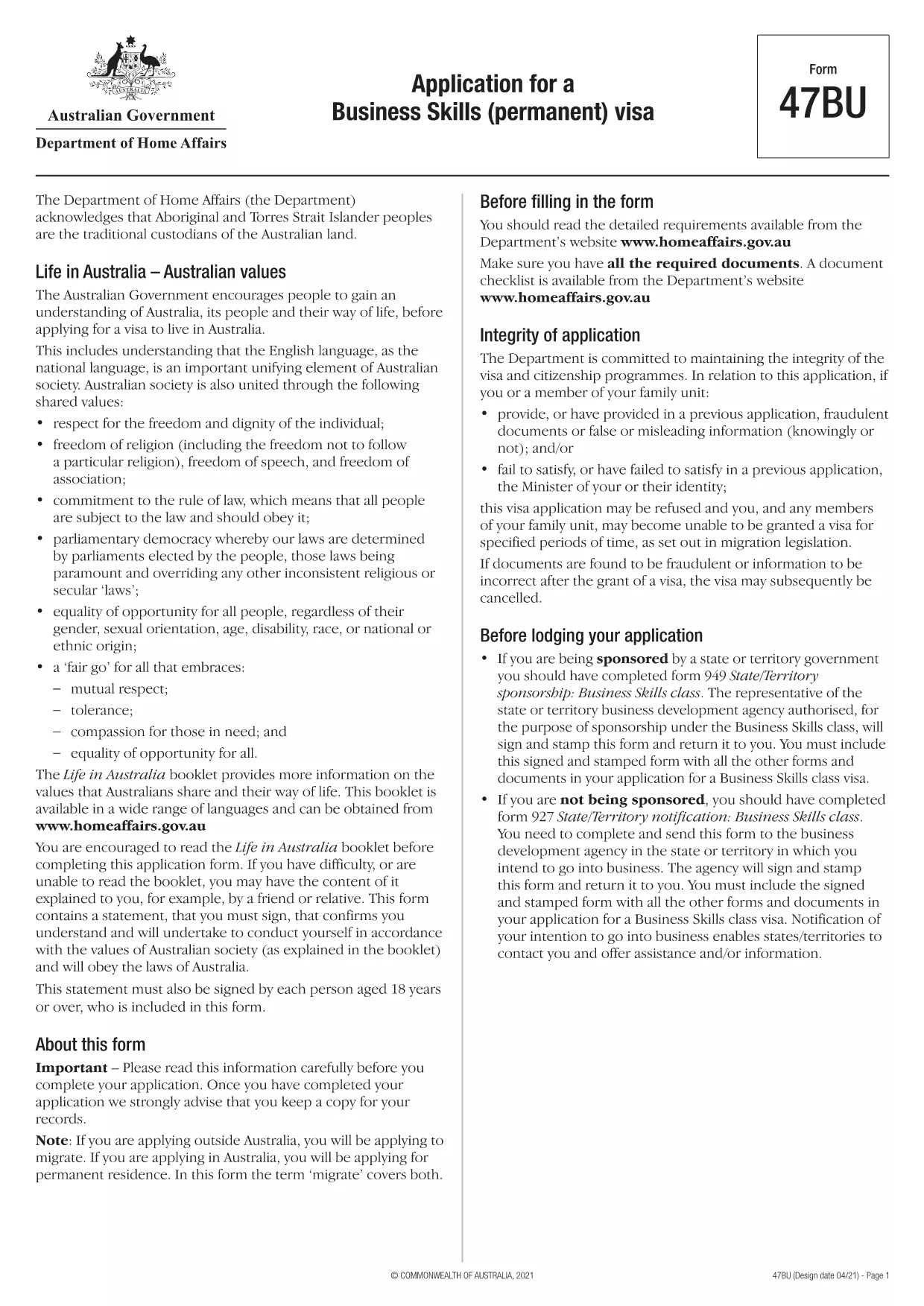
The Form 47BU is the official Department of Home Affairs document used by entrepreneurs and business owners who want to apply for a permanent Business Skills visa (subclass 132) in Australia. This fillable PDF lets you provide personal, business, and sponsorship details required for a successful application.

What is Form 47BU?

Form 47BU collects information about the applicant’s business experience, investment plans, and the state or territory sponsor’s endorsement. It must be submitted together with other supporting documents such as the Business Plan, Financial Statements, and the sponsor’s Form 1318.

How to Fill Out Form 47BU Online with Formize

Instead of downloading the PDF and editing it in a separate editor, you can complete the form directly on our site:

  1. Click the "Fill out this form" button below.
  2. Wait a few seconds while the Formize PDF Filler app loads.
  3. Enter your details in each field – the interface is drag‑and‑drop friendly and auto‑saves.
  4. When finished, click Save & Download to get the completed PDF ready for submission.

Common Mistakes to Avoid

  • Leaving sections blank: Every field marked with an asterisk (*) is mandatory.
  • Mismatched sponsor details: Ensure the state/territory sponsor’s name and signature match the endorsement letter.
  • Incorrect dates: Use the DD/MM/YYYY format as required by Australian immigration.
  • Uploading the wrong version: Always use the latest 47BU PDF (downloaded from the link below).

Eligibility & Supporting Documents

Before you start, confirm that you meet the basic eligibility criteria for a Business Skills (permanent) visa, including:

  • Minimum business turnover of AUD 1 million for the last two fiscal years.
  • Ownership of at least 30 % of the business.
  • State or territory sponsorship.

Attach the following documents when you submit the form:

  • Business Plan (minimum 12 pages).
  • Financial statements and tax returns.
  • Sponsor’s Form 1318 and supporting letter.
  • Proof of assets and investment funds.

Where to Find Help

If you need assistance, consult the Department of Home Affairs website or a registered migration agent. Our fillable PDF is designed to reduce errors, but professional advice can ensure your application meets all legal requirements.

Download the official Form 47BU (PDF)

FAQ
  • What is the purpose of Form 47BU?

    Form 47BU is used to apply for a permanent Business Skills visa (subclass 132). It captures personal, business, and sponsorship details required by the Department of Home Affairs.

  • Can I edit Form 47BU on a mobile device?

    Yes. The Formize fillable PDF works on smartphones and tablets, allowing you to complete the form on any device with an internet connection.

  • Do I need a certified translation if my documents are not in English?

    All supporting documents submitted with Form 47BU must be in English or accompanied by a certified translation.

  • How many pages does the completed Form 47BU have?

    The form itself is 7 pages long, but you will attach additional supporting documents as required.

  • Is there a fee to use Formize’s fillable PDF?

    No. Formize provides the fillable version of Form 47BU for free. The visa application fee is paid directly to the Australian Department of Home Affairs.

  • What should I do if I make a mistake after downloading the PDF?

    Return to the Formize page, click "Fill out this form" again, and re‑enter the corrected information. The tool will generate a new, clean PDF.

  • Do I need a sponsor to submit Form 47BU?

    Yes. A state or territory government sponsor must endorse your application and provide a signed Form 1318.

HOW TO

How to fill out Form 47BU for free, online in 4 easy steps:

  1. 1
    Click the Fill‑out Button
    Press the "Fill out this form" button on the page to launch the Formize PDF Filler.
  2. 2
    Wait for the App to Load
    The fillable interface loads in a few seconds; no download is required.
  3. 3
    Enter Your Information
    Complete each field, using the on‑screen guidance for format and mandatory sections.
  4. 4
    Save and Download
    When all sections are filled, click "Save & Download" to obtain the completed PDF ready for submission.
Formize PDF Filler app
ABOUT

Business and Investment Forms

Form 47BU is one of forms that are used in the context of starting, managing, or investing in a business. These forms are often required by government agencies, financial institutions, or regulatory bodies to gather information, establish legal entities, or comply with specific rules and regulations related to business operations and investments. The specific forms can vary depending on the nature of the business or investment activity. Here are some examples of "Business and Investment" forms:

Business Registration Forms: These forms are used to register a business entity with the appropriate government agency. They collect information about the business name, legal structure (e.g., sole proprietorship, partnership, corporation), business address, ownership details, and other necessary information required for legal recognition.

Incorporation Documents: If establishing a corporation or a company, various documents need to be filed to create the legal entity. These documents typically include articles of incorporation, bylaws, shareholder agreements, and other related forms.

Business License Applications: Depending on the industry and location, certain businesses require specific licenses or permits to operate legally. Business license applications gather information about the nature of the business, its location, ownership details, and compliance with relevant regulations.

Investment Account Opening Forms: Investors looking to open investment accounts with financial institutions or brokerage firms may need to complete account opening forms. These forms collect personal information, investment objectives, risk tolerance, and other relevant details to establish the investor's account.

Partnership Agreements: When entering into a partnership, partners typically create a partnership agreement that outlines the terms and conditions of their business relationship. This agreement may include provisions related to profit-sharing, decision-making, contributions, and other aspects of the partnership.

Non-Disclosure Agreements (NDAs): NDAs are commonly used in business transactions to protect sensitive information or trade secrets. These agreements ensure that parties involved in a business or investment transaction maintain confidentiality regarding specific information shared during the course of the transaction.

Loan or Financing Application Forms: Businesses seeking financing or loans from financial institutions may need to complete loan application forms. These forms gather information about the business's financials, credit history, collateral, and other details necessary for the loan approval process.

Securities Filings: For businesses involved in the issuance of securities, such as stocks or bonds, various securities filings may be required to comply with securities laws and regulations. These forms include prospectuses, registration statements, annual reports, and other disclosures.

The specific forms and requirements can vary depending on the country, industry, and the particular business or investment activity. It's important to consult the relevant government agencies, legal professionals, or financial institutions to obtain accurate and up-to-date information regarding the necessary forms for specific business or investment-related activities.

FEATURES

PDF Filler

The easiest way to fill Form 47BU online

  • Quickly fill out Form 47BU
    Looking for a way to quickly fill Form 47BU online? With our online free PDF form filler, you’ll know how to how to edit and fill this pdf document in less than a minute.
  • Easy to use online PDF editor
    Fed up with printing out PDF files so you can edit them, before rescanning and sending them back? Edit PDF documents for free online. Use our online pdf editor to save time and paper.
  • Great tools, all platforms
    Wondering how to fill in Form 47BU on a Mac, or maybe how to use a PDF filler free? Our online PDF tools work on all platforms.
  • Secure file storage
    Completed "Form 47BU" files are stored in a secured database managed by Amazon Cloud hosting. You can delete your files from our system anytime. In any case, these files are automatically deleted after 24 hours.
  • Chat with Form 47BU
    Chat with "Form 47BU" on Chatize that is a free PDF reader assistant. Ask questions and get answers from "Form 47BU". Just click on Chat With Document button above.

Delete filling session

Delete the selected filling session? In this case, your progress in completing the form will be lost.

Delete editing session

Delete the selected editing session? In this case, your progress in creating and editing the form will be lost.