Select language

Provisional Access to Medical Treatment (PAMT) Application Form

  1. Language English
  2. Country Australia
  3. Department Department of Veterans' Affairs
  4. Activity Health Benefits
Fill out this form
Provisional Access to Medical Treatment (PAMT) Application Form

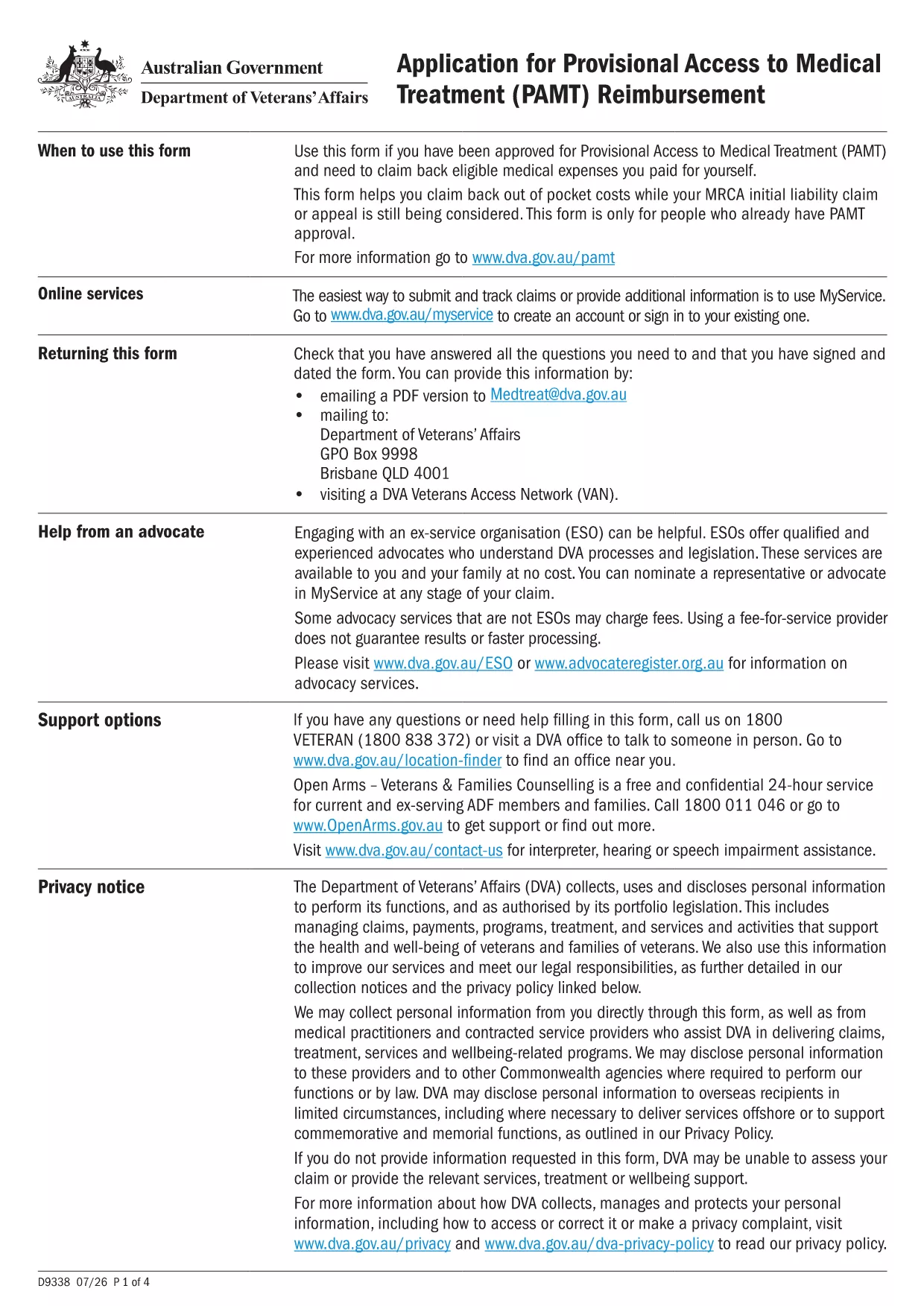
If your application has been provisionally accepted, you’ll need to submit the Provisional Access to Medical Treatment (PAMT) form to claim eligible medical expenses. This page lets you download the official fillable PDF and complete it instantly with Formize’s online PDF Filler.

What Is the PAMT Form?

The PAMT form is issued by the Australian Department of Veterans' Affairs (DVA). It is used by veterans and eligible dependents who have received provisional approval to receive medical treatment funded by the government. The form captures personal details, treatment information, and supporting documentation.

Why Use a Fillable PDF with Formize?

  • Instant loading: No need to download, install, or purchase a PDF editor.
  • Auto‑save: Your entries are saved in the browser, preventing data loss.
  • Guided fields: Tooltips and validation help you avoid errors.
  • Secure submission: Export a completed PDF ready for upload to DVA.

Step‑by‑Step Guide to Complete the Form

Follow the simple steps below to fill out the PAMT form online.

Common Mistakes to Avoid

  • Leaving required fields blank – the Formize filler highlights missing information.
  • Uploading an outdated version of the PDF – always use the latest version linked on this page.
  • Entering incorrect dates – double‑check the treatment period before submitting.

Where to Find Help

For questions about eligibility or required supporting documents, contact the DVA Help Centre at 1800 600 645. The Formize platform also includes a built‑in help overlay that explains each field.

FAQ
  • Is the PAMT form free to download?

    Yes. The official PDF is provided by the Department of Veterans' Affairs at no cost, and Formize’s online filler is also free.

  • Can I edit the form on a mobile device?

    The Formize PDF Filler works on most modern smartphones and tablets. For the best experience, use a tablet or desktop browser.

  • What if I make a mistake after downloading the completed PDF?

    Open the saved PDF in any PDF editor, or simply return to the Formize filler, make the correction, and download a new version.

  • Do I need to print the form before submitting?

    No. DVA accepts electronic PDFs uploaded through their online portal. Printing is only required if you prefer a hard‑copy record.

  • How long is the provisional acceptance valid?

    Provisional acceptance is typically valid for 12 months from the date of issue. Check the approval letter for the exact expiry date.

  • What supporting documents should I attach?

    Attach receipts, medical reports, and any DVA correspondence that confirms your provisional approval.

  • Is my data safe when using Formize?

    Formize processes the PDF locally in your browser; no data is stored on external servers, ensuring full privacy.

HOW TO

How to fill out provisional application form for free, online in 5 easy steps:

  1. 1
    Click the ‘Fill out this form’ button
    On the page, press the large blue button that says “Fill out this form”. This launches the Formize PDF Filler in a new tab.
  2. 2
    Wait for the Formize PDF Filler to load
    The filler loads the PAMT PDF automatically. You’ll see a progress bar; once complete, the form fields become editable.
  3. 3
    Enter your information
    Complete each highlighted field. Tooltips appear when you hover over a question mark icon, providing guidance on required data.
  4. 4
    Review and validate
    Click the “Validate” button at the bottom. The filler will flag any missing or incorrectly formatted entries.
  5. 5
    Save and download
    When everything is correct, press “Download Completed PDF”. Save the file to your computer and upload it to the DVA portal or attach it to your email.
Formize PDF Filler app
ABOUT

provisional application form template

With the traditional set of features for viewing and filling out a PDF document, combined with the benefits of a web application and responsive layout, you can complete provisional application form in minutes.

FEATURES

PDF Filler

The easiest way to fill provisional application form online

  • Quickly fill out provisional application form
    Looking for a way to quickly fill provisional application form online? With our online free PDF form filler, you’ll know how to how to edit and fill this pdf document in less than a minute.
  • Easy to use online PDF editor
    Fed up with printing out PDF files so you can edit them, before rescanning and sending them back? Edit PDF documents for free online. Use our online pdf editor to save time and paper.
  • Great tools, all platforms
    Wondering how to fill in provisional application form on a Mac, or maybe how to use a PDF filler free? Our online PDF tools work on all platforms.
  • Secure file storage
    Completed "provisional application form" files are stored in a secured database managed by Amazon Cloud hosting. You can delete your files from our system anytime. In any case, these files are automatically deleted after 24 hours.
  • Chat with provisional application form
    Chat with "provisional application form" on Chatize that is a free PDF reader assistant. Ask questions and get answers from "provisional application form". Just click on Chat With Document button above.

Delete filling session

Delete the selected filling session? In this case, your progress in completing the form will be lost.

Delete editing session

Delete the selected editing session? In this case, your progress in creating and editing the form will be lost.