Select language

Annexure S12 – Fillable PDF Form

  1. Language English
  2. Country Australia
  3. Department Justice
  4. Activity Legal Forms
Fill out this form
Annexure S12 – Fillable PDF Form

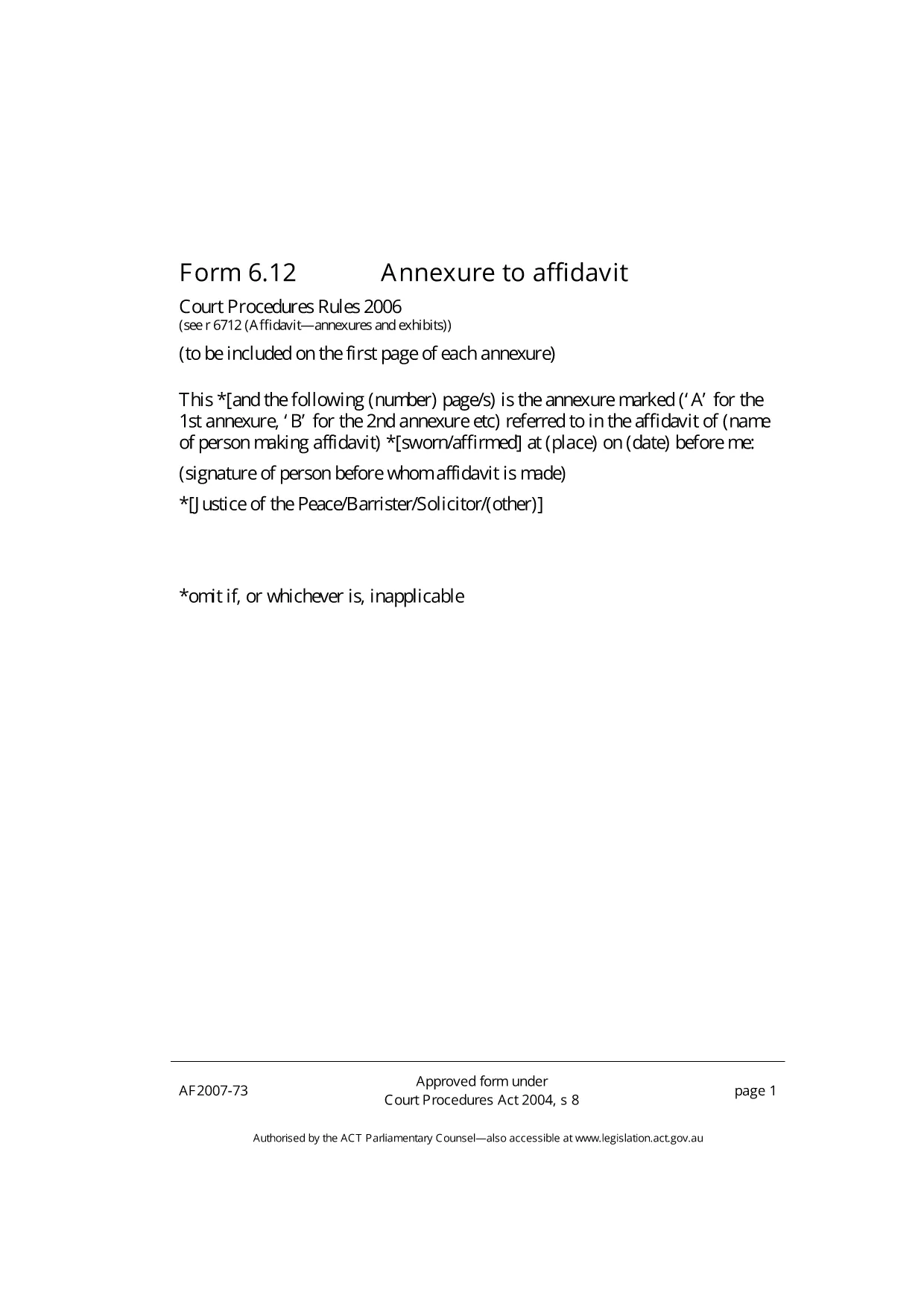
The Annexure S12 is a standard attachment used in Australian court proceedings, typically filed alongside an affidavit. Whether you are a solicitor, a litigant in person, or a court clerk, you need a reliable, fillable version of this form to avoid delays.

What is Annexure S12?

Annexure S12 serves as an additional statement that supports the main affidavit. It captures supplementary details such as witness information, documentary evidence, and specific declarations required by the court. The form is governed by the Court Procedures Act 2004 and is accepted across all ACT jurisdictions.

How to Complete the Annexure S12 Form Online

Formize provides a seamless, browser‑based PDF filler so you never need to install extra software. Follow the simple steps below to fill out the form in minutes.

Common Mistakes to Avoid

  • Leaving mandatory fields blank: The court will reject the filing.
  • Using the wrong date format: Stick to DD/MM/YYYY.
  • Signing the PDF before completing all sections: Sign only after the final review.

Download & Save the PDF

While you can download the original PDF for offline use, the quickest way is to click the Fill out this form button on this page. The Formize PDF Filler will load instantly, letting you edit, save, and export a completed document.

Need a printable copy? Use the download link below after you have saved your completed version.

FAQ
  • Is the Annexure S12 form free to use?

    Yes. Formize provides the fillable version at no cost. You only need an internet connection.

  • Can I edit the PDF on a mobile device?

    The Formize PDF Filler works on all modern browsers, including mobile Safari and Chrome.

  • Do I need Adobe Acrobat to fill the form?

    No. The online filler replaces Adobe Acrobat and saves the completed PDF directly to your device.

  • What if I make a mistake after saving?

    Open the saved PDF again with Formize’s filler, correct the error, and re‑save. The original file remains unchanged.

  • Is the filled Annexure S12 legally valid?

    Yes, as long as all required fields are completed and the form is signed according to court rules.

HOW TO

How to fill out Annexure S12 for free, online in 5 easy steps:

  1. 1
    Click the Fill‑out Button
    On this page, click the "Fill out this form" button. Formize’s PDF Filler app will open in a new tab.
  2. 2
    Wait for the Filler to Load
    The app loads the Annexure S12 PDF automatically. No download or installation is required.
  3. 3
    Enter Your Information
    Type directly into each field. Use the toolbar to add checkmarks, dates, and signatures.
  4. 4
    Save Your Completed Form
    When you’re done, click "Save" to download the filled PDF to your computer or cloud storage.
  5. 5
    Submit to the Court
    Print the saved PDF or attach it to your electronic filing portal as required by the court.
Formize PDF Filler app
ABOUT

Annexure S12 template

With the traditional set of features for viewing and filling out a PDF document, combined with the benefits of a web application and responsive layout, you can complete Annexure S12 in minutes.

FEATURES

PDF Filler

The easiest way to fill Annexure S12 online

  • Quickly fill out Annexure S12
    Looking for a way to quickly fill Annexure S12 online? With our online free PDF form filler, you’ll know how to how to edit and fill this pdf document in less than a minute.
  • Easy to use online PDF editor
    Fed up with printing out PDF files so you can edit them, before rescanning and sending them back? Edit PDF documents for free online. Use our online pdf editor to save time and paper.
  • Great tools, all platforms
    Wondering how to fill in Annexure S12 on a Mac, or maybe how to use a PDF filler free? Our online PDF tools work on all platforms.
  • Secure file storage
    Completed "Annexure S12" files are stored in a secured database managed by Amazon Cloud hosting. You can delete your files from our system anytime. In any case, these files are automatically deleted after 24 hours.
  • Chat with Annexure S12
    Chat with "Annexure S12" on Chatize that is a free PDF reader assistant. Ask questions and get answers from "Annexure S12". Just click on Chat With Document button above.

Delete filling session

Delete the selected filling session? In this case, your progress in completing the form will be lost.

Delete editing session

Delete the selected editing session? In this case, your progress in creating and editing the form will be lost.