
Select language

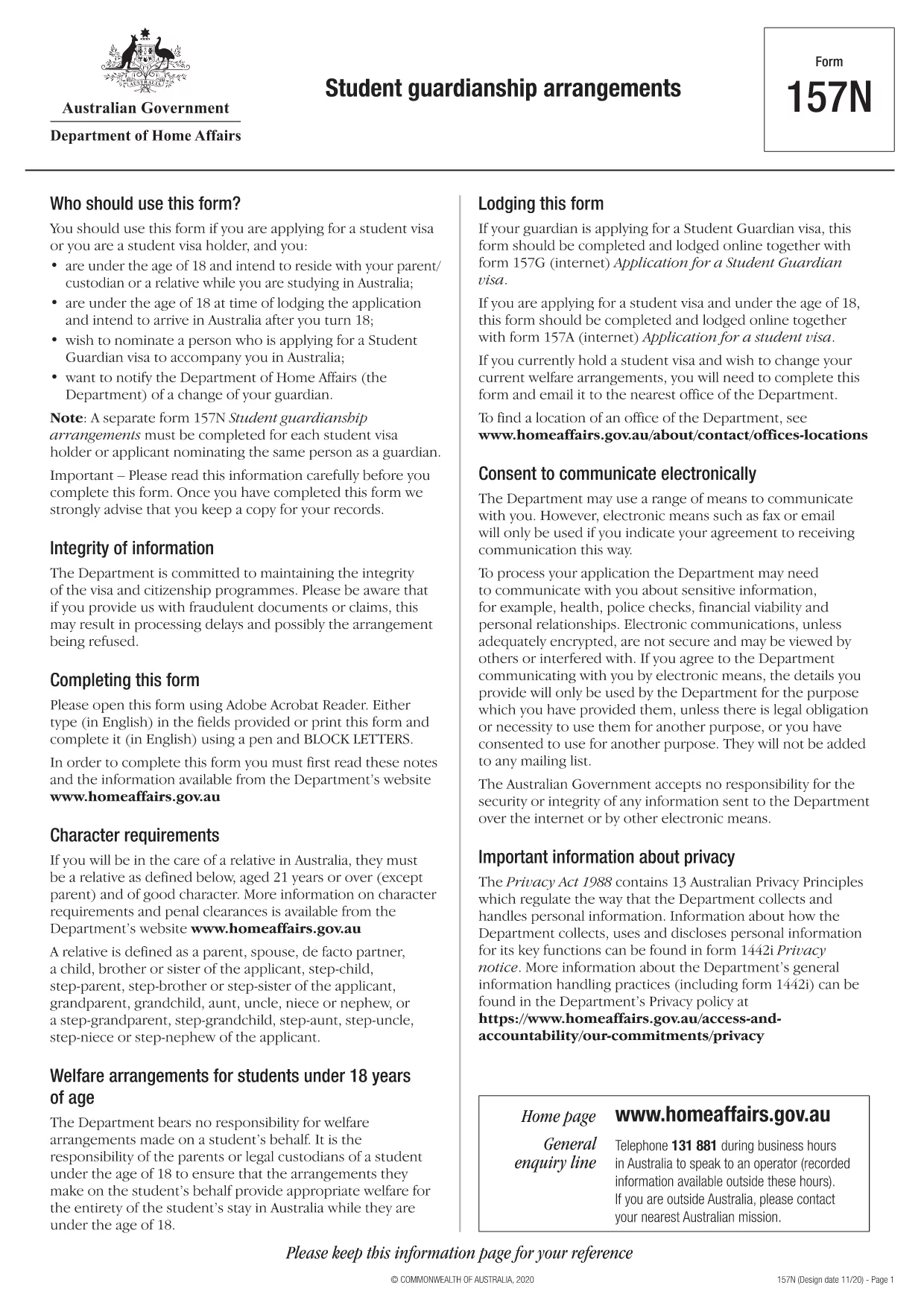
Form 157N – Student Guardian Arrangement (Fillable PDF)

  1. Language English
  2. Country Australia
  3. Activity Study
Fill out this form
Form 157N – Student Guardian Arrangement (Fillable PDF)

Form 157N is the official Australian document used to nominate a guardian for a student visa holder. Whether you are a parent, legal guardian, or an approved welfare provider, this form must be completed for every student who requires a guardian while studying in Australia.

What is Form 157N?

The Student Guardianship Arrangements – Form 157N captures details about the student, the proposed guardian, and the nature of the guardianship agreement. It is required by the Department of Home Affairs for visa subclasses 500, 590, and related student visas.

When and Who Must Complete Form 157N

  • Any new student visa applicant who needs a guardian in Australia.
  • Current visa holders who change their guardian or wish to add a second guardian.
  • Educational institutions acting on behalf of a student to nominate a welfare provider.

How to Fill Out Form 157N with Formize

Instead of downloading the PDF and editing it manually, use our Formize PDF Filler – a fast, secure, and fully fillable online solution.

Common Mistakes to Avoid

  • Leaving any mandatory field blank (marked with an asterisk *).
  • Submitting an outdated passport number for the guardian.
  • Providing an Australian address that does not belong to the guardian.
  • Failing to sign and date the form in the correct places.

Where to Submit the Completed Form

After you have filled the form online, download the completed PDF and attach it to your visa application through ImmiAccount, or email it to your education provider if they handle the submission.

Need help? Review our step‑by‑step guide below or check the FAQs for quick answers.

FAQ
  • Do I need to fill out a separate Form 157N for each student?

    Yes. Every student visa holder who nominates a guardian must have an individual Form 157N, even if the same guardian is named for multiple students.

  • Can I use the same PDF for a change of guardian?

    For a change of guardian you must complete a new Form 157N (sometimes referenced as Form 157N‑N). Submit the new form together with supporting evidence of the change.

  • Is an electronic signature accepted?

    The Department of Home Affairs accepts electronic signatures made within an approved PDF filler such as Formize. Ensure the signature field is marked as signed before downloading.

  • What happens if I forget to sign the form?

    An unsigned Form 157N will be rejected, causing delays in visa processing. The Formize validator will alert you to any missing signatures.

  • Do I need to provide proof of the guardian’s relationship to the student?

    Yes. Attach supporting documents (e.g., birth certificate, adoption papers, or legal guardianship order) alongside the completed Form 157N.

  • Can I save my progress and finish later?

    Formize allows you to save a draft locally. Click **Save Draft** before closing the browser, then reopen the saved file to continue.

  • Is there a fee to use Formize’s PDF filler?

    No. Formize provides free online filling for government forms like Form 157N. There are no hidden charges.

  • What if I submit the wrong guardian’s details?

    You must submit a corrected Form 157N as soon as the error is discovered. The Department will treat the new submission as the official record.

HOW TO

How to fill out Form 157N for free, online in 5 easy steps:

  1. 1
    Open the Fillable Form
    Click the **Fill out this form** button on this page. The Formize PDF Filler app will load the Form 157N directly in your browser.
  2. 2
    Enter Your Details
    Complete each field—student information, guardian details, and signatures—using your keyboard. All fields are interactive and save automatically.
  3. 3
    Review and Validate
    Use the built‑in validation to check for missing or incorrectly formatted data. Correct any highlighted errors before proceeding.
  4. 4
    Download the Completed PDF
    When you’re satisfied, click **Download PDF**. The file will be saved with all your entries intact, ready for upload to ImmiAccount.
  5. 5
    Submit with Your Visa Application
    Attach the downloaded PDF to your student visa application or provide it to your education provider as instructed.
Formize PDF Filler app
ABOUT

Study Forms

Form 157N is one of documents that are used in the context of educational or academic studies. These forms are typically used by students, educational institutions, or research organizations to collect and manage information related to studies, research projects, or academic processes. The specific forms used may vary depending on the nature of the study or research being conducted. Here are some examples of study forms:

Application Forms: These forms are used by students when applying for admission to educational institutions or specific study programs. They collect personal information, academic background, and other details required for the admission process.

Course Registration Forms: Students often need to complete course registration forms to enroll in specific courses or subjects. These forms allow students to select their preferred courses for the upcoming semester or academic year.

Research Proposal Forms: When initiating a research project, researchers may be required to submit a research proposal form. This form outlines the objectives, methodology, timeline, and resources required for the proposed study.

Informed Consent Forms: In research involving human subjects, informed consent forms are used to ensure participants are fully informed about the purpose, risks, benefits, and procedures of the study. Participants provide their consent by signing these forms before participating in the research.

Survey or Questionnaire Forms: Researchers often use survey or questionnaire forms to collect data from study participants. These forms contain a series of questions designed to gather specific information related to the research study.

Study Progress Report Forms: In certain educational programs or research projects, students or researchers may be required to submit regular progress reports. These forms track the progress, achievements, challenges, and next steps of the study or research.

Thesis or Dissertation Forms: Students pursuing advanced degrees may need to complete various forms related to their thesis or dissertation. These forms include proposal forms, committee approval forms, and final submission forms, among others.

Study Abroad Application Forms: Students applying for study abroad programs often need to complete specific application forms that gather information about their intended study destination, academic goals, language proficiency, and other relevant details.

These are just a few examples of study forms commonly used in educational or research settings. The specific forms and requirements may vary depending on the institution, program, or research project. It's important to consult the educational institution or research organization for accurate and up-to-date information regarding the necessary study forms for a particular academic or research endeavor.

FEATURES

PDF Filler

The easiest way to fill Form 157N online

  • Quickly fill out Form 157N
    Looking for a way to quickly fill Form 157N online? With our online free PDF form filler, you’ll know how to how to edit and fill this pdf document in less than a minute.
  • Easy to use online PDF editor
    Fed up with printing out PDF files so you can edit them, before rescanning and sending them back? Edit PDF documents for free online. Use our online pdf editor to save time and paper.
  • Great tools, all platforms
    Wondering how to fill in Form 157N on a Mac, or maybe how to use a PDF filler free? Our online PDF tools work on all platforms.
  • Secure file storage
    Completed "Form 157N" files are stored in a secured database managed by Amazon Cloud hosting. You can delete your files from our system anytime. In any case, these files are automatically deleted after 24 hours.
  • Chat with Form 157N
    Chat with "Form 157N" on Chatize that is a free PDF reader assistant. Ask questions and get answers from "Form 157N". Just click on Chat With Document button above.

Delete filling session

Delete the selected filling session? In this case, your progress in completing the form will be lost.

Delete editing session

Delete the selected editing session? In this case, your progress in creating and editing the form will be lost.