Select language

Photo Card Application Form (PC1) – Fillable PDF

  1. Country Australia
  2. Language English
  3. Activity Identification
  4. Department Transport
Fill out this form
Photo Card Application Form (PC1) – Fillable PDF

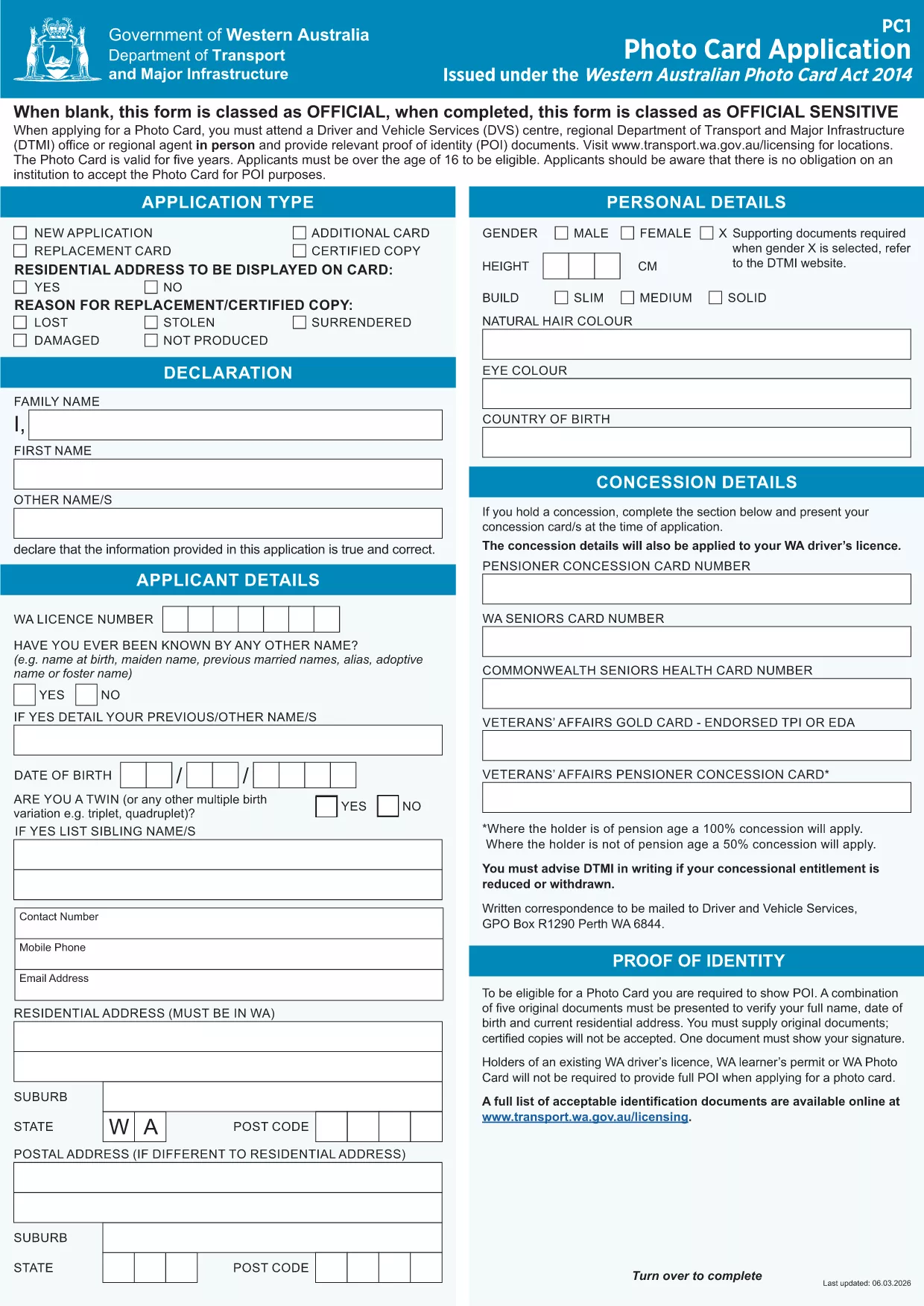
The Western Australian Photo Card (PC1) is an official identification document issued under the Photo Card Act 2014. Our fillable PDF version lets you complete the entire application online, upload your picture, and submit it without printing.

What Is the PC1 Photo Card Application?

The PC1 form collects personal details, proof of identity, and a recent photograph. It is used for drivers who do not hold a driver licence or who need an additional ID card.

How to Complete the Fillable PDF Online

Instead of downloading the PDF and editing it in a separate editor, simply click the "Fill out this form" button on this page. The Formize PDF Filler app will load the document directly in your browser, allowing you to:

  • Enter all required fields
  • Upload a clear, recent picture
  • Save your progress
  • Download or submit the completed form securely

Common Mistakes to Avoid

  • Using a photo that is not a recent head‑shot (must be taken within the last 12 months).
  • Leaving any mandatory fields blank – the filler will highlight missing information.
  • Submitting a low‑resolution image; the system requires at least 300 dpi.

Where to Submit Your Application

After completing the form, you can either:

  • Download the signed PDF and mail it to Transport WA – Photo Card Division, or
  • Upload the file directly through the online portal linked on the confirmation page.

FAQs About the Photo Card Form

Find quick answers to the most common questions below, or scroll down to the full FAQ section.

FAQ
  • Do I need a passport‑style photo for the PC1 form?

    Yes. The photo must be a clear head‑shot taken within the last 12 months, with a plain background and no glasses.

  • Can I edit the form after I have saved it?

    Absolutely. The Formize PDF Filler lets you reopen the saved file and make changes before final submission.

  • Is there a fee for the Western Australian Photo Card?

    Yes, a standard fee applies. Check the Transport WA website for the current price schedule.

  • What identification documents do I need to attach?

    You must provide at least two forms of ID, such as a birth certificate, passport, or Medicare card.

  • How long does processing take after I submit the form?

    Processing typically takes 10‑15 business days once all required documents are received.

  • Can I use the same form for a driver licence replacement?

    No. The PC1 is only for the Photo Card. Driver licence applications use a different form.

  • Is the fillable PDF compatible with mobile devices?

    Yes. Formize’s PDF Filler works on most modern smartphones and tablets.

HOW TO

How to fill out photo card application pdf for free, online in 5 easy steps:

  1. 1
    Click the Fill Out Button
    Press the "Fill out this form" button on this page to launch the Formize PDF Filler.
  2. 2
    Wait for the Filler to Load
    The fillable PDF will appear in your browser within a few seconds.
  3. 3
    Enter Your Details and Upload a Photo
    Complete all required fields, then upload a recent head‑shot that meets the photo guidelines.
  4. 4
    Review, Sign, and Save
    Double‑check the information, add your electronic signature, and save the completed form.
  5. 5
    Submit or Download
    Choose to submit the form directly through the portal or download the PDF for mailing.
Formize PDF Filler app
ABOUT

photo card application pdf template

With the traditional set of features for viewing and filling out a PDF document, combined with the benefits of a web application and responsive layout, you can complete photo card application pdf in minutes.

FEATURES

PDF Filler

The easiest way to fill photo card application pdf online

  • Quickly fill out photo card application pdf
    Looking for a way to quickly fill photo card application pdf online? With our online free PDF form filler, you’ll know how to how to edit and fill this pdf document in less than a minute.
  • Easy to use online PDF editor
    Fed up with printing out PDF files so you can edit them, before rescanning and sending them back? Edit PDF documents for free online. Use our online pdf editor to save time and paper.
  • Great tools, all platforms
    Wondering how to fill in photo card application pdf on a Mac, or maybe how to use a PDF filler free? Our online PDF tools work on all platforms.
  • Secure file storage
    Completed "photo card application pdf" files are stored in a secured database managed by Amazon Cloud hosting. You can delete your files from our system anytime. In any case, these files are automatically deleted after 24 hours.
  • Chat with photo card application pdf
    Chat with "photo card application pdf" on Chatize that is a free PDF reader assistant. Ask questions and get answers from "photo card application pdf". Just click on Chat With Document button above.

Delete filling session

Delete the selected filling session? In this case, your progress in completing the form will be lost.

Delete editing session

Delete the selected editing session? In this case, your progress in creating and editing the form will be lost.