
Select language

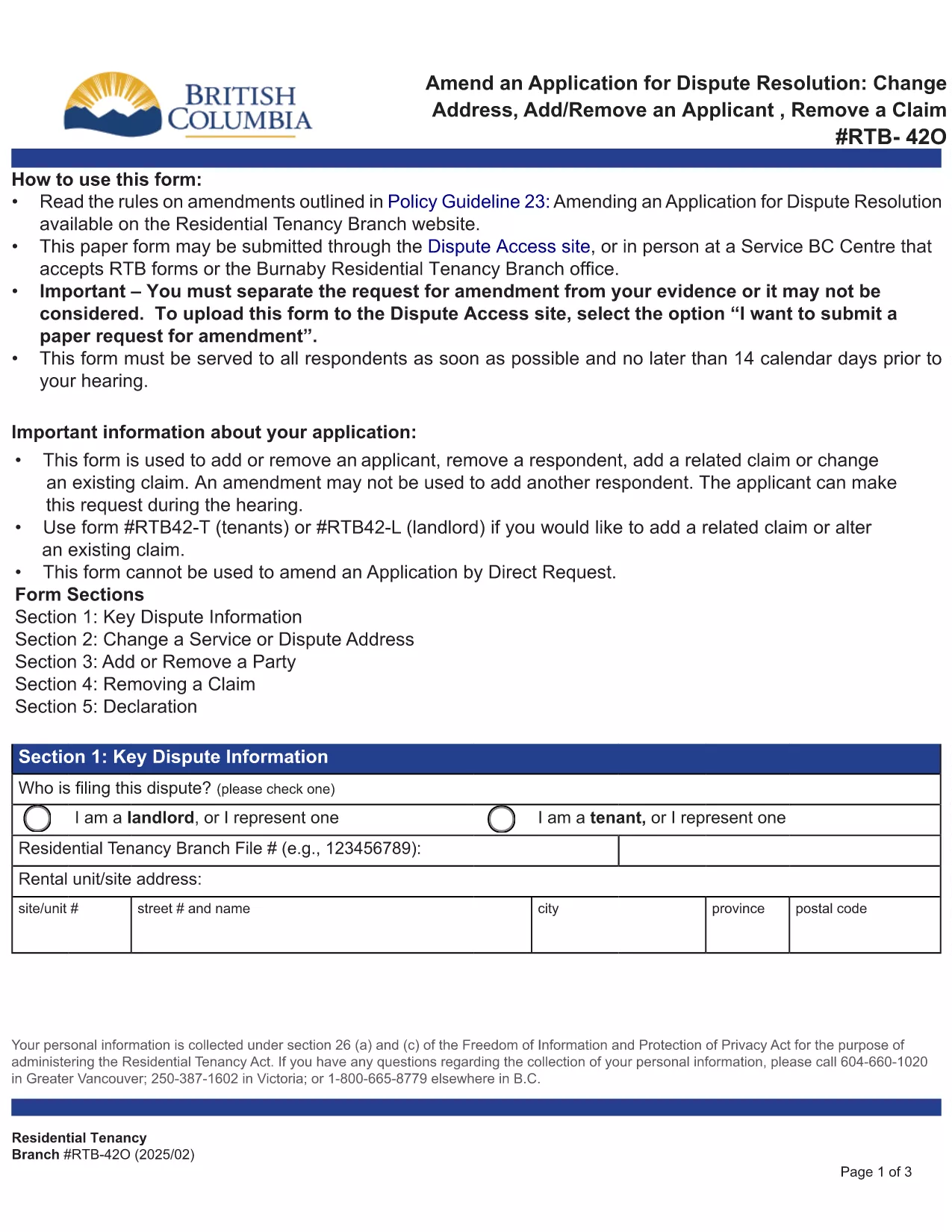
RTB‑42O – Amend an Application for Dispute Resolution (Fillable PDF)

  1. Language English
  2. Country Canada
  3. Activity Tenancy
  4. State British Columbia
Fill out this form
RTB‑42O – Amend an Application for Dispute Resolution (Fillable PDF)

What is the RTB‑42O Form?

The RTB‑42O is the official Residential Tenancy Branch (RTB) form used in British Columbia to request an amendment to an existing dispute‑resolution application. It allows tenants or landlords to change claims, add parties, or correct information after the original filing.

When and Who Should Use RTB‑42O?

  • Tenants or landlords who need to add, delete, or modify a claim.
  • Parties who must change an address, add a co‑tenant, or correct a mistake.
  • Anyone who has already submitted an RTB‑59 or RTB‑42T application and needs to update it before the hearing.

How to Complete the RTB‑42O Online

Instead of downloading and editing the PDF manually, simply click the "Fill out this form" button below. The Formize PDF Filler app will load the fillable version instantly.

  1. Click Fill out this form on the page.
  2. Wait a few seconds while the Formize PDF Filler loads.
  3. Enter your information in each highlighted field. Required fields are marked with an asterisk (*).
  4. Review the entered data for accuracy.
  5. Click Save & Download to get a completed PDF you can email to the RTB.

Common Mistakes to Avoid

  • Leaving required fields blank – the form will not submit.
  • Using an old case number; always copy the number from your original application.
  • Submitting the form after the RTB deadline – check the Rules of Procedure for timing.

Submit and Save Your Completed Form

After you have filled the form, download the PDF, attach it to an email addressed to rtb@gov.bc.ca, and include your original application reference number. Keep a copy for your records.

FAQ
  • What is the purpose of the RTB‑42O form?

    The RTB‑42O allows tenants or landlords to amend an existing dispute‑resolution application – adding or removing claims, parties, or correcting details.

  • Can I fill out RTB‑42O on a mobile device?

    Yes. The Formize PDF Filler works on smartphones, tablets and desktop browsers, providing a responsive fillable experience.

  • Do I need to pay a fee to submit an amendment?

    No additional fee is required to submit an RTB‑42O amendment, but the original application fee (usually $100) still applies.

  • How long do I have to submit an amendment after filing the original application?

    Amendments must be filed before the hearing date or within the time limits set out in RTB Rule 4.0.1. Check the latest Rules of Procedure for exact deadlines.

  • What happens if I make a mistake on the RTB‑42O?

    If required fields are left blank or information is incorrect, the RTB will return the form for correction. Use the fillable version to avoid common errors.

  • Do I need a lawyer to complete the RTB‑42O?

    No. The form is designed for self‑representation. However, you may seek legal advice if the amendment is complex.

HOW TO

How to fill out RTB-42O for free, online in 5 easy steps:

  1. 1
    Open the Fillable Form
    Click the “Fill out this form” button on the page. The Formize PDF Filler loads the RTB‑42O automatically.
  2. 2
    Enter Your Details
    Fill every highlighted field, especially those marked with *. Use the original application number for reference.
  3. 3
    Review & Validate
    Check all entries for accuracy. The filler will highlight any missing required information.
  4. 4
    Download the Completed PDF
    When you’re satisfied, click “Save & Download”. The PDF is ready to email to the Residential Tenancy Branch.
  5. 5
    Submit to the RTB
    Attach the completed PDF to an email addressed to rt​b@gov.bc.ca, include your original case number, and keep a copy for your records.
Formize PDF Filler app
ABOUT

Forms for landlords and/or tenants to propose action relating to tenancy agreements.

RTB-42O is the type of residential tenancy agreements used by most private landlords and housing associations.

There are a number of matters on which landlords or tenants must follow certain rules laid down in the regulations. In some cases it may be necessary for them to complete a form, called a ‘prescribed form’, that proposes an action that may affect the other party to the tenancy agreement.

The forms are called prescribed forms because the wording in them has been carefully drafted to ensure that the person completing the form and the person on whom it is served may understand what is being proposed and what they may do in response. Failure to serve the correct form may invalidate the action that is being proposed.

You may not alter the wording in these forms unless a form says you may do so. If you alter the wording, the form may be invalidated. You must also comply with any notice periods set out in the form.

FEATURES

PDF Filler

The easiest way to fill RTB-42O online

  • Quickly fill out RTB-42O
    Looking for a way to quickly fill RTB-42O online? With our online free PDF form filler, you’ll know how to how to edit and fill this pdf document in less than a minute.
  • Easy to use online PDF editor
    Fed up with printing out PDF files so you can edit them, before rescanning and sending them back? Edit PDF documents for free online. Use our online pdf editor to save time and paper.
  • Great tools, all platforms
    Wondering how to fill in RTB-42O on a Mac, or maybe how to use a PDF filler free? Our online PDF tools work on all platforms.
  • Secure file storage
    Completed "RTB-42O" files are stored in a secured database managed by Amazon Cloud hosting. You can delete your files from our system anytime. In any case, these files are automatically deleted after 24 hours.
  • Chat with RTB-42O
    Chat with "RTB-42O" on Chatize that is a free PDF reader assistant. Ask questions and get answers from "RTB-42O". Just click on Chat With Document button above.

Delete filling session

Delete the selected filling session? In this case, your progress in completing the form will be lost.

Delete editing session

Delete the selected editing session? In this case, your progress in creating and editing the form will be lost.