
Select language

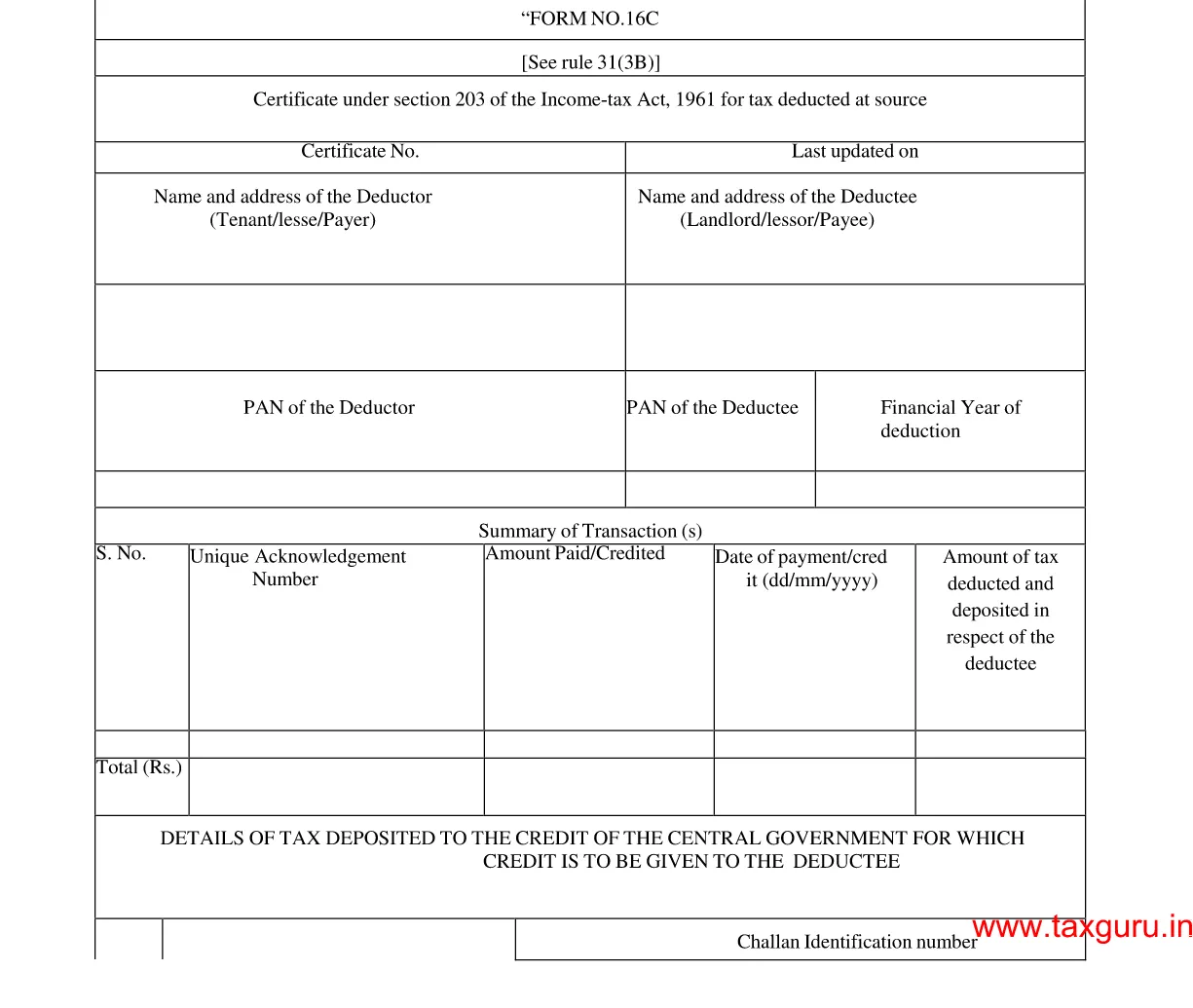
Form 16C – Fillable Tax Deduction Statement (Section 194‑IB)

  1. Country India
  2. Language English
  3. Department Income Tax Department
  4. Activity Taxes
Fill out this form
Form 16C – Fillable Tax Deduction Statement (Section 194‑IB)

Form 16C is the official statement used by deductors to report tax deducted at source (TDS) under Section 194‑IB of the Income Tax Act, India. It details the amount deducted, the recipient’s PAN, and the date of deduction. With Formize’s fillable PDF, you can complete and submit the form in minutes—no paper, no hassle.

What is Form 16C?

Form 16C serves as a challan‑cum‑statement that records TDS on payments such as interest on securities, dividends, and other specified incomes. The form must be filed electronically with the Income Tax Department after the deduction is made.

Who Needs to File Form 16C?

  • Any person or entity deducting tax under Section 194‑IB.
  • Financial institutions, mutual funds, and companies paying interest or dividend income.
  • Businesses that have made taxable payments to residents or non‑residents.

How to Fill Form 16C Online

Follow these simple steps to complete the form without leaving the page:

  1. Click the "Fill out this form" button below.
  2. The Formize PDF Filler app loads automatically in your browser.
  3. Enter the required details (deductor name, PAN, amount, etc.) in the fillable fields.
  4. Review the information, then click Save or Download to get a completed PDF.

Common Mistakes to Avoid

  • Incorrect PAN: Double‑check the PAN of both deductor and deductee.
  • Wrong financial year: Ensure the year matches the period of deduction.
  • Missing signatures: The form requires the signature of the person responsible for deduction.
  • Incomplete head codes: Use the correct major and minor head codes as per the Income Tax rules.

Download the Fillable PDF

Ready to start? Click the button below to open the fillable version of Form 16C directly in your browser.

Fill out this form

FAQ
  • What is the purpose of Form 16C?

    Form 16C records tax deducted at source under Section 194‑IB and serves as a challan‑cum‑statement for the Income Tax Department.

  • Who is required to file Form 16C?

    Any person or entity that deducts tax on interest, dividends, or similar payments under Section 194‑IB must file Form 16C.

  • Can I edit the PDF on a mobile device?

    Yes. The Formize PDF Filler works on all modern browsers, including mobile Chrome and Safari.

  • Do I need a digital signature to submit Form 16C?

    A physical signature is required on the printed form. For electronic filing, the form can be uploaded without a digital signature, but the deductor’s signature must be present on the original copy.

  • What are the major and minor head codes?

    These codes classify the nature of the payment. For example, major head code 2 and minor head code 0 are commonly used for interest payments.

  • How do I correct a mistake after submission?

    File a revised Form 16C with the corrected details before the end of the financial year, and inform the deductee of the changes.

HOW TO

How to fill out Form 16C for free, online in 4 easy steps:

  1. 1
    Open the Fillable Form
    Click the "Fill out this form" button. The Formize PDF Filler loads instantly in your browser.
  2. 2
    Enter Required Information
    Complete each fillable field—deductor details, PAN, amount deducted, and the applicable head codes.
  3. 3
    Validate and Save
    Review the entered data, ensure no fields are missing, then click Save to store the completed PDF on your device.
  4. 4
    Submit to the Tax Department
    Upload the saved PDF through the Income Tax e‑filing portal as per the filing deadline.
Formize PDF Filler app
ABOUT

Tax forms

Form 16C is one of Tax forms that are documents used to report information related to taxes to the relevant tax authority. There are various types of tax forms, including federal, state, and local tax forms, which can vary depending on the taxpayer's circumstances and location.

FEATURES

PDF Filler

The easiest way to fill Form 16C online

  • Quickly fill out Form 16C
    Looking for a way to quickly fill Form 16C online? With our online free PDF form filler, you’ll know how to how to edit and fill this pdf document in less than a minute.
  • Easy to use online PDF editor
    Fed up with printing out PDF files so you can edit them, before rescanning and sending them back? Edit PDF documents for free online. Use our online pdf editor to save time and paper.
  • Great tools, all platforms
    Wondering how to fill in Form 16C on a Mac, or maybe how to use a PDF filler free? Our online PDF tools work on all platforms.
  • Secure file storage
    Completed "Form 16C" files are stored in a secured database managed by Amazon Cloud hosting. You can delete your files from our system anytime. In any case, these files are automatically deleted after 24 hours.
  • Chat with Form 16C
    Chat with "Form 16C" on Chatize that is a free PDF reader assistant. Ask questions and get answers from "Form 16C". Just click on Chat With Document button above.

Delete filling session

Delete the selected filling session? In this case, your progress in completing the form will be lost.

Delete editing session

Delete the selected editing session? In this case, your progress in creating and editing the form will be lost.