
Select language

Application Form for Surrender of Indian Passport

  1. Language English
  2. Country India
  3. Department Ministry of External Affairs
  4. Activity Passport Surrender
Fill out this form
Application Form for Surrender of Indian Passport

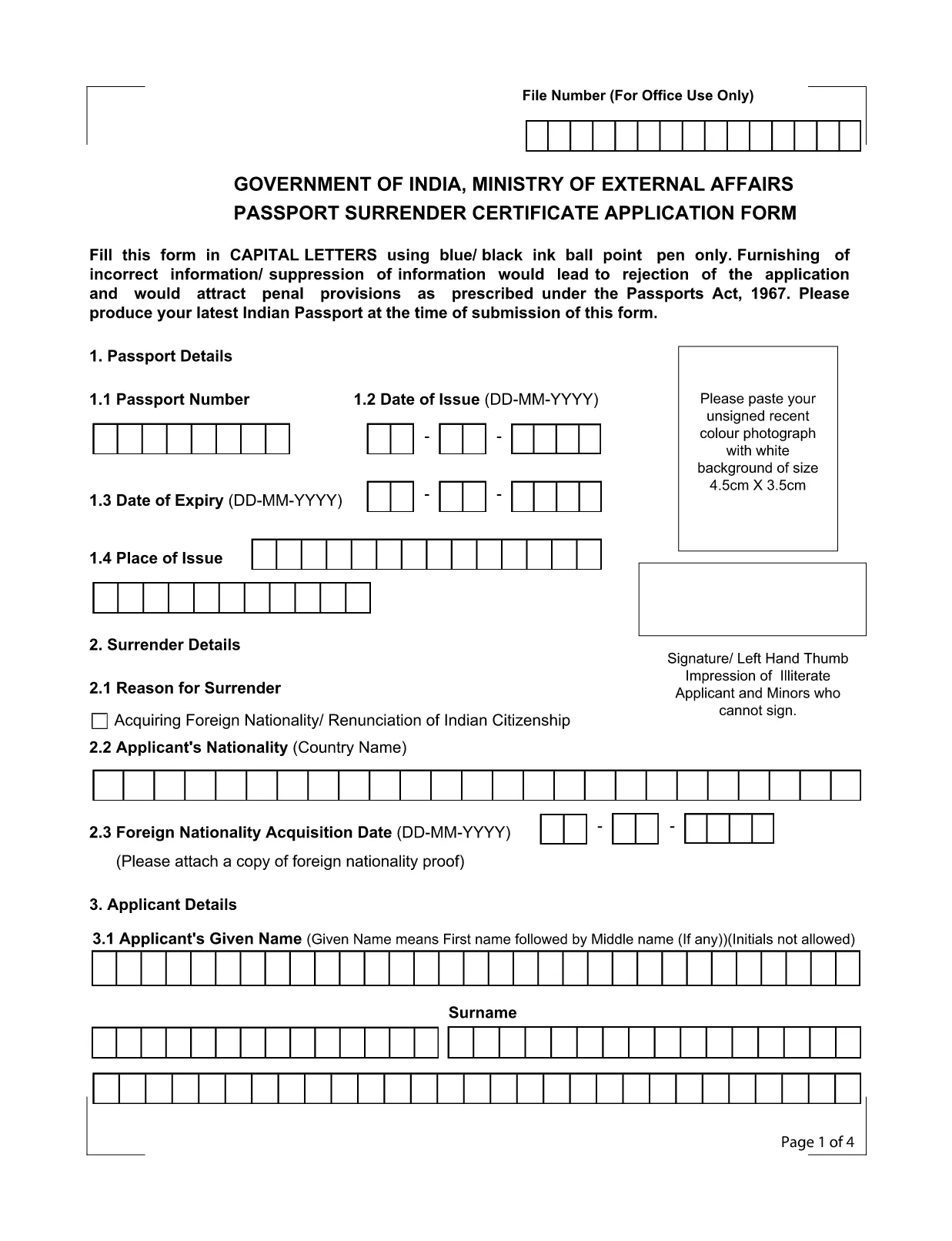
The passport surrender form is a mandatory document required by the Ministry of External Affairs when you voluntarily give up your Indian passport. Whether you have acquired foreign citizenship, are moving abroad permanently, or simply need to cancel an unused passport, this official Indian passport surrender application ensures a smooth, legal transition.

What Is the Passport Surrender Form?

This form, officially titled Passport Surrender Certificate Application Form, collects personal details, passport information, and the reason for surrender. It must be filled in capital letters with a blue or black ball‑point pen if printed, but with Formize’s online PDF filler you can type directly, saving time and eliminating illegible handwriting.

How to Fill the Surrender Certificate Online

Follow these simple steps to complete the form using our integrated Formize PDF Filler:

  • Click the "Fill out this form" button on this page.
  • Wait a few seconds while the Formize PDF Filler loads the fillable document.
  • Enter all required information exactly as it appears on your passport.
  • Review each field for accuracy, then click Submit to generate a downloadable copy.

Common Mistakes to Avoid

Even a small error can lead to rejection under the Passports Act, 1967. Keep these tips in mind:

  • Use only capital letters and avoid abbreviations.
  • Do not leave any field blank; write "N/A" where applicable.
  • Ensure the passport number matches the one printed on the document.
  • Provide a valid Indian address for correspondence.

Where to Submit the Completed Form

After completing the fillable PDF, print a clear copy and submit it to the nearest Indian Mission (Consulate or Embassy) along with your original passport. Some missions also accept a scanned copy via email—check the specific mission’s guidelines.

Download the Fillable PDF Instantly

Ready to start? Click the button below to open the official fillable PDF in the Formize PDF Filler. No extra software is required.

FAQ
  • Do I need to pay a fee to surrender my Indian passport?

    Yes, most Indian missions charge a nominal surrender fee. Check the specific consulate’s website for the exact amount.

  • Can I surrender my passport if I have already obtained foreign citizenship?

    Absolutely. Surrendering your Indian passport is a legal requirement after acquiring another nationality.

  • Is a scanned copy of the form acceptable?

    Some Indian missions accept a scanned, signed PDF, but most require a printed original. Verify the requirements of the mission you will visit.

  • What happens to my passport after surrender?

    The passport is cancelled and returned to the Ministry of External Affairs. You will receive a surrender certificate as proof.

  • Can I fill the form on a mobile device?

    Yes, the Formize PDF Filler works on all modern browsers, including mobile phones and tablets.

  • How long does the surrender process take?

    Processing time varies by mission, typically ranging from 7 to 14 business days after submission.

HOW TO

How to fill out passport surrender form india for free, online in 4 easy steps:

  1. 1
    Click the Fill-out Button
    Press the "Fill out this form" button on the page to launch the Formize PDF Filler.
  2. 2
    Wait for the Filler to Load
    A few seconds later the fillable PDF will appear in the browser. No download needed.
  3. 3
    Enter All Required Details
    Complete each field using capital letters. The filler validates dates and passport numbers automatically.
  4. 4
    Submit, Download, and Print
    After reviewing, click Submit to generate a PDF copy. Print it and take it to the nearest Indian mission.
Formize PDF Filler app
ABOUT

Department of Posts Application Forms

passport surrender form india is one of the official form of Indian Department of Posts that offers various application forms for different services. Some common application forms include:

Postal Life Insurance: This form is used to apply for Postal Life Insurance policies offered by the Department of Posts.

Savings Bank Account: This form is used to open a savings bank account at a post office.

Money Order: This form is used to send money orders through the postal service.

Registered Post: This form is used to send registered letters and parcels through the postal service.

Speed Post: This form is used to send parcels and documents through the speed post service.

Post Office Monthly Income Scheme: This form is used to open a monthly income scheme account at a post office.

FEATURES

PDF Filler

The easiest way to fill passport surrender form india online

  • Quickly fill out passport surrender form india
    Looking for a way to quickly fill passport surrender form india online? With our online free PDF form filler, you’ll know how to how to edit and fill this pdf document in less than a minute.
  • Easy to use online PDF editor
    Fed up with printing out PDF files so you can edit them, before rescanning and sending them back? Edit PDF documents for free online. Use our online pdf editor to save time and paper.
  • Great tools, all platforms
    Wondering how to fill in passport surrender form india on a Mac, or maybe how to use a PDF filler free? Our online PDF tools work on all platforms.
  • Secure file storage
    Completed "passport surrender form india" files are stored in a secured database managed by Amazon Cloud hosting. You can delete your files from our system anytime. In any case, these files are automatically deleted after 24 hours.
  • Chat with passport surrender form india
    Chat with "passport surrender form india" on Chatize that is a free PDF reader assistant. Ask questions and get answers from "passport surrender form india". Just click on Chat With Document button above.

Delete filling session

Delete the selected filling session? In this case, your progress in completing the form will be lost.

Delete editing session

Delete the selected editing session? In this case, your progress in creating and editing the form will be lost.