
Select language

Punjab Renewal of Arms License Form for Individuals (Fillable PDF)

  1. Language English Hindi
  2. Country India
  3. State Punjab
  4. Department Department of Home Affairs and Justice
Fill out this form
Punjab Renewal of Arms License Form for Individuals (Fillable PDF)

Renewing your personal arms license in Punjab has never been easier. Our dedicated page provides the official Punjab renewal of arms license form for individuals as a fully fillable PDF that you can complete directly in your browser.

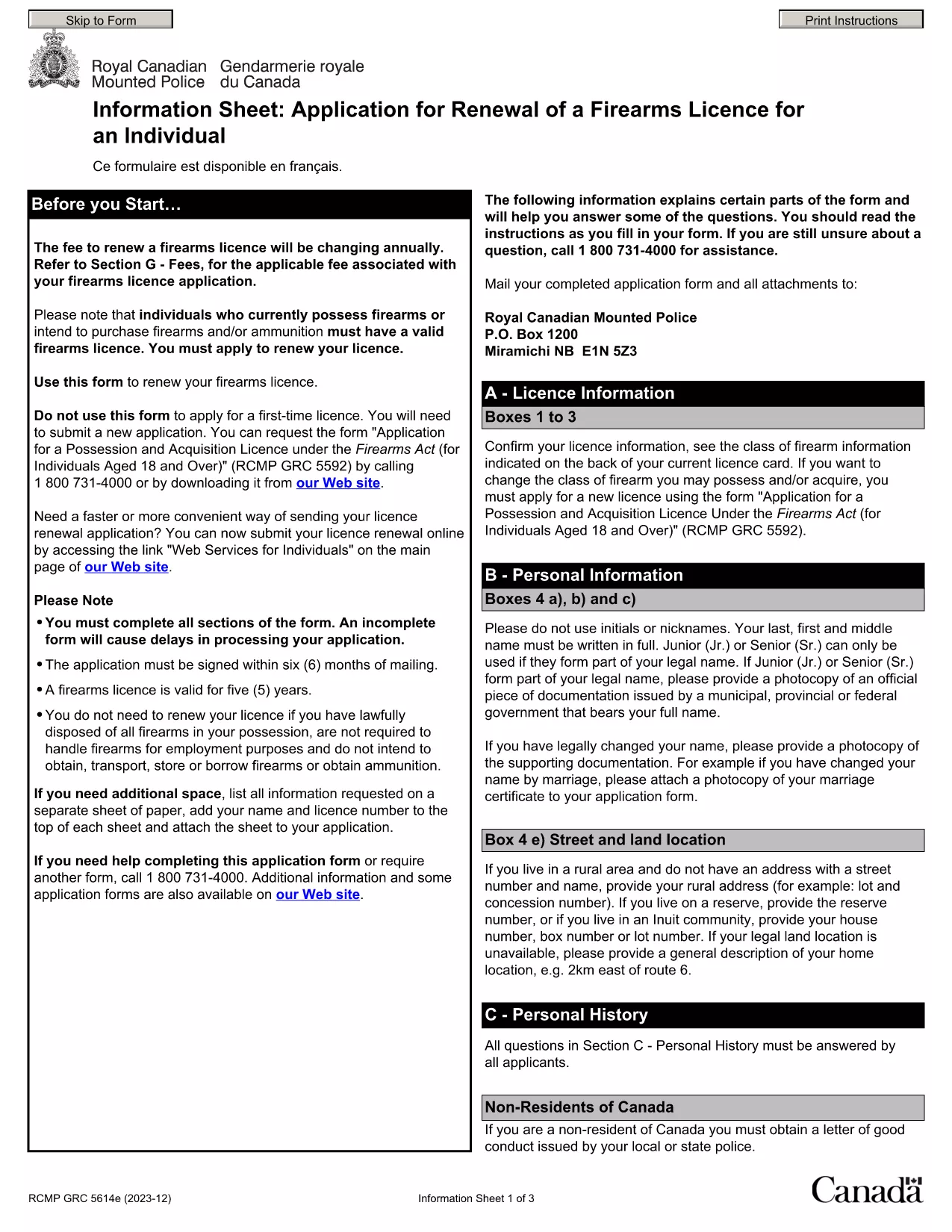
By using Formize’s PDF Filler, you avoid printing, scanning, and the risk of missing handwritten information. The form is powered by the same structure as the RCMP PAL Renewal Form, which meets international standards for firearm licensing documentation.

Why Use a Fillable PDF for Your Punjab Arms License Renewal

A fillable PDF ensures:

  • Accuracy – fields are validated in real time.
  • Speed – submit within minutes, not days.
  • Security – your data stays encrypted while you work.

Step‑by‑Step Guide to Completing the Form Online

Follow the simple steps below to finish your renewal without leaving the page.

Common Mistakes to Avoid When Renewing Your Arms License

Skipping a required field or uploading an unsupported file format can delay processing. Our guide highlights the most frequent errors and how to prevent them.

Where to Submit Your Completed Form

After you finish, download the completed PDF and submit it to the Punjab Police Arms Licensing Office either in person or via their official online portal.

Ready to start? Click the button below, let Formize load the PDF filler, and complete the form in a few easy steps.

FAQ
  • Is the Punjab arms license renewal form available for free?

    Yes. The fillable PDF is provided at no cost. You only need an internet connection to complete it online.

  • Can I edit the form after I download it?

    Once you download the completed PDF, you can open it in any standard PDF viewer, but the official submission should be the version you saved from Formize.

  • What documents do I need to attach with the renewal?

    Typically you must attach a recent passport‑size photograph, a copy of your current license, and any supporting certificates. Check the form’s attachment section for exact requirements.

  • How long does the renewal process take after submission?

    Processing times vary by district, but most renewals are completed within 7‑10 business days once the correct form and documents are received.

  • What if I make a mistake while filling the form?

    The fillable PDF highlights incomplete or incorrectly formatted fields. Correct the information before saving, or you can start over by clicking the reset button.

  • Do I need to print the form to submit it?

    No. The Punjab Police accepts a digitally signed PDF via their online portal or by email. Printing is optional.

  • Is my personal data safe while using Formize?

    Formize uses SSL encryption, and the PDF is processed locally in your browser, ensuring your data never leaves your computer unless you choose to upload it.

  • Can I use this form on a mobile device?

    Yes. The fillable PDF works on most modern smartphones and tablets with a compatible browser.

HOW TO

How to fill out Punjab arms license renewal for free, online in 5 easy steps:

  1. 1
    Click the Fill Out This Form button
    Press the highlighted button on the page to open the Formize PDF Filler app.
  2. 2
    Wait for the filler to load
    The fillable PDF loads automatically; this usually takes a few seconds.
  3. 3
    Enter your information
    Complete each field – the form validates entries in real time to prevent errors.
  4. 4
    Review and sign
    Double‑check all details, add your digital signature if required, and save the document.
  5. 5
    Download or submit
    Download the finished PDF for your records and submit it to the Punjab Police Arms Licensing Office.
Formize PDF Filler app
ABOUT

Ministry of External Affairs application forms

Punjab arms license renewal is one of Ministry of External Affairs application forms. The Indian Ministry of External Affairs offers various application forms for different services related to external affairs and international relations. Some common application forms include:

Passport Application: This form is used to apply for an Indian passport. It collects personal details such as name, address, date of birth, and nationality.

Overseas Citizenship of India (OCI) Application: This form is used to apply for OCI status, which allows individuals of Indian origin to live and work in India indefinitely. It collects personal details, including proof of Indian origin.

Visa Application: This form is used to apply for a visa to travel to a foreign country. It collects personal details, travel information, and the purpose of travel.

Emigration Clearance Application: This form is used by individuals who are seeking emigration clearance for employment in certain countries. It collects personal information and employment details.

Attestation Application: This form is used to apply for the attestation of various documents, such as educational certificates, marriage certificates, and commercial documents. It collects details of the document to be attested and the purpose of attestation.

Consular Services Application: This form is used for various consular services, including the issuance of emergency certificates, assistance to Indian nationals abroad, and registration of Indian nationals. The specific details required depend on the nature of the service requested.

FEATURES

PDF Filler

The easiest way to fill Punjab arms license renewal online

  • Quickly fill out Punjab arms license renewal
    Looking for a way to quickly fill Punjab arms license renewal online? With our online free PDF form filler, you’ll know how to how to edit and fill this pdf document in less than a minute.
  • Easy to use online PDF editor
    Fed up with printing out PDF files so you can edit them, before rescanning and sending them back? Edit PDF documents for free online. Use our online pdf editor to save time and paper.
  • Great tools, all platforms
    Wondering how to fill in Punjab arms license renewal on a Mac, or maybe how to use a PDF filler free? Our online PDF tools work on all platforms.
  • Secure file storage
    Completed "Punjab arms license renewal" files are stored in a secured database managed by Amazon Cloud hosting. You can delete your files from our system anytime. In any case, these files are automatically deleted after 24 hours.
  • Chat with Punjab arms license renewal
    Chat with "Punjab arms license renewal" on Chatize that is a free PDF reader assistant. Ask questions and get answers from "Punjab arms license renewal". Just click on Chat With Document button above.

Delete filling session

Delete the selected filling session? In this case, your progress in completing the form will be lost.

Delete editing session

Delete the selected editing session? In this case, your progress in creating and editing the form will be lost.