
Select language

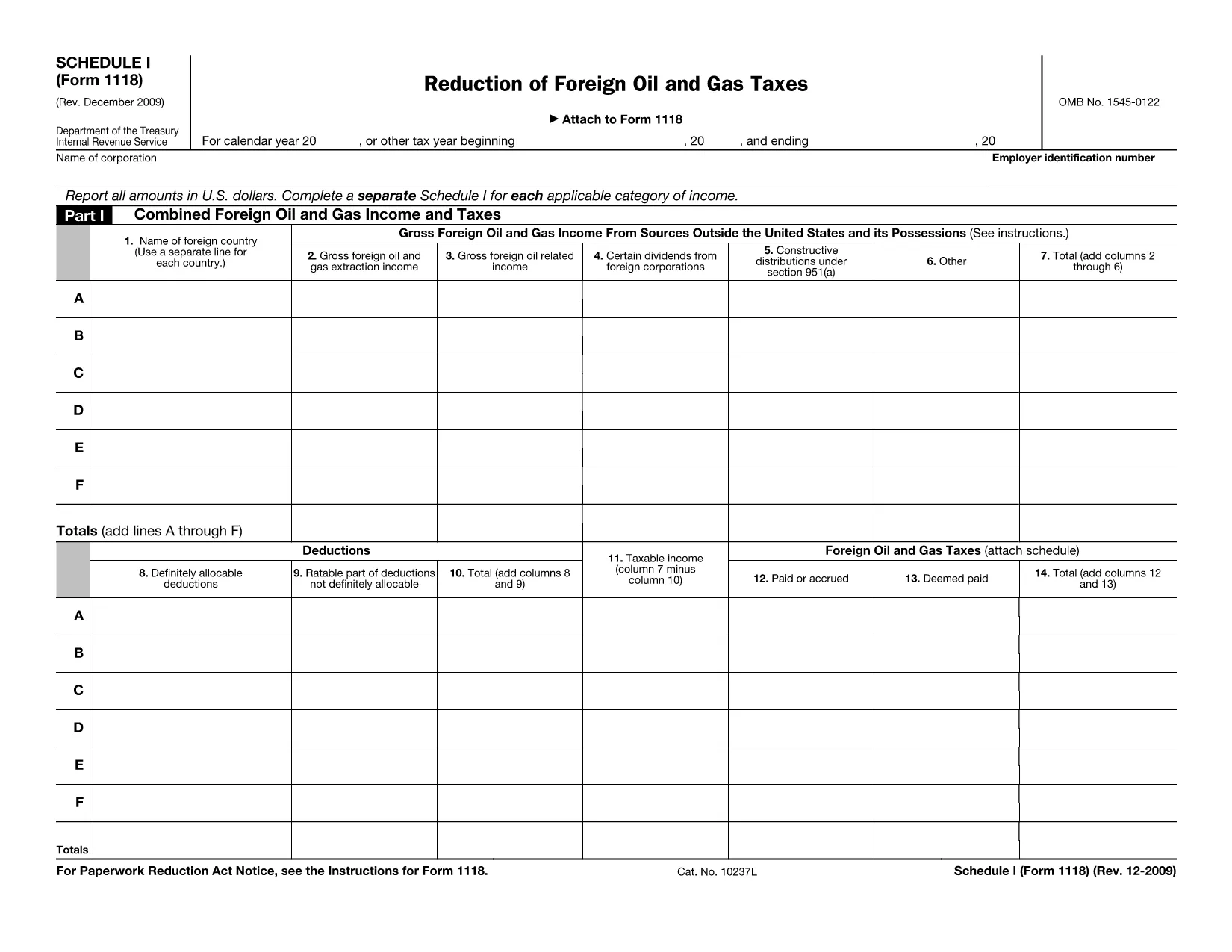
Form 1118 Schedule I – Fillable PDF

  1. Country USA
  2. Language English
  3. Activity Taxes
  4. Department Internal Revenue Service
Fill out this form
Form 1118 Schedule I – Fillable PDF

Form 1118 Schedule I is part of the IRS Form 1118 series used by U.S. corporations to claim a foreign tax credit for oil and gas taxes paid abroad. This schedule specifically reports reductions of foreign oil and gas taxes, allowing you to calculate the credit you can apply against your U.S. tax liability.

Our fillable PDF version lets you complete Schedule I directly in your browser—no extra software needed. Simply click the "Fill out this form" button, enter your numbers, and download the completed file for your tax return.

Below you’ll find a quick guide on how to use the form, common pitfalls to watch for, and answers to the most frequent questions.

FAQ
  • Who needs to file Form 1118 Schedule I?

    U.S. corporations that paid foreign oil and gas taxes and want to claim a reduction of those taxes as a foreign tax credit must complete Schedule I.

  • Can I use the fillable PDF for a paper return?

    Yes. After filling out the form online, download the completed PDF and attach it to your paper Form 1118 submission.

  • What is the difference between Schedule I and Schedule II?

    Schedule I deals with reductions of foreign oil and gas taxes, while Schedule II reports other foreign tax credits not related to oil and gas.

  • Do I need a tax professional to complete Schedule I?

    While many corporations can complete it themselves, complex foreign tax situations may benefit from professional advice.

  • How do I correct a mistake after I’ve downloaded the PDF?

    Open the saved PDF in the Formize PDF Filler again, make the correction, and re‑download the updated version.

  • Is there a filing deadline for Schedule I?

    Schedule I must be filed with Form 1118 by the corporate tax return due date, including extensions.

  • What supporting documents should I keep?

    Retain foreign tax payment statements, oil and gas production reports, and any calculations used to determine the reduction.

HOW TO

How to fill out Form 1118 Schedule I for free, online in 5 easy steps:

  1. 1
    Click the Fill‑out Button
    On the page, locate the blue “Fill out this form” button and click it. This launches the Formize PDF Filler app.
  2. 2
    Wait for the Formize PDF Filler to Load
    The filler loads a secure, cloud‑based editor. This usually takes a few seconds.
  3. 3
    Enter Your Information
    Type directly into each field of Schedule I. Use the instructions on the form to know which numbers belong in each line.
  4. 4
    Review and Validate
    Double‑check every entry for accuracy. The filler will highlight any required fields you missed.
  5. 5
    Save or Download the Completed Form
    When you’re satisfied, click “Save” to store the file in your Formize account or “Download” to get a PDF copy you can attach to your tax return.
Formize PDF Filler app
ABOUT

Tax forms

Form 1118 Schedule I is one of Tax forms that are documents used to report information related to taxes to the relevant tax authority. There are various types of tax forms, including federal, state, and local tax forms, which can vary depending on the taxpayer's circumstances and location.

FEATURES

PDF Filler

The easiest way to fill Form 1118 Schedule I online

  • Quickly fill out Form 1118 Schedule I
    Looking for a way to quickly fill Form 1118 Schedule I online? With our online free PDF form filler, you’ll know how to how to edit and fill this pdf document in less than a minute.
  • Easy to use online PDF editor
    Fed up with printing out PDF files so you can edit them, before rescanning and sending them back? Edit PDF documents for free online. Use our online pdf editor to save time and paper.
  • Great tools, all platforms
    Wondering how to fill in Form 1118 Schedule I on a Mac, or maybe how to use a PDF filler free? Our online PDF tools work on all platforms.
  • Secure file storage
    Completed "Form 1118 Schedule I" files are stored in a secured database managed by Amazon Cloud hosting. You can delete your files from our system anytime. In any case, these files are automatically deleted after 24 hours.
  • Chat with Form 1118 Schedule I
    Chat with "Form 1118 Schedule I" on Chatize that is a free PDF reader assistant. Ask questions and get answers from "Form 1118 Schedule I". Just click on Chat With Document button above.

Delete filling session

Delete the selected filling session? In this case, your progress in completing the form will be lost.

Delete editing session

Delete the selected editing session? In this case, your progress in creating and editing the form will be lost.