


Tax forms
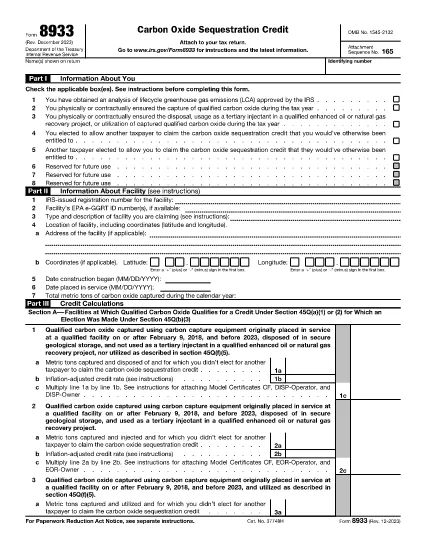
Form 8933 is one of Tax forms that are documents used to report information about an individual's or business's income, deductions, and tax liability to the relevant tax authority. These forms are necessary to comply with tax laws and fulfill tax obligations. Tax forms vary depending on the country and the specific tax requirements in place. Here are some common types of tax forms:
Individual Tax Forms: These forms are used by individual taxpayers to report their personal income and claim deductions, credits, and exemptions. Examples include the 1040 form in the United States or the Self-Assessment Tax Return form in the United Kingdom.
Business Tax Forms: Business tax forms are used by companies, partnerships, or self-employed individuals to report their business income, expenses, and other tax-related information. Examples include the Schedule C form (Profit or Loss from Business) in the United States or the CT600 form (Company Tax Return) in the United Kingdom.
Payroll Tax Forms: These forms are used by employers to report the wages, salaries, and taxes withheld from their employees' paychecks. Examples include the W-2 form in the United States or the P60 form in the United Kingdom.
Sales Tax Forms: Sales tax forms are used by businesses to report and remit sales tax collected on taxable goods or services. The specific sales tax forms vary by jurisdiction.
Value Added Tax (VAT) Forms: VAT forms are used in countries that impose a value-added tax to report and remit VAT collected on sales and claim VAT credits for purchases. Examples include the VAT return forms used in many countries.
Estimated Tax Forms: Estimated tax forms are used to report and pay estimated taxes on income that is not subject to withholding, such as self-employment income or investment income.
These are just a few examples of the numerous tax forms that may exist. The specific forms required depend on the tax laws and regulations in your country or jurisdiction. It is important to consult the tax authority's guidelines or seek professional advice to determine which forms are applicable to your situation.