
application form lto template
With the traditional set of features for viewing and filling out a PDF document, combined with the benefits of a web application and responsive layout, you can complete application form lto in minutes.


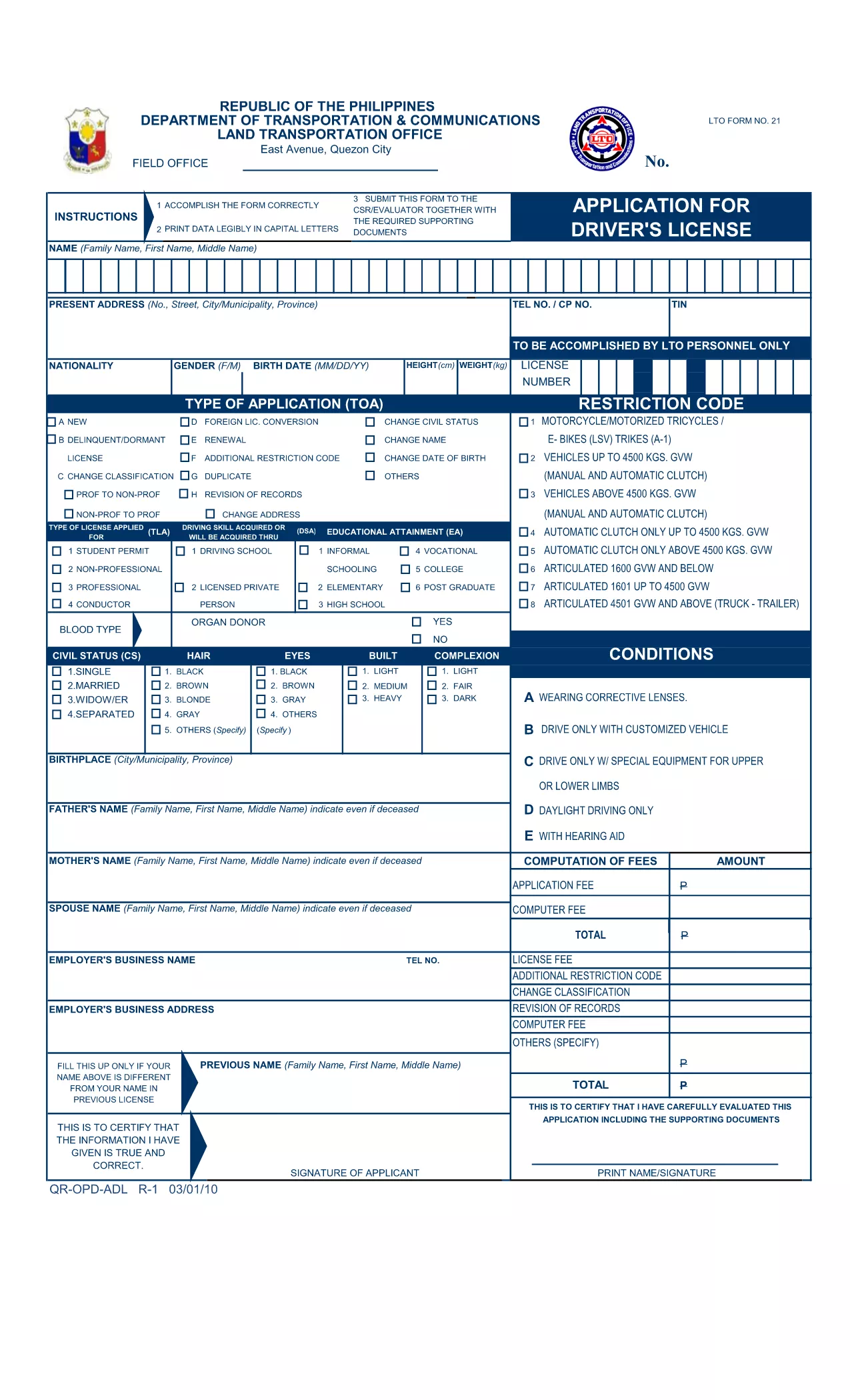
The LTO driver’s license application form (also known as the ADL Form) is the official document you need to fill out before visiting any Land Transportation Office (LTO) branch in the Philippines. Our page provides a direct link to a fillable PDF that you can complete instantly with the Formize PDF Filler – no extra software required.
Using a fillable PDF saves time, reduces errors, and lets you review your answers before printing. Whether you are applying for a first non‑professional license, renewing an existing one, or updating personal details, this form covers all the essential information the LTO requires.
The LTO application form is a government‑issued document that collects personal data, licensing history, and medical declarations. It is mandatory for all applicants, including minors (with parental consent) and senior citizens.
Simply click the "Fill out this form" button below. The Formize PDF Filler app will load in your browser, allowing you to type directly into each field, add signatures, and save your progress.
After you finish and print the form, bring it along with the required supporting documents to any LTO branch. Remember to bring a valid ID, original medical certificate (if needed), and the appropriate processing fee.
Ready to start? Click the button below to open the fillable PDF now.
Yes, the official PDF is provided free of charge on our page. You only pay the processing fee when you submit the form at the LTO.
The Formize PDF Filler works on most modern browsers, including mobile Chrome and Safari, but a desktop or laptop offers the best experience.
Yes. The LTO requires a hard‑copy, signed version of the form together with your supporting documents.
Cross out the error with a single line, write the correct information, and initial the change. For major errors, refill the form online and print a new copy.
The LTO still requires a handwritten signature on the printed form. Use the digital signature only for previewing; add your handwritten signature before submission.
Processing times vary by branch, but most non‑professional licenses are issued within 1‑2 business days after submission.
With the traditional set of features for viewing and filling out a PDF document, combined with the benefits of a web application and responsive layout, you can complete application form lto in minutes.
The easiest way to fill application form lto online
Delete filling session
Delete editing session