
Select language

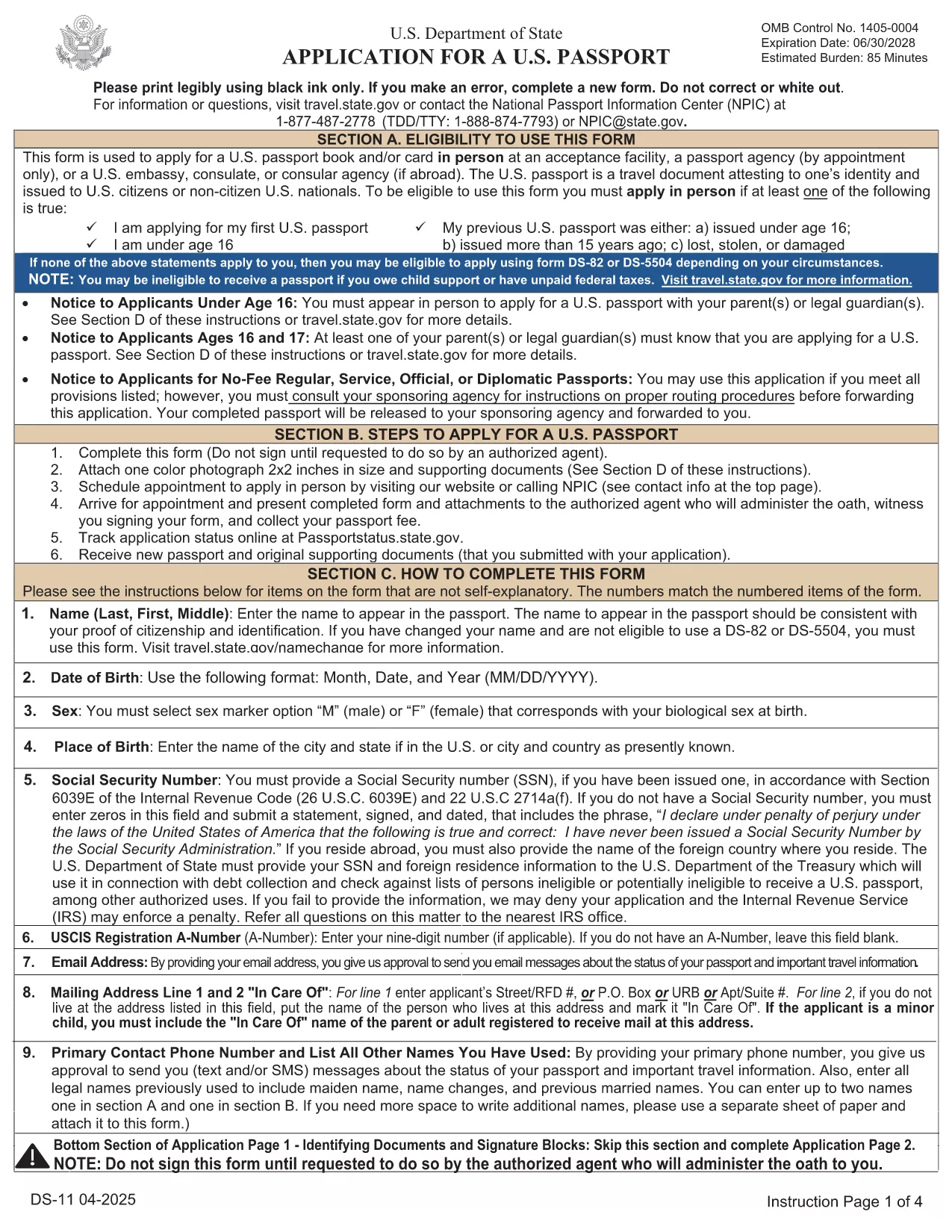
Passport Renewal Application – Fillable DS-11 PDF

  1. Language English
  2. Country USA
  3. Department Department of State
  4. Activity Passports
Fill out this form
Passport Renewal Application – Fillable DS-11 PDF

Renewing your U.S. passport has never been easier. With Formize’s fillable PDF version of the official DS‑11 application, you can complete the entire form online, avoid common errors, and print a clean copy ready for submission.

Why Use a Fillable PDF Form

Traditional paper forms require you to print, write, and re‑write if you make a mistake. A fillable PDF lets you:

  • Enter data directly on your computer or tablet.
  • Save a draft and return later.
  • Validate required fields instantly, reducing the chance of rejection.
  • Print a professional‑looking document that meets State Department standards.

Step‑by‑Step Guide to Complete the DS‑11 Form

Follow the simple steps below instead of downloading the PDF and opening a separate editor.

  • Click "Fill out this form" on this page.
  • Wait a few seconds while the Formize PDF Filler app loads.
  • Enter all requested information in each field. The app highlights missing or incorrectly formatted entries.
  • Review the completed form, add your signature electronically, and click Save & Download.
  • Print the final PDF on white, 8.5" x 11" paper and submit it with your supporting documents.

Common Mistakes to Avoid

  • Leaving the "Middle Name" field blank when you have one – the State Department requires the full legal name.
  • Using a non‑official photo (must be 2" x 2", color, taken within the last six months).
  • Forgetting to sign the form in the designated area – an unsigned form is automatically rejected.
  • Submitting an outdated form version – always use the latest PDF provided by Formize.

Where to Submit Your Completed Form

After printing, mail your DS‑11 renewal package to the appropriate address listed on the U.S. Department of State website. If you need expedited service, use the designated Express or Agency address.

Need help? Review the FAQs below or contact your local passport acceptance facility.

FAQ
  • Can I use the DS‑11 form for a passport renewal?

    Yes, the DS‑11 is accepted for renewals when your previous passport was lost, stolen, or damaged, or if you do not meet the eligibility criteria for DS‑82.

  • What is the difference between DS‑11 and DS‑82?

    DS‑11 is the standard application used for first‑time applicants and certain renewal situations. DS‑82 is a simpler renewal form for eligible adults with an undamaged passport that is still valid or expired less than 5 years.

  • How long does the renewal process take?

    Standard processing takes 8‑11 weeks. Expedited service (for an additional fee) reduces the time to 5‑7 weeks, and urgent appointments can be arranged at a passport agency.

  • Do I need to bring my old passport?

    Yes. Submit your most recent passport with the completed DS‑11 form. If the passport is damaged or lost, you must include a signed statement and any supporting documentation.

  • What fees are required for a renewal?

    As of 2024, the adult passport book fee is $130 for standard service and $210 for expedited service. Additional fees apply for passport cards and optional services.

  • Can I submit the form electronically?

    No. The DS‑11 must be printed, signed, and mailed with supporting documents. However, you can complete the form online using the fillable PDF to avoid errors.

  • What photo specifications are required?

    A 2" x 2" color photo taken within the last six months, with a plain white background, full face view, and no glasses.

  • Where can I find a passport acceptance facility?

    Use the State Department’s online locator to find post offices, libraries, and other authorized facilities near you.

HOW TO

How to fill out passport renewal for free, online in 5 easy steps:

  1. 1
    Open the Fillable Form
    Click the "Fill out this form" button on the page. The Formize PDF Filler loads directly in your browser.
  2. 2
    Enter Your Information
    Type your details into each highlighted field. The tool checks for required data and formatting in real time.
  3. 3
    Review and Sign
    Double‑check every entry, add your electronic signature, and confirm that the photo meets the guidelines.
  4. 4
    Save or Download
    Click "Save & Download" to get a printable PDF copy of your completed DS‑11 form.
  5. 5
    Print and Submit
    Print the PDF on white 8.5" x 11" paper, attach your supporting documents, and mail it to the address provided by the U.S. Department of State.
Formize PDF Filler app
ABOUT

Department of State (DOS) Forms

passport renewal is one of application forms that are used by the United States Department of State (DOS) to collect information and process various services related to international travel, visas, passports, and consular services. The DOS is responsible for managing U.S. foreign policy, international relations, and providing services to U.S. citizens and foreign nationals.

Here are some examples of Department of State forms:

Passport Application Forms: These forms are used to apply for a U.S. passport, which is an official document issued by the government that allows individuals to travel internationally. Passport application forms collect personal information, details about citizenship, identity, and other required information.

Nonimmigrant Visa Application Forms: The DOS oversees the issuance of nonimmigrant visas, which allow foreign nationals to temporarily visit the United States for various purposes such as tourism, business, study, or work. Nonimmigrant visa application forms, such as the DS-160, DS-156, or DS-260, are used to gather information about the applicant's personal details, travel history, purpose of travel, and other relevant information.

Immigrant Visa Application Forms: For individuals seeking to immigrate to the United States, immigrant visa application forms are used. These forms collect detailed information about the applicant's personal history, family members, employment history, and other relevant information. Examples include the DS-260 form for family-based immigration or the DS-230 form for diversity visa lottery winners.

Consular Report of Birth Abroad (CRBA) Form: This form is used to document the birth of a U.S. citizen child abroad to U.S. citizen parents. It collects information about the child, parents, and supporting documentation.

Affidavit of Support Forms: When sponsoring an immigrant to the United States, a U.S. citizen or lawful permanent resident may need to submit an Affidavit of Support form. This form, such as the I-864 or I-134, is used to demonstrate the financial ability to support the intending immigrant and prevent them from becoming a public charge.

Consular Services Forms: The DOS provides various consular services to U.S. citizens and foreign nationals, such as notarial services, requests for emergency assistance, or renunciation of U.S. citizenship. Specific forms are used for these services, including forms DS-11, DS-3053, or DS-4079, depending on the nature of the service requested.

It's important to note that the specific forms used by the U.S. Department of State can change over time, and different services may require different forms. It's advisable to visit the official website of the U.S. Department of State or consult with the nearest U.S. embassy or consulate for the most up-to-date and accurate information regarding the specific forms required for various services.

FEATURES

PDF Filler

The easiest way to fill passport renewal online

  • Quickly fill out passport renewal
    Looking for a way to quickly fill passport renewal online? With our online free PDF form filler, you’ll know how to how to edit and fill this pdf document in less than a minute.
  • Easy to use online PDF editor
    Fed up with printing out PDF files so you can edit them, before rescanning and sending them back? Edit PDF documents for free online. Use our online pdf editor to save time and paper.
  • Great tools, all platforms
    Wondering how to fill in passport renewal on a Mac, or maybe how to use a PDF filler free? Our online PDF tools work on all platforms.
  • Secure file storage
    Completed "passport renewal" files are stored in a secured database managed by Amazon Cloud hosting. You can delete your files from our system anytime. In any case, these files are automatically deleted after 24 hours.
  • Chat with passport renewal
    Chat with "passport renewal" on Chatize that is a free PDF reader assistant. Ask questions and get answers from "passport renewal". Just click on Chat With Document button above.

Delete filling session

Delete the selected filling session? In this case, your progress in completing the form will be lost.

Delete editing session

Delete the selected editing session? In this case, your progress in creating and editing the form will be lost.