
Select language

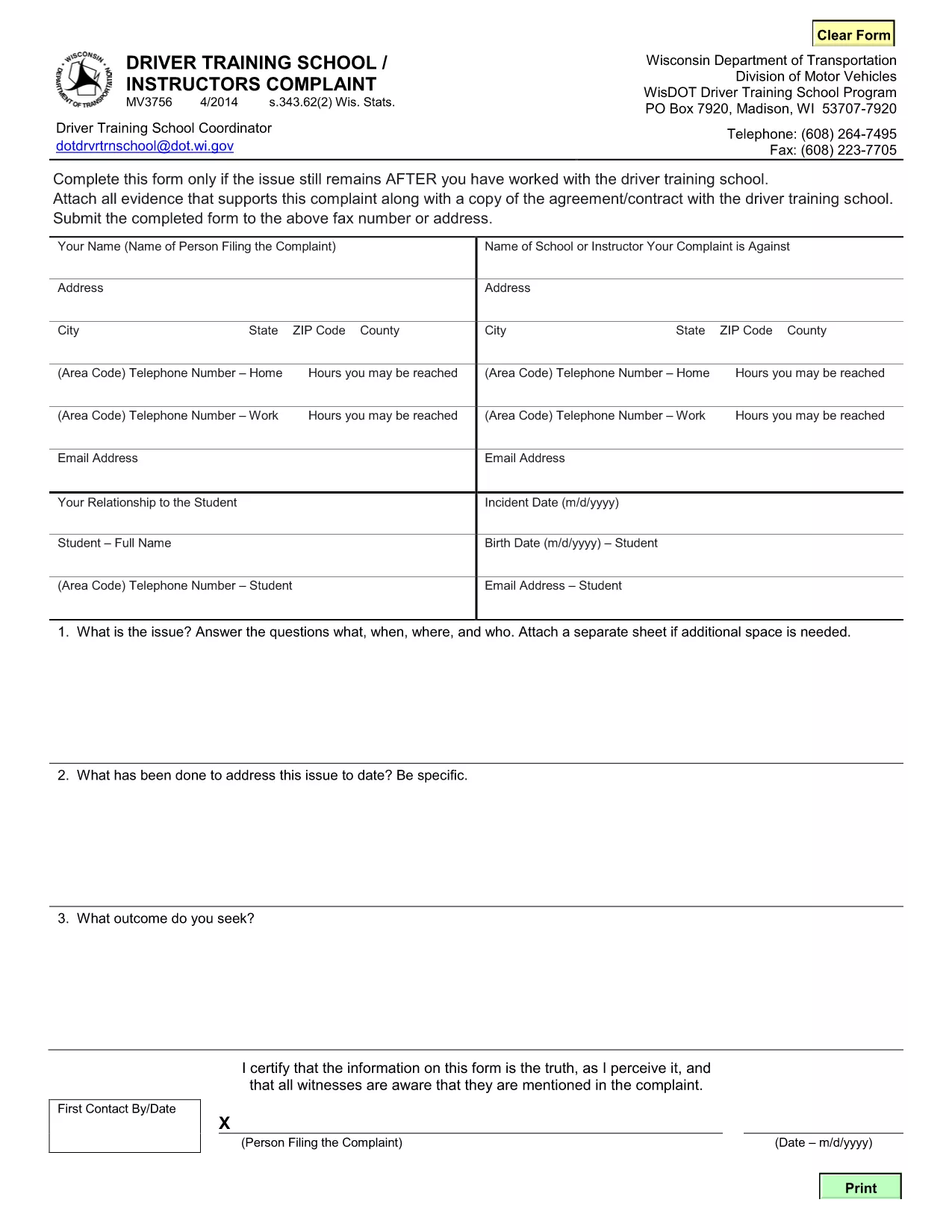
MV3756 Driver Training School & Instructor Complaint Form

  1. Language English
  2. Country USA
  3. Activity Driver's License
  4. State Wisconsin
Fill out this form
MV3756 Driver Training School & Instructor Complaint Form

The MV3756 is the official Wisconsin Department of Transportation (WisDOT) complaint form used to report issues with driver training schools or instructors. Whether you experienced inadequate instruction, contract violations, or safety concerns, this fillable PDF lets you submit a detailed complaint quickly.

Formize hosts a secure, browser‑based PDF filler so you never need to download, print, or scan the document. Just click the button, fill the fields, and submit the completed form directly to WisDOT.

Below you’ll find step‑by‑step instructions, common pitfalls to watch out for, and answers to the most frequently asked questions about the MV3756 form.

FAQ
  • What type of issues can I report with MV3756?

    The form covers any misconduct by a driver‑training school or instructor, including contract breaches, unsafe training practices, or failure to provide promised services.

  • Do I need a Wisconsin address to use this form?

    No. The MV3756 can be submitted by anyone who has taken a driver‑training course in Wisconsin, regardless of where you currently reside.

  • Can I submit the form without attachments?

    While attachments are optional, providing copies of agreements, receipts, or photos greatly strengthens your complaint and speeds up processing.

  • How long does it take for WisDOT to respond?

    WisDOT typically acknowledges receipt within 5‑7 business days and may request additional information before taking action.

  • Is there a fee to file an MV3756 complaint?

    No. Filing the MV3756 form is completely free.

  • What if I make a mistake after submitting?

    Contact the WisDOT Complaint Unit directly (phone or email) and reference your submission ID. They can guide you on amending the complaint.

  • Can I save my progress and finish later?

    Yes. The Formize PDF filler allows you to save a draft locally on your device and reload it when you’re ready to finish.

  • Is my personal information secure?

    Formize uses SSL encryption, and the PDF is stored only for the duration of the session. No data is retained after you submit the form.

HOW TO

How to fill out MV3756 for free, online in 5 easy steps:

  1. 1
    Open the Fillable Form
    Click the **Fill out this form** button on the page. Formize will load the MV3756 PDF directly in your browser.
  2. 2
    Enter Your Information
    Complete each required field—your name, contact details, school name, and a clear description of the issue.
  3. 3
    Attach Supporting Documents
    Use the attachment fields to upload copies of contracts, receipts, or any evidence that supports your complaint.
  4. 4
    Review & Sign
    Double‑check all entries for accuracy, then add your electronic signature using the built‑in signing tool.
  5. 5
    Submit the Form
    Press **Submit**. The completed MV3756 will be securely sent to the Wisconsin DOT’s complaint processing center.
Formize PDF Filler app
ABOUT

Driving License Application Forms

In most countries, it's mandatory to have a driving license before you can hit the road. Getting a driving license is an important milestone for anyone who wants to drive a car.

MV3756 is one of Driving License Application forms that are documents used to gather information from people who want to apply for a driving license. It usually contains fields for the applicant's name, date of birth, ID number, contact information, as well as their driver's license history and experience.

FEATURES

PDF Filler

The easiest way to fill MV3756 online

  • Quickly fill out MV3756
    Looking for a way to quickly fill MV3756 online? With our online free PDF form filler, you’ll know how to how to edit and fill this pdf document in less than a minute.
  • Easy to use online PDF editor
    Fed up with printing out PDF files so you can edit them, before rescanning and sending them back? Edit PDF documents for free online. Use our online pdf editor to save time and paper.
  • Great tools, all platforms
    Wondering how to fill in MV3756 on a Mac, or maybe how to use a PDF filler free? Our online PDF tools work on all platforms.
  • Secure file storage
    Completed "MV3756" files are stored in a secured database managed by Amazon Cloud hosting. You can delete your files from our system anytime. In any case, these files are automatically deleted after 24 hours.
  • Chat with MV3756
    Chat with "MV3756" on Chatize that is a free PDF reader assistant. Ask questions and get answers from "MV3756". Just click on Chat With Document button above.

Delete filling session

Delete the selected filling session? In this case, your progress in completing the form will be lost.

Delete editing session

Delete the selected editing session? In this case, your progress in creating and editing the form will be lost.