
Select language

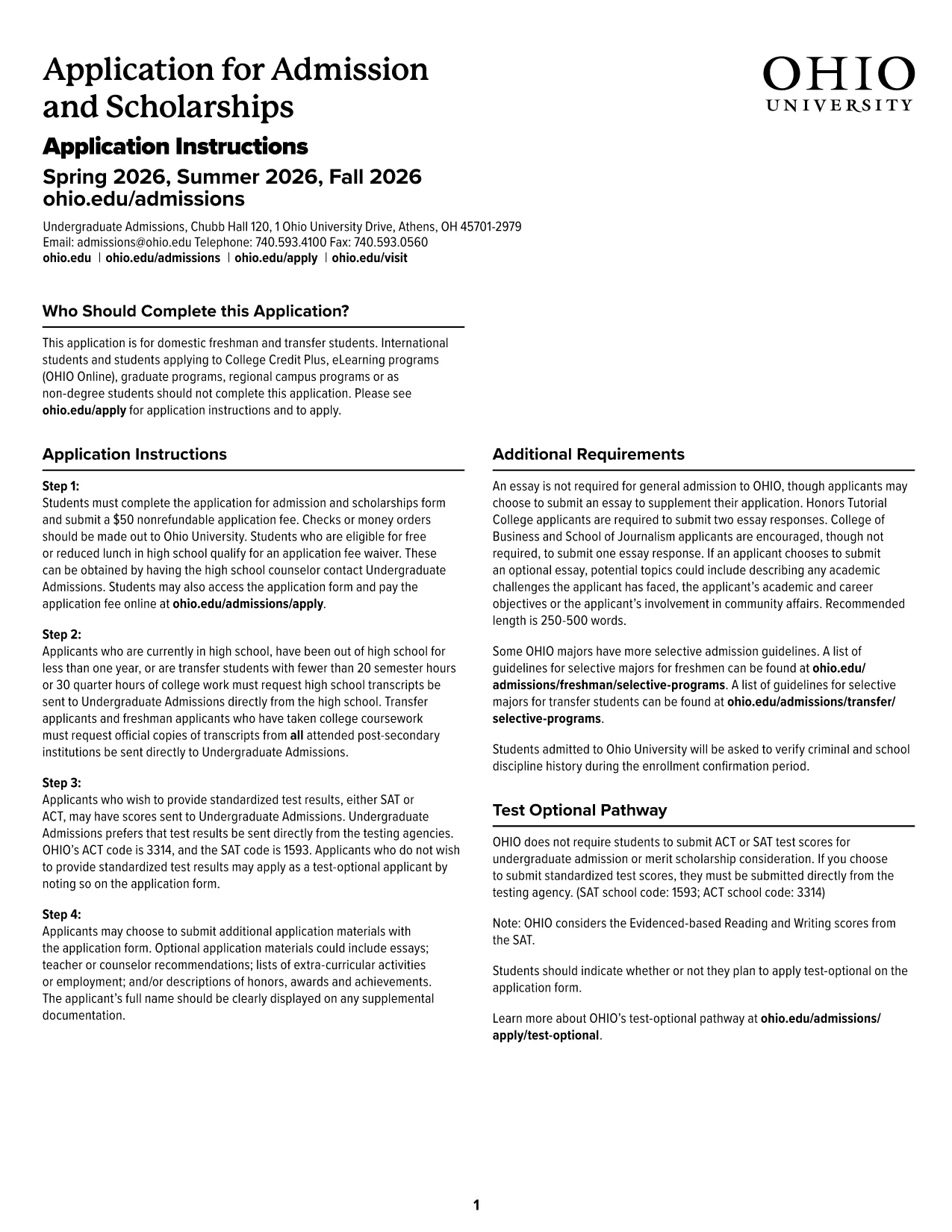
Ohio University Admission Application – Fillable PDF

  1. Language English
  2. Country USA
  3. Activity College Admissions
  4. Department Education
Fill out this form
Ohio University Admission Application – Fillable PDF

Applying to Ohio University has never been easier. Our official Ohio University Admission Application is available as a fillable PDF that you can complete directly in your browser using the Formize PDF Filler app. No Adobe Acrobat download, no printing, and no hassle.

Why Choose the Fillable PDF Admission Form?

The fillable PDF is designed to match the university’s official paper form, ensuring that every required field is captured accurately. It includes built‑in validation, drop‑down menus, and auto‑formatting for dates and numbers, which reduces errors and speeds up processing.

How to Complete the Ohio University Application Online

Follow the simple steps below to submit a complete, error‑free application:

  • Click the "Fill out this form" button on this page.
  • Wait a few seconds while the Formize PDF Filler app loads.
  • Enter your personal, academic, and extracurricular information in each section.
  • Review the form for any highlighted errors or missing fields.
  • When you’re satisfied, click Submit to send the form directly to Ohio University Admissions.

Common Mistakes to Avoid When Filling the Form

Even with a user‑friendly interface, a few pitfalls can delay your admission:

  • Leaving required fields blank: The filler will highlight missing information in red.
  • Incorrect date formats: Use the calendar picker provided.
  • Typos in names or IDs: Double‑check spelling before submitting.
  • Uploading unsupported file types for supporting documents: Stick to PDF, JPG, or PNG.

Where to Submit Your Completed Application

After you click Submit, Formize securely transmits the completed PDF to the Ohio University Undergraduate Admissions office. You will receive a confirmation email with a copy of your application for your records.

If you need to make changes after submission, contact the admissions office at admissions@ohio.edu within 48 hours.

FAQ
  • Do I need Adobe Acrobat to fill this form?

    No. The Formize PDF Filler works in any modern browser – no additional software is required.

  • Can I save a draft and finish later?

    Yes. Use the "Save Draft" button to download a copy of the partially completed PDF and reload it later.

  • What file format is accepted for supporting documents?

    Only PDF, JPG, or PNG files are accepted. Each file must be under 5 MB.

  • Will my data be secure?

    Formize uses SSL encryption and does not store your personal data after submission.

  • What if I make a mistake after submitting?

    Contact Ohio University Admissions at admissions@ohio.edu within 48 hours to request a correction.

  • Is there a fee to use the online filler?

    No. The fillable PDF and the Formize service are completely free for applicants.

  • Can international students use this form?

    Yes, the form includes sections for citizenship, visa status, and financial sponsorship.

  • How do I know the form was received?

    You will receive an email confirmation with a PDF copy of your submitted application.

HOW TO

How to fill out Ohio University admission form for free, online in 5 easy steps:

  1. 1
    Click the Fill‑out Button
    Press the "Fill out this form" button on the page to launch the Formize PDF Filler.
  2. 2
    Wait for the Filler to Load
    A short loading screen appears while the secure online filler prepares the PDF.
  3. 3
    Enter Your Information
    Complete each section—personal data, academic history, test scores, and essays—using the on‑screen fields.
  4. 4
    Review and Validate
    Check for highlighted errors, correct any issues, and ensure all required boxes are checked.
  5. 5
    Submit Securely
    Click the Submit button; the filled PDF is sent directly to Ohio University Admissions and a confirmation email is sent to you.
Formize PDF Filler app
ABOUT

Ohio University admission form template

With the traditional set of features for viewing and filling out a PDF document, combined with the benefits of a web application and responsive layout, you can complete Ohio University admission form in minutes.

FEATURES

PDF Filler

The easiest way to fill Ohio University admission form online

  • Quickly fill out Ohio University admission form
    Looking for a way to quickly fill Ohio University admission form online? With our online free PDF form filler, you’ll know how to how to edit and fill this pdf document in less than a minute.
  • Easy to use online PDF editor
    Fed up with printing out PDF files so you can edit them, before rescanning and sending them back? Edit PDF documents for free online. Use our online pdf editor to save time and paper.
  • Great tools, all platforms
    Wondering how to fill in Ohio University admission form on a Mac, or maybe how to use a PDF filler free? Our online PDF tools work on all platforms.
  • Secure file storage
    Completed "Ohio University admission form" files are stored in a secured database managed by Amazon Cloud hosting. You can delete your files from our system anytime. In any case, these files are automatically deleted after 24 hours.
  • Chat with Ohio University admission form
    Chat with "Ohio University admission form" on Chatize that is a free PDF reader assistant. Ask questions and get answers from "Ohio University admission form". Just click on Chat With Document button above.

Delete filling session

Delete the selected filling session? In this case, your progress in completing the form will be lost.

Delete editing session

Delete the selected editing session? In this case, your progress in creating and editing the form will be lost.