Select language

Request Form Template Word – Free Fillable PDF

  1. Language English
  2. Country USA
  3. Department Finance
  4. Activity Payments
Fill out this form
Request Form Template Word – Free Fillable PDF

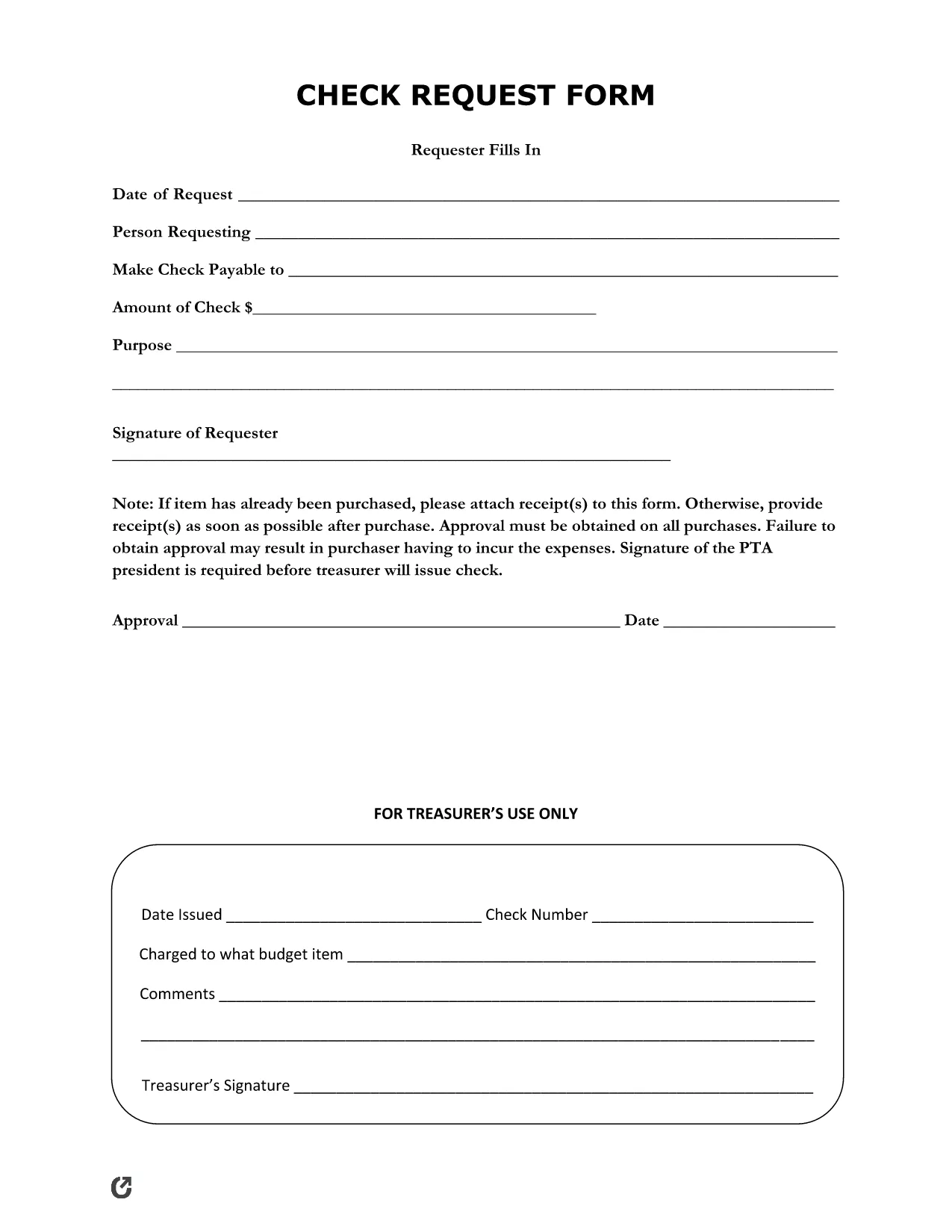
Need a professional request form that you can edit in Word and submit instantly? Our free Request Form Template Word is a fillable PDF that works directly in the browser with Formize’s PDF Filler app. No downloads, no installations – just click, fill, and submit.

Why Use Our Request Form Template?

This template is perfect for employees, vendors, or anyone who needs to request payment, reimbursement, or approval. It includes all essential fields such as:

  • Name, date, and contact information
  • Item description, quantity, and unit price
  • Requested amount and justification
  • Approvals and signatures

The form is fully compliant with typical corporate finance policies, making it ideal for small businesses, nonprofits, and large enterprises alike.

How to Fill Out the Form in Seconds

Instead of downloading the PDF and opening a separate editor, simply click the "Fill out this form" button on this page. The Formize PDF Filler app will load in seconds, allowing you to complete every field online. Once finished, you can save a copy, print, or email it directly from the app.

Common Mistakes & Tips for a Perfect Submission

Even a well‑designed form can be delayed by simple errors. Avoid these pitfalls:

  1. Missing information: Double‑check that every required field (marked with an asterisk) is filled.
  2. Incorrect amounts: Verify totals and calculations before submitting.
  3. Illegible signatures: Use the built‑in signature pad for a clear, digital signature.
  4. Unsupported file attachments: Attach PDFs or images only; other formats may be rejected.

Follow the steps below for a smooth experience.

FAQ
  • Do I need Adobe Acrobat to use this form?

    No. The form is fully editable in the browser with Formize’s PDF Filler – no additional software required.

  • Can I edit the form in Microsoft Word?

    The original template is a PDF, but you can export it to Word after filling if you need a Word version for further editing.

  • Is the form secure?

    Yes. All data is processed over HTTPS and never stored on our servers after you download or submit the completed form.

  • What if I make a mistake while filling?

    You can clear individual fields or reset the entire form using the "Reset" button before saving or submitting.

  • Can I use this form for non‑U.S. organizations?

    Absolutely. The fields are generic and can be adapted for any country’s internal payment or reimbursement process.

  • How many times can I use the same template?

    Unlimited. The online filler lets you open a fresh copy each time you need to submit a new request.

HOW TO

How to fill out request form template word for free, online in 5 easy steps:

  1. 1
    Open the Fillable Form
    Click the "Fill out this form" button on the page. The Formize PDF Filler will open in a new tab.
  2. 2
    Enter Your Information
    Complete each field – name, date, item details, amount, and justification. Use the dropdowns where provided.
  3. 3
    Add Attachments (if needed)
    Upload receipts or supporting documents using the attachment icon. Only PDF, JPG, or PNG files are accepted.
  4. 4
    Sign Electronically
    Use the signature pad to draw or type your signature. This creates a clear, printable signature.
  5. 5
    Save, Print, or Email
    When you’re done, click "Save" to download a copy, "Print" to get a hard copy, or "Email" to send it directly to the approver.
Formize PDF Filler app
ABOUT

request form template word template

With the traditional set of features for viewing and filling out a PDF document, combined with the benefits of a web application and responsive layout, you can complete request form template word in minutes.

FEATURES

PDF Filler

The easiest way to fill request form template word online

  • Quickly fill out request form template word
    Looking for a way to quickly fill request form template word online? With our online free PDF form filler, you’ll know how to how to edit and fill this pdf document in less than a minute.
  • Easy to use online PDF editor
    Fed up with printing out PDF files so you can edit them, before rescanning and sending them back? Edit PDF documents for free online. Use our online pdf editor to save time and paper.
  • Great tools, all platforms
    Wondering how to fill in request form template word on a Mac, or maybe how to use a PDF filler free? Our online PDF tools work on all platforms.
  • Secure file storage
    Completed "request form template word" files are stored in a secured database managed by Amazon Cloud hosting. You can delete your files from our system anytime. In any case, these files are automatically deleted after 24 hours.
  • Chat with request form template word
    Chat with "request form template word" on Chatize that is a free PDF reader assistant. Ask questions and get answers from "request form template word". Just click on Chat With Document button above.

Delete filling session

Delete the selected filling session? In this case, your progress in completing the form will be lost.

Delete editing session

Delete the selected editing session? In this case, your progress in creating and editing the form will be lost.