Select language

Tagalog Application Form – Fill Out Online with Formize

  1. Language Tagalog
  2. Country USA
  3. Activity Financial Assistance
  4. Department Health Services
Fill out this form
Tagalog Application Form – Fill Out Online with Formize

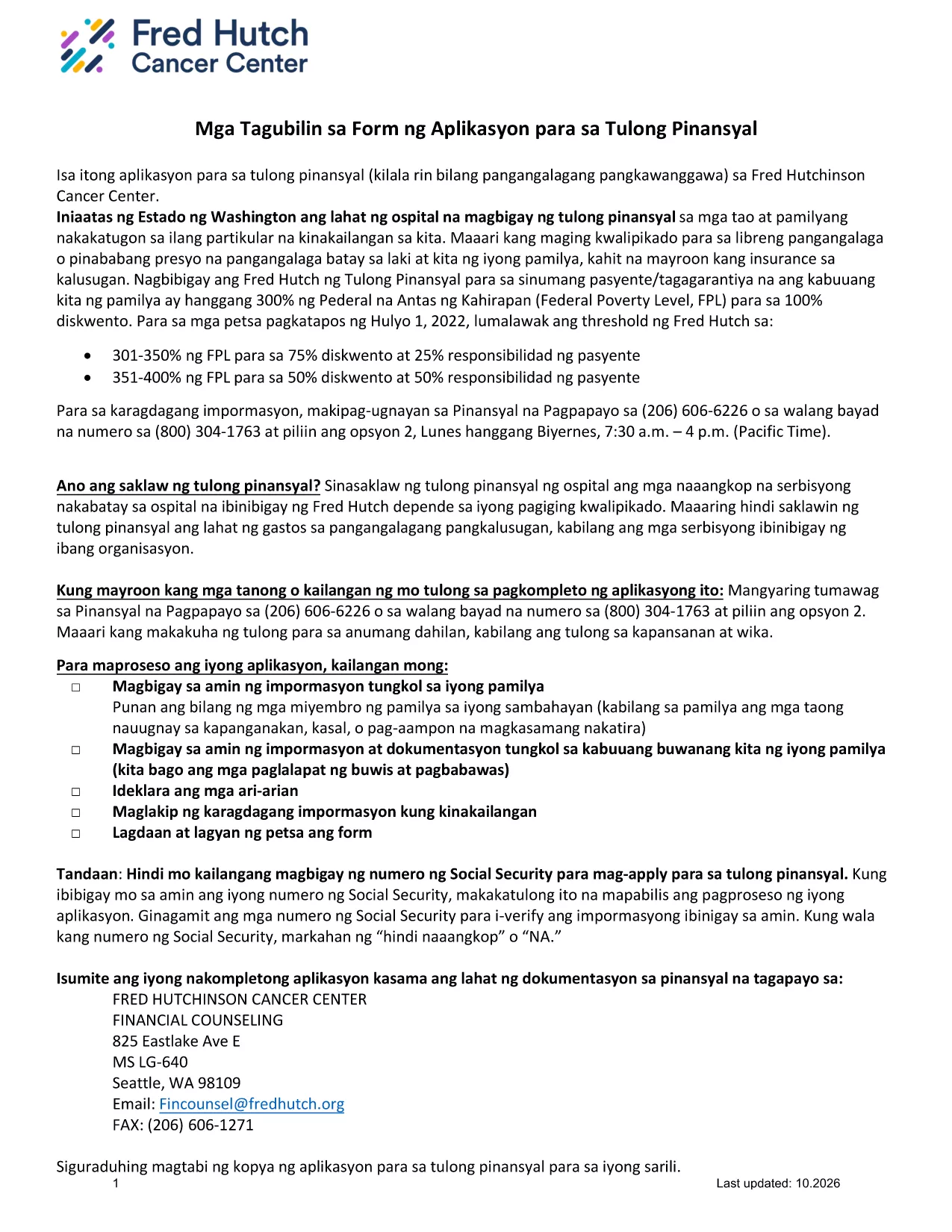
This page offers the official Tagalog application form for financial assistance. Instead of printing, scanning, or using a separate PDF editor, you can complete the form instantly in your browser with the Formize PDF Filler app.

What Is This Form For?

The form is a standard financial‑assistance application used by several health‑care providers in the United States. It is written entirely in Tagalog, making it ideal for applicants who prefer to submit their information in their native language.

How to Complete the Tagalog Application Form Online

Follow the simple steps below to fill out the form without leaving this page:

  1. Click the "Fill out this form" button below.
  2. Wait a few seconds while the Formize PDF Filler loads the fillable version of the document.
  3. Enter your information in each field. Required fields are marked with an asterisk (*).
  4. When you’re finished, click Save to download a completed PDF or Submit if your organization accepts direct uploads.

Common Mistakes to Avoid

  • Leaving required fields blank: The form will not save if mandatory fields are empty.
  • Entering "NA" incorrectly: Use exactly "NA" (capital letters) only when a question truly does not apply.
  • Using special characters: Stick to letters, numbers, and standard punctuation to prevent validation errors.

Download the Original PDF

If you need the original, non‑fillable PDF for reference or offline printing, you can download it directly from the link below.

Download Original Tagalog Application Form (PDF)

Need More Help?

Review the FAQ section for answers to the most common questions, or contact the organization that provided the form for additional assistance.

FAQ
  • Do I need Adobe Reader to fill out this form?

    No. The Formize PDF Filler works directly in your browser, so no additional software is required.

  • Can I print the completed form?

    Yes. After saving the filled PDF, you can print it like any other document.

  • What does "NA" mean on the form?

    "NA" stands for Not Applicable. Use it only when a question truly does not apply to your situation.

  • Is my personal information safe?

    Formize uses secure HTTPS encryption, and the form is processed locally in your browser. Your data is not stored on our servers unless you choose to upload it.

  • Can I edit the form after I’ve saved it?

    Yes. Open the saved PDF again with Formize or any PDF editor that supports fillable fields to make changes.

  • What should I do if a field is missing or does not work?

    Refresh the page and reload the filler. If the problem persists, download the original PDF, fill it manually, and contact the organization that provided the form.

  • Is there a fee to use Formize?

    No. Filling out and downloading the form with Formize is completely free.

HOW TO

How to fill out Tagalog application form for free, online in 3 easy steps:

  1. 1
    Click the Fill‑out Button
    Press the "Fill out this form" button on the page to launch the Formize PDF Filler.
  2. 2
    Wait for the Filler to Load
    A few seconds later the fillable version of the Tagalog application appears in your browser.
  3. 3
    Complete, Save, and Submit
    Enter all required information, then click Save to download the completed PDF or Submit if your organization accepts online submissions.
Formize PDF Filler app
ABOUT

Tagalog application form template

With the traditional set of features for viewing and filling out a PDF document, combined with the benefits of a web application and responsive layout, you can complete Tagalog application form in minutes.

FEATURES

PDF Filler

The easiest way to fill Tagalog application form online

  • Quickly fill out Tagalog application form
    Looking for a way to quickly fill Tagalog application form online? With our online free PDF form filler, you’ll know how to how to edit and fill this pdf document in less than a minute.
  • Easy to use online PDF editor
    Fed up with printing out PDF files so you can edit them, before rescanning and sending them back? Edit PDF documents for free online. Use our online pdf editor to save time and paper.
  • Great tools, all platforms
    Wondering how to fill in Tagalog application form on a Mac, or maybe how to use a PDF filler free? Our online PDF tools work on all platforms.
  • Secure file storage
    Completed "Tagalog application form" files are stored in a secured database managed by Amazon Cloud hosting. You can delete your files from our system anytime. In any case, these files are automatically deleted after 24 hours.
  • Chat with Tagalog application form
    Chat with "Tagalog application form" on Chatize that is a free PDF reader assistant. Ask questions and get answers from "Tagalog application form". Just click on Chat With Document button above.

Delete filling session

Delete the selected filling session? In this case, your progress in completing the form will be lost.

Delete editing session

Delete the selected editing session? In this case, your progress in creating and editing the form will be lost.