Select language

Motion to Dismiss Form – Fillable PDF Ready to Use

  1. Language English
  2. Country USA
  3. Activity Legal Forms
  4. Department Judiciary
Fill out this form
Motion to Dismiss Form – Fillable PDF Ready to Use

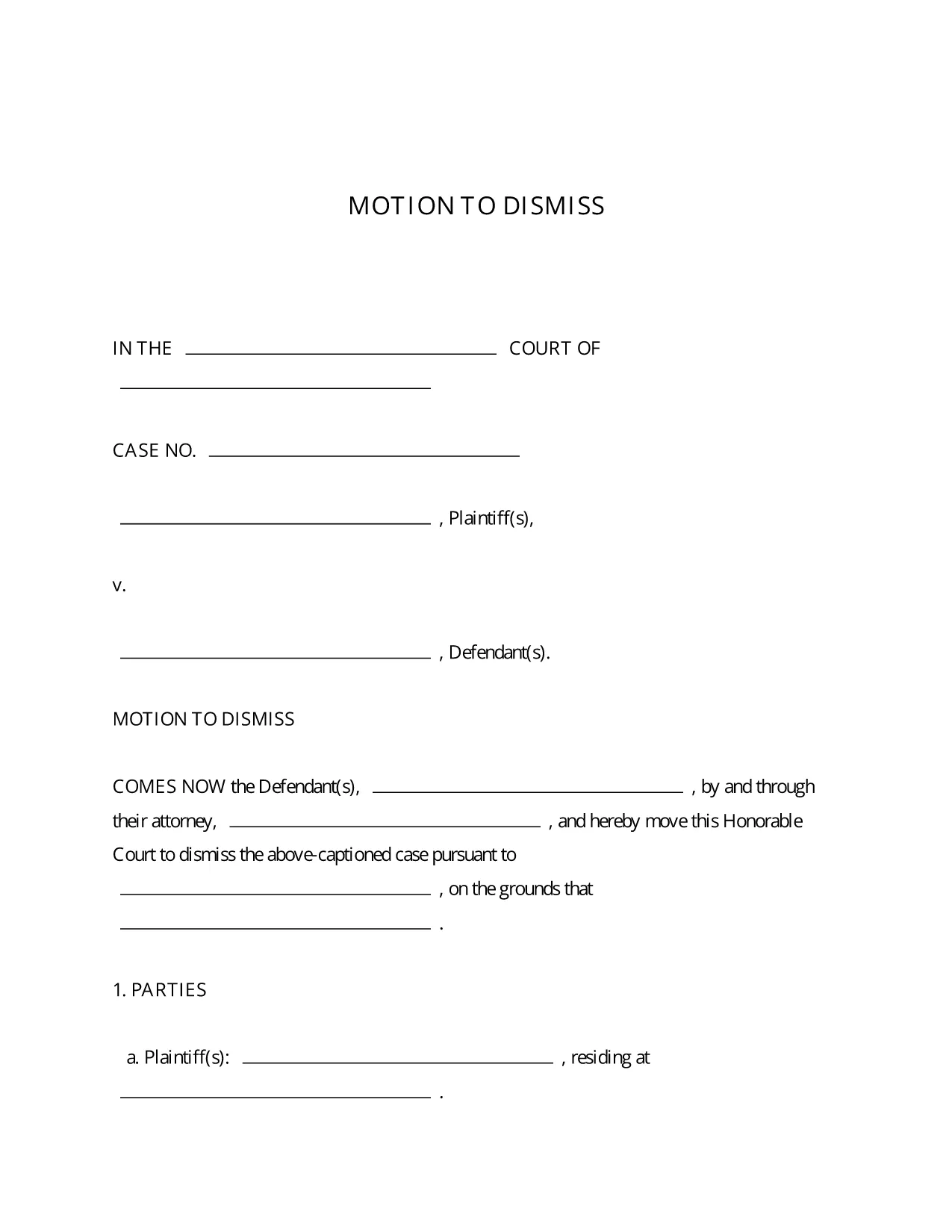
A Motion to Dismiss is a formal request to the court to throw out a case before trial. Whether you’re citing lack of jurisdiction, failure to state a claim, or an expired statute of limitations, the right template saves you time and ensures every required element is included.

What Is a Motion to Dismiss?

The motion asks the judge to dismiss the plaintiff’s complaint for legal reasons. It is typically filed early in the litigation process and must follow the procedural rules of the jurisdiction where the case is pending.

Key Sections of the Motion to Dismiss Form

  • Caption: Court name, case number, and parties.
  • Introduction: Brief statement of the request.
  • Grounds for Dismissal: Detailed legal reasons with citations.
  • Conclusion & Relief Sought: What you want the court to order.
  • Signature Block: Attorney’s signature, bar number, and contact info.

How to Fill Out the Fillable PDF in Seconds

Instead of downloading the PDF and opening a separate editor, simply click the “Fill out this form” button on this page. The Formize PDF Filler app loads instantly, letting you type directly into each field, add your signature, and save the completed document with one click.

Common Mistakes to Avoid

  • Leaving required fields blank – the court will reject an incomplete motion.
  • Using the wrong jurisdictional language – double‑check the local rules.
  • Failing to attach supporting case law or statutes.
  • Missing the signature block or bar number.

Download, Complete, and Submit Your Motion

Once you’ve filled out the form, download the finished PDF, print it (if required), and file it with the clerk of the court. Many courts now accept electronic filing, so you can upload the PDF directly from your computer.

This fillable Motion to Dismiss PDF is free, fully editable, and compliant with standard court formatting requirements.

FAQ
  • Is the Motion to Dismiss form free to use?

    Yes, the fillable PDF provided here is completely free and can be used for any civil case in U.S. courts.

  • Do I need Adobe Acrobat to edit the form?

    No. The Formize PDF Filler works in any modern browser, so you can edit the form without installing additional software.

  • Can I file the completed motion electronically?

    Most U.S. courts accept electronic filing (e‑filing). After downloading the completed PDF, follow your court’s e‑filing portal instructions.

  • What if my jurisdiction has different formatting rules?

    The template follows the most common federal and state formatting guidelines. Review your local court rules and adjust font size or margin settings if needed.

  • How long does it take to complete the form?

    With the fillable PDF and Formize Filler, most users finish in 5‑10 minutes, depending on the complexity of the legal arguments.

  • Can I save my progress and return later?

    Yes. Use the “Save” button in Formize PDF Filler to store a draft in your account, then reopen it whenever you’re ready.

  • Do I need a lawyer to use this form?

    While the form is designed for self‑representation, it’s advisable to have an attorney review your motion to ensure legal accuracy.

HOW TO

How to fill out motion to dismiss form for free, online in 5 easy steps:

  1. 1
    Click the Fill‑out Button
    Press the “Fill out this form” button on the page to launch Formize PDF Filler.
  2. 2
    Wait for the Filler to Load
    The app loads in seconds; you’ll see editable fields appear directly in your browser.
  3. 3
    Enter Your Information
    Type the case details, grounds for dismissal, and any supporting citations into the highlighted fields.
  4. 4
    Add Your Signature
    Use the built‑in e‑signature tool to sign the document securely.
  5. 5
    Save or Download
    Click “Save” to store the completed PDF in your Formize account, or “Download” to get a copy for filing.
Formize PDF Filler app
ABOUT

motion to dismiss form template

With the traditional set of features for viewing and filling out a PDF document, combined with the benefits of a web application and responsive layout, you can complete motion to dismiss form in minutes.

FEATURES

PDF Filler

The easiest way to fill motion to dismiss form online

  • Quickly fill out motion to dismiss form
    Looking for a way to quickly fill motion to dismiss form online? With our online free PDF form filler, you’ll know how to how to edit and fill this pdf document in less than a minute.
  • Easy to use online PDF editor
    Fed up with printing out PDF files so you can edit them, before rescanning and sending them back? Edit PDF documents for free online. Use our online pdf editor to save time and paper.
  • Great tools, all platforms
    Wondering how to fill in motion to dismiss form on a Mac, or maybe how to use a PDF filler free? Our online PDF tools work on all platforms.
  • Secure file storage
    Completed "motion to dismiss form" files are stored in a secured database managed by Amazon Cloud hosting. You can delete your files from our system anytime. In any case, these files are automatically deleted after 24 hours.
  • Chat with motion to dismiss form
    Chat with "motion to dismiss form" on Chatize that is a free PDF reader assistant. Ask questions and get answers from "motion to dismiss form". Just click on Chat With Document button above.

Delete filling session

Delete the selected filling session? In this case, your progress in completing the form will be lost.

Delete editing session

Delete the selected editing session? In this case, your progress in creating and editing the form will be lost.