
Select language

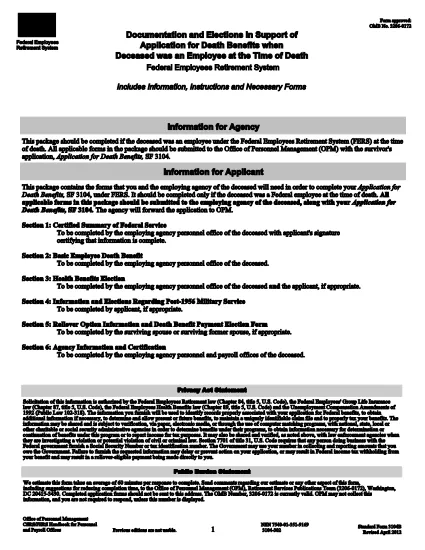
SF3104B – Documentation & Elections for FERS Death Benefits (Fillable PDF)

  1. Language English
  2. Country USA
  3. Department Office of Personnel Management
  4. Sector Standard Forms
SF3104B – Documentation & Elections for FERS Death Benefits (Fillable PDF)

The SF3104B is the official Government form used to document elections and provide information when a Federal employee covered by the Federal Employees Retirement System (FERS) passes away. Survivors use this form to choose health‑benefit options, elect payment methods, and request any applicable deposits.

What Is the SF3104B Form?

SF3104B, Documentation and Elections in Support of Application for Death Benefits, is part of the survivor‑benefit package that must be submitted with the main SF3104 application. The form is available as a fillable PDF, allowing you to type directly into each field without printing first.

Who Must Complete SF3104B?

  • Surviving spouse, child, or other eligible beneficiary of a deceased FERS employee.
  • Anyone acting as a legal representative for the survivor.
  • Any party needing to make elections regarding health coverage, deposit of service credit, or payment method for death benefits.

How to Fill Out the Form Using Formize

Instead of downloading the PDF and opening it in a separate editor, simply click the "Fill out this form" button on this page. The Formize PDF Filler app will load in your browser, letting you complete the form instantly.

Common Mistakes to Avoid

  • Leaving required fields blank: Every field marked with an asterisk (*) must be completed.
  • Incorrect dates: Use the MM/DD/YYYY format and double‑check the date of death.
  • Mismatched signatures: The survivor’s signature must match the name entered on the form.
  • Submitting an outdated version: Use the current PDF (revision date 04/2012) linked below.

Where to Submit the Completed Form

After you’ve saved the completed SF3104B, attach it to the survivor’s application package and mail it to the Office of Personnel Management (OPM) at the address provided in the instructions, or submit electronically if your agency permits electronic filing.

Download the official fillable PDF (SF3104B)

FAQ
  • Who is eligible to file SF3104B?

    The surviving spouse, children, or any other qualified beneficiary of a deceased FERS employee may complete the form.

  • Do I need to print the form to sign it?

    No. Formize allows you to add an electronic signature directly in the browser, which is accepted by OPM.

  • Can I submit the form electronically?

    If your agency’s HR system accepts electronic documents, you can upload the completed PDF. Otherwise, mail the printed copy to OPM.

  • What is the deadline for submitting SF3104B?

    Submit the form as soon as possible after the death of the employee. Delays may affect benefit elections and payments.

  • What if I make a mistake after submitting?

    Contact OPM’s Survivor Benefits office immediately. They can guide you on filing an amendment or a corrected form.

  • Is there a cost to use the Formize PDF Filler?

    No. Formize’s online filler is free for all users accessing government forms on Formize.com.

  • Do I need any additional documents with SF3104B?

    Yes. The form is submitted together with SF3104 (Application for Death Benefits) and any required supporting documentation, such as a death certificate.

HOW TO

How to fill out SF3104B for free, online in 5 easy steps:

  1. 1
    Locate the Fillable Form Button
    Scroll down to the bright "Fill out this form" button on this page.
  2. 2
    Launch Formize PDF Filler
    Click the button. The Formize PDF Filler app loads directly in your browser—no download needed.
  3. 3
    Complete Each Section
    Enter the required information, make your benefit elections, and sign electronically where indicated.
  4. 4
    Review and Save
    Use the built‑in preview to double‑check all entries, then click "Save" to download the completed PDF.
  5. 5
    Submit to OPM
    Attach the saved PDF to your survivor benefits package and send it to the Office of Personnel Management as instructed.
Formize PDF Filler app
ABOUT

Office of Personnel Management (OPM) Forms

SF3104B is one of the official forms that are used by the United States Office of Personnel Management, which is an independent agency of the federal government responsible for managing the civil service workforce and federal employee benefits. The OPM establishes policies and regulations related to federal employment, administers various personnel programs, and provides services to federal employees, retirees, and job applicants.

Here are some examples of Office of Personnel Management forms:

Standard Form 86 (SF-86): This form is used for the background investigation process for individuals applying for a security clearance. It collects comprehensive personal, employment, education, and financial information, as well as details about foreign contacts and activities.

Standard Form 2809 (SF-2809): This form is used to enroll in the Federal Employees Health Benefits (FEHB) Program, which provides health insurance coverage to federal employees, retirees, and their eligible family members.

Standard Form 2817 (SF-2817): This form is used to apply for continuation of coverage under the Federal Employees Dental and Vision Insurance Program (FEDVIP) after retirement or separation from federal service.

Standard Form 3107 (SF-3107): This form is used to apply for retirement benefits under the Civil Service Retirement System (CSRS).

Standard Form 2801 (SF-2801): This form is used to apply for retirement benefits under the Federal Employees Retirement System (FERS).

Standard Form 15 (SF-15): This form is used to apply for veteran's preference in federal employment. It is submitted by veterans or their eligible family members seeking employment opportunities in the federal government.

These examples represent some common OPM forms used in the context of federal employment and employee benefits. However, the OPM has a range of other forms related to various personnel programs, retirement, insurance, and other aspects of federal employment. The specific forms required may vary depending on the nature of the transaction, program, or benefit being sought. It's advisable to consult the official website of the U.S. Office of Personnel Management (www.opm.gov) or seek guidance from the OPM or relevant human resources personnel to obtain accurate and up-to-date information regarding the specific OPM forms relevant to your federal employment or benefits-related needs.

FEATURES

PDF Filler

The easiest way to fill SF3104B online

  • Quickly fill out SF3104B
    Looking for a way to quickly fill SF3104B online? With our online free PDF form filler, you’ll know how to how to edit and fill this pdf document in less than a minute.
  • Easy to use online PDF editor
    Fed up with printing out PDF files so you can edit them, before rescanning and sending them back? Edit PDF documents for free online. Use our online pdf editor to save time and paper.
  • Great tools, all platforms
    Wondering how to fill in SF3104B on a Mac, or maybe how to use a PDF filler free? Our online PDF tools work on all platforms.
  • Secure file storage
    Completed "SF3104B" files are stored in a secured database managed by Amazon Cloud hosting. You can delete your files from our system anytime. In any case, these files are automatically deleted after 24 hours.
  • Chat with SF3104B
    Chat with "SF3104B" on Chatize that is a free PDF reader assistant. Ask questions and get answers from "SF3104B". Just click on Chat With Document button above.

Delete filling session

Delete the selected filling session? In this case, your progress in completing the form will be lost.

Delete editing session

Delete the selected editing session? In this case, your progress in creating and editing the form will be lost.