
Select language

SS-5 Application Form – Fillable PDF

  1. Language English
  2. Country USA
  3. Activity Social Security
SS-5 Application Form – Fillable PDF

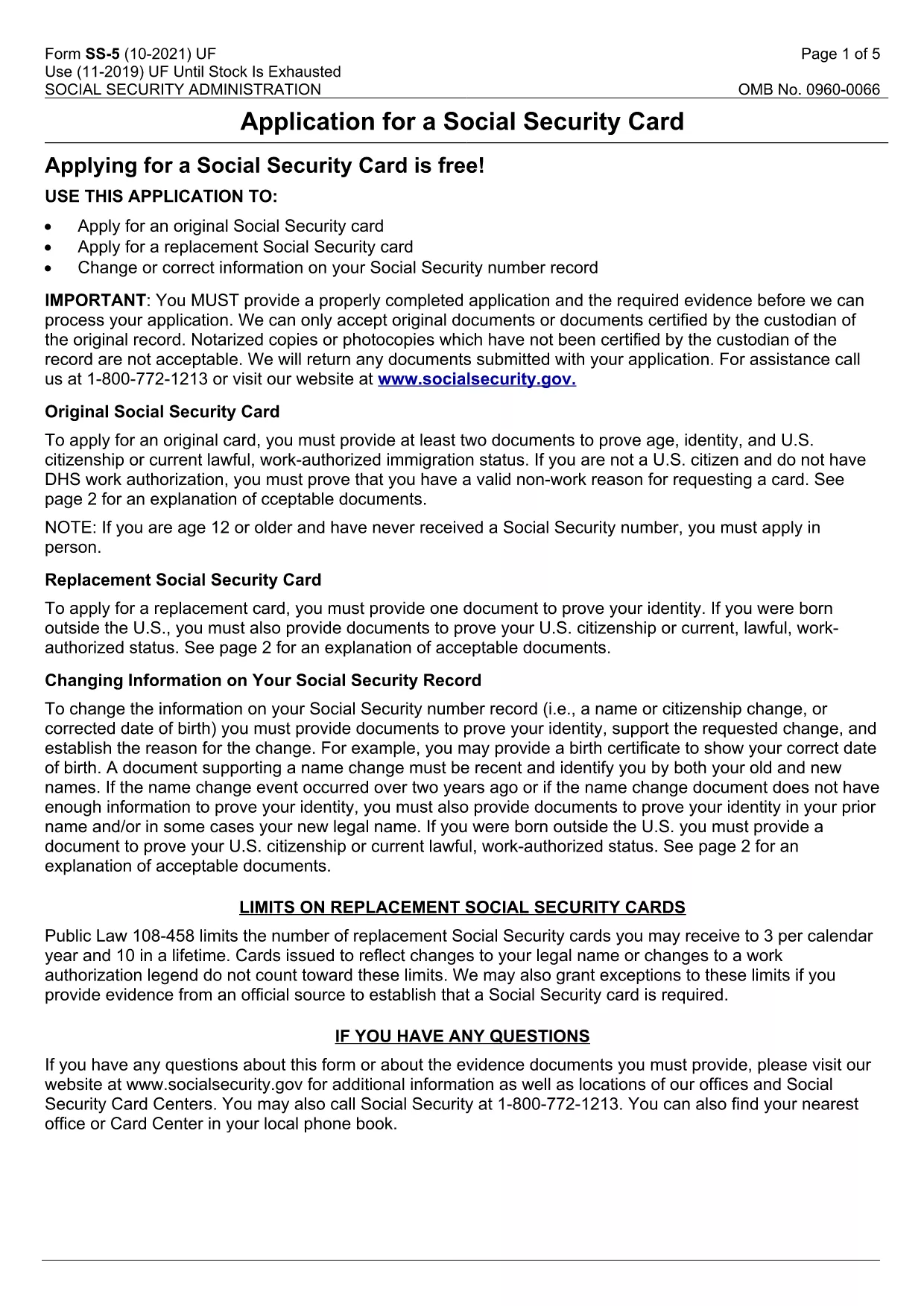
The SS-5 is the official Application for a Social Security Card issued by the Social Security Administration (SSA). Whether you need a new card, a replacement, or want to update personal information, this fillable PDF lets you complete the form quickly and securely.

Our online Formize PDF Filler loads the SS-5 directly in your browser – no extra software required. Simply click the "Fill out this form" button, enter your details, and submit the completed PDF to your local SSA office.

Below you’ll find a concise guide, common pitfalls to watch for, and answers to the most‑asked questions about the SS-5 application.

FAQ
  • What is the purpose of the SS-5 form?

    The SS-5 is used to apply for a new Social Security card, request a replacement, or update personal information on your Social Security record.

  • Can I fill out the SS-5 form online?

    Yes. Using Formize’s fillable PDF feature, you can complete the SS-5 directly in your browser without downloading any software.

  • Do I need to print the form before submitting?

    The SSA requires a printed copy with a signature. After saving the completed PDF, print it, sign, and attach the required supporting documents.

  • What documents must I submit with the SS-5?

    You need proof of identity (e.g., driver’s license, passport) and proof of citizenship or legal residency. Check the SSA website for a full list of acceptable documents.

  • How long does it take to receive my Social Security card?

    Processing typically takes 10‑14 business days after the SSA receives your completed application and documents.

  • Is there a fee for filing the SS-5?

    No. The SS-5 application is free of charge for both new and replacement cards.

  • Can I submit the SS-5 form by mail?

    Yes. Mail the signed, printed form and copies of your supporting documents to your local Social Security office.

  • What if I make a mistake on the form?

    Correct any errors before signing. If you discover a mistake after signing, you’ll need to submit a new SS-5 with the correct information.

HOW TO

How to fill out SS-5 form for free, online in 5 easy steps:

  1. 1
    Open the Fillable SS-5 Form
    Click the "Fill out this form" button on the page. The Formize PDF Filler app will load the SS-5 PDF directly in your browser.
  2. 2
    Enter Your Information
    Complete each required field – name, date of birth, citizenship status, and contact details. Use the drop‑down menus where provided.
  3. 3
    Attach Required Documents
    After filling the form, upload scanned copies of your identity and citizenship documents as instructed on the form.
  4. 4
    Review and Save
    Double‑check every entry for accuracy, then click "Save" to download a completed PDF copy for your records.
  5. 5
    Submit to the SSA
    Print the saved PDF (or bring it on a mobile device) and submit it in person at your nearest Social Security office or mail it according to SSA guidelines.
Formize PDF Filler app
ABOUT

Social Security Forms

SS-5 form is one of Social Security forms that are documents used to apply for various benefits and services provided by the United States Social Security Administration (SSA). The SSA is a federal agency that administers programs designed to provide financial assistance to eligible individuals and families, including retirement benefits, disability benefits, survivor benefits, and supplemental security income (SSI).

Some common Social Security forms include:

Social Security Retirement Benefits Application: This form is used to apply for retirement benefits based on an individual's work history and earnings.

Social Security Disability Benefits Application: This form is used to apply for disability benefits if an individual has a physical or mental condition that prevents them from working.

Social Security Survivor Benefits Application: This form is used to apply for survivor benefits if an individual's spouse or parent has passed away and they are eligible for survivor benefits.

Medicare Enrollment Application: This form is used to enroll in Medicare, the federal health insurance program for individuals over 65 and those with certain disabilities or medical conditions.

Change of Address Form: This form is used to update an individual's address with the SSA.

Request for Earnings Record Form: This form is used to request a copy of an individual's earnings record, which is used to calculate Social Security benefits.

These forms can be completed online, by mail, or in person at a local Social Security office. It is important to carefully review and complete all necessary forms to ensure timely and accurate processing of Social Security benefits.

FEATURES

PDF Filler

The easiest way to fill SS-5 form online

  • Quickly fill out SS-5 form
    Looking for a way to quickly fill SS-5 form online? With our online free PDF form filler, you’ll know how to how to edit and fill this pdf document in less than a minute.
  • Easy to use online PDF editor
    Fed up with printing out PDF files so you can edit them, before rescanning and sending them back? Edit PDF documents for free online. Use our online pdf editor to save time and paper.
  • Great tools, all platforms
    Wondering how to fill in SS-5 form on a Mac, or maybe how to use a PDF filler free? Our online PDF tools work on all platforms.
  • Secure file storage
    Completed "SS-5 form" files are stored in a secured database managed by Amazon Cloud hosting. You can delete your files from our system anytime. In any case, these files are automatically deleted after 24 hours.
  • Chat with SS-5 form
    Chat with "SS-5 form" on Chatize that is a free PDF reader assistant. Ask questions and get answers from "SS-5 form". Just click on Chat With Document button above.

Delete filling session

Delete the selected filling session? In this case, your progress in completing the form will be lost.

Delete editing session

Delete the selected editing session? In this case, your progress in creating and editing the form will be lost.