Select language

USPS Post Office Application Form (Fillable PDF)

  1. Language English
  2. Country USA
  3. Activity Employment
  4. Department USPS
Fill out this form
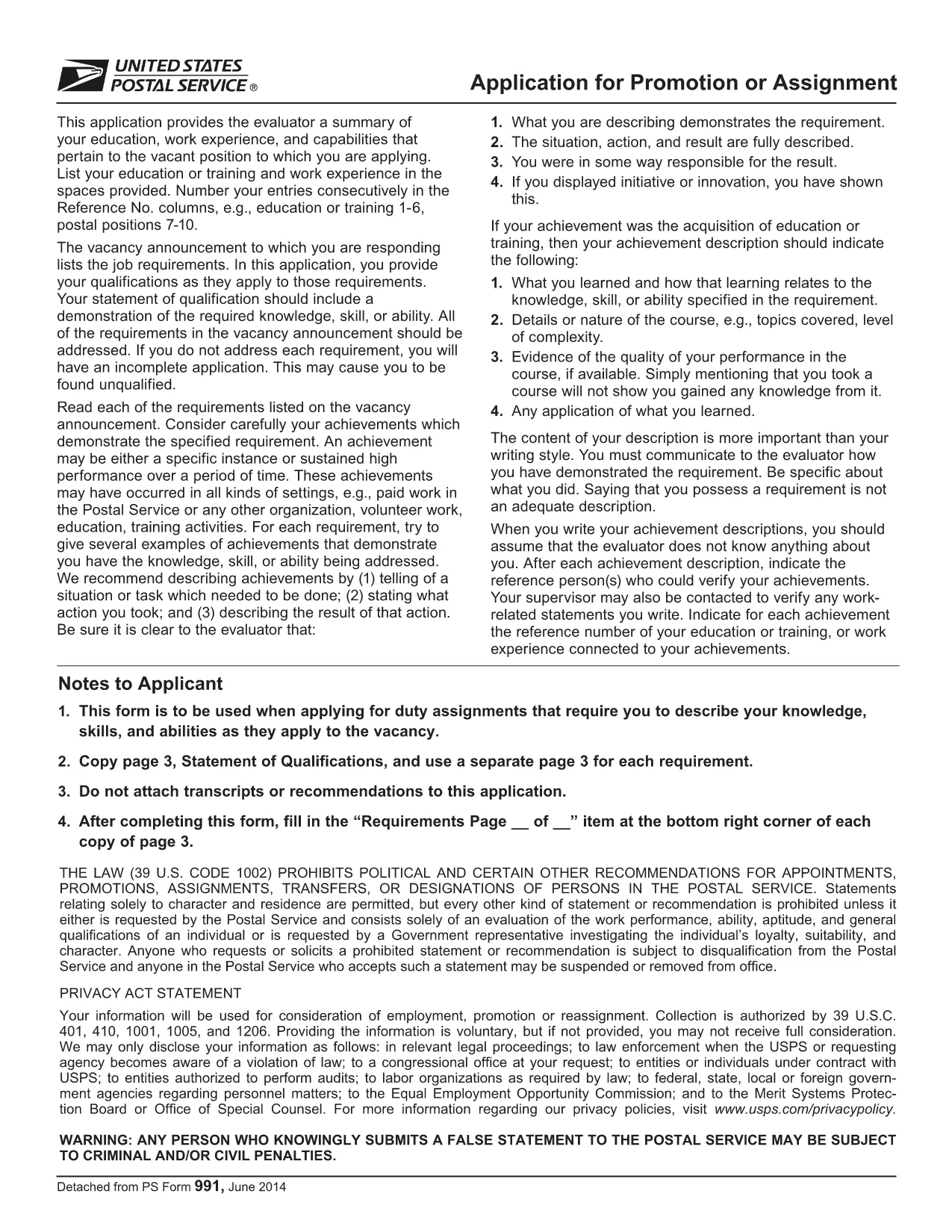
USPS Post Office Application Form (Fillable PDF)

Applying for a position, promotion, or assignment with the United States Postal Service (USPS) starts with the official PS‑991 Application Form. Instead of printing, scanning, or hand‑writing, you can fill the form instantly online using Formize’s secure PDF filler.

Why Use the Fillable PDF Form?

  • Fast loading – the form opens in seconds.
  • Auto‑save feature prevents lost data.
  • Built‑in validation reduces errors.
  • Direct download of the official USPS PDF (PS‑991).

How to Complete the USPS Application Online

Follow the simple steps below to finish your application without leaving the page.

Common Mistakes to Avoid

  • Leaving required fields blank – the filler will highlight them.
  • Using an outdated version of the form – always use the latest PDF linked below.
  • Submitting without reviewing – use the “Preview” button to double‑check.

Download the Official PDF

The PDF you will fill out is the exact form provided by USPS. Click the button below to launch the Formize PDF Filler and start editing instantly.

FAQs About the USPS Application

Find quick answers to the most common questions below. If you need more help, refer to the official USPS instructions.

FAQ
  • Is the PS‑991 form only for current USPS employees?

    Yes, PS‑991 is intended for current USPS employees applying for promotions, reassignments, or special duties.

  • Can I edit the PDF on a mobile device?

    The Formize PDF Filler works on most smartphones and tablets. For the best experience, use a desktop browser.

  • Do I need Adobe Acrobat to fill the form?

    No. The fillable version runs entirely in your web browser via Formize’s secure PDF filler.

  • What if I make a mistake after saving?

    Open the saved PDF again with the Formize filler, edit the needed fields, and re‑save.

  • Is my personal data safe while using the filler?

    Yes. Formize uses SSL encryption, and the PDF never leaves your browser unless you choose to download or submit it.

  • Do I need to print the form before submitting?

    Most USPS hiring portals accept a PDF upload. Print only if the specific posting requires a hard copy.

  • How often is the PS‑991 form updated?

    USPS updates the form as needed. The link on this page always points to the latest version.

HOW TO

How to fill out USPS application form for free, online in 5 easy steps:

  1. 1
    Click “Fill out this form”
    Press the button on this page to open the Formize PDF Filler with the PS‑991 PDF loaded.
  2. 2
    Wait for the filler to load
    The app loads in a few seconds; you’ll see the form fields become editable.
  3. 3
    Enter your information
    Type directly into each field. Required fields are marked with an asterisk and validated in real time.
  4. 4
    Review and save
    Use the “Preview” button to check all entries, then click “Save” to download a completed copy.
  5. 5
    Submit to USPS
    Print the saved PDF or attach it to your online USPS job portal submission as instructed by the hiring manager.
Formize PDF Filler app
ABOUT

USPS application form template

With the traditional set of features for viewing and filling out a PDF document, combined with the benefits of a web application and responsive layout, you can complete USPS application form in minutes.

FEATURES

PDF Filler

The easiest way to fill USPS application form online

  • Quickly fill out USPS application form
    Looking for a way to quickly fill USPS application form online? With our online free PDF form filler, you’ll know how to how to edit and fill this pdf document in less than a minute.
  • Easy to use online PDF editor
    Fed up with printing out PDF files so you can edit them, before rescanning and sending them back? Edit PDF documents for free online. Use our online pdf editor to save time and paper.
  • Great tools, all platforms
    Wondering how to fill in USPS application form on a Mac, or maybe how to use a PDF filler free? Our online PDF tools work on all platforms.
  • Secure file storage
    Completed "USPS application form" files are stored in a secured database managed by Amazon Cloud hosting. You can delete your files from our system anytime. In any case, these files are automatically deleted after 24 hours.
  • Chat with USPS application form
    Chat with "USPS application form" on Chatize that is a free PDF reader assistant. Ask questions and get answers from "USPS application form". Just click on Chat With Document button above.

Delete filling session

Delete the selected filling session? In this case, your progress in completing the form will be lost.

Delete editing session

Delete the selected editing session? In this case, your progress in creating and editing the form will be lost.