

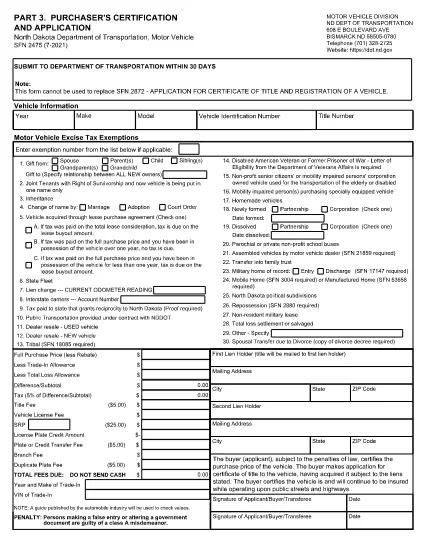

Vehicle Registration Forms
Form SFN 2475 is one of Vehicle registration forms that are documents used to register a motor vehicle with the relevant government authority, typically the Department of Motor Vehicles (DMV) or equivalent agency. These forms are required when a person purchases a new or used vehicle, transfers ownership of a vehicle, or moves to a new jurisdiction with a vehicle.
The specific vehicle registration forms can vary by jurisdiction, but they generally require the following information:
Vehicle Information: This includes details about the vehicle, such as the make, model, year, vehicle identification number (VIN), and odometer reading.
Owner Information: The form will require information about the vehicle's owner, including their name, address, contact information, and driver's license number.
Proof of Ownership: Depending on the circumstances, proof of ownership may be required, such as a title certificate, bill of sale, or manufacturer's certificate of origin (for new vehicles).
Insurance Information: Proof of valid vehicle insurance coverage is typically required. This may include providing the insurance policy number, dates of coverage, and insurance company details.
Payment of Fees: Vehicle registration involves payment of various fees, such as registration fees, taxes, and possibly other charges specific to the jurisdiction.
In addition to these basic requirements, some jurisdictions may have additional forms or documentation requirements. For example, emissions test results, safety inspections, or proof of residency might be necessary in certain areas.
Once the vehicle registration forms are completed and submitted, the government authority will issue a registration certificate, license plates, and registration stickers. These documents indicate that the vehicle is legally registered and authorized to be operated on public roads.
It is important to note that vehicle registration requirements can vary significantly by jurisdiction. Therefore, it is recommended to consult the local DMV or equivalent agency for the specific forms and procedures applicable to your location.