
Wybierz język

Education Department Application Form – Fill Online

  1. Kraj Australia
  2. Język język angielski
  3. Dział Department of Education
  4. Działalność School Enrolment
Education Department Application Form – Fill Online

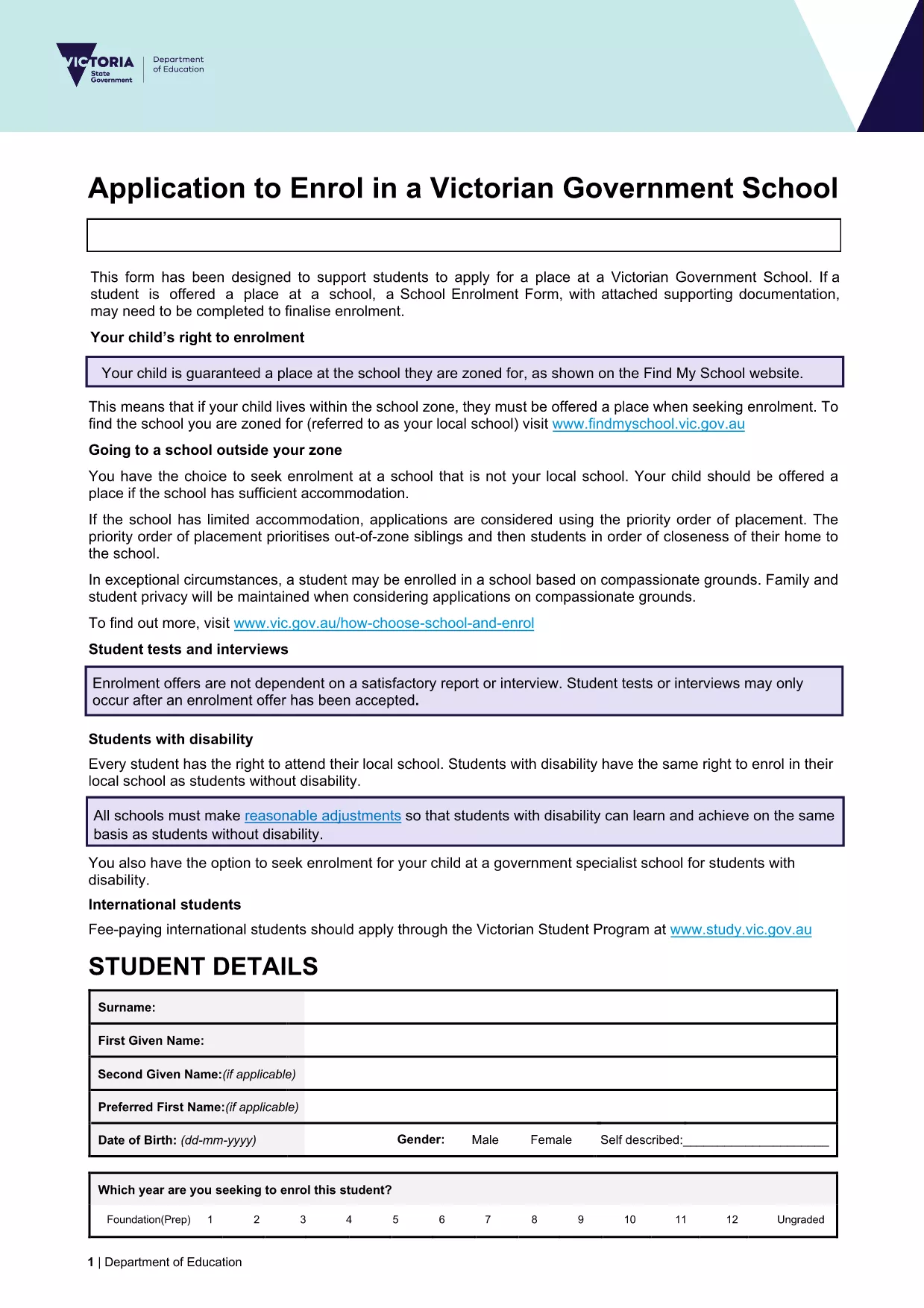
Looking for a fast, secure way to submit your education department application? Our online Formize PDF Filler lets you open the official enrolment form as a fillable PDF directly in your browser. No software download, no printing, and no hassle.

What you get: the exact same document used by the Victorian Department of Education, fully interactive, auto‑saving, and ready for electronic submission.

Simply click the Fill out this form button below, wait a moment for the Formize PDF Filler to load, and start entering your information. When you’re done, you can download a completed PDF or submit it straight to the school’s intake system.

Our solution is compliant with government standards, keeps your data encrypted, and works on any device – desktop, tablet, or mobile.

CZĘSTO ZADAWANE PYTANIA
  • Do I need to install any software to use the form?

    No. The Formize PDF Filler runs entirely in your web browser – just click the button and start filling.

  • Is my personal data safe?

    Yes. All data is processed locally in your browser and encrypted during any download. Formize does not store your information.

  • Can I print the completed form?

    Absolutely. After you finish, download the filled PDF and print it like any standard document.

  • What if I make a mistake?

    You can edit any field at any time before saving. Simply click the field again and correct the entry.

  • Is this the same form used by Victorian schools?

    Yes. The PDF is the official "Application to enrol in a Victorian Government school" provided by the Department of Education.

  • Can I submit the form directly to the school?

    Most schools accept a completed PDF via email or their online portal. Check the school's enrolment guidelines for exact submission steps.

JAK

Jak wypełnić education department application form za darmo online w 5 prostych krokach:

  1. 1
    Open the Fillable Form
    Click the **Fill out this form** button on the page. The Formize PDF Filler will launch in a new tab.
  2. 2
    Wait for the Loader
    Give the app a few seconds to load the PDF. You’ll see the form appear with interactive fields.
  3. 3
    Enter Your Information
    Type directly into each field. Use the tab key or click to move between sections.
  4. 4
    Review & Validate
    Check all entries for accuracy. The filler highlights required fields that are missing.
  5. 5
    Save or Submit
    When finished, click **Download Completed PDF** to save a copy, or follow your school’s instructions to submit electronically.
Aplikacja Formize PDF Filler
O

szablon education department application form

Dzięki tradycyjnemu zestawowi funkcji do przeglądania i wypełniania dokumentów PDF, w połączeniu z zaletami aplikacji internetowej i responsywnego układu, możesz ukończyć education department application form w ciągu kilku minut.

CECHY

Wypełniacz PDF

Najłatwiejszy sposób wypełniania formularzy PDF online

  • Szybko wypełnij education department application form
    Szukasz sposobu na szybkie wypełnienie education department application form online? Dzięki naszemu bezpłatnemu wypełniaczowi formularzy PDF online dowiesz się, jak edytować i wypełniać ten dokument PDF w mniej niż minutę.
  • Łatwy w użyciu edytor PDF online
    Masz dość drukowania plików PDF, aby móc je edytować przed ponownym zeskanowaniem i odesłaniem? Edytuj dokumenty PDF za darmo online. Skorzystaj z naszego internetowego edytora pdf, aby zaoszczędzić czas i papier.
  • Świetne narzędzia, wszystkie platformy
    Zastanawiasz się, jak wypełnić education department application form na komputerze Mac, a może jak bezpłatnie skorzystać z wypełniacza PDF? Nasze narzędzia PDF online działają na wszystkich platformach.
  • Bezpieczne przechowywanie plików
    Gotowe pliki „education department application form” są przechowywane w zabezpieczonej bazie danych zarządzanej przez hosting Amazon Cloud. W każdej chwili możesz usunąć swoje pliki z naszego systemu. W każdym przypadku pliki te są automatycznie usuwane po 24 godzinach.
  • Czatuj z education department application form
    Porozmawiaj z „education department application form” na Chatize, który jest bezpłatnym asystentem czytnika plików PDF. Zadawaj pytania i uzyskuj odpowiedzi od „education department application form”. Po prostu kliknij przycisk Czatuj z dokumentem powyżej.

Usuń sesję napełniania

Usunąć wybraną sesję napełniania? W takim przypadku Twoje postępy w wypełnianiu formularza zostaną utracone.

Usuń sesję edycji

Usunąć wybraną sesję edycji? W takim przypadku Twój postęp w tworzeniu i edytowaniu formularza zostanie utracony.