
Wybierz język

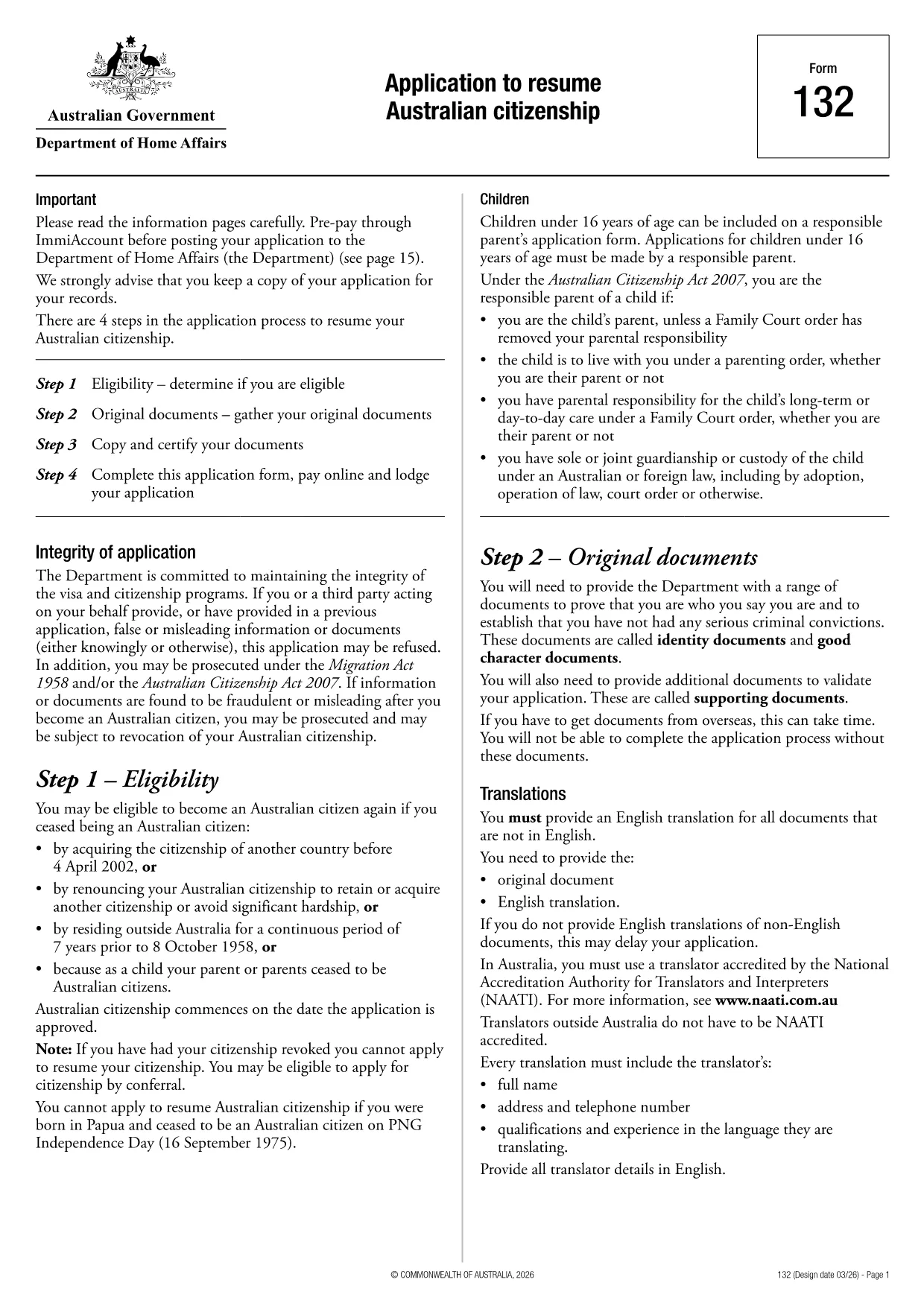
Application to Resume Australian Citizenship (Form 132) – Fill Online

  1. Język język angielski
  2. Kraj Australia
  3. Działalność Obywatelstwo
  4. Dział Home Affairs
Application to Resume Australian Citizenship (Form 132) – Fill Online

If you need to resume your Australian citizenship, you’ll use Form 132 – Application to Resume Australian Citizenship. This official PDF can now be completed entirely online with the Formize PDF Filler, so you never have to print, scan, or manually edit the document.

Why Use the Online Formize PDF Filler?

The Formize filler loads the exact PDF you need, preserving the government‑approved layout while letting you type directly into each field. Benefits include:

  • Instant validation of required fields
  • Automatic saving – you can pause and return later
  • Secure, browser‑based processing – no software install
  • One‑click download of the completed PDF for submission

Step‑by‑Step Guide to Completing Form 132

Follow these simple steps to fill out the application correctly:

  1. Click the “Fill out this form” button below.
  2. Wait for the Formize PDF Filler app to load the PDF.
  3. Enter your personal details, citizenship history, and reasons for resumption.
  4. Attach any required supporting documents (e.g., passport copy, proof of residence).
  5. Review the completed form for accuracy.
  6. Download the finished PDF and submit it to the Department of Home Affairs.

Common Mistakes to Avoid

Even with an easy online tool, mistakes happen. Avoid these pitfalls:

  • Leaving mandatory fields blank – the filler will highlight them.
  • Uploading files in the wrong format (use PDF, JPG, or PNG only).
  • Using an outdated version of the form – the link below always points to the latest Form 132.

Eligibility & Supporting Documents

Before you start, make sure you meet the eligibility criteria:

  • You previously held Australian citizenship.
  • You have been outside Australia for a period that requires resumption.
  • You can provide proof of identity and residency.

Typical supporting documents include a current passport, a statutory declaration, and any relevant court orders.

Where to Submit Your Application

After downloading the completed PDF, submit it through the Department of Home Affairs portal or mail it to the address listed on the form. Keep a copy for your records.

Ready to get started? Click the button below and let Formize handle the rest.

CZĘSTO ZADAWANE PYTANIA
  • Do I need to download any software to fill Form 132?

    No. Formize’s PDF filler works entirely in your web browser, so there’s nothing to install.

  • Can I save my progress and return later?

    Yes. The filler automatically saves your entries locally, allowing you to close the browser and continue later.

  • What file formats are accepted for supporting documents?

    PDF, JPG, and PNG are accepted. Make sure each file is under 5 MB for smooth uploading.

  • Is the online filler secure?

    All data is processed locally in your browser and never stored on our servers. Your information remains private.

  • Can I print the completed form directly from the filler?

    After you finish, click the “Download” button to save the completed PDF, then print it using any PDF viewer.

  • What if I make a mistake after downloading?

    You can reopen the downloaded PDF in Formize’s filler, correct the error, and download a new version.

  • Where do I send the finished Form 132?

    Submit the PDF through the Department of Home Affairs online portal or mail it to the address listed on the form.

JAK

Jak wypełnić Australian citizenship resume form za darmo online w 4 prostych krokach:

  1. 1
    Open the Form
    Click the “Fill out this form” button on this page. The Formize PDF Filler will launch in your browser.
  2. 2
    Enter Your Details
    Type directly into each highlighted field – the filler automatically saves your progress.
  3. 3
    Upload Supporting Documents
    Use the “Attach File” option to add passport scans, statutory declarations, or other required PDFs.
  4. 4
    Review and Submit
    Check every section for completeness, then download the finished PDF and send it to the Department of Home Affairs.
Aplikacja Formize PDF Filler
O

Formularze obywatelstwa

Australian citizenship resume form to jeden z formularzy obywatelstwa, które są dokumentami używanymi do ubiegania się o obywatelstwo w danym kraju. Dokładne formularze i wymagania dotyczące obywatelstwa różnią się w zależności od kraju, ale generalnie proces obejmuje podanie danych osobowych i dokumentów potwierdzających uprawnienia do obywatelstwa.

W Stanach Zjednoczonych najpopularniejszym formularzem obywatelstwa jest wniosek o naturalizację N-400. Ten formularz jest używany przez legalnych stałych rezydentów (posiadaczy zielonej karty) do ubiegania się o obywatelstwo USA. Formularz wymaga podania danych osobowych, takich jak imię i nazwisko, data urodzenia i dane kontaktowe, a także informacje o statusie imigracyjnym wnioskodawcy, przeszłości kryminalnej i innych wymaganiach kwalifikacyjnych.

Inne kraje mogą mieć różne formularze i wymagania dotyczące obywatelstwa, ale podstawowy proces zazwyczaj obejmuje dostarczenie informacji o przeszłości wnioskodawcy i spełnienie określonych kryteriów kwalifikacyjnych. Może to obejmować zdanie testu na obywatelstwo, wykazanie się znajomością historii kraju i rządu oraz wykazanie się biegłością w języku tego kraju.

Należy zauważyć, że proces uzyskiwania obywatelstwa może być złożony i czasochłonny. Zaleca się, aby osoby ubiegające się o obywatelstwo skonsultowały się z prawnikiem ds. imigracji lub innym wykwalifikowanym specjalistą, aby pomóc przejść przez ten proces i upewnić się, że wszystkie niezbędne formularze i wymagania zostały spełnione.

CECHY

Wypełniacz PDF

Najłatwiejszy sposób wypełniania formularzy PDF online

  • Szybko wypełnij Australian citizenship resume form
    Szukasz sposobu na szybkie wypełnienie Australian citizenship resume form online? Dzięki naszemu bezpłatnemu wypełniaczowi formularzy PDF online dowiesz się, jak edytować i wypełniać ten dokument PDF w mniej niż minutę.
  • Łatwy w użyciu edytor PDF online
    Masz dość drukowania plików PDF, aby móc je edytować przed ponownym zeskanowaniem i odesłaniem? Edytuj dokumenty PDF za darmo online. Skorzystaj z naszego internetowego edytora pdf, aby zaoszczędzić czas i papier.
  • Świetne narzędzia, wszystkie platformy
    Zastanawiasz się, jak wypełnić Australian citizenship resume form na komputerze Mac, a może jak bezpłatnie skorzystać z wypełniacza PDF? Nasze narzędzia PDF online działają na wszystkich platformach.
  • Bezpieczne przechowywanie plików
    Gotowe pliki „Australian citizenship resume form” są przechowywane w zabezpieczonej bazie danych zarządzanej przez hosting Amazon Cloud. W każdej chwili możesz usunąć swoje pliki z naszego systemu. W każdym przypadku pliki te są automatycznie usuwane po 24 godzinach.
  • Czatuj z Australian citizenship resume form
    Porozmawiaj z „Australian citizenship resume form” na Chatize, który jest bezpłatnym asystentem czytnika plików PDF. Zadawaj pytania i uzyskuj odpowiedzi od „Australian citizenship resume form”. Po prostu kliknij przycisk Czatuj z dokumentem powyżej.

Usuń sesję napełniania

Usunąć wybraną sesję napełniania? W takim przypadku Twoje postępy w wypełnianiu formularza zostaną utracone.

Usuń sesję edycji

Usunąć wybraną sesję edycji? W takim przypadku Twój postęp w tworzeniu i edytowaniu formularza zostanie utracony.