
Wybierz język

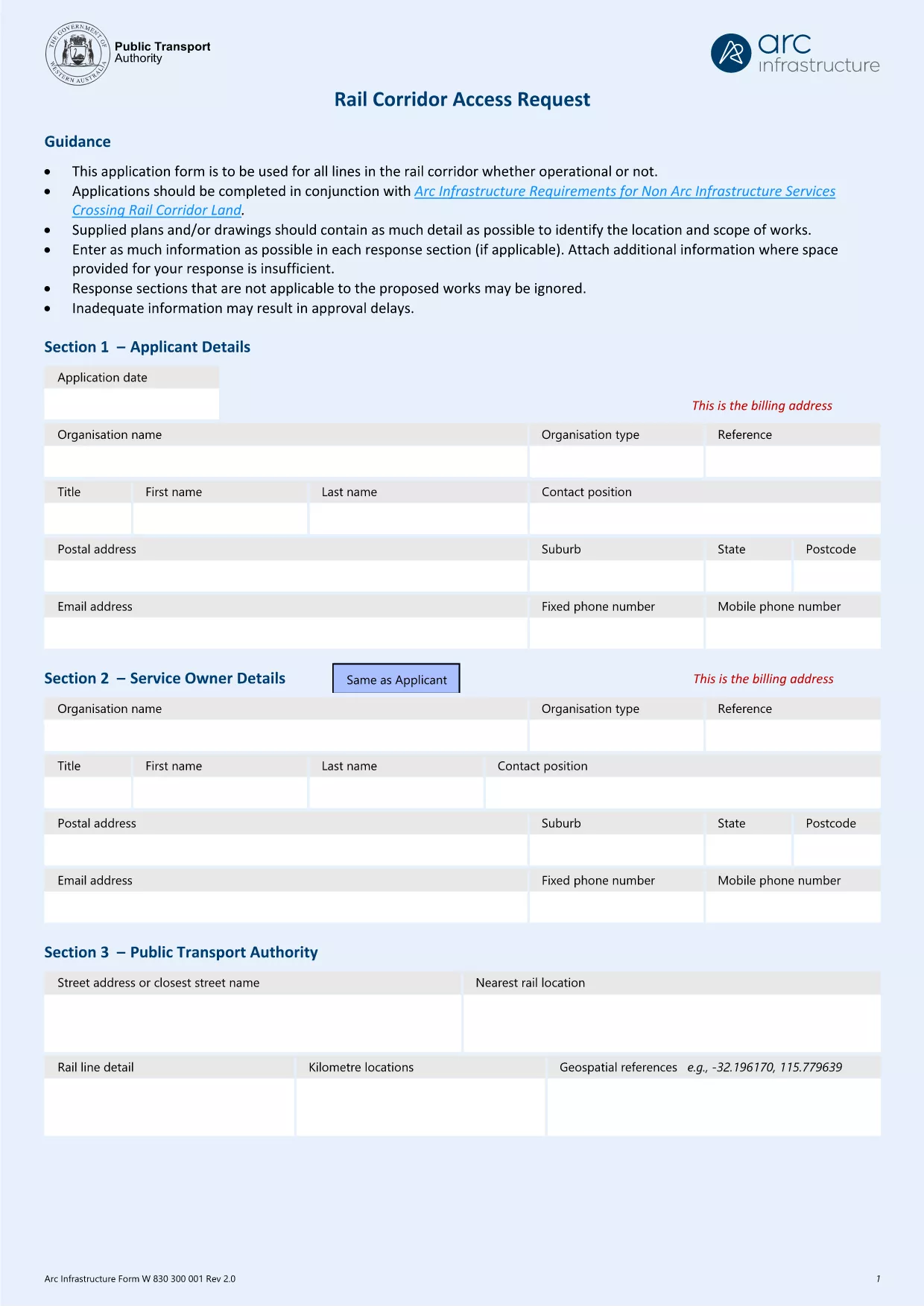
Arc Infrastructure TPS Application Form (hr@arcs.af) – Fillable PDF

  1. Kraj Australia
  2. Język język angielski
  3. Działalność Rail Corridor Access
  4. Dział Infrastructure
Arc Infrastructure TPS Application Form (hr@arcs.af) – Fillable PDF

The Arc Infrastructure TPS Application Form (referenced by the email address hr@arcs.af) is required for anyone seeking permission to cross or use rail corridor land managed by Arc Infrastructure. Instead of printing, printing‑and‑scanning, or dealing with cumbersome paper copies, you can now complete the form instantly online with our Formize PDF Filler. The fillable PDF is fully compatible with all modern browsers and devices.

Our landing page gives you direct access to the official PDF, a step‑by‑step guide, and answers to the most common questions, ensuring a smooth and error‑free submission.

Key benefits of using the online fillable version:

  • Instant loading – no need to download and open a separate editor.
  • Auto‑save functionality keeps your progress safe.
  • Built‑in validation reduces mistakes.
  • Download a completed copy for your records or submit directly to Arc Infrastructure.

Ready to start? Click the “Fill out this form” button below and let the Formize PDF Filler do the heavy lifting.

CZĘSTO ZADAWANE PYTANIA
  • Do I need Adobe Acrobat to fill this form?

    No. The Formize PDF Filler works in any modern browser and does not require Adobe Acrobat or any additional plugins.

  • Can I edit the form after I have saved it?

    Yes. Open the saved PDF again with the Formize filler or any standard PDF editor to make changes, then re‑save.

  • What if I encounter a validation error?

    The filler highlights the problematic field and provides a short message (e.g., missing phone number, incorrect date format). Correct the entry and re‑validate.

  • Is the information I enter secure?

    All data is processed locally in your browser; nothing is uploaded to external servers unless you choose to share the completed PDF.

  • Can I print a hard‑copy after completing the form?

    Absolutely. Use the **Print** button in the filler or your browser’s print function to produce a paper copy.

  • What is the deadline for submitting this application?

    Check the notice on the form itself or any correspondence from Arc Infrastructure; deadlines vary by project.

JAK

Jak wypełnić Arc Infrastructure application form za darmo online w 5 prostych krokach:

  1. 1
    Open the Fillable Form
    Click the **Fill out this form** button on this page. The Formize PDF Filler app will launch in a new tab.
  2. 2
    Wait for the Filler to Load
    The app loads the TPS Application Form automatically. A loading spinner indicates progress; this usually takes a few seconds.
  3. 3
    Complete Each Section
    Enter your details directly into the highlighted fields. Use the tab key or click to move between sections. Required fields are marked with a red asterisk.
  4. 4
    Validate and Save
    When you finish, click **Validate** to let the filler check for missing or incorrectly formatted data. Then click **Save** to download a copy to your device.
  5. 5
    Submit to Arc Infrastructure
    Attach the saved PDF to an email addressed to hr@arcs.af or follow any additional submission instructions provided by Arc Infrastructure.
Aplikacja Formize PDF Filler
O

szablon Arc Infrastructure application form

Dzięki tradycyjnemu zestawowi funkcji do przeglądania i wypełniania dokumentów PDF, w połączeniu z zaletami aplikacji internetowej i responsywnego układu, możesz ukończyć Arc Infrastructure application form w ciągu kilku minut.

CECHY

Wypełniacz PDF

Najłatwiejszy sposób wypełniania formularzy PDF online

  • Szybko wypełnij Arc Infrastructure application form
    Szukasz sposobu na szybkie wypełnienie Arc Infrastructure application form online? Dzięki naszemu bezpłatnemu wypełniaczowi formularzy PDF online dowiesz się, jak edytować i wypełniać ten dokument PDF w mniej niż minutę.
  • Łatwy w użyciu edytor PDF online
    Masz dość drukowania plików PDF, aby móc je edytować przed ponownym zeskanowaniem i odesłaniem? Edytuj dokumenty PDF za darmo online. Skorzystaj z naszego internetowego edytora pdf, aby zaoszczędzić czas i papier.
  • Świetne narzędzia, wszystkie platformy
    Zastanawiasz się, jak wypełnić Arc Infrastructure application form na komputerze Mac, a może jak bezpłatnie skorzystać z wypełniacza PDF? Nasze narzędzia PDF online działają na wszystkich platformach.
  • Bezpieczne przechowywanie plików
    Gotowe pliki „Arc Infrastructure application form” są przechowywane w zabezpieczonej bazie danych zarządzanej przez hosting Amazon Cloud. W każdej chwili możesz usunąć swoje pliki z naszego systemu. W każdym przypadku pliki te są automatycznie usuwane po 24 godzinach.
  • Czatuj z Arc Infrastructure application form
    Porozmawiaj z „Arc Infrastructure application form” na Chatize, który jest bezpłatnym asystentem czytnika plików PDF. Zadawaj pytania i uzyskuj odpowiedzi od „Arc Infrastructure application form”. Po prostu kliknij przycisk Czatuj z dokumentem powyżej.

Usuń sesję napełniania

Usunąć wybraną sesję napełniania? W takim przypadku Twoje postępy w wypełnianiu formularza zostaną utracone.

Usuń sesję edycji

Usunąć wybraną sesję edycji? W takim przypadku Twój postęp w tworzeniu i edytowaniu formularza zostanie utracony.