
szablon application form updf
Dzięki tradycyjnemu zestawowi funkcji do przeglądania i wypełniania dokumentów PDF, w połączeniu z zaletami aplikacji internetowej i responsywnego układu, możesz ukończyć application form updf w ciągu kilku minut.


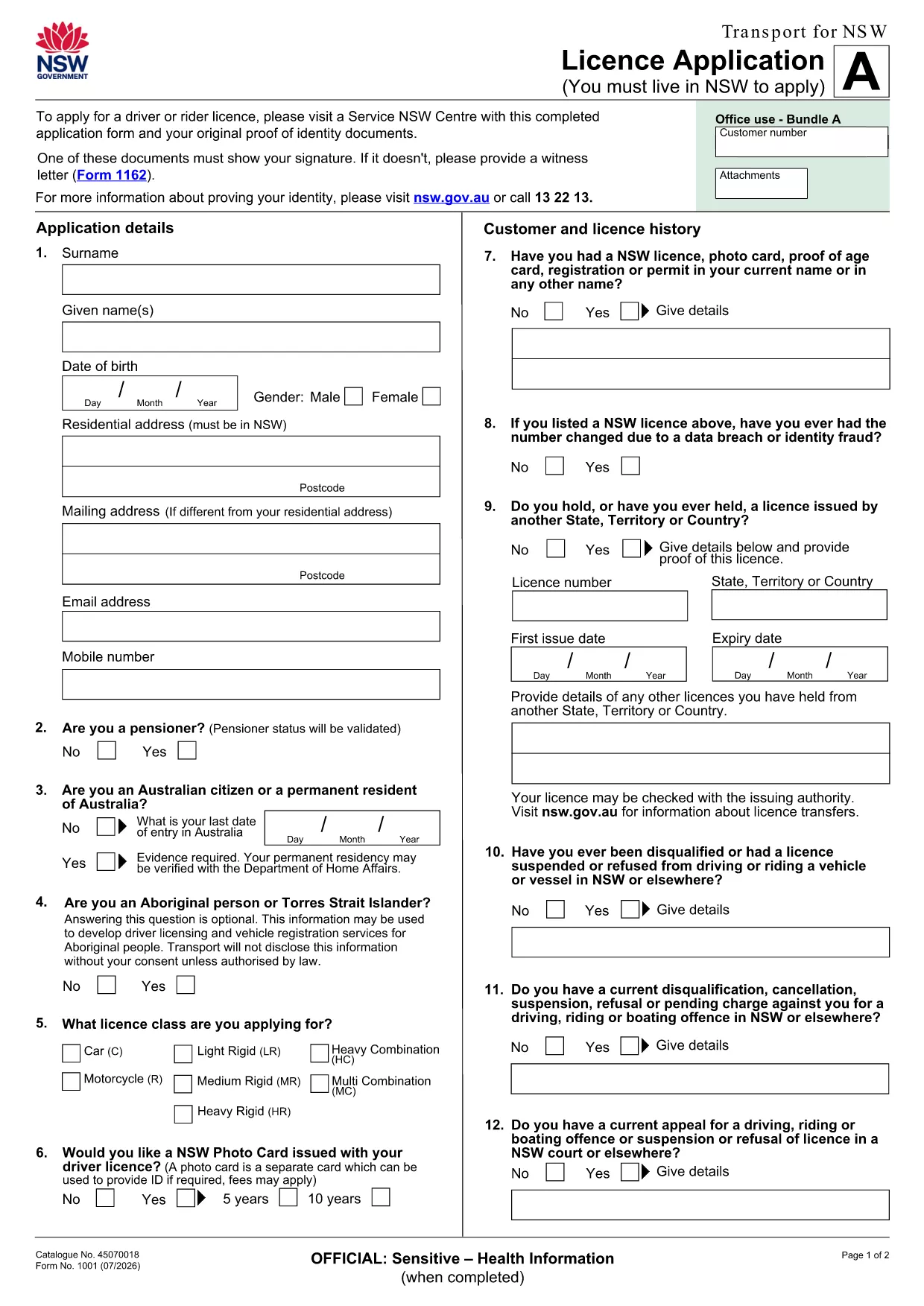
Looking for a quick, secure way to complete the Application Form UPDF? With Formize’s online PDF filler, you can fill, sign, and submit the form directly in your browser—no extra software required.
Fillable PDFs keep the original layout of official documents while allowing you to type directly into fields. Benefits include:
Follow these simple steps to finish the form without ever leaving the page:
After you download the completed PDF, you can:
All submission methods are accepted as long as the PDF remains unaltered.
Below are the most common questions we receive about this form.
No. Formize’s online filler works in any modern browser, so you don’t need Acrobat or any extra software.
Yes. The filler automatically saves your entries locally. When you return, simply reload the form to continue.
A digital signature created within the Formize filler complies with Australian e‑signature standards and is accepted for most government applications.
Download the completed PDF, correct the error in the filler, and resubmit. Most agencies accept a corrected PDF as long as it’s signed again.
Formize uses SSL encryption for all data transmission. Your information is never stored on our servers after you download the final PDF.
Absolutely. After completing the form, click the download button and print the PDF using any standard printer.
If the form requests additional documents, you’ll need to upload or attach them separately according to the submission instructions.
Dzięki tradycyjnemu zestawowi funkcji do przeglądania i wypełniania dokumentów PDF, w połączeniu z zaletami aplikacji internetowej i responsywnego układu, możesz ukończyć application form updf w ciągu kilku minut.
Najłatwiejszy sposób wypełniania formularzy PDF online
Usuń sesję napełniania
Usuń sesję edycji