
Wybierz język

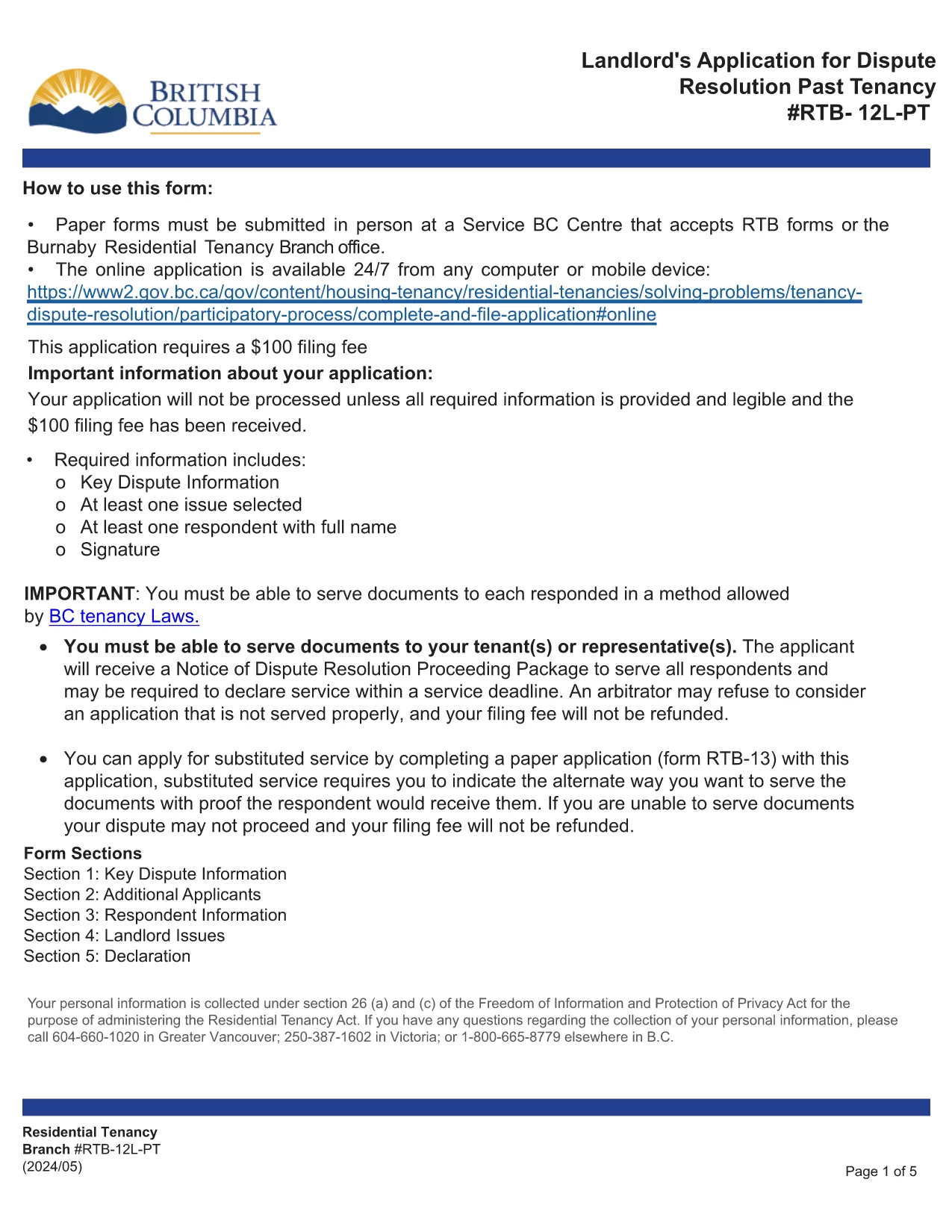
RTB‑12L‑PT – Landlord’s Application for Dispute Resolution (Past Tenancy)

  1. Język język angielski
  2. Kraj Kanada
  3. Działalność Dzierżawa
  4. Państwo Brytyjska Kolumbia
RTB‑12L‑PT – Landlord’s Application for Dispute Resolution (Past Tenancy)

The RTB‑12L‑PT is the official “Landlord’s Application for Dispute Resolution (Past Tenancy)” used by the British Columbia Residential Tenancy Branch. It allows landlords to request a formal hearing for disputes that arose after a tenancy has ended.

What Is the RTB‑12L‑PT Form?

This fillable PDF captures landlord and tenant information, details of the tenancy, the nature of the dispute, and any supporting evidence. It is required for all past‑tenancy dispute applications.

How to Fill Out the RTB‑12L‑PT Online

Instead of printing and scanning, you can complete the form directly in your browser using Formize’s PDF Filler. Click the “Fill out this form” button below, enter the requested data, and the system will save a completed PDF ready for submission.

Common Mistakes to Avoid

  • Leaving required fields blank – the filler highlights missing information.
  • Providing inaccurate dates – double‑check lease start and end dates.
  • Omitting supporting documents – attach lease copies, notices, and payment records.
  • Submitting the form to the wrong address – it must be delivered to a Service BC centre or the RTB office.

Where to Submit Your Application

After completing the PDF, bring the saved file to any Service BC centre that accepts RTB forms, or visit the Burnaby Residential Tenancy Branch office. Some locations also accept electronic submissions.

Download the Official Fillable PDF

The original, government‑approved PDF is available for download below. Using Formize ensures the form stays fillable and compliant.

CZĘSTO ZADAWANE PYTANIA
  • Who can use the RTB‑12L‑PT form?

    Any landlord in British Columbia who needs to resolve a dispute that arose after a tenancy has ended.

  • Do I need a lawyer to fill out the form?

    No, the form is designed for self‑service, but you may consult a legal professional for complex cases.

  • Can I submit the form online?

    The form itself must be submitted in person at a Service BC centre or the Residential Tenancy Branch, but you can complete it online with Formize.

  • What supporting documents are required?

    Attach a copy of the original lease, any written notices, payment records, and evidence related to the dispute.

  • How long does the dispute resolution process take?

    After submission, the RTB typically schedules a hearing within 30‑45 days, depending on workload.

  • What if I make a mistake on the form?

    You can edit the fillable PDF before saving. If you have already submitted, you may need to file a new application or request an amendment.

JAK

Jak wypełnić RTB-12L-PT za darmo online w 5 prostych krokach:

  1. 1
    Open the Form
    Click the “Fill out this form” button on this page. The Formize PDF Filler will launch in a new tab.
  2. 2
    Complete the Fields
    Enter all required information such as landlord and tenant details, dates, and dispute description. The fillable PDF guides you field‑by‑field.
  3. 3
    Validate and Sign
    Use the built‑in validation to check for missing data, then add your electronic signature if required.
  4. 4
    Save or Print
    When finished, save the completed PDF to your device or print it for submission.
  5. 5
    Submit the Application
    Take the saved PDF to a Service BC centre or the Residential Tenancy Branch office, or submit it electronically if your office accepts digital copies.
Aplikacja Formize PDF Filler
O

Formularze dla właścicieli i/lub najemców do proponowania działań związanych z umowami najmu.

RTB-12L-PT to rodzaj umów najmu mieszkań stosowanych przez większość prywatnych właścicieli i spółdzielnie mieszkaniowe.

Istnieje szereg spraw, w których wynajmujący lub najemcy muszą przestrzegać pewnych zasad określonych w przepisach. W niektórych przypadkach może być konieczne wypełnienie przez nich formularza, zwanego „przepisowym formularzem”, w którym proponuje się działanie, które może mieć wpływ na drugą stronę umowy najmu.

Formularze nazywane są formularzami zalecanymi, ponieważ ich treść została starannie opracowana, aby osoba wypełniająca formularz i osoba, której jest on doręczany, zrozumiały, co jest proponowane i co mogą zrobić w odpowiedzi. Niedoręczenie prawidłowego formularza może unieważnić proponowaną czynność.

Nie możesz zmieniać sformułowań w tych formularzach, chyba że formularz mówi, że możesz to zrobić. W przypadku zmiany sformułowania formularz może zostać unieważniony. Należy również przestrzegać wszelkich okresów wypowiedzenia określonych w formularzu.

CECHY

Wypełniacz PDF

Najłatwiejszy sposób wypełniania formularzy PDF online

  • Szybko wypełnij RTB-12L-PT
    Szukasz sposobu na szybkie wypełnienie RTB-12L-PT online? Dzięki naszemu bezpłatnemu wypełniaczowi formularzy PDF online dowiesz się, jak edytować i wypełniać ten dokument PDF w mniej niż minutę.
  • Łatwy w użyciu edytor PDF online
    Masz dość drukowania plików PDF, aby móc je edytować przed ponownym zeskanowaniem i odesłaniem? Edytuj dokumenty PDF za darmo online. Skorzystaj z naszego internetowego edytora pdf, aby zaoszczędzić czas i papier.
  • Świetne narzędzia, wszystkie platformy
    Zastanawiasz się, jak wypełnić RTB-12L-PT na komputerze Mac, a może jak bezpłatnie skorzystać z wypełniacza PDF? Nasze narzędzia PDF online działają na wszystkich platformach.
  • Bezpieczne przechowywanie plików
    Gotowe pliki „RTB-12L-PT” są przechowywane w zabezpieczonej bazie danych zarządzanej przez hosting Amazon Cloud. W każdej chwili możesz usunąć swoje pliki z naszego systemu. W każdym przypadku pliki te są automatycznie usuwane po 24 godzinach.
  • Czatuj z RTB-12L-PT
    Porozmawiaj z „RTB-12L-PT” na Chatize, który jest bezpłatnym asystentem czytnika plików PDF. Zadawaj pytania i uzyskuj odpowiedzi od „RTB-12L-PT”. Po prostu kliknij przycisk Czatuj z dokumentem powyżej.

Usuń sesję napełniania

Usunąć wybraną sesję napełniania? W takim przypadku Twoje postępy w wypełnianiu formularza zostaną utracone.

Usuń sesję edycji

Usunąć wybraną sesję edycji? W takim przypadku Twój postęp w tworzeniu i edytowaniu formularza zostanie utracony.