
Wybierz język

Punjab Renewal of Arms License Form for Individuals (Fillable PDF)

  1. Język język angielski hinduski
  2. Kraj Indie
  3. Państwo Pendżab
  4. Dział Departament Spraw Wewnętrznych i Sprawiedliwości
Punjab Renewal of Arms License Form for Individuals (Fillable PDF)

Renewing your personal arms license in Punjab has never been easier. Our dedicated page provides the official Punjab renewal of arms license form for individuals as a fully fillable PDF that you can complete directly in your browser.

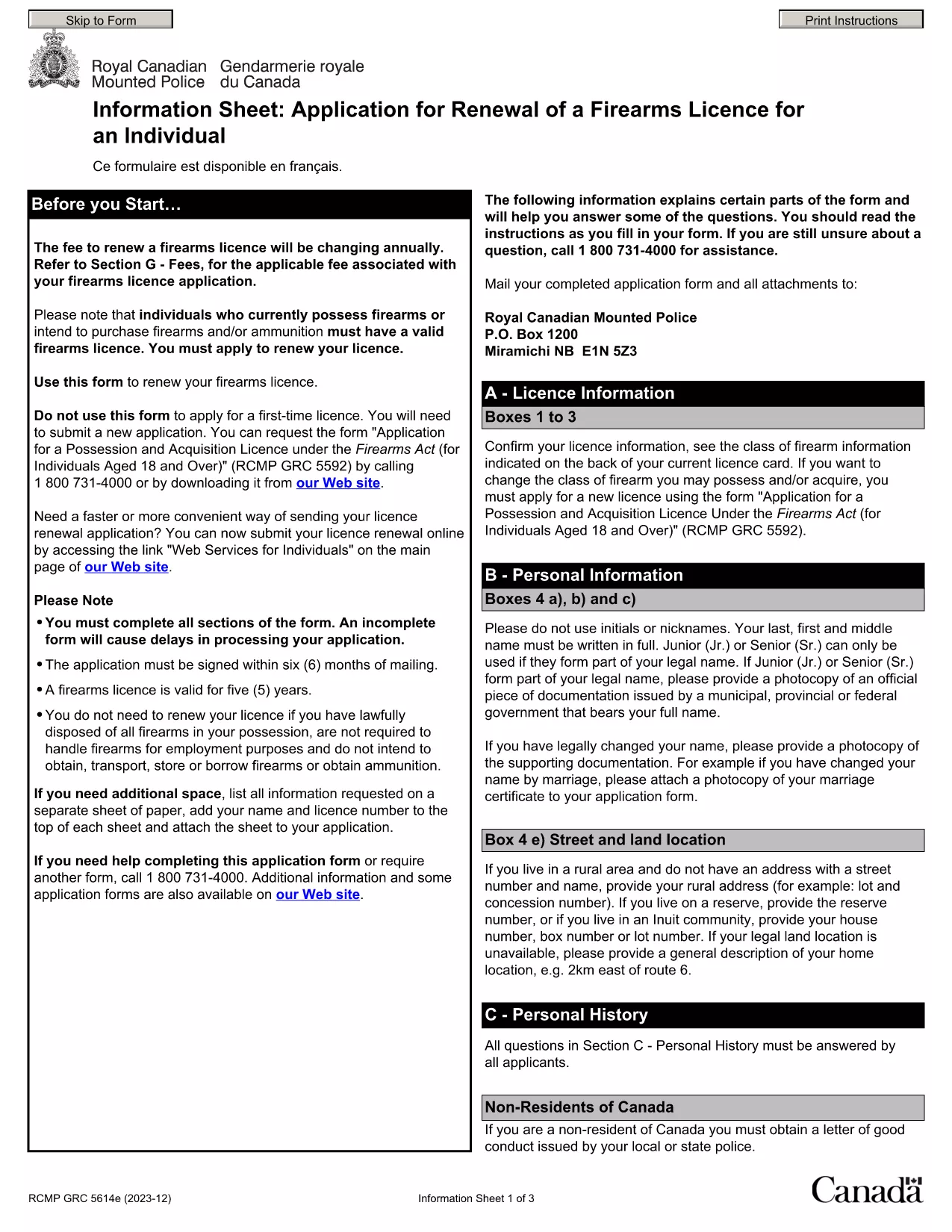
By using Formize’s PDF Filler, you avoid printing, scanning, and the risk of missing handwritten information. The form is powered by the same structure as the RCMP PAL Renewal Form, which meets international standards for firearm licensing documentation.

Why Use a Fillable PDF for Your Punjab Arms License Renewal

A fillable PDF ensures:

  • Accuracy – fields are validated in real time.
  • Speed – submit within minutes, not days.
  • Security – your data stays encrypted while you work.

Step‑by‑Step Guide to Completing the Form Online

Follow the simple steps below to finish your renewal without leaving the page.

Common Mistakes to Avoid When Renewing Your Arms License

Skipping a required field or uploading an unsupported file format can delay processing. Our guide highlights the most frequent errors and how to prevent them.

Where to Submit Your Completed Form

After you finish, download the completed PDF and submit it to the Punjab Police Arms Licensing Office either in person or via their official online portal.

Ready to start? Click the button below, let Formize load the PDF filler, and complete the form in a few easy steps.

CZĘSTO ZADAWANE PYTANIA
  • Is the Punjab arms license renewal form available for free?

    Yes. The fillable PDF is provided at no cost. You only need an internet connection to complete it online.

  • Can I edit the form after I download it?

    Once you download the completed PDF, you can open it in any standard PDF viewer, but the official submission should be the version you saved from Formize.

  • What documents do I need to attach with the renewal?

    Typically you must attach a recent passport‑size photograph, a copy of your current license, and any supporting certificates. Check the form’s attachment section for exact requirements.

  • How long does the renewal process take after submission?

    Processing times vary by district, but most renewals are completed within 7‑10 business days once the correct form and documents are received.

  • What if I make a mistake while filling the form?

    The fillable PDF highlights incomplete or incorrectly formatted fields. Correct the information before saving, or you can start over by clicking the reset button.

  • Do I need to print the form to submit it?

    No. The Punjab Police accepts a digitally signed PDF via their online portal or by email. Printing is optional.

  • Is my personal data safe while using Formize?

    Formize uses SSL encryption, and the PDF is processed locally in your browser, ensuring your data never leaves your computer unless you choose to upload it.

  • Can I use this form on a mobile device?

    Yes. The fillable PDF works on most modern smartphones and tablets with a compatible browser.

JAK

Jak wypełnić Punjab arms license renewal za darmo online w 5 prostych krokach:

  1. 1
    Click the Fill Out This Form button
    Press the highlighted button on the page to open the Formize PDF Filler app.
  2. 2
    Wait for the filler to load
    The fillable PDF loads automatically; this usually takes a few seconds.
  3. 3
    Enter your information
    Complete each field – the form validates entries in real time to prevent errors.
  4. 4
    Review and sign
    Double‑check all details, add your digital signature if required, and save the document.
  5. 5
    Download or submit
    Download the finished PDF for your records and submit it to the Punjab Police Arms Licensing Office.
Aplikacja Formize PDF Filler
O

Formularze wniosków Ministerstwa Spraw Zagranicznych

Punjab arms license renewal to jeden z formularzy aplikacyjnych Ministerstwa Spraw Zagranicznych. Indyjskie Ministerstwo Spraw Zagranicznych oferuje różne formularze wniosków w przypadku różnych usług związanych ze sprawami zewnętrznymi i stosunkami międzynarodowymi. Niektóre typowe formularze wniosków obejmują:

Wniosek o paszport: ten formularz służy do ubiegania się o paszport indyjski. Gromadzi dane osobowe, takie jak imię i nazwisko, adres, data urodzenia i narodowość.

Wniosek o zagraniczne obywatelstwo Indii (OCI): ten formularz służy do ubiegania się o status OCI, który pozwala osobom pochodzenia indyjskiego mieszkać i pracować w Indiach na czas nieokreślony. Gromadzi dane osobowe, w tym dowód indyjskiego pochodzenia.

Wniosek wizowy: ten formularz służy do ubiegania się o wizę uprawniającą do podróży do obcego kraju. Gromadzi dane osobowe, informacje dotyczące podróży i cel podróży.

Wniosek o zezwolenie na emigrację: Ten formularz jest używany przez osoby ubiegające się o zezwolenie na emigrację w celu zatrudnienia w niektórych krajach. Gromadzi dane osobowe i dane dotyczące zatrudnienia.

Wniosek o poświadczenie: ten formularz służy do ubiegania się o poświadczenie różnych dokumentów, takich jak świadectwa wykształcenia, akty małżeństwa i dokumenty handlowe. Gromadzi szczegółowe informacje na temat dokumentu, który ma zostać poświadczony, oraz celu poświadczenia.

Wniosek o usługi konsularne: ten formularz służy do różnych usług konsularnych, w tym do wydawania zaświadczeń w nagłych wypadkach, pomocy obywatelom Indii za granicą i rejestracji obywateli Indii. Konkretne wymagane szczegóły zależą od charakteru żądanej usługi.

CECHY

Wypełniacz PDF

Najłatwiejszy sposób wypełniania formularzy PDF online

  • Szybko wypełnij Punjab arms license renewal
    Szukasz sposobu na szybkie wypełnienie Punjab arms license renewal online? Dzięki naszemu bezpłatnemu wypełniaczowi formularzy PDF online dowiesz się, jak edytować i wypełniać ten dokument PDF w mniej niż minutę.
  • Łatwy w użyciu edytor PDF online
    Masz dość drukowania plików PDF, aby móc je edytować przed ponownym zeskanowaniem i odesłaniem? Edytuj dokumenty PDF za darmo online. Skorzystaj z naszego internetowego edytora pdf, aby zaoszczędzić czas i papier.
  • Świetne narzędzia, wszystkie platformy
    Zastanawiasz się, jak wypełnić Punjab arms license renewal na komputerze Mac, a może jak bezpłatnie skorzystać z wypełniacza PDF? Nasze narzędzia PDF online działają na wszystkich platformach.
  • Bezpieczne przechowywanie plików
    Gotowe pliki „Punjab arms license renewal” są przechowywane w zabezpieczonej bazie danych zarządzanej przez hosting Amazon Cloud. W każdej chwili możesz usunąć swoje pliki z naszego systemu. W każdym przypadku pliki te są automatycznie usuwane po 24 godzinach.
  • Czatuj z Punjab arms license renewal
    Porozmawiaj z „Punjab arms license renewal” na Chatize, który jest bezpłatnym asystentem czytnika plików PDF. Zadawaj pytania i uzyskuj odpowiedzi od „Punjab arms license renewal”. Po prostu kliknij przycisk Czatuj z dokumentem powyżej.

Usuń sesję napełniania

Usunąć wybraną sesję napełniania? W takim przypadku Twoje postępy w wypełnianiu formularza zostaną utracone.

Usuń sesję edycji

Usunąć wybraną sesję edycji? W takim przypadku Twój postęp w tworzeniu i edytowaniu formularza zostanie utracony.