
Wybierz język

Punjab Solemnization of Marriage Form (Fillable PDF)

  1. Język język angielski hinduski
  2. Kraj Indie
  3. Państwo Pendżab
  4. Dział Departament Spraw Wewnętrznych i Sprawiedliwości
Wypełnij ten formularz
Punjab Solemnization of Marriage Form (Fillable PDF)

Punjab Solemnization of Marriage Form (Fillable PDF)

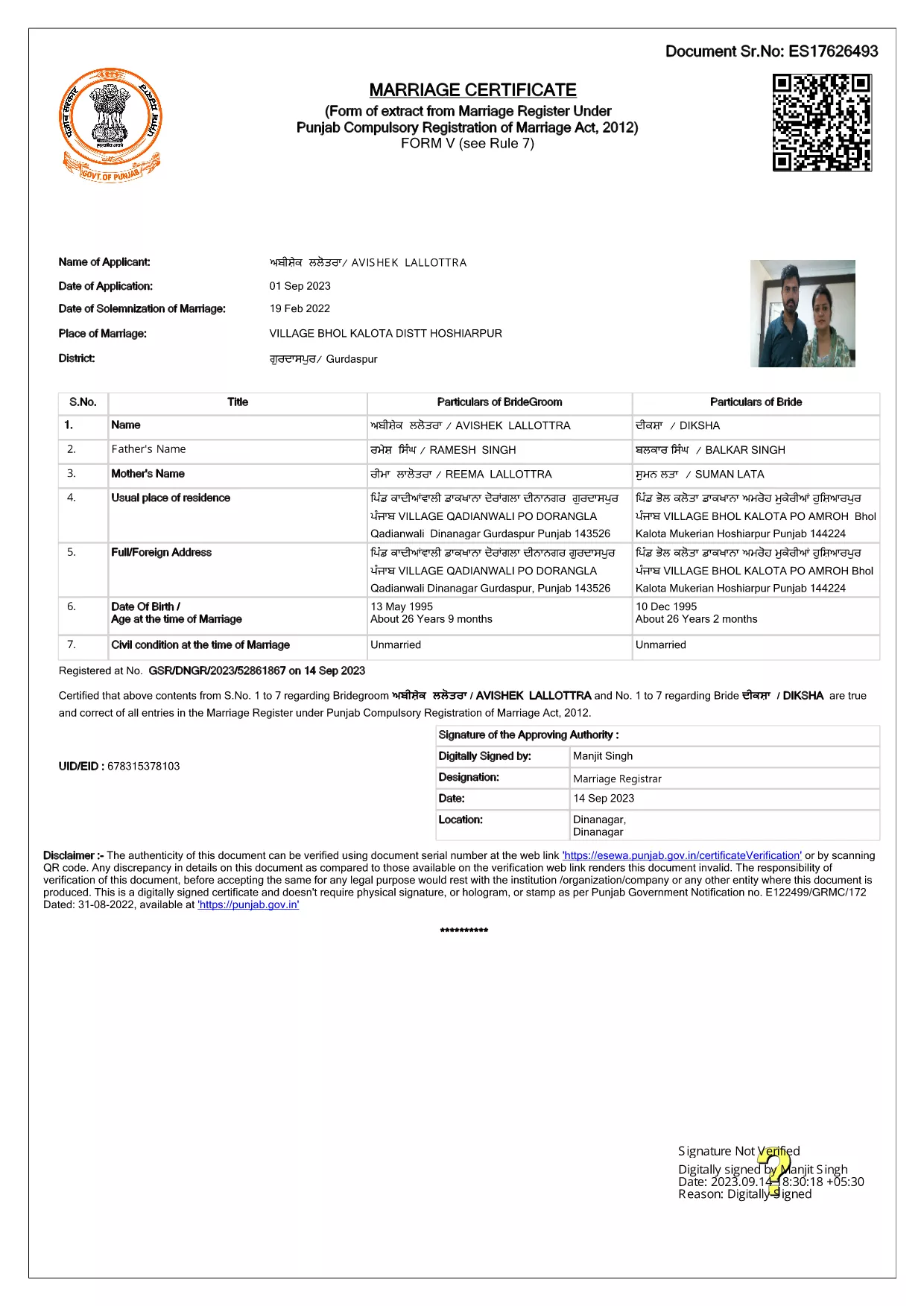
Getting married in Punjab requires you to submit the official Punjab Solemnization of Marriage form. This form records essential details of the bride, groom, and witnesses, and it is mandatory under the Punjab Compulsory Registration of Marriage Act, 2012.

What Is the Punjab Solemnization of Marriage Form?

The form is a government‑issued marriage certificate that captures personal information, parental details, and the date and place of the marriage ceremony. It is the legal proof needed for future documentation such as passport applications, property registration, and visa requests.

How to Fill Out the Form Online with Formize

Instead of printing, printing‑and‑scanning, or using a third‑party PDF editor, you can complete the form directly in your browser:

  1. Click the **"Fill out this form"** button on this page.
  2. Wait a few seconds while the Formize PDF Filler app loads.
  3. Enter the required information in each fillable field. The interface guides you through mandatory sections.
  4. Review your entries, then click **"Save & Download"** to get a completed PDF copy.

Common Mistakes to Avoid When Completing the Form

  • Incorrect spelling of names: Verify the spelling exactly as it appears on official ID documents.
  • Missing witness details: All three witnesses must be fully listed; incomplete entries will cause rejection.
  • Wrong date format: Use DD‑MM‑YYYY as required by the Punjab Registration Department.
  • Leaving optional fields blank: Even optional fields should be filled with "N/A" if not applicable.

Where to Submit the Completed Form

After you have saved the filled PDF, submit it to the nearest Punjab Registration Office or the designated online portal of the Punjab Registration Department. Bring original identity proofs for both parties and witnesses.

Download the Official PDF

Click the button below to download the original, government‑approved PDF. The file is hosted securely and matches the exact layout required by the registration authority.

CZĘSTO ZADAWANE PYTANIA
  • Is the Punjab marriage form available in Punjabi?

    The official PDF is printed in English, but you may fill it out in any language. For official submissions, the English version is accepted.

  • Do I need a digital signature?

    A digital signature is not required for the fillable PDF. You must sign the printed copy in the presence of a registrar.

  • Can I edit the form after I download it?

    Yes. The saved PDF remains fully editable with any standard PDF editor, but the Formize filler already lets you complete the form without extra software.

  • How many witnesses are required?

    Three adult witnesses are mandatory. Their full names, addresses, and signatures must be entered in the designated sections.

  • What documents do I need to submit with the form?

    Both parties must provide a valid ID (Aadhar, PAN, or passport), proof of residence, and the original signed marriage certificate.

  • Is there a fee for downloading the PDF?

    No. The PDF is provided free of charge. Any registration fees are paid directly to the Punjab Registration Office.

JAK

Jak wypełnić Punjab marriage form za darmo online w 4 prostych krokach:

  1. 1
    Click the Fill‑Out Button
    Press the **"Fill out this form"** button on the page to launch the Formize PDF Filler.
  2. 2
    Wait for the Filler to Load
    The app loads in a few seconds; you’ll see a clean, searchable interface with all form fields highlighted.
  3. 3
    Enter Your Information
    Type the required details for the bride, groom, and witnesses. The filler validates dates and mandatory fields automatically.
  4. 4
    Save and Download
    After reviewing, click **"Save & Download"** to get a completed PDF you can print or submit electronically.
Aplikacja Formize PDF Filler
O

Formularze wniosków Ministerstwa Spraw Zagranicznych

Punjab marriage form to jeden z formularzy aplikacyjnych Ministerstwa Spraw Zagranicznych. Indyjskie Ministerstwo Spraw Zagranicznych oferuje różne formularze wniosków w przypadku różnych usług związanych ze sprawami zewnętrznymi i stosunkami międzynarodowymi. Niektóre typowe formularze wniosków obejmują:

Wniosek o paszport: ten formularz służy do ubiegania się o paszport indyjski. Gromadzi dane osobowe, takie jak imię i nazwisko, adres, data urodzenia i narodowość.

Wniosek o zagraniczne obywatelstwo Indii (OCI): ten formularz służy do ubiegania się o status OCI, który pozwala osobom pochodzenia indyjskiego mieszkać i pracować w Indiach na czas nieokreślony. Gromadzi dane osobowe, w tym dowód indyjskiego pochodzenia.

Wniosek wizowy: ten formularz służy do ubiegania się o wizę uprawniającą do podróży do obcego kraju. Gromadzi dane osobowe, informacje dotyczące podróży i cel podróży.

Wniosek o zezwolenie na emigrację: Ten formularz jest używany przez osoby ubiegające się o zezwolenie na emigrację w celu zatrudnienia w niektórych krajach. Gromadzi dane osobowe i dane dotyczące zatrudnienia.

Wniosek o poświadczenie: ten formularz służy do ubiegania się o poświadczenie różnych dokumentów, takich jak świadectwa wykształcenia, akty małżeństwa i dokumenty handlowe. Gromadzi szczegółowe informacje na temat dokumentu, który ma zostać poświadczony, oraz celu poświadczenia.

Wniosek o usługi konsularne: ten formularz służy do różnych usług konsularnych, w tym do wydawania zaświadczeń w nagłych wypadkach, pomocy obywatelom Indii za granicą i rejestracji obywateli Indii. Konkretne wymagane szczegóły zależą od charakteru żądanej usługi.

CECHY

Wypełniacz PDF

Najłatwiejszy sposób wypełniania formularzy PDF online

  • Szybko wypełnij Punjab marriage form
    Szukasz sposobu na szybkie wypełnienie Punjab marriage form online? Dzięki naszemu bezpłatnemu wypełniaczowi formularzy PDF online dowiesz się, jak edytować i wypełniać ten dokument PDF w mniej niż minutę.
  • Łatwy w użyciu edytor PDF online
    Masz dość drukowania plików PDF, aby móc je edytować przed ponownym zeskanowaniem i odesłaniem? Edytuj dokumenty PDF za darmo online. Skorzystaj z naszego internetowego edytora pdf, aby zaoszczędzić czas i papier.
  • Świetne narzędzia, wszystkie platformy
    Zastanawiasz się, jak wypełnić Punjab marriage form na komputerze Mac, a może jak bezpłatnie skorzystać z wypełniacza PDF? Nasze narzędzia PDF online działają na wszystkich platformach.
  • Bezpieczne przechowywanie plików
    Gotowe pliki „Punjab marriage form” są przechowywane w zabezpieczonej bazie danych zarządzanej przez hosting Amazon Cloud. W każdej chwili możesz usunąć swoje pliki z naszego systemu. W każdym przypadku pliki te są automatycznie usuwane po 24 godzinach.
  • Czatuj z Punjab marriage form
    Porozmawiaj z „Punjab marriage form” na Chatize, który jest bezpłatnym asystentem czytnika plików PDF. Zadawaj pytania i uzyskuj odpowiedzi od „Punjab marriage form”. Po prostu kliknij przycisk Czatuj z dokumentem powyżej.

Usuń sesję napełniania

Usunąć wybraną sesję napełniania? W takim przypadku Twoje postępy w wypełnianiu formularza zostaną utracone.

Usuń sesję edycji

Usunąć wybraną sesję edycji? W takim przypadku Twój postęp w tworzeniu i edytowaniu formularza zostanie utracony.