
Selecione o idioma

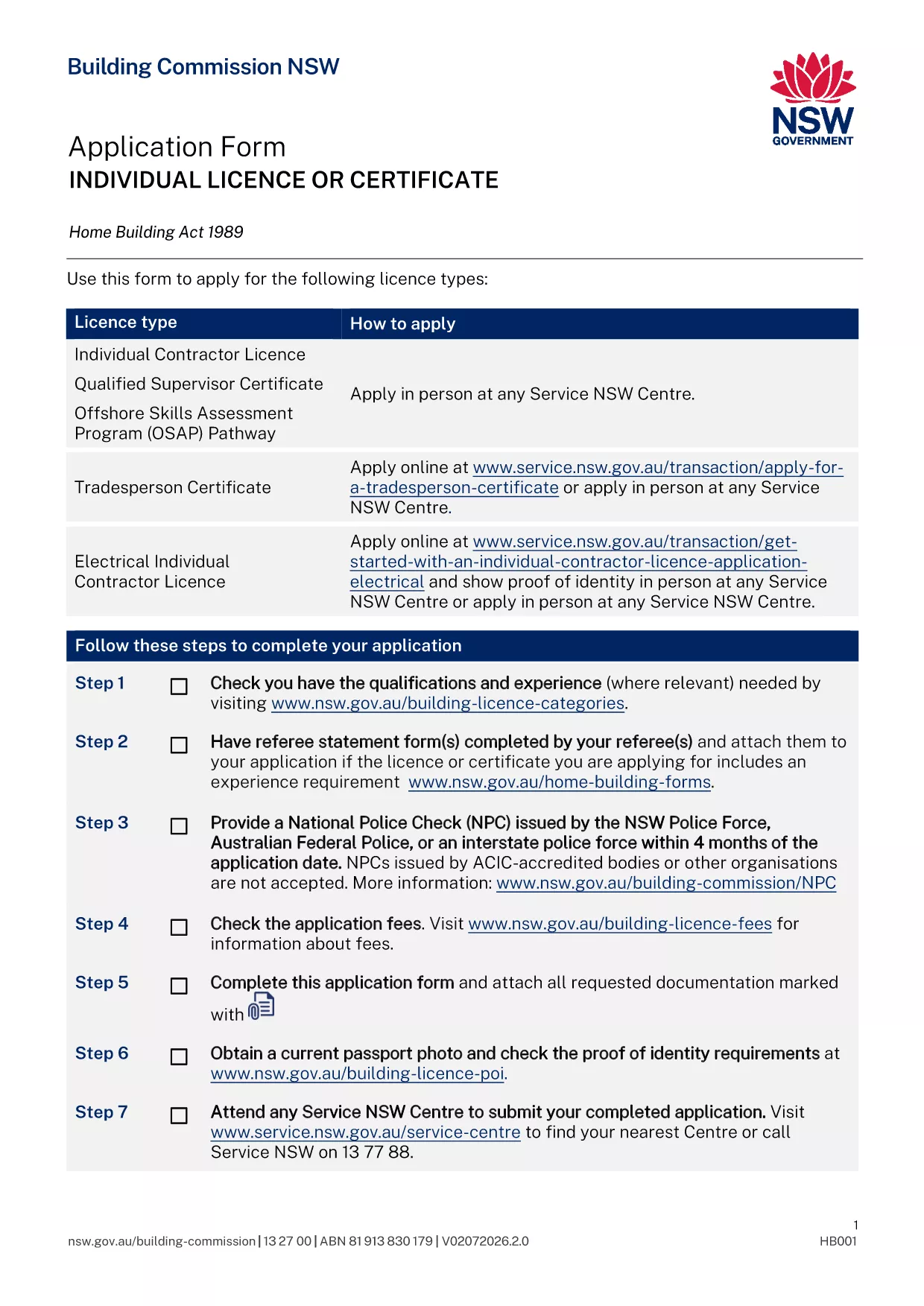
Contractor License Application Form – Fillable PDF

  1. País Austrália
  2. Linguagem Inglês
  3. Departamento Building Commission
  4. Atividade Contractor Licensing
Contractor License Application Form – Fillable PDF

Applying for a contractor licence can feel overwhelming, but with the right form and clear instructions you can finish the process in minutes. The fillable PDF below is the official Application for Contractor Licence used by the Building Commission of New South Wales.

Why This Form Is Required

The Building Commission mandates a completed licence application for anyone who intends to contract, sub‑contract, or advertise residential building or trade work valued over $5,000. Submitting the correct form ensures your licence is processed without delay and keeps you compliant with the Home Building Act 1989.

Documents and Information You’ll Need

  • Proof of identity (driver licence, passport, or Medicare card)
  • Recent passport‑size photo
  • National Police Check (no older than 4 months)
  • Qualifications, employment history, and any relevant trade certificates
  • Details of any past compliance, insolvency, or criminal matters
  • Referee statements if required for your trade category

How to Complete the Form Online with Formize

Instead of downloading the PDF and editing it manually, simply click the "Fill out this form" button on this page. The Formize PDF Filler app will load, letting you type directly into each field, save progress, and download a completed copy ready for submission.

Common Mistakes to Avoid

  • Leaving required fields blank – the filler highlights missing information before you can submit.
  • Uploading an outdated police check – ensure the date is within the last four months.
  • Submitting an unsigned form – use the electronic signature feature in Formize.
  • Forgetting to attach supporting documents – the app lets you attach files before finalising.

What Happens After You Submit

Once you have a completed PDF, bring it to your booked Service NSW appointment or upload it through the online portal. The Building Commission will review your qualifications, fitness‑and‑propriety, and insurance details. You’ll receive a notification of approval, rejection, or a request for additional information within 2‑4 weeks.

PERGUNTAS FREQUENTES
  • Do I need a separate form for a company contractor licence?

    Yes. Companies and partnerships use a different PDF (ap4452.pdf). The form linked here is for individual licences.

  • Can I submit the form without an appointment?

    If you have an ABN and choose the online route, no appointment is needed. For in‑person submissions, you must book a Service NSW appointment.

  • How long is a National Police Check valid?

    The police check must be issued within the last four months at the time you submit your application.

  • What if I make a mistake after I download the PDF?

    Open the PDF again in the Formize filler, correct the error, and re‑download the updated version before submitting.

  • Is there a fee for the contractor licence application?

    Yes. Fees vary by licence class (1, 3, or 5 years). The exact amount is listed on the Service NSW payment page.

  • Do I need insurance before applying?

    You must provide evidence of Home Building Compensation Fund insurance when you submit the application.

  • How will I know if my application is approved?

    The Building Commission will email you a decision or request additional information. You can also check the status via your MyServiceNSW account.

COMO

Como preencher contractor license application gratuitamente, online em 5 etapas fáceis:

  1. 1
    Open the Fillable Form
    Click the "Fill out this form" button on this page. The Formize PDF Filler loads instantly.
  2. 2
    Enter Your Details
    Type directly into each highlighted field – name, address, qualifications, and licence history.
  3. 3
    Attach Supporting Documents
    Use the attachment icon to upload your ID, police check, certificates, and referee statements.
  4. 4
    Review and Sign
    Check every section for completeness, then add an electronic signature using the Formize signature tool.
  5. 5
    Download and Submit
    Save the completed PDF, print it if required, and bring it to your Service NSW appointment or upload it online.
Aplicativo Formize PDF Filler
SOBRE

modelo contractor license application

Com o conjunto tradicional de recursos para visualizar e preencher um documento PDF, combinado com os benefícios de um aplicativo da web e layout responsivo, você pode preencher contractor license application em minutos.

RECURSOS

Preenchimento de PDF

A maneira mais fácil de preencher formulários PDF online

  • Preencha contractor license application rapidamente
    Procurando uma maneira de preencher rapidamente contractor license application online? Com nosso preenchedor de formulário PDF online gratuito, você saberá como editar e preencher este documento PDF em menos de um minuto.
  • Editor de PDF online fácil de usar
    Cansado de imprimir arquivos PDF para poder editá-los antes de digitalizá-los novamente e enviá-los de volta? Edite documentos PDF gratuitamente online. Use nosso editor de PDF online para economizar tempo e papel.
  • Ótimas ferramentas, todas as plataformas
    Quer saber como preencher contractor license application em um Mac, ou talvez como usar um preenchimento de PDF grátis? Nossas ferramentas online de PDF funcionam em todas as plataformas.
  • Armazenamento seguro de arquivos
    Os arquivos "contractor license application" concluídos são armazenados em um banco de dados seguro gerenciado pela hospedagem Amazon Cloud. Você pode excluir seus arquivos do nosso sistema a qualquer momento. Em qualquer caso, esses arquivos são excluídos automaticamente após 24 horas.
  • Converse com {palavra-chave}
    Converse com "contractor license application" no Chatize, que é um assistente gratuito de leitura de PDF. Faça perguntas e obtenha respostas de "contractor license application". Basta clicar no botão Bate-papo com documento acima.

Excluir sessão de preenchimento

Excluir a sessão de preenchimento selecionada? Nesse caso, seu progresso no preenchimento do formulário será perdido.

Excluir sessão de edição

Excluir a sessão de edição selecionada? Neste caso, o seu progresso na criação e edição do formulário será perdido.