Selecione o idioma

Application for Consent Orders – Fillable PDF

  1. Linguagem Inglês
  2. País Austrália
  3. Departamento South Australian Employment Tribunal
  4. Atividade Legal Forms
Application for Consent Orders – Fillable PDF

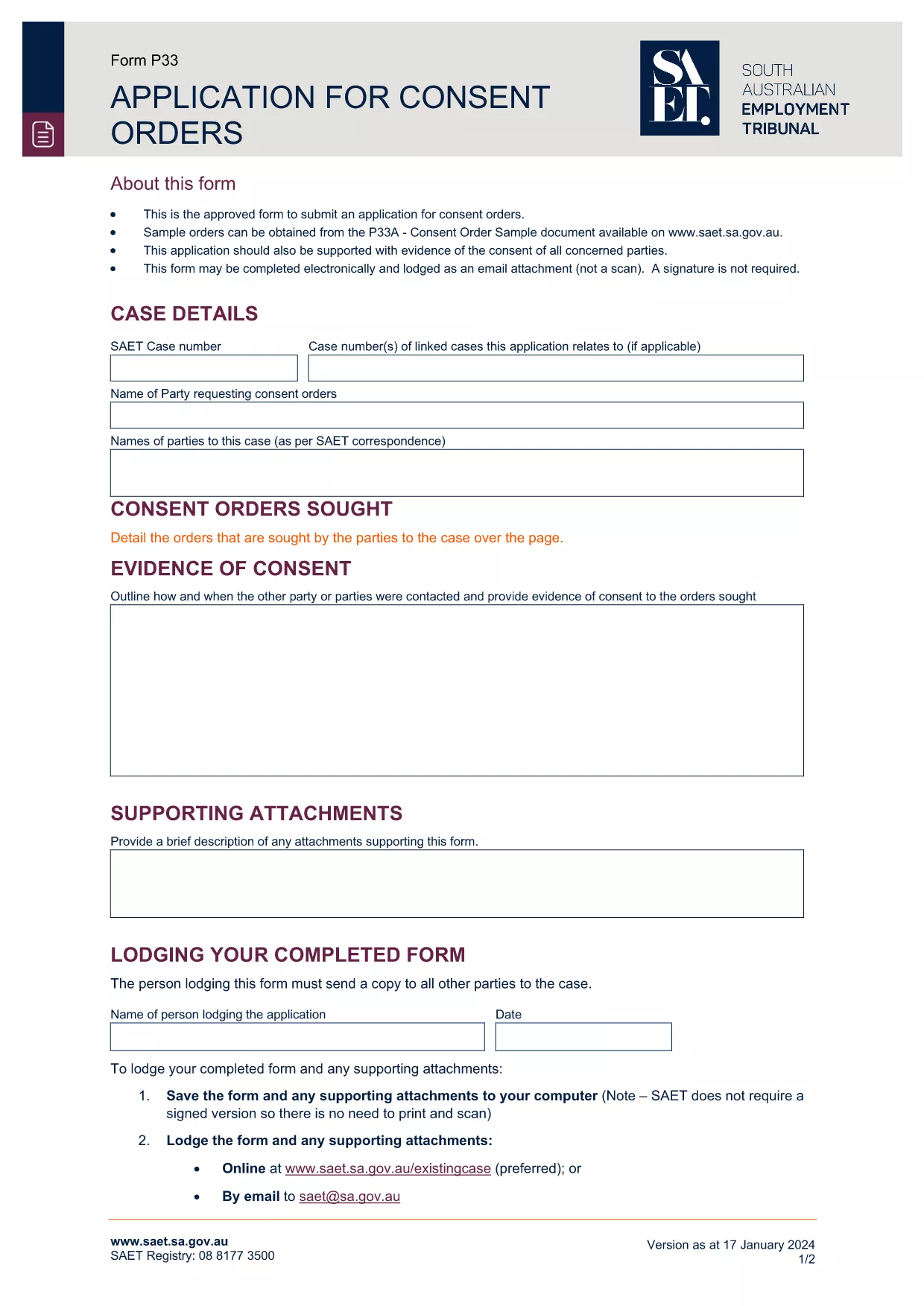
The Application for Consent Orders is the standard form used by tribunals and courts to record mutually‑agreed orders without a hearing. Whether you’re dealing with employment disputes, civil matters, or family law, this form lets the parties outline the terms they have settled on and have the tribunal approve them.

Our fillable PDF version is hosted on Formize, so you can complete the entire application directly in your browser – no extra software required. Simply click the “Fill out this form” button, enter the required information, and download the completed document ready for submission.

What Is an Application for Consent Orders?

A consent order is a legally binding decision that both parties have agreed to. The application asks for details such as the parties’ names, the order’s subject matter, and any supporting documents. Once signed, the tribunal can make the order without a formal hearing.

How to Fill the Consent Order Form Online

Follow the step‑by‑step guide below to complete the form quickly and accurately. The Formize PDF Filler automatically saves your progress, so you never lose data.

Key Sections & Common Mistakes

  • Party Details: Double‑check spelling of names and addresses.
  • Order Description: Be specific; vague language can cause delays.
  • Supporting Attachments: Upload any evidence before submitting.
  • Signature: Both parties must sign; missing signatures invalidate the application.

Download & Print Options

If you prefer a hard copy, you can download the completed PDF and print it. The fillable version retains all your entered data, making it easy to keep a digital record.

Ready to start? Click the button below and let Formize handle the rest.

PERGUNTAS FREQUENTES
  • What is a consent order?

    A consent order is a binding decision made by a tribunal or court that reflects an agreement reached by the parties without the need for a hearing.

  • Do both parties need to sign the application?

    Yes. The form requires the signatures of all parties involved. Missing signatures will cause the application to be rejected.

  • Can I edit the PDF after I download it?

    The fillable version lets you edit all fields before you download. Once downloaded, the PDF is locked unless you use a PDF editor.

  • Is there a fee to use Formize’s PDF filler?

    No. Formize provides a free, secure online filler for this form. You only pay any filing fees that the tribunal may charge.

  • What if I make a mistake while filling the form?

    You can use the “Undo” button in the filler or simply delete the incorrect entry and re‑type it. The tool validates entries to reduce errors.

  • Do I need to attach supporting documents?

    If the tribunal requires evidence (e.g., agreements, receipts), attach them using the “Add Attachment” button before submitting.

  • How do I submit the completed consent order?

    Follow your tribunal’s instructions – typically you upload the PDF through an online portal or deliver a printed copy to the registry.

  • Is the form accepted in all Australian states?

    The specific form shown is for the South Australian Employment Tribunal, but many states use a similar format. Always check your local tribunal’s requirements.

COMO

Como preencher application for consent orders gratuitamente, online em 5 etapas fáceis:

  1. 1
    Click the Fill‑out Button
    Press the “Fill out this form” button on the page to launch Formize’s PDF Filler.
  2. 2
    Wait for the PDF Filler to Load
    A few seconds later the fillable form appears in your browser. No download or installation is needed.
  3. 3
    Enter Your Information
    Complete each field – the tool highlights required sections and validates dates, numbers, and signatures.
  4. 4
    Save and Review
    Use the “Save” button to store your progress, then review all entries for accuracy.
  5. 5
    Download or Submit
    When you’re satisfied, click “Download” to get the finished PDF or follow your tribunal’s submission instructions.
Aplicativo Formize PDF Filler
SOBRE

modelo application for consent orders

Com o conjunto tradicional de recursos para visualizar e preencher um documento PDF, combinado com os benefícios de um aplicativo da web e layout responsivo, você pode preencher application for consent orders em minutos.

RECURSOS

Preenchimento de PDF

A maneira mais fácil de preencher formulários PDF online

  • Preencha application for consent orders rapidamente
    Procurando uma maneira de preencher rapidamente application for consent orders online? Com nosso preenchedor de formulário PDF online gratuito, você saberá como editar e preencher este documento PDF em menos de um minuto.
  • Editor de PDF online fácil de usar
    Cansado de imprimir arquivos PDF para poder editá-los antes de digitalizá-los novamente e enviá-los de volta? Edite documentos PDF gratuitamente online. Use nosso editor de PDF online para economizar tempo e papel.
  • Ótimas ferramentas, todas as plataformas
    Quer saber como preencher application for consent orders em um Mac, ou talvez como usar um preenchimento de PDF grátis? Nossas ferramentas online de PDF funcionam em todas as plataformas.
  • Armazenamento seguro de arquivos
    Os arquivos "application for consent orders" concluídos são armazenados em um banco de dados seguro gerenciado pela hospedagem Amazon Cloud. Você pode excluir seus arquivos do nosso sistema a qualquer momento. Em qualquer caso, esses arquivos são excluídos automaticamente após 24 horas.
  • Converse com {palavra-chave}
    Converse com "application for consent orders" no Chatize, que é um assistente gratuito de leitura de PDF. Faça perguntas e obtenha respostas de "application for consent orders". Basta clicar no botão Bate-papo com documento acima.

Excluir sessão de preenchimento

Excluir a sessão de preenchimento selecionada? Nesse caso, seu progresso no preenchimento do formulário será perdido.

Excluir sessão de edição

Excluir a sessão de edição selecionada? Neste caso, o seu progresso na criação e edição do formulário será perdido.