Selecione o idioma

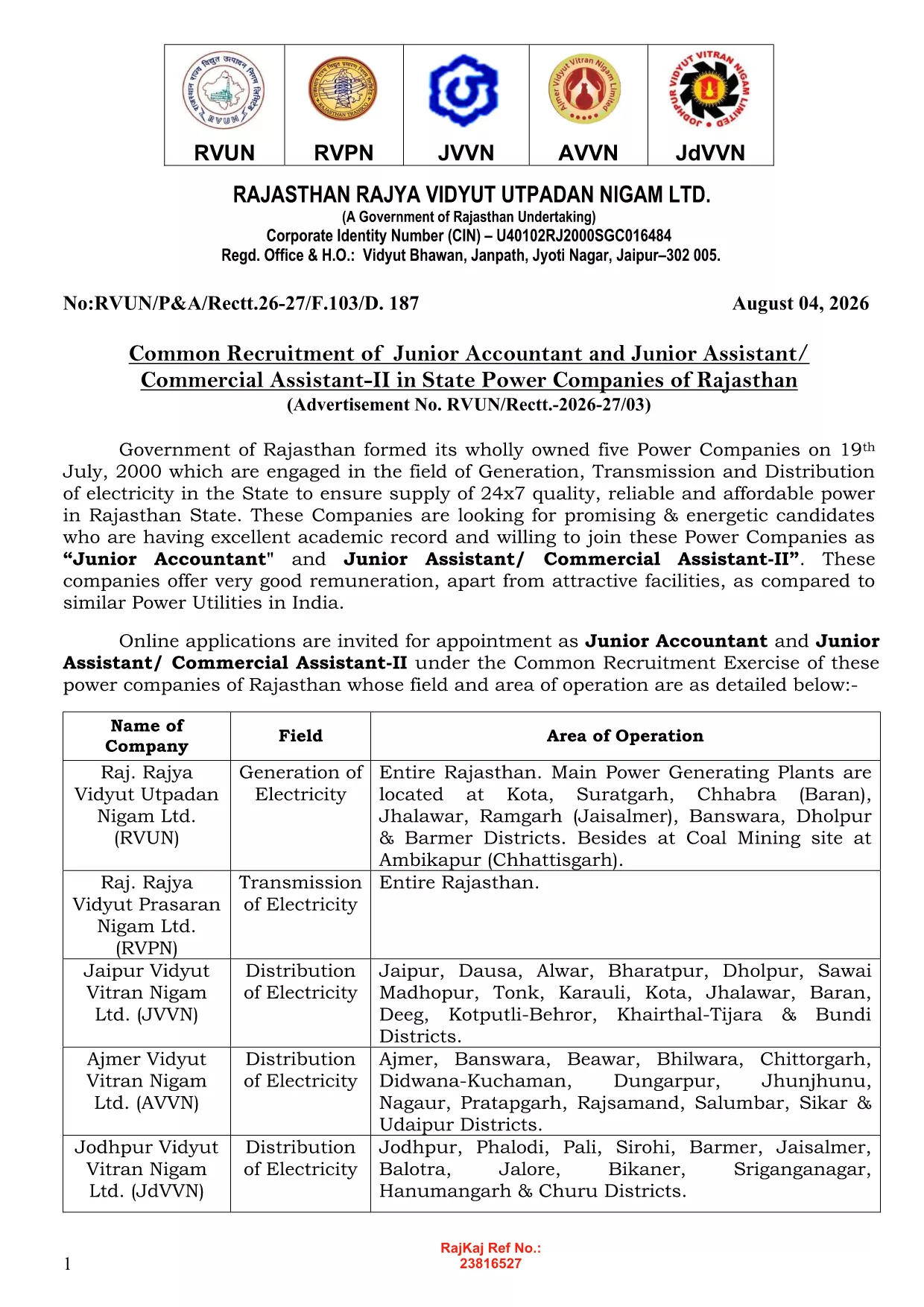
JVVNL Application Form – Fillable PDF

  1. Linguagem Inglês
  2. País Índia
  3. Departamento Energy
  4. Atividade Power Distribution
Preencha este formulário
JVVNL Application Form – Fillable PDF

Looking for the official JVVNL application form in a format that saves you time and effort? Formize offers a fully fillable PDF that you can complete directly in your browser—no printer, scanner, or PDF editor needed.

JVVNL (Jodhpur Vidyut Vitran Nigam Limited) is a key power distribution company in Rajasthan, India. Whether you are applying for a Junior Engineer, technician, or any other vacancy, the same online form applies. Our solution ensures the data you enter is captured accurately, reduces errors, and lets you submit the form with a single click.

Why Use a Fillable PDF?

  • Instant validation: Mandatory fields are highlighted, so you never miss a required entry.
  • Auto‑save: Your progress is saved automatically, letting you return later without losing information.
  • Secure submission: Data is encrypted during the fill process and can be exported as a PDF ready for upload.

How to Complete the JVVNL Form Online

Simply click the "Fill out this form" button on this page. The Formize PDF Filler app will load, and you can start typing, selecting dates, and uploading supporting documents right away.

Common Mistakes to Avoid

  • Leaving mandatory fields blank – the filler will block submission until they are completed.
  • Uploading files in the wrong format – use PDF, JPG, or PNG as required.
  • Submitting outdated certificates – ensure all documents are the latest versions.

Eligibility & Required Documents

Before you start, verify that you meet the basic eligibility criteria for the JVVNL vacancy you are interested in (educational qualification, age limit, and experience). Typical attachments include:

  • Scanned copy of your degree certificate.
  • Recent passport‑size photograph (PDF or JPG).
  • Proof of age (birth certificate or passport).

Download & Save Your Completed Form

After filling out the form, click "Download PDF" to save a copy for your records. You can then upload it through the official JVVNL recruitment portal or email it as instructed in the vacancy notice.

PERGUNTAS FREQUENTES
  • Is the JVVNL application form truly free to use?

    Yes. Formize provides the fillable PDF at no cost. You only need an internet connection and a modern browser.

  • Can I edit the form after I have downloaded it?

    Absolutely. The PDF remains fully editable with Formize’s online filler, so you can make changes anytime before the final submission deadline.

  • What file formats are accepted for supporting documents?

    PDF, JPG, and PNG are accepted. Each file must not exceed 2 MB to ensure smooth uploading.

  • Do I need to install any software to fill the form?

    No installation is required. The Formize PDF Filler runs completely in your browser.

  • Will my data be stored on Formize’s servers?

    Your data is processed only in your browser session and is not stored permanently on our servers.

  • What should I do if I encounter an error while filling the form?

    Refresh the page and reopen the filler. If the problem persists, try a different browser or clear your cache.

  • How can I verify that my application was submitted correctly?

    After downloading the completed PDF, you will receive a confirmation screen with a reference number. Keep this number for future reference.

COMO

Como preencher JVVNL application form gratuitamente, online em 4 etapas fáceis:

  1. 1
    Open the Fillable Form
    Click the "Fill out this form" button on the page. The Formize PDF Filler will open in a new window.
  2. 2
    Enter Your Details
    Type directly into each field, select dates from the calendar widget, and upload required documents where prompted.
  3. 3
    Validate the Information
    The filler highlights any missing or incorrectly formatted entries. Correct them before proceeding.
  4. 4
    Save or Export
    When all fields are complete, click "Download PDF" to save a copy, or use the "Submit" button to send it to the official JVVNL portal.
Aplicativo Formize PDF Filler
SOBRE

modelo JVVNL application form

Com o conjunto tradicional de recursos para visualizar e preencher um documento PDF, combinado com os benefícios de um aplicativo da web e layout responsivo, você pode preencher JVVNL application form em minutos.

RECURSOS

Preenchimento de PDF

A maneira mais fácil de preencher formulários PDF online

  • Preencha JVVNL application form rapidamente
    Procurando uma maneira de preencher rapidamente JVVNL application form online? Com nosso preenchedor de formulário PDF online gratuito, você saberá como editar e preencher este documento PDF em menos de um minuto.
  • Editor de PDF online fácil de usar
    Cansado de imprimir arquivos PDF para poder editá-los antes de digitalizá-los novamente e enviá-los de volta? Edite documentos PDF gratuitamente online. Use nosso editor de PDF online para economizar tempo e papel.
  • Ótimas ferramentas, todas as plataformas
    Quer saber como preencher JVVNL application form em um Mac, ou talvez como usar um preenchimento de PDF grátis? Nossas ferramentas online de PDF funcionam em todas as plataformas.
  • Armazenamento seguro de arquivos
    Os arquivos "JVVNL application form" concluídos são armazenados em um banco de dados seguro gerenciado pela hospedagem Amazon Cloud. Você pode excluir seus arquivos do nosso sistema a qualquer momento. Em qualquer caso, esses arquivos são excluídos automaticamente após 24 horas.
  • Converse com {palavra-chave}
    Converse com "JVVNL application form" no Chatize, que é um assistente gratuito de leitura de PDF. Faça perguntas e obtenha respostas de "JVVNL application form". Basta clicar no botão Bate-papo com documento acima.

Excluir sessão de preenchimento

Excluir a sessão de preenchimento selecionada? Nesse caso, seu progresso no preenchimento do formulário será perdido.

Excluir sessão de edição

Excluir a sessão de edição selecionada? Neste caso, o seu progresso na criação e edição do formulário será perdido.