


Formulários da Receita Federal (IRS)
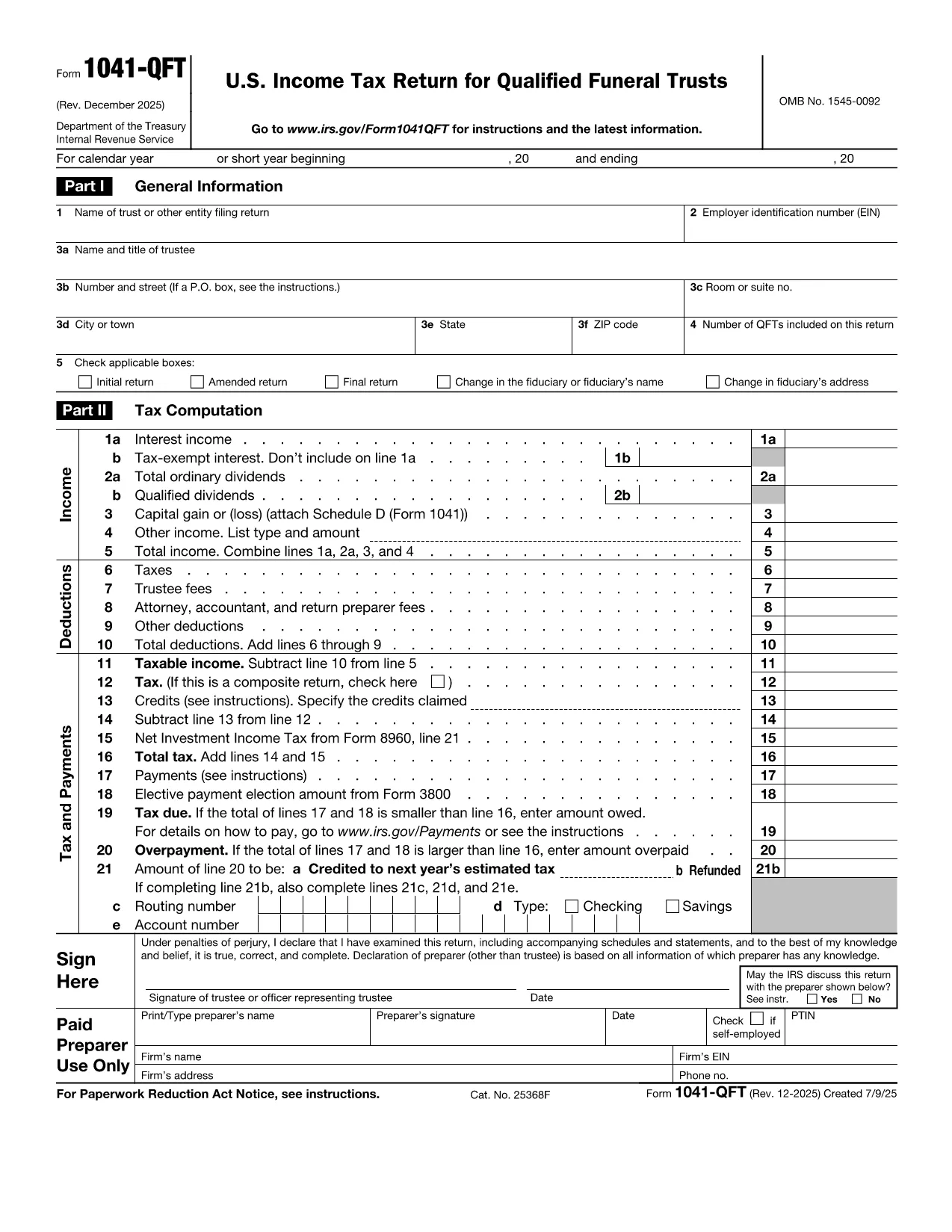
Form 1041-QFT é um dos formulários fiscais oficiais usados nos Estados Unidos para relatar receitas, reivindicar deduções e créditos, calcular obrigações fiscais e cumprir outras obrigações fiscais. O IRS é a agência federal responsável por administrar e fazer cumprir as leis de receita interna nos Estados Unidos.
Aqui estão alguns exemplos de formulários da Receita Federal:
Formulário 1040: Este é o principal formulário de declaração de imposto de renda individual usado pela maioria dos contribuintes. É usado para relatar vários tipos de receitas, reivindicar deduções e créditos, calcular obrigações fiscais e determinar se um contribuinte deve impostos adicionais ou tem direito a um reembolso.
Formulário 1099: existem diferentes variações do Formulário 1099, como 1099-MISC, 1099-INT, 1099-DIV, etc. Esses formulários são usados para relatar renda recebida por indivíduos ou empresas de várias fontes além do emprego, como trabalho autônomo receita, receita de juros, receita de dividendos e receita de aluguel.
Formulário W-2: Este formulário é usado pelos empregadores para informar os salários pagos aos funcionários e os impostos retidos de seu salário. Os funcionários usam as informações do Formulário W-2 para preencher suas declarações fiscais individuais.
Formulário 941: Os empregadores usam este formulário para relatar impostos trabalhistas, incluindo imposto de renda federal retido, imposto de seguridade social e imposto de Medicare, para seus funcionários.
Formulário 1065: Este formulário é usado por parcerias para relatar seus rendimentos, deduções e obrigações fiscais. As próprias parcerias não pagam imposto de renda; em vez disso, os parceiros reportam a sua parte dos rendimentos da parceria nas suas declarações fiscais individuais.
Formulário 1120: Este é o formulário de declaração de imposto de renda corporativo usado pelas empresas C para relatar sua renda, deduções e obrigações fiscais.
Formulário 990: este formulário é usado por organizações isentas de impostos, como organizações sem fins lucrativos e instituições de caridade, para relatar suas informações financeiras, atividades e conformidade com as leis tributárias.
Formulário 8862: este formulário é usado por contribuintes que solicitaram anteriormente o Crédito de Imposto de Renda do Trabalho (EITC) mas ele foi desautorizado e agora quer reivindicá-lo novamente.
Estes são apenas alguns exemplos dos numerosos formulários de IRS que existem para cumprir diversas obrigações fiscais. Os formulários específicos exigidos para um indivíduo ou empresa dependem de suas circunstâncias únicas, fontes de renda e deduções. É aconselhável consultar o site oficial da Receita Federal (www.irs.gov) ou procurar aconselhamento fiscal profissional para obter informações precisas e atualizadas sobre o IRS específico. formulários relevantes para sua situação fiscal.