
Selecione o idioma

Form 5285 – Skills Test Failure (Behind‑the‑Wheel) Fillable PDF

  1. Linguagem Inglês
  2. País EUA
  3. Atividade Carteira de motorista
  4. Estado Missouri
Form 5285 – Skills Test Failure (Behind‑the‑Wheel) Fillable PDF

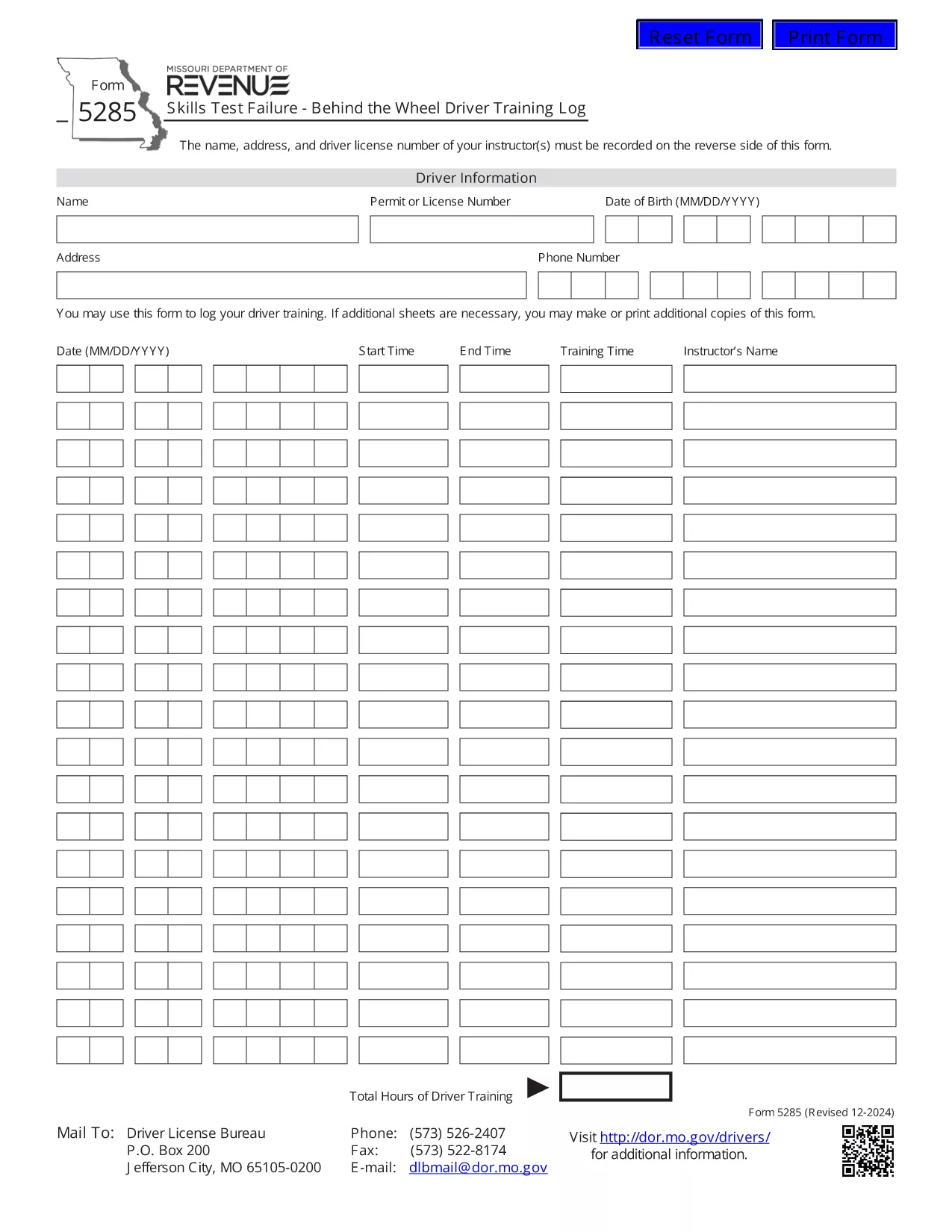
Form 5285 is the official Missouri Skills Test Failure – Behind the Wheel Driver Training Log. Instructors use this form to record a driver’s failure during a behind‑the‑wheel skills test, including instructor details, driver information, and the specific skills that were not met.

What Is Form 5285?

This form is required by the Missouri Department of Revenue – Driver Licensing Division. It captures:

  • Instructor name, address, and license number
  • Driver’s personal details
  • Date and location of the test
  • Specific skills that were failed
  • Signature of the instructor

How to Fill Out Form 5285 Online

Instead of printing, printing, and scanning, you can complete the form directly in your browser using Formize’s fillable PDF technology:

  1. Click the "Fill out this form" button on this page.
  2. Wait a few seconds while the Formize PDF Filler app loads the PDF.
  3. Enter the required information in each field. The form is fully interactive – just type or select from drop‑down menus.
  4. When you’re done, click Save to store a copy in your browser or download a completed PDF.
  5. Print the completed document if a hard copy is needed for submission.

Common Mistakes to Avoid

  • Leaving required fields blank: The PDF will highlight missing information before you can save.
  • Incorrect instructor license number: Double‑check the number on the instructor’s license.
  • Using the wrong date format: Missouri requires MM/DD/YYYY.
  • Submitting an unsigned form: The instructor’s signature is mandatory.

Where to Submit the Completed Form

After you have saved the filled form, submit it to the nearest Missouri Department of Revenue driver licensing office or mail it to the address listed on the form’s instructions. Some offices also accept electronic submissions via email – call your local office to confirm.

Download the Official PDF

If you prefer the original PDF for offline use, you can download it directly from the Missouri Department of Revenue:

Download Form 5285 (PDF)

PERGUNTAS FREQUENTES
  • What is the purpose of Form 5285?

    Form 5285 records a driver’s failure on a behind‑the‑wheel skills test. It provides the Missouri Department of Revenue with details needed to issue a retest or take corrective action.

  • Can I fill out Form 5285 on a mobile device?

    Yes. The Formize fillable PDF works on smartphones and tablets. Just tap the "Fill out this form" button and complete the fields using your device’s keyboard.

  • Do I need to print the form after filling it online?

    Only if your local licensing office requires a hard copy. Many offices now accept a saved PDF sent by email or uploaded through their portal.

  • Is there a fee to use the Formize PDF Filler?

    No. Formize provides free, secure filling of Missouri state forms, including Form 5285.

  • What should I do if I make a mistake after saving?

    Open the saved PDF again with the Formize filler, edit the incorrect fields, and re‑save. The filler preserves all previously entered data.

  • Where can I find the official instructions for Form 5285?

    The official instructions are included on the last page of the PDF you download from the Missouri Department of Revenue website.

COMO

Como preencher Form 5285 gratuitamente, online em 4 etapas fáceis:

  1. 1
    Open the Fillable Form
    Click the "Fill out this form" button on the page. The Formize PDF Filler loads the Form 5285 directly in your browser.
  2. 2
    Enter the Required Information
    Type the instructor’s name, address, license number, driver details, test date, and failed skill items into the highlighted fields.
  3. 3
    Review and Save
    Use the built‑in validation to ensure all required fields are completed, then click "Save" to store a copy or download the completed PDF.
  4. 4
    Print or Submit Electronically
    Print the saved PDF for a hard‑copy submission, or follow your local office’s instructions for electronic delivery.
Aplicativo Formize PDF Filler
SOBRE

Formulários de solicitação de carteira de motorista

Na maioria dos países, é obrigatório ter uma carteira de motorista antes de pegar a estrada. Tirar a carteira de motorista é um marco importante para quem quer dirigir um carro.

Form 5285 é um dos formulários de solicitação de carteira de motorista que são documentos usados ​​para coletar informações de pessoas que desejam solicitar uma carteira de motorista. Geralmente contém campos para o nome do requerente, data de nascimento, número de identificação, informações de contato, bem como o histórico e a experiência da carteira de motorista.

RECURSOS

Preenchimento de PDF

A maneira mais fácil de preencher formulários PDF online

  • Preencha Form 5285 rapidamente
    Procurando uma maneira de preencher rapidamente Form 5285 online? Com nosso preenchedor de formulário PDF online gratuito, você saberá como editar e preencher este documento PDF em menos de um minuto.
  • Editor de PDF online fácil de usar
    Cansado de imprimir arquivos PDF para poder editá-los antes de digitalizá-los novamente e enviá-los de volta? Edite documentos PDF gratuitamente online. Use nosso editor de PDF online para economizar tempo e papel.
  • Ótimas ferramentas, todas as plataformas
    Quer saber como preencher Form 5285 em um Mac, ou talvez como usar um preenchimento de PDF grátis? Nossas ferramentas online de PDF funcionam em todas as plataformas.
  • Armazenamento seguro de arquivos
    Os arquivos "Form 5285" concluídos são armazenados em um banco de dados seguro gerenciado pela hospedagem Amazon Cloud. Você pode excluir seus arquivos do nosso sistema a qualquer momento. Em qualquer caso, esses arquivos são excluídos automaticamente após 24 horas.
  • Converse com {palavra-chave}
    Converse com "Form 5285" no Chatize, que é um assistente gratuito de leitura de PDF. Faça perguntas e obtenha respostas de "Form 5285". Basta clicar no botão Bate-papo com documento acima.

Excluir sessão de preenchimento

Excluir a sessão de preenchimento selecionada? Nesse caso, seu progresso no preenchimento do formulário será perdido.

Excluir sessão de edição

Excluir a sessão de edição selecionada? Neste caso, o seu progresso na criação e edição do formulário será perdido.