
Selecteaza limba

Application to Resume Australian Citizenship (Form 132) – Fill Online

  1. Limba Engleză
  2. Țară Australia
  3. Activitate Cetățenie
  4. Departament Home Affairs
Application to Resume Australian Citizenship (Form 132) – Fill Online

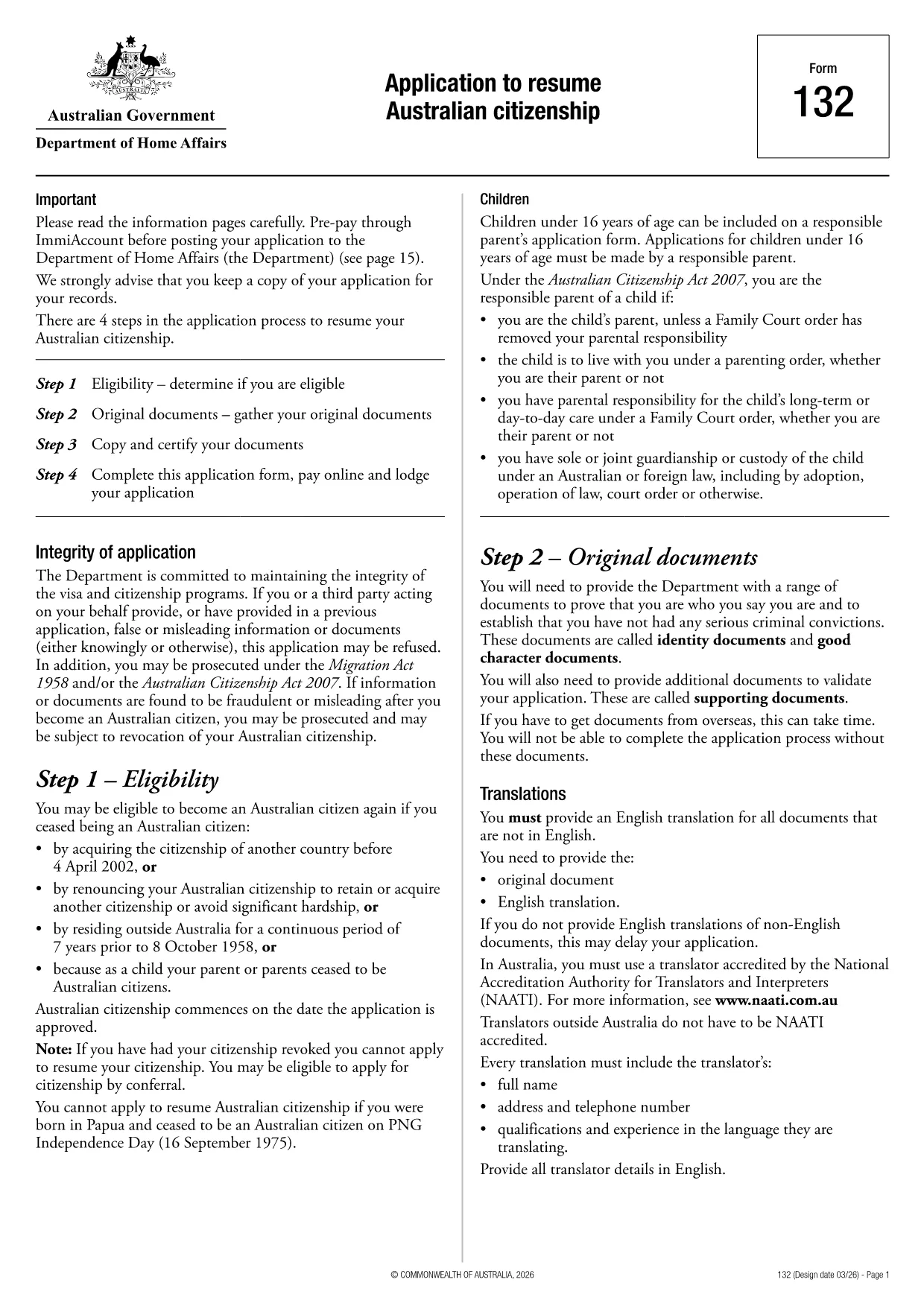
If you need to resume your Australian citizenship, you’ll use Form 132 – Application to Resume Australian Citizenship. This official PDF can now be completed entirely online with the Formize PDF Filler, so you never have to print, scan, or manually edit the document.

Why Use the Online Formize PDF Filler?

The Formize filler loads the exact PDF you need, preserving the government‑approved layout while letting you type directly into each field. Benefits include:

  • Instant validation of required fields
  • Automatic saving – you can pause and return later
  • Secure, browser‑based processing – no software install
  • One‑click download of the completed PDF for submission

Step‑by‑Step Guide to Completing Form 132

Follow these simple steps to fill out the application correctly:

  1. Click the “Fill out this form” button below.
  2. Wait for the Formize PDF Filler app to load the PDF.
  3. Enter your personal details, citizenship history, and reasons for resumption.
  4. Attach any required supporting documents (e.g., passport copy, proof of residence).
  5. Review the completed form for accuracy.
  6. Download the finished PDF and submit it to the Department of Home Affairs.

Common Mistakes to Avoid

Even with an easy online tool, mistakes happen. Avoid these pitfalls:

  • Leaving mandatory fields blank – the filler will highlight them.
  • Uploading files in the wrong format (use PDF, JPG, or PNG only).
  • Using an outdated version of the form – the link below always points to the latest Form 132.

Eligibility & Supporting Documents

Before you start, make sure you meet the eligibility criteria:

  • You previously held Australian citizenship.
  • You have been outside Australia for a period that requires resumption.
  • You can provide proof of identity and residency.

Typical supporting documents include a current passport, a statutory declaration, and any relevant court orders.

Where to Submit Your Application

After downloading the completed PDF, submit it through the Department of Home Affairs portal or mail it to the address listed on the form. Keep a copy for your records.

Ready to get started? Click the button below and let Formize handle the rest.

FAQ
  • Do I need to download any software to fill Form 132?

    No. Formize’s PDF filler works entirely in your web browser, so there’s nothing to install.

  • Can I save my progress and return later?

    Yes. The filler automatically saves your entries locally, allowing you to close the browser and continue later.

  • What file formats are accepted for supporting documents?

    PDF, JPG, and PNG are accepted. Make sure each file is under 5 MB for smooth uploading.

  • Is the online filler secure?

    All data is processed locally in your browser and never stored on our servers. Your information remains private.

  • Can I print the completed form directly from the filler?

    After you finish, click the “Download” button to save the completed PDF, then print it using any PDF viewer.

  • What if I make a mistake after downloading?

    You can reopen the downloaded PDF in Formize’s filler, correct the error, and download a new version.

  • Where do I send the finished Form 132?

    Submit the PDF through the Department of Home Affairs online portal or mail it to the address listed on the form.

CUM SĂ

Cum să completați Australian citizenship resume form gratuit, online, în 4 pași simpli:

  1. 1
    Open the Form
    Click the “Fill out this form” button on this page. The Formize PDF Filler will launch in your browser.
  2. 2
    Enter Your Details
    Type directly into each highlighted field – the filler automatically saves your progress.
  3. 3
    Upload Supporting Documents
    Use the “Attach File” option to add passport scans, statutory declarations, or other required PDFs.
  4. 4
    Review and Submit
    Check every section for completeness, then download the finished PDF and send it to the Department of Home Affairs.
Aplicația Formize PDF Filler
DESPRE

Formulare de cetățenie

Australian citizenship resume form este unul dintre formularele de cetățenie care sunt documente care sunt folosite pentru a solicita cetățenia într-o țară. Formele și cerințele exacte pentru cetățenie variază în funcție de țară, dar, în general, procesul implică furnizarea de informații personale și dovezi de eligibilitate pentru cetățenie.

În Statele Unite, cel mai comun formular de cetățenie este cererea N-400 pentru naturalizare. Acest formular este utilizat de rezidenții permanenți legali (deținătorii de card verde) pentru a solicita cetățenia SUA. Formularul solicită informații personale, cum ar fi numele, data nașterii și informațiile de contact, precum și informații despre statutul de imigrare al solicitantului, antecedentele penale și alte cerințe de eligibilitate.

Alte țări pot avea forme și cerințe diferite pentru cetățenie, dar procesul de bază implică de obicei furnizarea de informații despre trecutul solicitantului și îndeplinirea anumitor criterii de eligibilitate. Aceasta poate include trecerea unui test de cetățenie, demonstrarea cunoștințelor despre istoria și guvernul țării și demonstrarea competenței în limba țării.

Este important de menționat că procesul de obținere a cetățeniei poate fi complex și consumatoare de timp. Se recomandă ca persoanele care caută cetățenia să se consulte cu un avocat de imigrare sau alt profesionist calificat pentru a ajuta la navigarea procesului și pentru a se asigura că toate formularele și cerințele necesare sunt îndeplinite.

CARACTERISTICI

Filler PDF

Cel mai simplu mod de a completa Australian citizenship resume form online

  • Completați rapid Australian citizenship resume form
    Căutați o modalitate de a completa rapid Australian citizenship resume form online? Cu ajutorul nostru online gratuit de completare a formularelor PDF, veți ști cum să editați și să completați acest document pdf în mai puțin de un minut.
  • Editor PDF online ușor de utilizat
    Sătul de tipărirea fișierelor PDF pentru a le putea edita, înainte de a le rescana și a le trimite înapoi? Editați documente PDF gratuit online. Utilizați editorul nostru online de pdf pentru a economisi timp și hârtie.
  • Instrumente grozave, toate platformele
    Vă întrebați cum să completați Australian citizenship resume form pe un Mac sau poate cum să utilizați un fișier PDF gratuit? Instrumentele noastre PDF online funcționează pe toate platformele.
  • Stocare securizată a fișierelor
    Fișierele „Australian citizenship resume form” finalizate sunt stocate într-o bază de date securizată gestionată de Amazon Cloud hosting. Puteți șterge oricând fișierele din sistemul nostru. În orice caz, aceste fișiere sunt șterse automat după 24 de ore.
  • Chat cu Australian citizenship resume form
    Conversați cu „Australian citizenship resume form” pe Chatize, care este un asistent de citire PDF gratuit. Puneți întrebări și obțineți răspunsuri de la „Australian citizenship resume form”. Doar faceți clic pe butonul Conversați cu documentul de mai sus.

Ștergeți sesiunea de umplere

Ștergeți sesiunea de umplere selectată? În acest caz, progresul dumneavoastră în completarea formularului se va pierde.

Ștergeți sesiunea de editare

Ștergeți sesiunea de editare selectată? În acest caz, progresul dvs. în crearea și editarea formularului se va pierde.