
Selecteaza limba

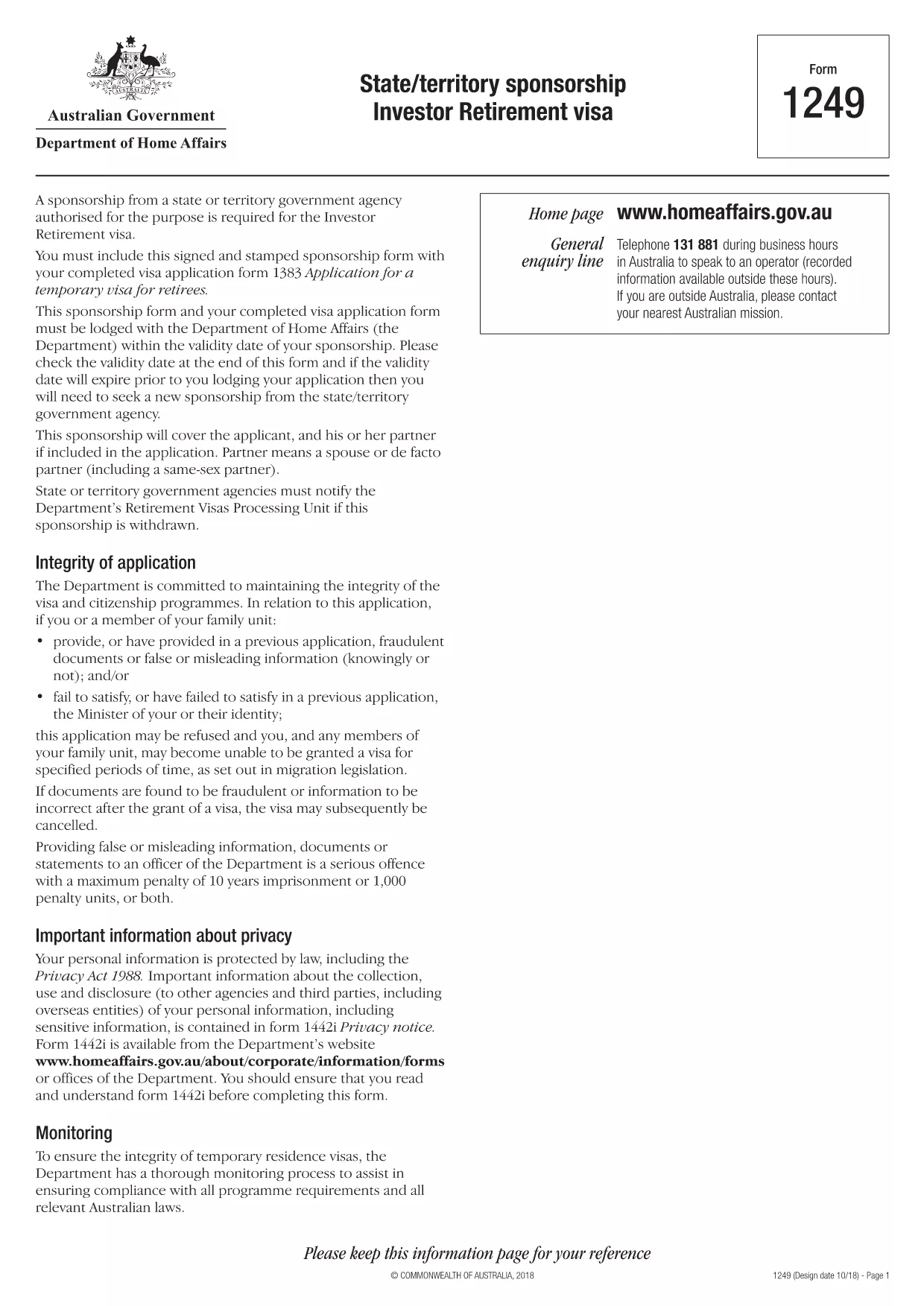
Form 1249 – State/Territory Sponsorship for the Investor Retirement Visa

  1. Limba Engleză
  2. Țară Australia
  3. Activitate Vize
Form 1249 – State/Territory Sponsorship for the Investor Retirement Visa

Form 1249 is the official State/Territory Sponsorship document required for the Australian Investor Retirement Visa (subclass 188‑IR). The sponsoring state or territory government must approve the applicant’s investment plan before the Department of Home Affairs processes the visa.

This landing page lets you view, fill, and download the fillable PDF directly in your browser – no extra software needed. Just click the “Fill out this form” button and the Formize PDF Filler will load the form for you.

What Is Form 1249 and Who Needs It?

The form captures details about the applicant’s proposed investment, the sponsoring government’s commitment, and the validity period of the sponsorship. It is required for:

  • Applicants of the Investor Retirement visa (subclass 188‑IR)
  • State or territory agencies that are sponsoring the applicant
  • Legal representatives preparing a visa package

How to Complete Form 1249 Online with Formize

Follow these simple steps to fill the form without downloading any software:

  1. Click the “Fill out this form” button on this page.
  2. Wait a few seconds while the Formize PDF Filler loads the fillable PDF.
  3. Enter all required information in the highlighted fields. The filler validates dates and numeric entries automatically.
  4. When you finish, click **Save & Download** to get a completed PDF ready for submission.

Common Mistakes & Tips for a Successful Submission

  • Validity date – Double‑check the sponsorship validity at the bottom of the form. If it expires before you lodge your visa, you’ll need a new sponsorship.
  • Signature fields – Use the built‑in signature tool in Formize or print, sign, and scan the final PDF.
  • Investment details – Provide exact figures and currency; rounding errors cause delays.
  • Supporting documents – Attach the required business plan, proof of funds, and any state‑specific endorsement letters.

Where to Submit the Completed Sponsorship Form

After saving the filled PDF, include it with your visa application package and lodge it through the Department of Home Affairs portal. The sponsoring state/territory must also retain a copy for their records.

Need a printable version? Use the direct download link below.

FAQ
  • What is the purpose of Form 1249?

    Form 1249 records the sponsorship commitment from an Australian state or territory for an Investor Retirement visa applicant.

  • Can I fill Form 1249 on a mobile device?

    Yes. The Formize PDF Filler works on modern smartphones and tablets as long as the browser supports PDF rendering.

  • Do I need to print the form to sign it?

    You can sign electronically using the Formize signature tool, or print, sign, and scan the final PDF before submission.

  • How long is the sponsorship validity?

    The validity period is printed on the last page of the form. It must remain active until the visa is granted; otherwise a new sponsorship is required.

  • What happens if I make a mistake after downloading?

    Open the saved PDF again with Formize, edit the incorrect fields, and re‑download the corrected version.

  • Is there a fee to use Formize’s filler?

    No, the Formize PDF Filler is free for all users on this page.

  • Where do I send the completed Form 1249?

    Include the completed form with your visa application package and lodge it through the Department of Home Affairs online portal.

  • Do I need a separate form for each state or territory?

    Form 1249 is the same nationwide, but the sponsoring agency (state or territory) must complete the sponsorship section.

CUM SĂ

Cum să completați Form 1249 gratuit, online, în 4 pași simpli:

  1. 1
    Open the Fillable Form
    Click the “Fill out this form” button on the page. The Formize PDF Filler will open the fillable Form 1249 in your browser.
  2. 2
    Enter Your Information
    Complete each highlighted field. The filler checks dates, numbers and required formats automatically.
  3. 3
    Save and Download
    When all sections are filled, press “Save & Download” to get a completed PDF ready for submission to the Department of Home Affairs.
  4. 4
    Submit with Your Visa Application
    Attach the saved PDF to your Investor Retirement visa (subclass 188‑IR) application through the Home Affairs online portal.
Aplicația Formize PDF Filler
DESPRE

Formulare de viză

Form 1249 este unul dintre formularele de viză care sunt documente care sunt folosite pentru a solicita o viză de intrare într-o țară străină. O viză este un document care permite unui cetățean străin să intre, să rămână și, uneori, să lucreze într-o țară străină pentru o anumită perioadă de timp. Formele și cerințele exacte pentru obținerea unei vize variază în funcție de țară și tipul de viză.

Formularele de viză necesită de obicei informații personale, cum ar fi numele, data nașterii și informații despre pașaport, precum și informații despre scopul și durata călătoriei, destinația prevăzută și dacă solicitantului i s-a refuzat anterior o viză sau a fost deportat dintr-o țară. Formularele pot necesita, de asemenea, documente justificative, cum ar fi pașaport, fotografii și dovada sprijinului financiar.

În Statele Unite, cele mai comune formulare de viză sunt formularele DS-160 și DS-260. Formularul DS-160 este folosit pentru a solicita o viză de nonimigrant, în timp ce formularul DS-260 este folosit pentru a solicita o viză de imigrant. Aceste formulare necesită informații detaliate despre istoricul personal și de călătorie al solicitantului, precum și documente justificative, cum ar fi pașaport, itinerar de călătorie și evidențe financiare.

Alte țări pot avea forme și cerințe diferite de viză, dar procesul de bază implică de obicei completarea unei cereri de viză, furnizarea de documente justificative și participarea la un interviu cu un ofițer consular la o ambasadă sau consulat al SUA. Este important de reținut că procesul de solicitare a vizei poate fi complex și consuma mult timp și se recomandă ca persoanele care solicită o viză să se consulte cu un avocat de imigrare sau alt profesionist calificat pentru a se asigura că toate formularele și cerințele necesare sunt îndeplinite.

CARACTERISTICI

Filler PDF

Cel mai simplu mod de a completa Form 1249 online

  • Completați rapid Form 1249
    Căutați o modalitate de a completa rapid Form 1249 online? Cu ajutorul nostru online gratuit de completare a formularelor PDF, veți ști cum să editați și să completați acest document pdf în mai puțin de un minut.
  • Editor PDF online ușor de utilizat
    Sătul de tipărirea fișierelor PDF pentru a le putea edita, înainte de a le rescana și a le trimite înapoi? Editați documente PDF gratuit online. Utilizați editorul nostru online de pdf pentru a economisi timp și hârtie.
  • Instrumente grozave, toate platformele
    Vă întrebați cum să completați Form 1249 pe un Mac sau poate cum să utilizați un fișier PDF gratuit? Instrumentele noastre PDF online funcționează pe toate platformele.
  • Stocare securizată a fișierelor
    Fișierele „Form 1249” finalizate sunt stocate într-o bază de date securizată gestionată de Amazon Cloud hosting. Puteți șterge oricând fișierele din sistemul nostru. În orice caz, aceste fișiere sunt șterse automat după 24 de ore.
  • Chat cu Form 1249
    Conversați cu „Form 1249” pe Chatize, care este un asistent de citire PDF gratuit. Puneți întrebări și obțineți răspunsuri de la „Form 1249”. Doar faceți clic pe butonul Conversați cu documentul de mai sus.

Ștergeți sesiunea de umplere

Ștergeți sesiunea de umplere selectată? În acest caz, progresul dumneavoastră în completarea formularului se va pierde.

Ștergeți sesiunea de editare

Ștergeți sesiunea de editare selectată? În acest caz, progresul dvs. în crearea și editarea formularului se va pierde.