
Selecteaza limba

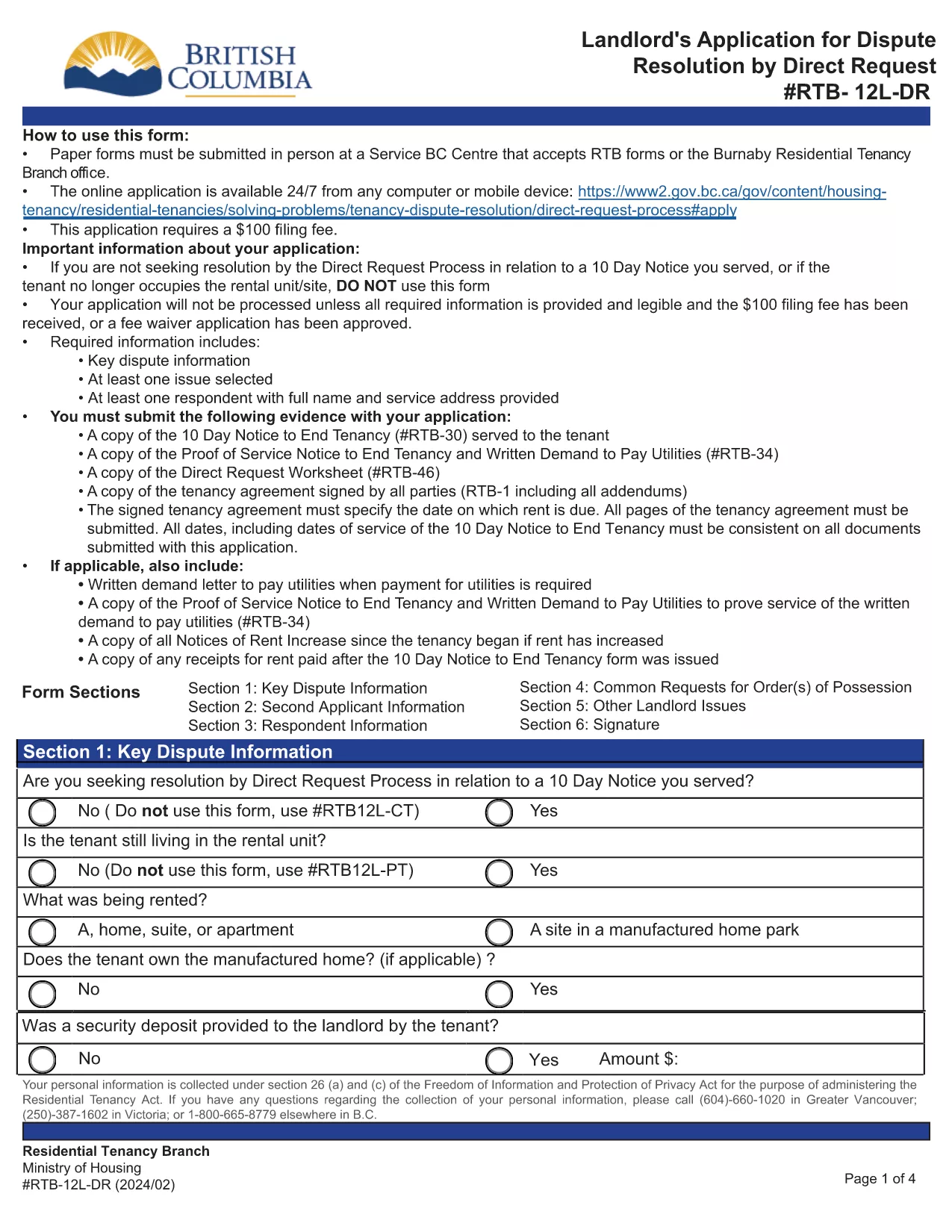
RTB‑12L‑DR Landlord Application for Dispute Resolution (Fillable PDF)

  1. Limba Engleză
  2. Țară Canada
  3. Activitate Închiriere
  4. Stat British Columbia
RTB‑12L‑DR Landlord Application for Dispute Resolution (Fillable PDF)

The RTB‑12L‑DR is the official British Columbia Residential Tenancy Branch (RTB) form used by landlords to request a dispute resolution hearing by Direct Request. This form starts the process for resolving issues such as unpaid rent, damage to the rental unit, or breaches of the tenancy agreement.

What Is the RTB‑12L‑DR Form?

Designed for landlords, the RTB‑12L‑DR captures essential information about the tenancy, the nature of the dispute, and the remedy sought. It is required for all direct‑request applications and must be submitted in person or by mail to a Service BC centre that accepts RTB forms.

How to Complete the RTB‑12L‑DR Online

Instead of printing and filling out a paper copy, you can use Formize’s free fillable PDF feature. Follow these simple steps:

  • Click the “Fill out this form” button on this page.
  • Wait for the Formize PDF Filler app to load (usually a few seconds).
  • Enter your information in each field – the form automatically saves your progress.
  • Review the completed form, add your electronic signature, and click “Submit”.
  • Download the finished PDF or print it for submission.

Common Mistakes to Avoid

  • Leaving sections blank: Every field marked with an asterisk (*) is mandatory.
  • Incorrect dates: Use the exact dates from the tenancy agreement and any relevant notices.
  • Mismatched signatures: The landlord or authorized agent must sign; a missing signature will delay processing.
  • Submitting the wrong form: Ensure you are using RTB‑12L‑DR (Direct Request) and not the current‑tenancy or expedited‑hearing versions.

Where to Submit Your Application

After completing the form, you have two options:

  • In‑person: Bring the printed PDF to any Service BC centre that accepts RTB forms or to the Burnaby Residential Tenancy Branch office.
  • Mail: Send the signed PDF to the Residential Tenancy Branch at the address listed on the form.

Download the Official PDF

If you prefer a paper copy, you can download the official RTB‑12L‑DR PDF directly from the Government of British Columbia:

Download RTB‑12L‑DR (Landlord Application for Dispute Resolution – Direct Request)

Using Formize’s fillable version saves time, reduces errors, and ensures your application is ready for submission.

FAQ
  • What does RTB‑12L‑DR stand for?

    RTB‑12L‑DR is the “Landlord Application for Dispute Resolution – Direct Request” used by BC landlords to start a tenancy dispute hearing.

  • Can I submit the form electronically?

    The form itself must be printed, signed, and submitted in person or by mail. However, you can fill it out online with Formize and then print the completed PDF.

  • Do I need a lawyer to complete RTB‑12L‑DR?

    No. The form is designed for landlords to complete on their own. If you have complex legal questions, consider consulting a tenancy‑law specialist.

  • How long does it take to process the application?

    Processing time varies, but the Residential Tenancy Branch typically acknowledges receipt within 7‑10 business days.

  • What fees are associated with filing RTB‑12L‑DR?

    There is a filing fee for the dispute resolution hearing. Check the latest fee schedule on the BC Residential Tenancy Branch website.

  • Can I add additional issues not listed on the form?

    Yes. Use the “Additional Issues” section on the form to describe any other disputes you wish the tribunal to consider.

  • Is the fillable PDF version legally accepted?

    Yes, as long as you print, sign, and submit the completed form, the fillable version is considered identical to the paper version.

  • What if I make a mistake after submitting?

    Contact the Residential Tenancy Branch as soon as possible. Minor errors can often be corrected with a written amendment.

CUM SĂ

Cum să completați RTB-12L-DR gratuit, online, în 5 pași simpli:

  1. 1
    Click the Fill‑out Button
    Press the “Fill out this form” button on the page to launch the Formize PDF Filler.
  2. 2
    Wait for the Filler to Load
    The fillable PDF loads in a few seconds. No download or extra software is required.
  3. 3
    Enter Your Information
    Complete each field, following the on‑screen prompts. The form saves your entries automatically.
  4. 4
    Add Your Signature
    Use the built‑in signature field to sign electronically. This satisfies the requirement for a landlord’s signature.
  5. 5
    Download or Print
    When finished, download the completed PDF or print it to submit in person or by mail.
Aplicația Formize PDF Filler
DESPRE

Formulare pentru proprietarii și/sau chiriașii de a propune acțiuni legate de contractele de închiriere.

RTB-12L-DR este tipul de contracte de închiriere rezidențiale utilizate de majoritatea proprietarilor privați și asociațiilor de locuințe.

Există o serie de aspecte asupra cărora proprietarii sau chiriașii trebuie să respecte anumite reguli stabilite în regulamente. În unele cazuri, poate fi necesar ca aceștia să completeze un formular, numit „formular prescris”, care propune o acțiune care poate afecta cealaltă parte a contractului de închiriere.

Formularele se numesc formulare prescrise deoarece formularea din ele a fost redactată cu atenție pentru a se asigura că persoana care completează formularul și persoana căreia îi este comunicat pot înțelege ce este propus și ce pot face ca răspuns. Necomunicarea formularului corect poate invalida acțiunea care este propusă.

Nu puteți modifica formularea în aceste forme decât dacă un formular spune că puteți face acest lucru. Dacă modificați formularea, formularul poate fi invalidat. De asemenea, trebuie să respectați orice perioade de notificare stabilite în formular.

CARACTERISTICI

Filler PDF

Cel mai simplu mod de a completa RTB-12L-DR online

  • Completați rapid RTB-12L-DR
    Căutați o modalitate de a completa rapid RTB-12L-DR online? Cu ajutorul nostru online gratuit de completare a formularelor PDF, veți ști cum să editați și să completați acest document pdf în mai puțin de un minut.
  • Editor PDF online ușor de utilizat
    Sătul de tipărirea fișierelor PDF pentru a le putea edita, înainte de a le rescana și a le trimite înapoi? Editați documente PDF gratuit online. Utilizați editorul nostru online de pdf pentru a economisi timp și hârtie.
  • Instrumente grozave, toate platformele
    Vă întrebați cum să completați RTB-12L-DR pe un Mac sau poate cum să utilizați un fișier PDF gratuit? Instrumentele noastre PDF online funcționează pe toate platformele.
  • Stocare securizată a fișierelor
    Fișierele „RTB-12L-DR” finalizate sunt stocate într-o bază de date securizată gestionată de Amazon Cloud hosting. Puteți șterge oricând fișierele din sistemul nostru. În orice caz, aceste fișiere sunt șterse automat după 24 de ore.
  • Chat cu RTB-12L-DR
    Conversați cu „RTB-12L-DR” pe Chatize, care este un asistent de citire PDF gratuit. Puneți întrebări și obțineți răspunsuri de la „RTB-12L-DR”. Doar faceți clic pe butonul Conversați cu documentul de mai sus.

Ștergeți sesiunea de umplere

Ștergeți sesiunea de umplere selectată? În acest caz, progresul dumneavoastră în completarea formularului se va pierde.

Ștergeți sesiunea de editare

Ștergeți sesiunea de editare selectată? În acest caz, progresul dvs. în crearea și editarea formularului se va pierde.