
Selecteaza limba

RTB‑17 Application to Waive a Filing Fee (Fillable PDF)

  1. Limba Engleză
  2. Țară Canada
  3. Activitate Închiriere
  4. Stat British Columbia
RTB‑17 Application to Waive a Filing Fee (Fillable PDF)

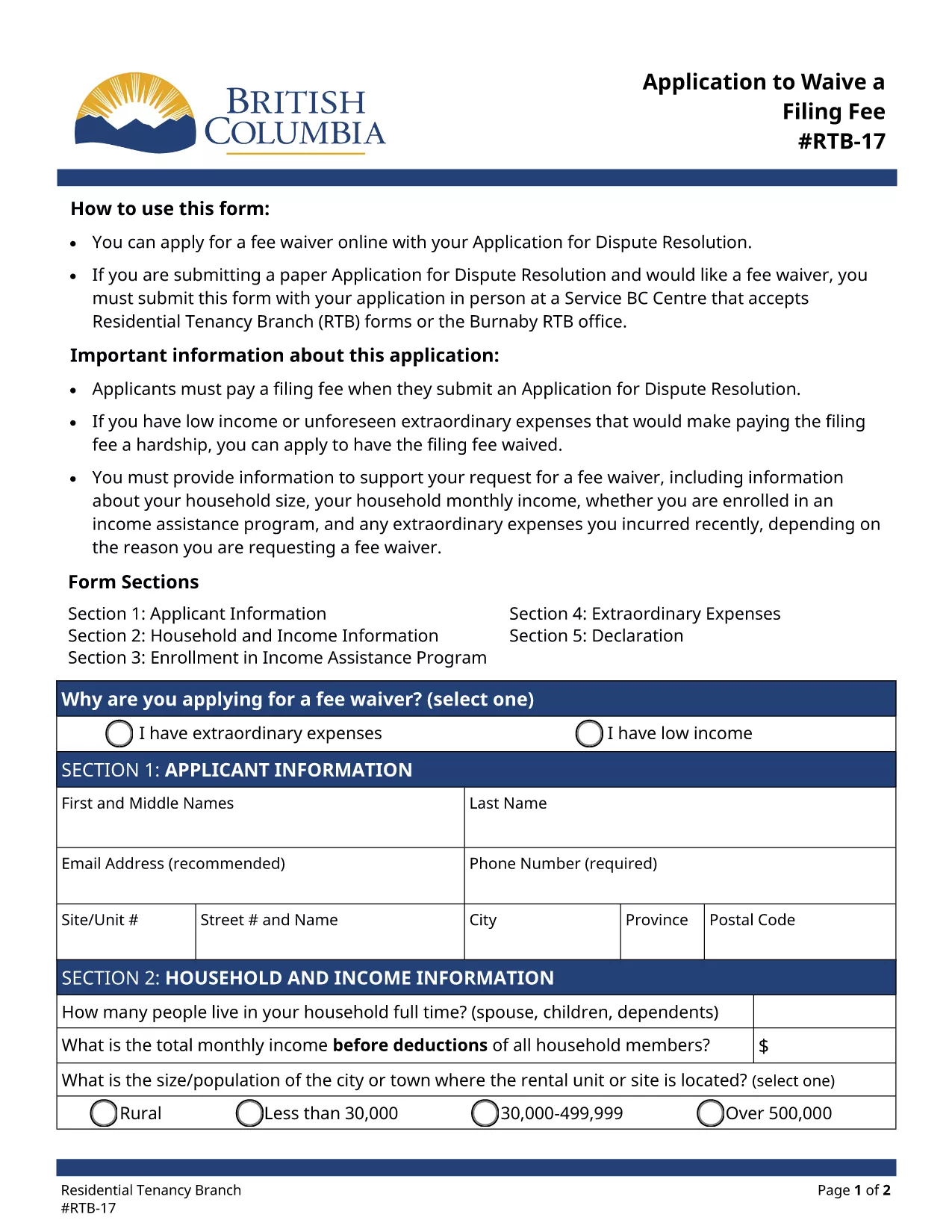
The RTB‑17 Application to Waive a Filing Fee is the official form used by the British Columbia Residential Tenancy Branch (RTB) when a tenant or landlord needs to request a waiver for the filing fee associated with a dispute resolution application. This form is required under the Residential Tenancy Act and must be completed accurately to avoid processing delays.

What is the RTB‑17 Fee Waiver Form?

RTB‑17 allows applicants to explain why they cannot afford the standard filing fee. Typical reasons include low income, loss of employment, or other financial hardships. The form collects basic personal information, details about the dispute, and supporting documentation.

How to Fill Out RTB‑17 Online with Formize

Formize provides a seamless, fillable PDF experience directly in your browser—no Adobe Reader required. Follow the simple steps below to complete the form in minutes.

Common Mistakes to Avoid When Completing RTB‑17

  • Leaving required fields blank – every field marked with an asterisk must be completed.
  • Submitting outdated contact information – ensure phone numbers and email addresses are current.
  • Failing to attach supporting documents – include proof of income or hardship when requested.

Where to Submit the Completed RTB‑17 Form

After you finish the online fillable version, you can either:

  1. Print and deliver the form in person to a Service BC Centre that accepts RTB forms.
  2. Mail the printed form to the Residential Tenancy Branch address listed on the form.
  3. Submit the PDF electronically through the RTB’s online portal (if available).

Download the Fillable RTB‑17 PDF

If you prefer to work offline, you can download the official fillable PDF directly from the government website. The file is fully compatible with Formize’s PDF Filler.

FAQ
  • Who is eligible to request a fee waiver using RTB‑17?

    Any tenant or landlord who can demonstrate financial hardship—such as low income, unemployment, or other documented reasons—may apply for a waiver.

  • Can I submit RTB‑17 electronically?

    Yes, after completing the fillable PDF with Formize you can upload the saved file to the RTB’s online portal, if the portal is available for fee‑waiver submissions.

  • What supporting documents should I attach?

    Typical documents include recent pay stubs, a notice of termination of employment, social assistance statements, or any proof that shows you cannot afford the filing fee.

  • How long does it take for the RTB to process a fee waiver?

    Processing times vary, but most fee‑waiver requests are reviewed within 10‑14 business days after receipt of the completed form and supporting evidence.

  • Do I need Adobe Reader to fill out RTB‑17?

    No. Formize’s online PDF filler lets you complete the form directly in your browser without installing Adobe Reader.

  • What if I make a mistake after submitting?

    You can submit a corrected RTB‑17 form with a brief note explaining the changes. Include a copy of the original submission for reference.

  • Is there a cost to use Formize’s fillable PDF service?

    Formize offers free access to fillable PDF forms like RTB‑17. No hidden fees are charged for completing or downloading the form.

CUM SĂ

Cum să completați RTB-17 gratuit, online, în 5 pași simpli:

  1. 1
    Click the Fill‑out Button
    On the page, click the bright "Fill out this form" button to launch the Formize PDF Filler.
  2. 2
    Wait for the Filler to Load
    The fillable PDF loads directly in your browser. No download or extra software is required.
  3. 3
    Enter Your Information
    Complete each required field, attach any supporting documents, and double‑check for accuracy.
  4. 4
    Review and Submit
    When you’re satisfied, click "Submit" to generate a completed PDF you can print or save.
  5. 5
    Save a Copy
    Download the final PDF for your records and bring the printed copy to a Service BC Centre or mail it as instructed.
Aplicația Formize PDF Filler
DESPRE

Formulare pentru proprietarii și/sau chiriașii de a propune acțiuni legate de contractele de închiriere.

RTB-17 este tipul de contracte de închiriere rezidențiale utilizate de majoritatea proprietarilor privați și asociațiilor de locuințe.

Există o serie de aspecte asupra cărora proprietarii sau chiriașii trebuie să respecte anumite reguli stabilite în regulamente. În unele cazuri, poate fi necesar ca aceștia să completeze un formular, numit „formular prescris”, care propune o acțiune care poate afecta cealaltă parte a contractului de închiriere.

Formularele se numesc formulare prescrise deoarece formularea din ele a fost redactată cu atenție pentru a se asigura că persoana care completează formularul și persoana căreia îi este comunicat pot înțelege ce este propus și ce pot face ca răspuns. Necomunicarea formularului corect poate invalida acțiunea care este propusă.

Nu puteți modifica formularea în aceste forme decât dacă un formular spune că puteți face acest lucru. Dacă modificați formularea, formularul poate fi invalidat. De asemenea, trebuie să respectați orice perioade de notificare stabilite în formular.

CARACTERISTICI

Filler PDF

Cel mai simplu mod de a completa RTB-17 online

  • Completați rapid RTB-17
    Căutați o modalitate de a completa rapid RTB-17 online? Cu ajutorul nostru online gratuit de completare a formularelor PDF, veți ști cum să editați și să completați acest document pdf în mai puțin de un minut.
  • Editor PDF online ușor de utilizat
    Sătul de tipărirea fișierelor PDF pentru a le putea edita, înainte de a le rescana și a le trimite înapoi? Editați documente PDF gratuit online. Utilizați editorul nostru online de pdf pentru a economisi timp și hârtie.
  • Instrumente grozave, toate platformele
    Vă întrebați cum să completați RTB-17 pe un Mac sau poate cum să utilizați un fișier PDF gratuit? Instrumentele noastre PDF online funcționează pe toate platformele.
  • Stocare securizată a fișierelor
    Fișierele „RTB-17” finalizate sunt stocate într-o bază de date securizată gestionată de Amazon Cloud hosting. Puteți șterge oricând fișierele din sistemul nostru. În orice caz, aceste fișiere sunt șterse automat după 24 de ore.
  • Chat cu RTB-17
    Conversați cu „RTB-17” pe Chatize, care este un asistent de citire PDF gratuit. Puneți întrebări și obțineți răspunsuri de la „RTB-17”. Doar faceți clic pe butonul Conversați cu documentul de mai sus.

Ștergeți sesiunea de umplere

Ștergeți sesiunea de umplere selectată? În acest caz, progresul dumneavoastră în completarea formularului se va pierde.

Ștergeți sesiunea de editare

Ștergeți sesiunea de editare selectată? În acest caz, progresul dvs. în crearea și editarea formularului se va pierde.