
Selecteaza limba

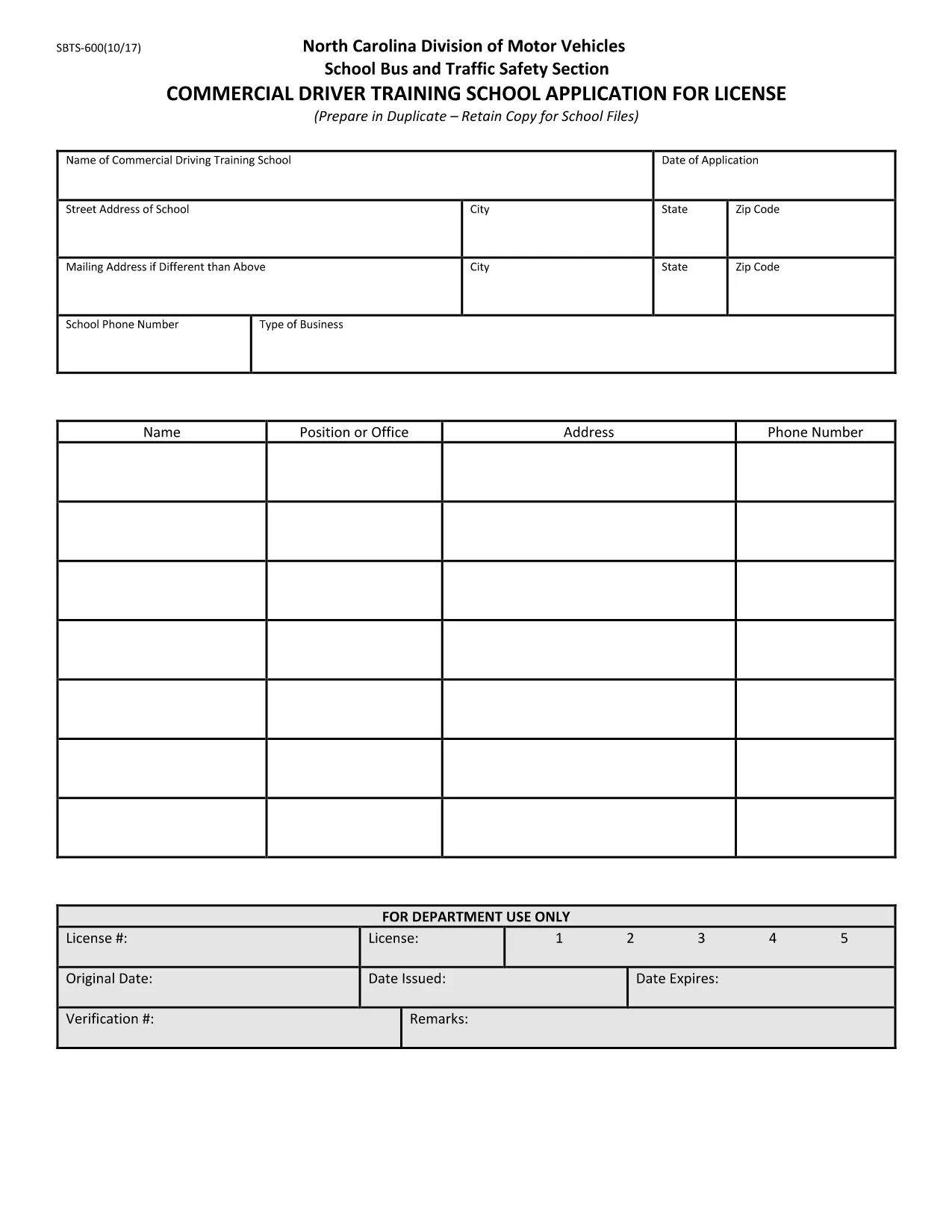
SBTS-600 Fillable PDF – North Carolina Commercial Driver Training School Application

  1. Limba Engleză
  2. Țară STATELE UNITE ALE AMERICII
  3. Activitate Permis de conducere
  4. Stat Carolina de Nord
SBTS-600 Fillable PDF – North Carolina Commercial Driver Training School Application

The SBTS-600 is the official North Carolina Department of Transportation (NCDOT) application for commercial driver training schools seeking a license to operate school buses. This fillable PDF lets you complete the form quickly, save a digital copy, and print it for submission to the NC Division of Motor Vehicles.

What Is the SBTS-600 Form?

SBTS-600 (School Bus and Traffic Safety) collects essential information about the training school, its instructors, curriculum, insurance, and vehicle fleet. The NCDOT uses this data to evaluate safety compliance before granting a school bus operator license.

Who Must Complete SBTS-600?

  • New commercial driver training schools applying for a North Carolina school‑bus license.
  • Existing schools renewing or updating their license information.
  • Organizations that provide driver‑training programs for school‑bus operators.

How to Fill Out SBTS-600 Online with Formize

Instead of downloading, printing, and scanning, use Formize’s Fill out this form button. The Formize PDF Filler loads the SBTS‑600 directly in your browser, allowing you to type, check boxes, and sign electronically.

Common Mistakes to Avoid

  • Leaving required fields blank – the form will not submit.
  • Providing outdated insurance policy numbers.
  • Using an illegible handwritten signature when printing later.
  • Submitting the form to the wrong NCDOT office.

Where to Submit Your Completed Form

After saving the completed PDF, mail or deliver it to:

North Carolina Division of Motor Vehicles
School Bus and Traffic Safety Section
300 Corporate Drive, Suite 400
Raleigh, NC 27699

Check the NCDOT website for any additional submission requirements.

FAQ
  • Is the SBTS‑600 form available as a fillable PDF?

    Yes. Formize provides a fully fillable version of the official SBTS‑600 PDF, so you can complete it online without printing.

  • Do I need special software to fill out SBTS‑600?

    No. The Formize PDF Filler works in any modern web browser – no Adobe Acrobat or other software is required.

  • Can I save my progress and finish later?

    Absolutely. Use the **Save** button at any time to download a partially‑filled PDF and resume later.

  • What happens after I submit the form?

    After you download the completed PDF, you must mail or deliver it to the North Carolina Division of Motor Vehicles as instructed on the form.

  • Is there a fee to use Formize’s PDF filler?

    Formize offers free online filling for the SBTS‑600 form. No hidden charges apply.

  • What if I make a mistake after downloading?

    You can reopen the saved PDF in Formize, correct the error, and download a new version before submitting.

  • Do I need to print the form after filling it online?

    The NCDOT may require a hard copy with a wet signature. Print the completed PDF, sign where required, and send it.

CUM SĂ

Cum să completați SBTS-600 gratuit, online, în 5 pași simpli:

  1. 1
    Click the Fill‑out Button
    On this page, click the **Fill out this form** button. Formize will open the SBTS‑600 in a secure online PDF editor.
  2. 2
    Wait for the Formize PDF Filler to Load
    The filler loads in seconds. All fields become editable directly in your browser.
  3. 3
    Complete Each Section
    Enter the requested information, upload any required documents, and use the digital signature tool to sign.
  4. 4
    Save and Download
    When finished, click **Save** to store a copy in your device and **Download** to get the completed PDF.
  5. 5
    Submit to NCDOT
    Print (if required) and send the completed form to the NC Division of Motor Vehicles address listed on the page.
Aplicația Formize PDF Filler
DESPRE

Formulare de solicitare a permisului de conducere

În majoritatea țărilor, este obligatoriu să ai permis de conducere înainte de a porni la drum. Obținerea permisului de conducere este o etapă importantă pentru oricine dorește să conducă o mașină.

SBTS-600 este unul dintre formularele de solicitare a permisului de conducere care sunt documente utilizate pentru a colecta informații de la persoanele care doresc să solicite un permis de conducere. De obicei, conține câmpuri pentru numele solicitantului, data nașterii, numărul de identificare, informațiile de contact, precum și istoricul și experiența permisului de conducere al acestuia.

CARACTERISTICI

Filler PDF

Cel mai simplu mod de a completa SBTS-600 online

  • Completați rapid SBTS-600
    Căutați o modalitate de a completa rapid SBTS-600 online? Cu ajutorul nostru online gratuit de completare a formularelor PDF, veți ști cum să editați și să completați acest document pdf în mai puțin de un minut.
  • Editor PDF online ușor de utilizat
    Sătul de tipărirea fișierelor PDF pentru a le putea edita, înainte de a le rescana și a le trimite înapoi? Editați documente PDF gratuit online. Utilizați editorul nostru online de pdf pentru a economisi timp și hârtie.
  • Instrumente grozave, toate platformele
    Vă întrebați cum să completați SBTS-600 pe un Mac sau poate cum să utilizați un fișier PDF gratuit? Instrumentele noastre PDF online funcționează pe toate platformele.
  • Stocare securizată a fișierelor
    Fișierele „SBTS-600” finalizate sunt stocate într-o bază de date securizată gestionată de Amazon Cloud hosting. Puteți șterge oricând fișierele din sistemul nostru. În orice caz, aceste fișiere sunt șterse automat după 24 de ore.
  • Chat cu SBTS-600
    Conversați cu „SBTS-600” pe Chatize, care este un asistent de citire PDF gratuit. Puneți întrebări și obțineți răspunsuri de la „SBTS-600”. Doar faceți clic pe butonul Conversați cu documentul de mai sus.

Ștergeți sesiunea de umplere

Ștergeți sesiunea de umplere selectată? În acest caz, progresul dumneavoastră în completarea formularului se va pierde.

Ștergeți sesiunea de editare

Ștergeți sesiunea de editare selectată? În acest caz, progresul dvs. în crearea și editarea formularului se va pierde.