Выберите язык

NSFAS Consent Form – Fillable PDF Download

  1. Язык Английский
  2. Страна Австралия
  3. Департамент Министерство внутренних дел и юстиции
  4. Вид деятельности Electronic Consent
NSFAS Consent Form – Fillable PDF Download

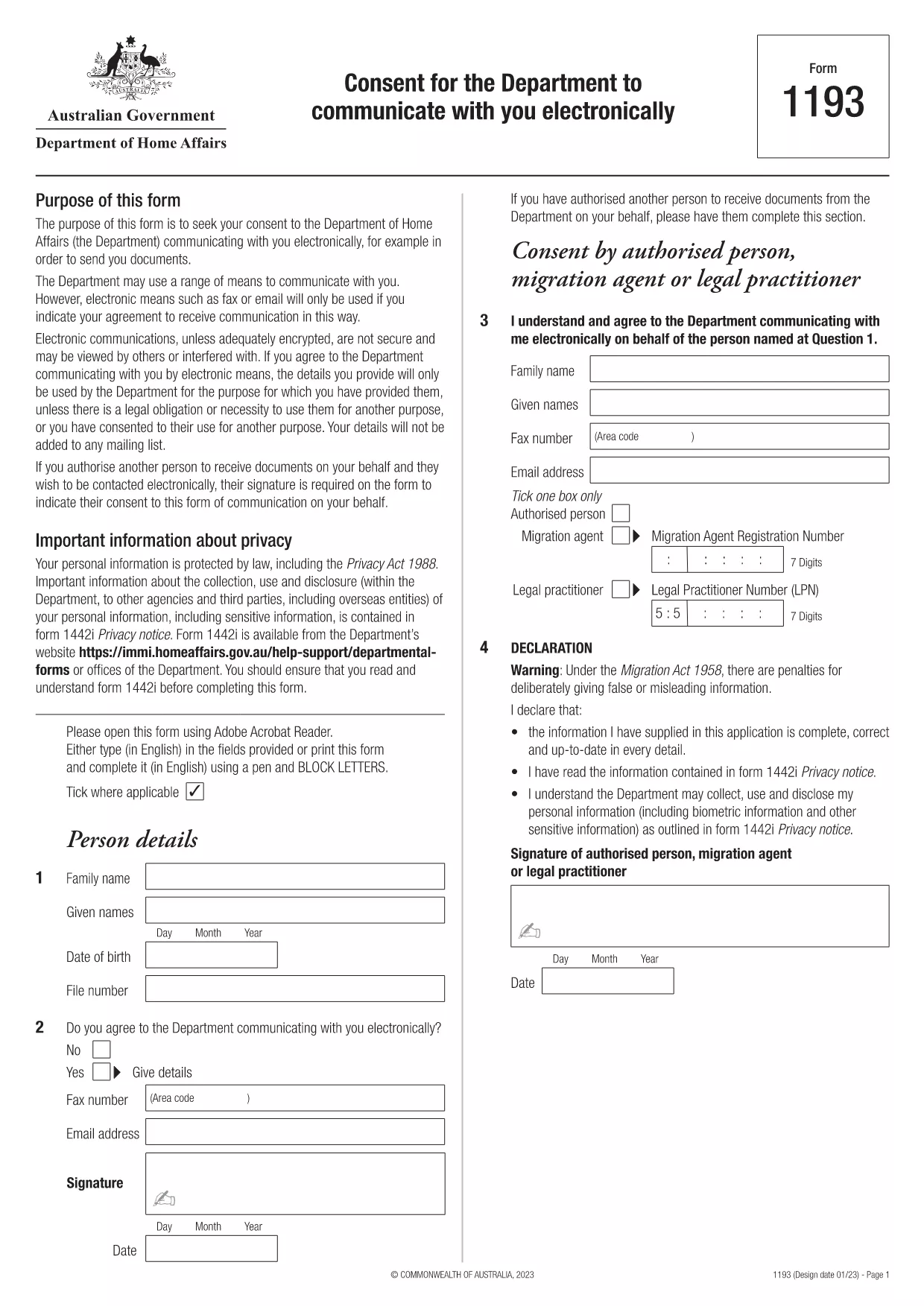
Students applying for financial aid through NSFAS (National Student Financial Aid Scheme) must provide written consent for the agency to share personal and academic information with selected parties. Our fillable PDF version lets you complete the consent form quickly, securely, and without any extra software.

Although the PDF originates from the Australian Department of Home Affairs, the structure is a standard electronic‑consent template that matches the requirements of NSFAS. You can customize the recipient details, sign digitally, and submit the form directly to your university or the NSFAS office.

Why You Need an NSFAS Consent Form

The consent form authorises NSFAS to disclose your records to lenders, scholarship bodies, or any third‑party you designate. Without a signed consent, processing of your aid application may be delayed or rejected.

How to Fill the Form Online with Formize

Follow these simple steps – no PDF editor required:

  • Click the "Fill out this form" button on this page.
  • Wait a few seconds while Formize’s PDF Filler loads.
  • Enter your personal details, select the organisations you want to grant access to, and add your digital signature.
  • Review the completed form and click Submit to download a copy or email it directly.

Common Mistakes to Avoid

  • Leaving required fields blank – the filler will highlight missing information.
  • Using an outdated email address for the recipient.
  • Forgetting to sign the form – a digital signature is mandatory.
  • Downloading the PDF before completing it – the form must be saved after all fields are filled.

Download & Print Options

If you prefer a hard copy, you can download the completed PDF and print it on standard A4 paper. The file is fully searchable and retains all entered data.

Start your NSFAS consent process now – click the button, fill the form, and submit with confidence.

ЧАСТО ЗАДАВАЕМЫЕ ВОПРОСЫ
  • Is the NSFAS consent form required for all students?

    Yes, any applicant who wants NSFAS to share their information with third parties must submit a signed consent form.

  • Can I use this PDF for other South African agencies?

    The form follows a generic electronic‑consent format, so it can be adapted for other agencies that require written permission.

  • Do I need a special PDF reader to fill the form?

    No. Formize’s online PDF filler works in any modern web browser without additional software.

  • Will my digital signature be accepted by NSFAS?

    NSFAS accepts electronic signatures that meet their authenticity standards, and Formize’s signature tool complies with those requirements.

  • How long does the form stay valid?

    A consent form is typically valid for 12 months from the date of signing, unless NSFAS specifies a different period.

  • Can I edit the form after I have downloaded it?

    Once saved, the PDF can be reopened in Formize to make further edits before final submission.

  • Is my personal information safe while using Formize?

    Formize uses SSL encryption and does not store your data on its servers after the session ends.

КАК ПОЛЬЗОВАТЬСЯ

Как бесплатно заполнить NSFAS consent form онлайн за 4 простых шагов:

  1. 1
    Open the Fillable Form
    Click the "Fill out this form" button on the page. The Formize PDF Filler will open in a new tab.
  2. 2
    Enter Your Details
    Complete all required fields such as name, student ID, and the organisations you wish to authorize.
  3. 3
    Add a Digital Signature
    Use the signature tool in the filler to draw or type your signature. This satisfies NSFAS’s signing requirement.
  4. 4
    Review and Submit
    Check the form for any errors, then click the Submit button to download the finished PDF or email it directly.
Приложение Formize PDF Filler
О ПРИЛОЖЕНИИ

Шаблон NSFAS consent form

С традиционный набор функций для просмотра и заполнения PDF-документа в сочетании с преимуществами веб-приложения и адаптивной верстки вы сможете заполнить NSFAS consent form за считанные минуты.

ФУНКЦИИ

Инструмент для запролнения PDF форм

Самый простой способ заполнить NSFAS consent form онлайн

  • Быстрое заполнение NSFAS consent form
    Ищете способ быстро заполнить NSFAS consent form онлайн? С нашим бесплатным онлайн-инструментом вы узнаете, как редактировать заполнить этот PDF-документ менее чем за минуту.
  • Простой в использовании онлайн-редактор PDF
    Надоело распечатывать PDF-файлы, чтобы их можно было отредактировать перед повторным сканированием и отправкой обратно? Редактируйте документы PDF бесплатно онлайн. Используйте наш онлайн-редактор PDF, чтобы сэкономить время и бумагу.
  • Отличные инструменты, все платформы
    Хотите знать, как заполнить NSFAS consent form на Mac или, может быть, как использовать бесплатный заполнитель PDF? Наши онлайн-инструменты PDF работают на всех платформах.
  • Безопасное хранение файлов
    Файлы заполненных "NSFAS consent form" хранятся в защищенной базе данных, управляемой облачным хостингом Amazon. Вы можете удалить свои файлы из нашей системы в любое время. В любом случае эти файлы автоматически удаляются через 24 часа.
  • Чат с NSFAS consent form
    Откройте чат с "NSFAS consent form" в Chatize — бесплатном помощнике для чтения PDF-файлов. Задавайте вопросы и получайте ответы от "NSFAS consent form". Просто нажмите кнопку Чат с документом выше.

Удалить данные о заполненной форме

Удалить данные о заполненной форме? В этом случае Ваш прогресс заполнения этой формы будет утерян.

Удалить сеанс редактирования

Удалить выбранный сеанс редактирования? В этом случае ваш прогресс в создании и редактировании формы будет утерян.