
Выберите язык

Application to Resume Australian Citizenship (Form 132) – Fill Online

  1. Язык Английский
  2. Страна Австралия
  3. Вид деятельности Гражданство
  4. Департамент Home Affairs
Application to Resume Australian Citizenship (Form 132) – Fill Online

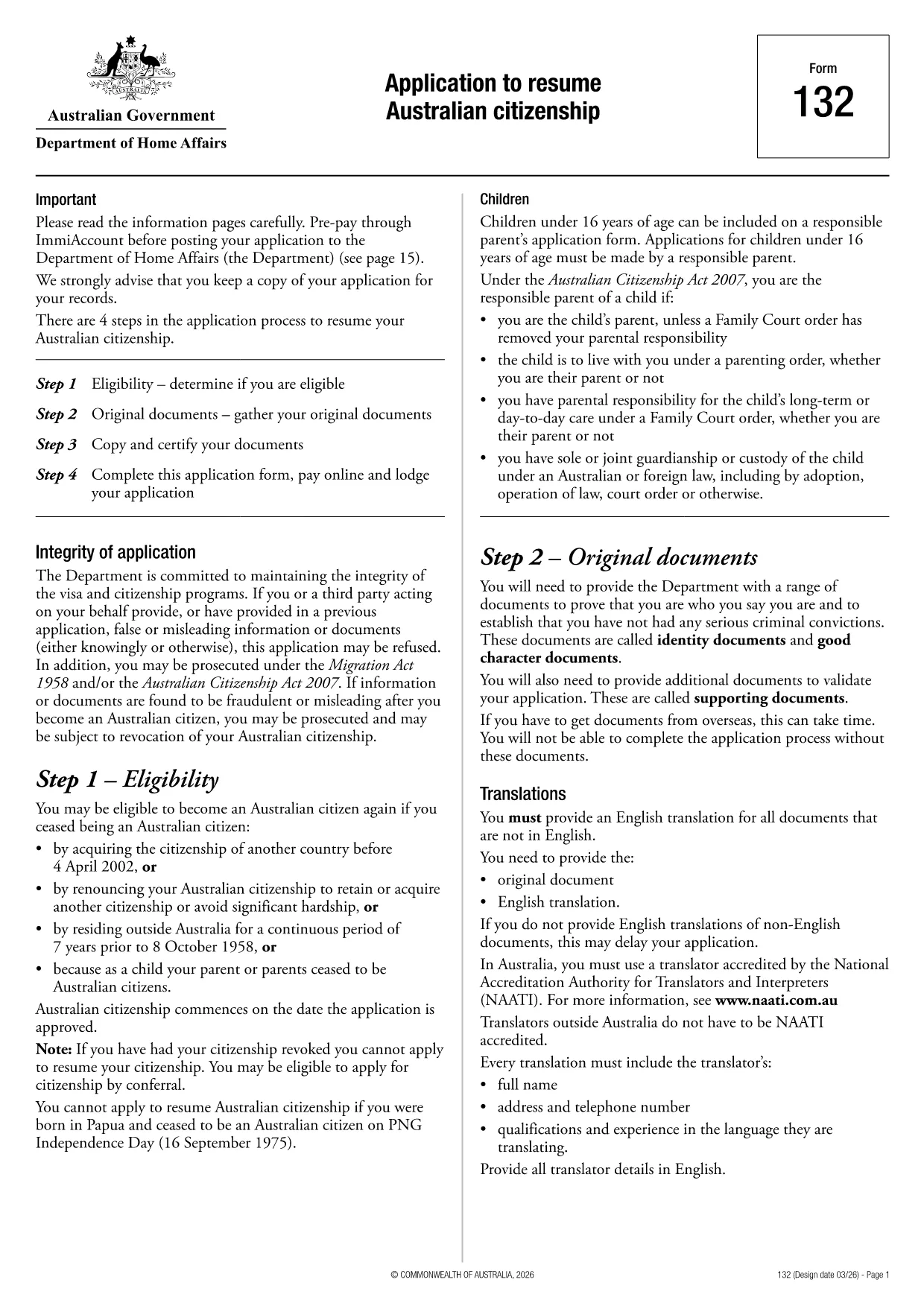
If you need to resume your Australian citizenship, you’ll use Form 132 – Application to Resume Australian Citizenship. This official PDF can now be completed entirely online with the Formize PDF Filler, so you never have to print, scan, or manually edit the document.

Why Use the Online Formize PDF Filler?

The Formize filler loads the exact PDF you need, preserving the government‑approved layout while letting you type directly into each field. Benefits include:

  • Instant validation of required fields
  • Automatic saving – you can pause and return later
  • Secure, browser‑based processing – no software install
  • One‑click download of the completed PDF for submission

Step‑by‑Step Guide to Completing Form 132

Follow these simple steps to fill out the application correctly:

  1. Click the “Fill out this form” button below.
  2. Wait for the Formize PDF Filler app to load the PDF.
  3. Enter your personal details, citizenship history, and reasons for resumption.
  4. Attach any required supporting documents (e.g., passport copy, proof of residence).
  5. Review the completed form for accuracy.
  6. Download the finished PDF and submit it to the Department of Home Affairs.

Common Mistakes to Avoid

Even with an easy online tool, mistakes happen. Avoid these pitfalls:

  • Leaving mandatory fields blank – the filler will highlight them.
  • Uploading files in the wrong format (use PDF, JPG, or PNG only).
  • Using an outdated version of the form – the link below always points to the latest Form 132.

Eligibility & Supporting Documents

Before you start, make sure you meet the eligibility criteria:

  • You previously held Australian citizenship.
  • You have been outside Australia for a period that requires resumption.
  • You can provide proof of identity and residency.

Typical supporting documents include a current passport, a statutory declaration, and any relevant court orders.

Where to Submit Your Application

After downloading the completed PDF, submit it through the Department of Home Affairs portal or mail it to the address listed on the form. Keep a copy for your records.

Ready to get started? Click the button below and let Formize handle the rest.

ЧАСТО ЗАДАВАЕМЫЕ ВОПРОСЫ
  • Do I need to download any software to fill Form 132?

    No. Formize’s PDF filler works entirely in your web browser, so there’s nothing to install.

  • Can I save my progress and return later?

    Yes. The filler automatically saves your entries locally, allowing you to close the browser and continue later.

  • What file formats are accepted for supporting documents?

    PDF, JPG, and PNG are accepted. Make sure each file is under 5 MB for smooth uploading.

  • Is the online filler secure?

    All data is processed locally in your browser and never stored on our servers. Your information remains private.

  • Can I print the completed form directly from the filler?

    After you finish, click the “Download” button to save the completed PDF, then print it using any PDF viewer.

  • What if I make a mistake after downloading?

    You can reopen the downloaded PDF in Formize’s filler, correct the error, and download a new version.

  • Where do I send the finished Form 132?

    Submit the PDF through the Department of Home Affairs online portal or mail it to the address listed on the form.

КАК ПОЛЬЗОВАТЬСЯ

Как бесплатно заполнить Australian citizenship resume form онлайн за 4 простых шагов:

  1. 1
    Open the Form
    Click the “Fill out this form” button on this page. The Formize PDF Filler will launch in your browser.
  2. 2
    Enter Your Details
    Type directly into each highlighted field – the filler automatically saves your progress.
  3. 3
    Upload Supporting Documents
    Use the “Attach File” option to add passport scans, statutory declarations, or other required PDFs.
  4. 4
    Review and Submit
    Check every section for completeness, then download the finished PDF and send it to the Department of Home Affairs.
Приложение Formize PDF Filler
О ПРИЛОЖЕНИИ

Формы гражданства

Australian citizenship resume form — это одна из форм гражданства, которые представляют собой документы, используемые для подачи заявления на получение гражданства в стране. Точные формы и требования для получения гражданства различаются в зависимости от страны, но, как правило, процесс включает предоставление личной информации и доказательств права на получение гражданства.

В Соединенных Штатах наиболее распространенной формой гражданства является заявление о натурализации N-400. Эта форма используется законными постоянными жителями (владельцами грин-карты) для подачи заявления на получение гражданства США. В форме запрашивается личная информация, такая как имя, дата рождения и контактная информация, а также информация об иммиграционном статусе заявителя, криминальном прошлом и другие квалификационные требования.

В других странах могут быть другие формы и требования для получения гражданства, но основной процесс обычно включает предоставление информации о прошлом заявителя и соответствие определенным критериям приемлемости. Это может включать прохождение теста на гражданство, демонстрацию знания истории страны и правительства, а также демонстрацию владения языком страны.

Важно отметить, что процесс получения гражданства может быть сложным и длительным. Лицам, желающим получить гражданство, рекомендуется проконсультироваться с иммиграционным адвокатом или другим квалифицированным специалистом, чтобы помочь сориентироваться в процессе и убедиться, что все необходимые формы и требования соблюдены.

ФУНКЦИИ

Инструмент для запролнения PDF форм

Самый простой способ заполнить Australian citizenship resume form онлайн

  • Быстрое заполнение Australian citizenship resume form
    Ищете способ быстро заполнить Australian citizenship resume form онлайн? С нашим бесплатным онлайн-инструментом вы узнаете, как редактировать заполнить этот PDF-документ менее чем за минуту.
  • Простой в использовании онлайн-редактор PDF
    Надоело распечатывать PDF-файлы, чтобы их можно было отредактировать перед повторным сканированием и отправкой обратно? Редактируйте документы PDF бесплатно онлайн. Используйте наш онлайн-редактор PDF, чтобы сэкономить время и бумагу.
  • Отличные инструменты, все платформы
    Хотите знать, как заполнить Australian citizenship resume form на Mac или, может быть, как использовать бесплатный заполнитель PDF? Наши онлайн-инструменты PDF работают на всех платформах.
  • Безопасное хранение файлов
    Файлы заполненных "Australian citizenship resume form" хранятся в защищенной базе данных, управляемой облачным хостингом Amazon. Вы можете удалить свои файлы из нашей системы в любое время. В любом случае эти файлы автоматически удаляются через 24 часа.
  • Чат с Australian citizenship resume form
    Откройте чат с "Australian citizenship resume form" в Chatize — бесплатном помощнике для чтения PDF-файлов. Задавайте вопросы и получайте ответы от "Australian citizenship resume form". Просто нажмите кнопку Чат с документом выше.

Удалить данные о заполненной форме

Удалить данные о заполненной форме? В этом случае Ваш прогресс заполнения этой формы будет утерян.

Удалить сеанс редактирования

Удалить выбранный сеанс редактирования? В этом случае ваш прогресс в создании и редактировании формы будет утерян.